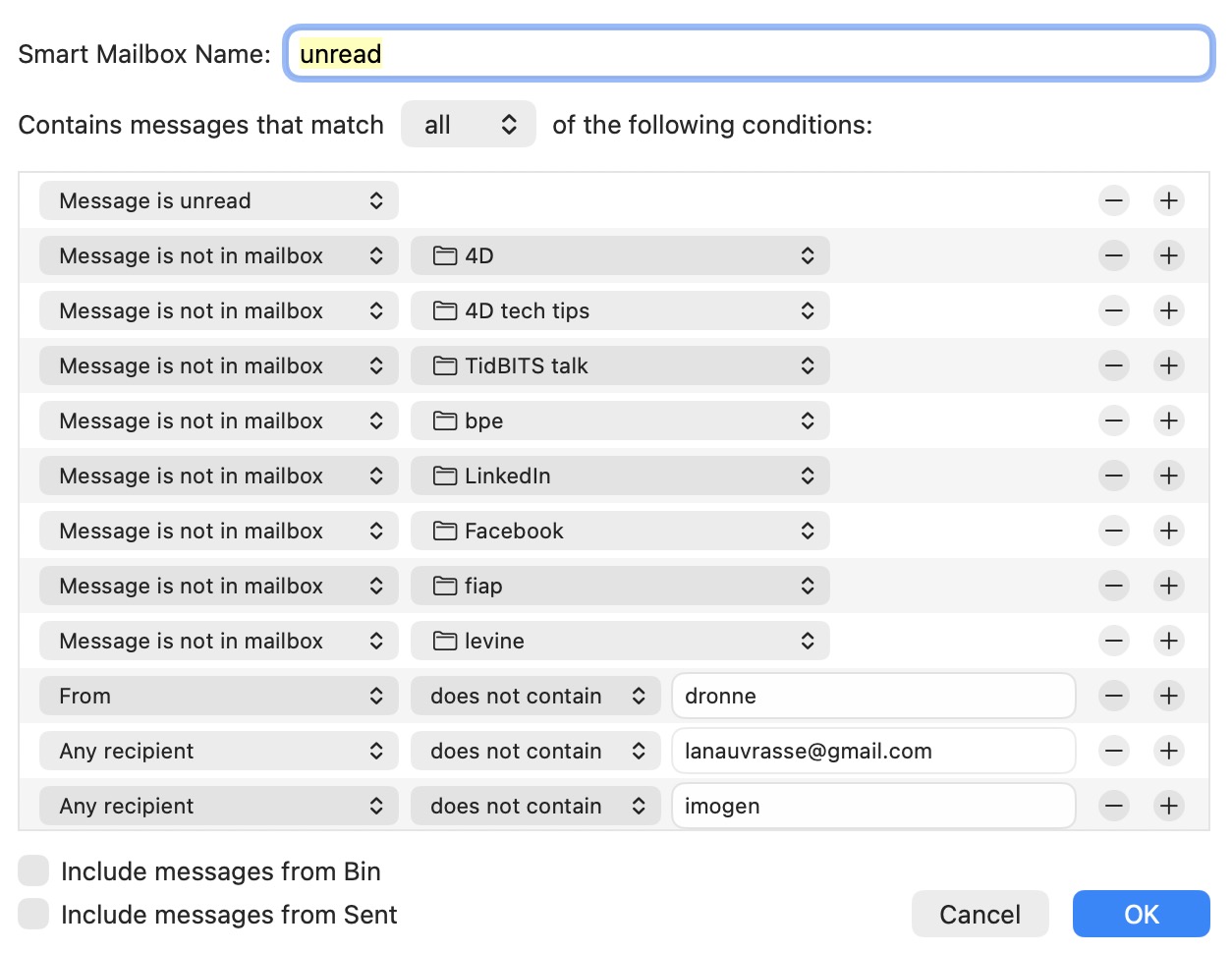
For many years, I’ve had a smart mailbox which contains most of my unread messages. I’ve just installed Golden Gate (latest version) and it’s stopped working: it’s always empty. Here’s a screenshot of the setting.
Any ideas?
I’ve tried creating a new smart mailbox whose only criterion is “message is unread”. That one remains resolutely empty as well, although I have a dozen or so unread messages scattered around various mailboxes. Selecting iCloud “Inbox” and filtering by unread works. Jolly odd.
This is just a wild guess, but is it possible you have another smart mailbox, or perhaps a Mail Rule that is conflicting with your unread smart mailbox, and Mail in GG for some reason swapped the processing order between them so that now the other logic runs first?
I’m sorry to say that I just created a smart mailbox for “message is unread” and it works for me. (I’m on 27.2 with 13 separate mail accounts.) Your criteria looks fine, obviously.
If you’ve just installed Golden Gate, I wonder if the computer is still indexing your mail?
See also this post by @MaltbyEarl about an issue with a smart mailbox after the Golden Gate upgrade that resolved over time.
I have an older MacBookPro, term limited to MacOS Ventura (13.x), and it also periodically does this exact same maddening behavior – Smart Mailbox for “Recent Mail Unread” goes empty. I would say it has happened 3 or 4 times, and I’ve never been able to fix it using any/all tricks I could think of.
If I open individual mail accounts, mail is there, but not in the Smart Mailbox.
However, for me, after about 4 days, the Smart Mailbox returns as if nothing changed - all my recent email reappears, and then the mailbox acts as it should. If you discover any trick to restore this, please share.
Well, I don’t know what happened, but my “unread” mailbox has started working again.
Deterministic? Computers? Pah.