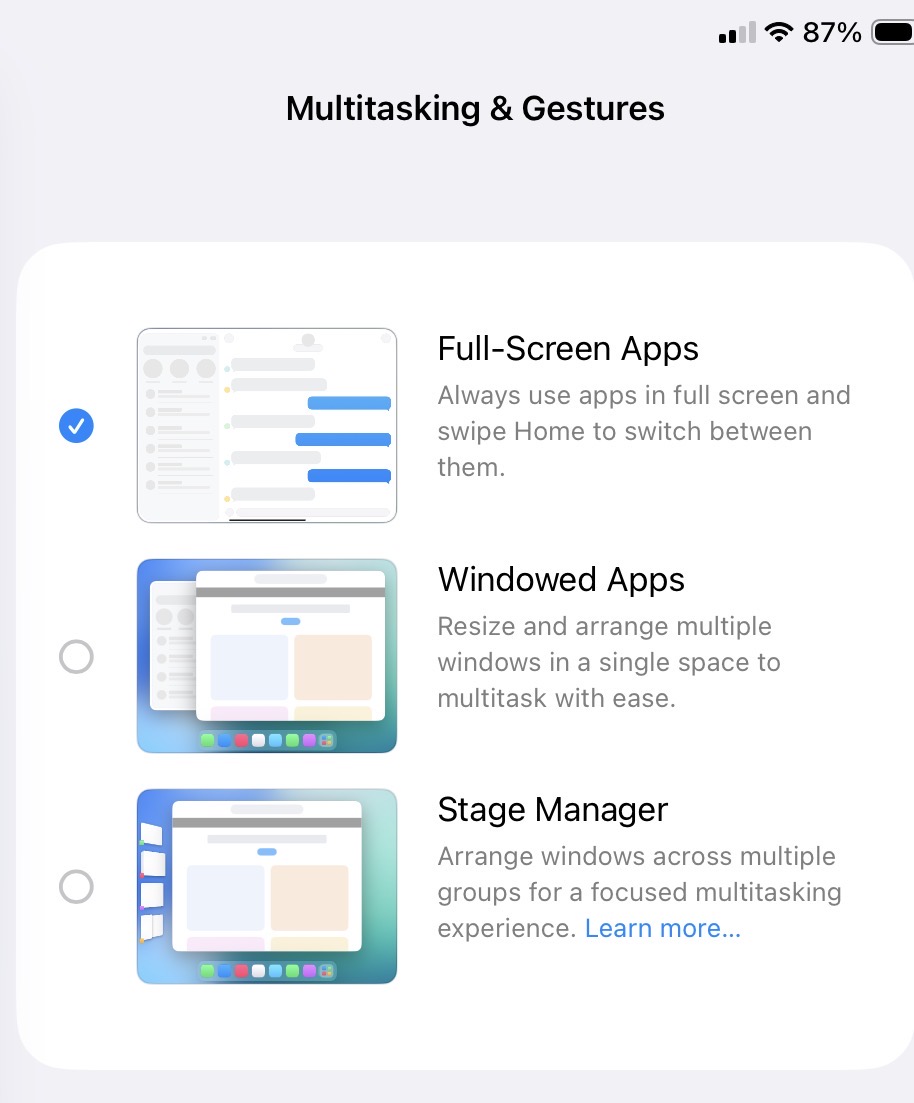
I prefer the old way iPadOS displayed apps as full-screen when opened and could be closed by simply swiping up from the bottom of the screen . OS26 changed that to display the app in a window. Nice if you have plenty of screen space but a little irritating as an extra gesture is needed to close the app (tap on the window icon and tap on the red dot).
I found this behaviour could be changed in Settings/Multitasking & Gestures:
One of the things about being an early adopter is that issues such as these are discussed in current articles about the changes. When you adopt later, you should really either go back and check out stories from that time or pick up a good reference (like those in the Take Controlol series) to see what the changes are and how to make use of them or avoid them.
By the way, if you use the Window Intererface, its very easy to make a window full-screen by double tapping at the top. I have my iPad set to the Window Interfacei but mostly operate in full-screen mode.