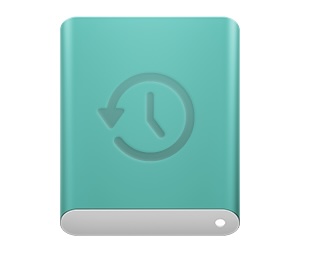
I’d say other than hobbyists, tinkerers, and frequent troubleshooters, most people today have no idea what a bare HD looks like. Also, the most common storage hardware now, SSDs, look completely different. So switching from the old icon doesn’t really matter much to me. I do agree that Apple’s long running move towards total icon abstraction is bad for usability.
I’d also say computers and typewriters share a common external feature: a keyboard. To my mind, that’s what allows a typewriter icon to continue to work as a word processor icon. Memory and storage, on the other hand, is never seen by the majority of Apple customers.
—————
ETA
A couple of storage icon ideas, one if Apple wants to appeal to mass-market users, the other for Apple’s aspirations to become a luxury brand:
To a non-techie user, storage is either the computer itself (image of a Mac?) or a USB-attached storage device.
The problem with using a Mac icon for Disk Utility is that you’ll need an icon that matches the installed computer, and it would be (IMO) more effort than it’s worth to make an app’s icon change based on the model computer.
An external SSD image would work, but they’re not very distinctive, especially since Apple can’t use anybody else’s branding. But there may be room for artistic embellishment here.
Of course, the entire name “Disk Utility” doesn’t make sense with solid state media. But one thing at a time.
I’m reminded of the old Xerox ViewPoint systems, which used an icon of a file drawer to represent a local storage device and a file cabinet to represent a remote server. Which worked great, because everybody knows that that’s where you put folders.
It is pretty easy for an application to look up icons to display at run-time. Especially when the OS already has a database of device icons that apps can use.
It’s more difficult for an application to dynamically change its own Finder icon. This icon is typically fixed. And it really should be fixed, because dynamically changing app icons can be confusing to users.
I suppose Apple could add something to the installer package to set the icon at installation time to match the hardware, but that same user confusion is likely if what you see on your computer doesn’t match what other see (and share in news articles and blog posts).
I forget where I saw it, but there was a post recently about ancient device icon resources still being preserved in current OS resource files. Off the top of my head, icons for the iBook, the eMac, and so on. It may even have been something you had posted.
The icons don’t go all the way back, but it looks like they do go back to the PowerPC G4 era.
I assume these exist so you can see the right kind of icon when you connect to one of these computers/devices over a network.
There’s also this bundle: /System/Library/CoreServices/IconsetResources.bundle/Contents/Resources
These look like generic icon backgrounds at various sizes that might be used for constructing an icon from a document preview thumbnail.
The SCSI driver kernel extension seems to have icons for various kinds of external drives: /System/Library/Extensions/IOSCSIArchitectureModelFamily.kext/Contents/Resources/
These include some really old icons, including floppy, magneto-optical, and LS-120 super disks.
That wasn’t it. Whatever it was, it was something much more recent. Unfortunately, nothing obvious is showing in my browser histories. Nonetheless, the resources mentioned in the 2014 article are the resources I was thinking of.