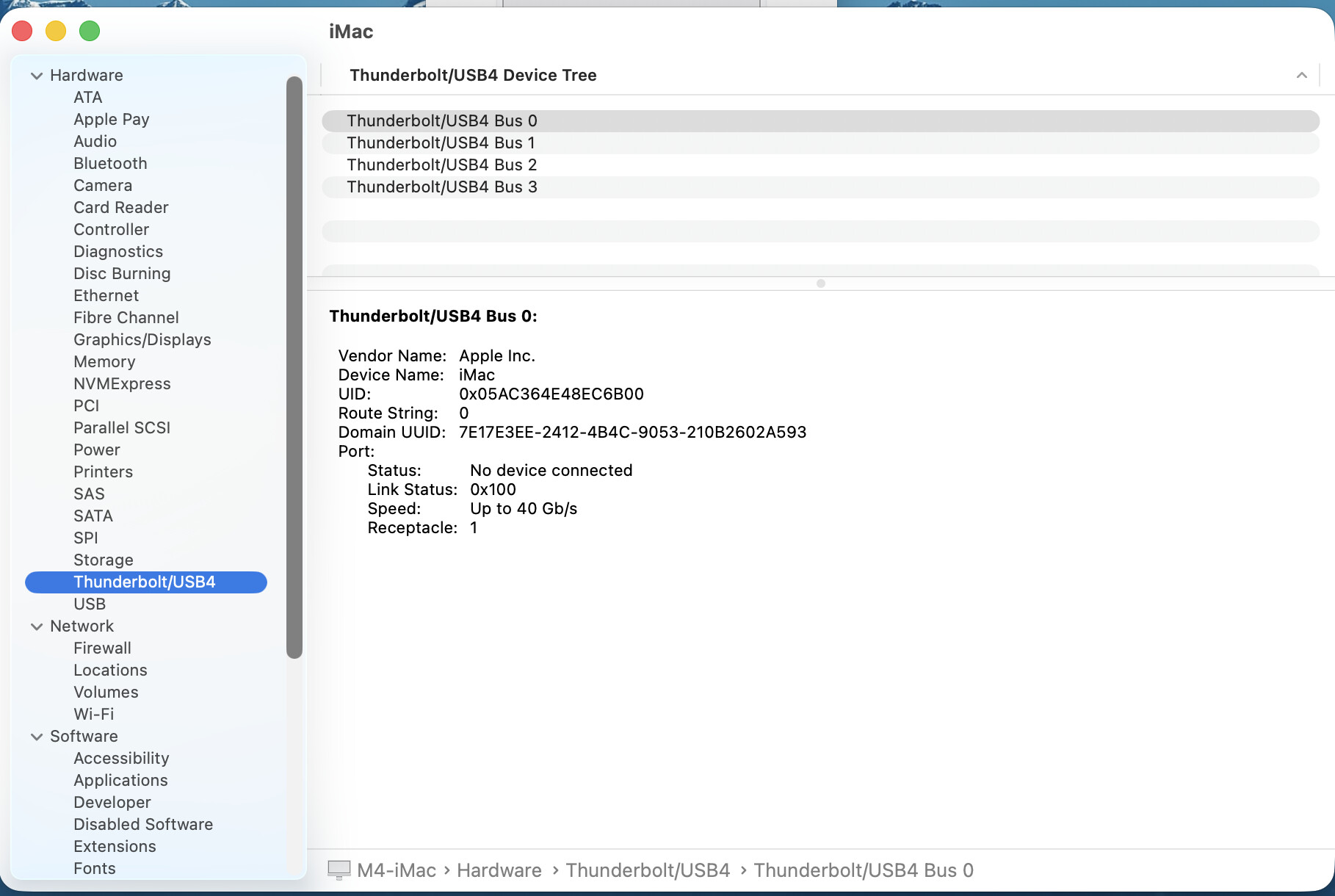
So, on this new iMac, there are four USB-C Thunderbolt ports on the rear of the machine. They are labeled bus 0 to bus 3. They appear in System Report as Thunderbolt/USB4.
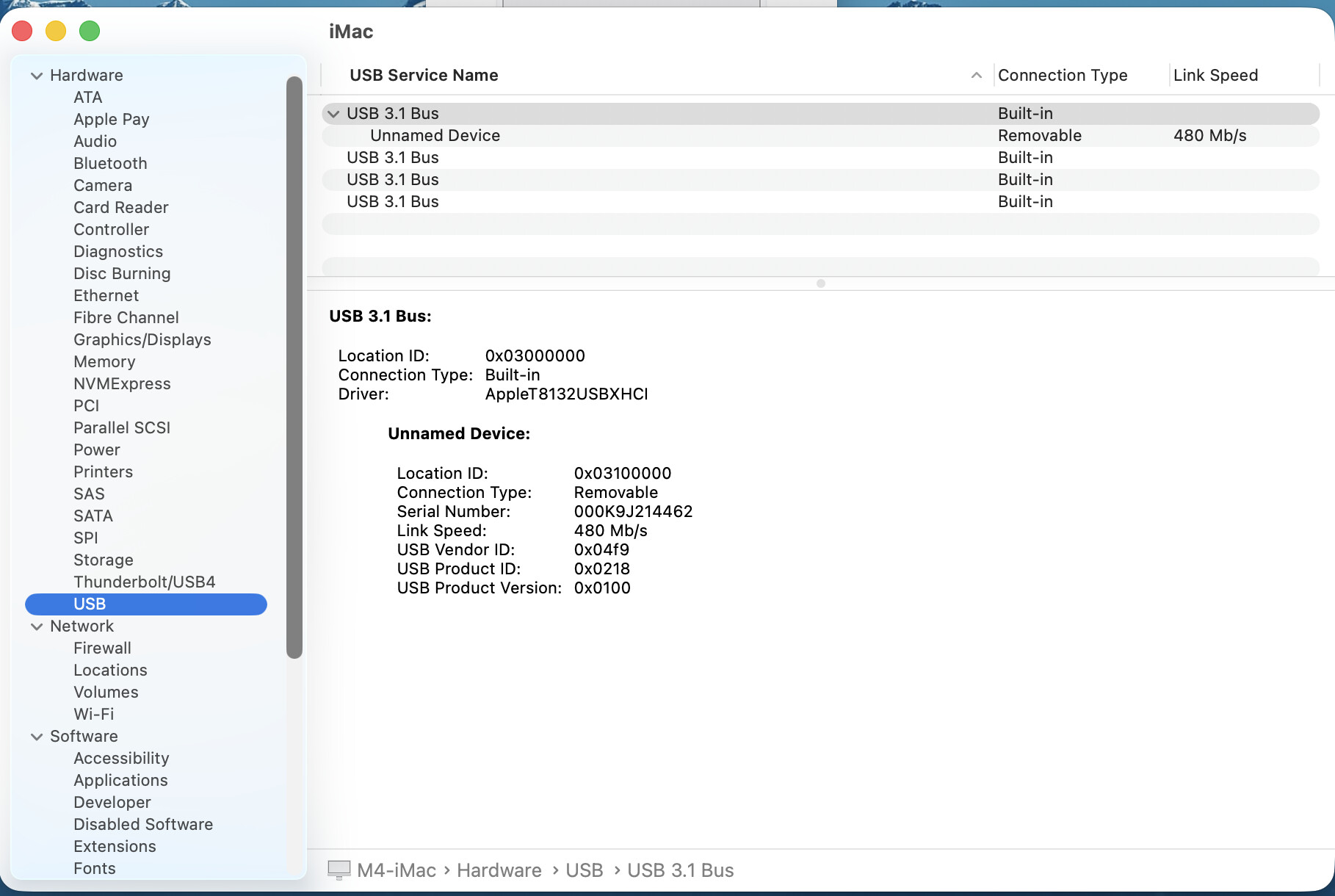
Immediately beneath this in System Report, there’s an entry for USB connections. Clicking it shows four USB 3.1 entries. One of them is populated with a USB cable connected to my printer. There’s a USB-A-to-USB-C adapter on the end of that cable. It appears as the topmost USB 3.1 entry.
So, can I assume that the rightmost port is Thunderbolt 0, which doesn’t register anything because there’s a USB3 device connected?
Also, do these USB4 ports default to USB-3.1 when a slower USB 3 device is plugged into that port?
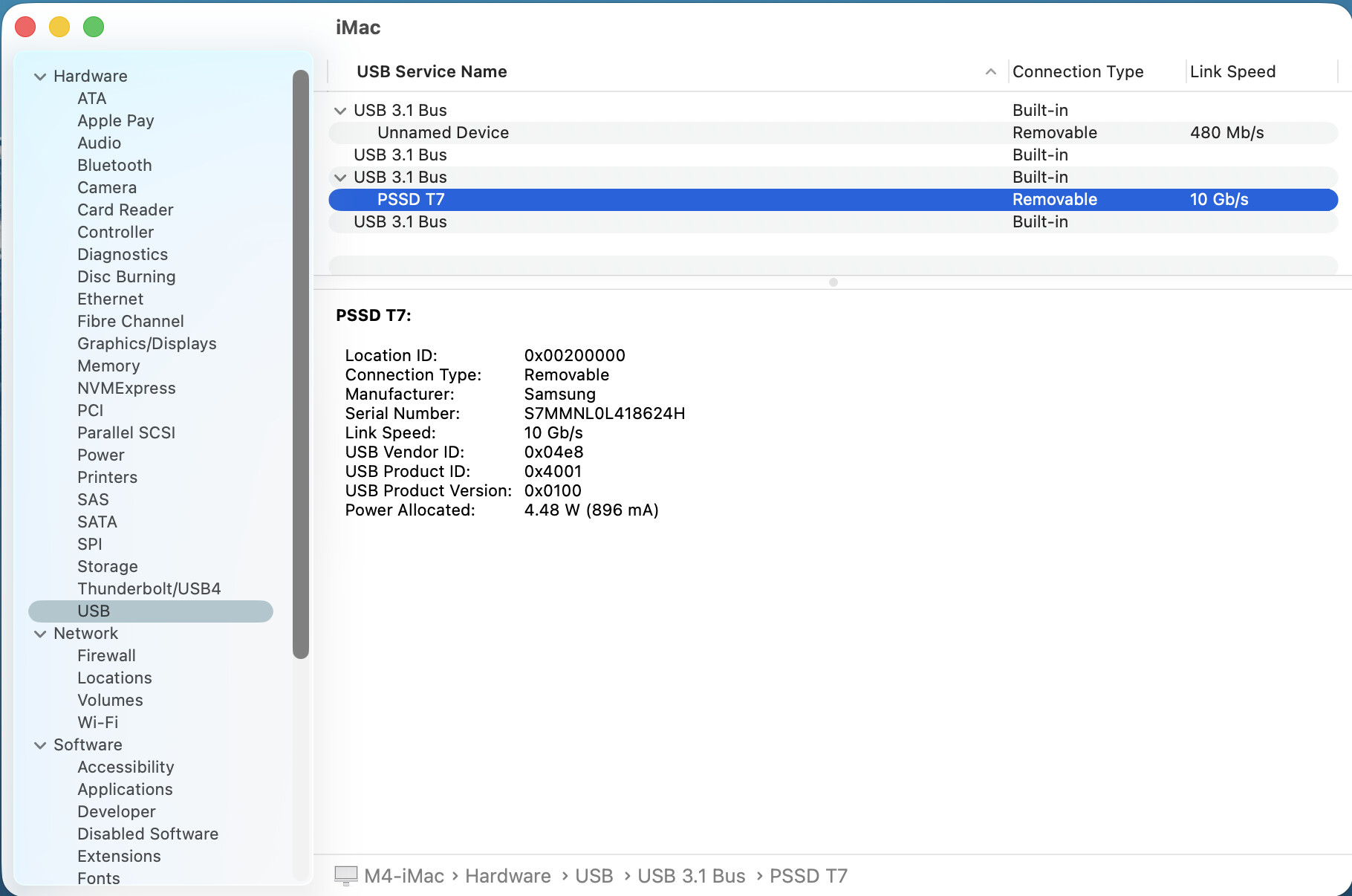
When I plug a new Samsung T7 into the leftmost port (facing the machine), I see no devices listed under the Thunderbolt/USB4 list (they all read “no device connected”). But the T7 shows up under the USB-3.1 listing, as follows:
So, I’m really confused now. In the list, that’s the third USB-C port, not the fourth (on the far left if I’m facing the machine). Also, why is there nothing listed under the Thunderbolt/USB4 ports (although this is a USB-3.2 drive)? Would that TB/USB4 port only show a device listing if a USB4 device were attached?
Can anyone explain the logic behind the sequencing?
According to everymac.com, the 2024 iMac has 4 thunderbolt4 ports on the back.
But keep in mind that with the USBc/thunderbolt form factor ports, how the port “behaves” depends on what’s connected to it.
If you plug in a USB hard drive or SSD, it functions as a USB port.
Plug in a thunderbolt drive, and it functions as a thunderbolt port.
Plug in a display, and (in most cases) it will function to drive a display.
Plug in a device with a charging cable, and I believe the ports will deliver adequate power for charging.
I wouldn’t be concerned wondering about what system information says. But that’s just me.
Just plug stuff in.
If the port works, use it.
A T7 is not a Thunderbolt device, so I wouldn’t expect to see it in that section. It is a USB 3 device, and as such appears in that section.
Yes. USB 4 devices that run at 40 Gbit/s or faster are Thunderbolt devices and will appear in the Thunderbolt section. USB devices that run at slower speeds (20 Gbit/s or less) will appear in the USB section.
The “USB4” nomenclature is a bit confusing because the USB version 4 spec incorporates Thunderbolt.
As for trying to figure out which port corresponds to which line in system information, I wouldn’t bother trying to make sense of it. The only identifier that matters to the OS is the UID.
The sequence numbers are arbitrary and probably just reflect the order that the device drivers discovered the ports at system startup. Which is not necessarily in any particular order.