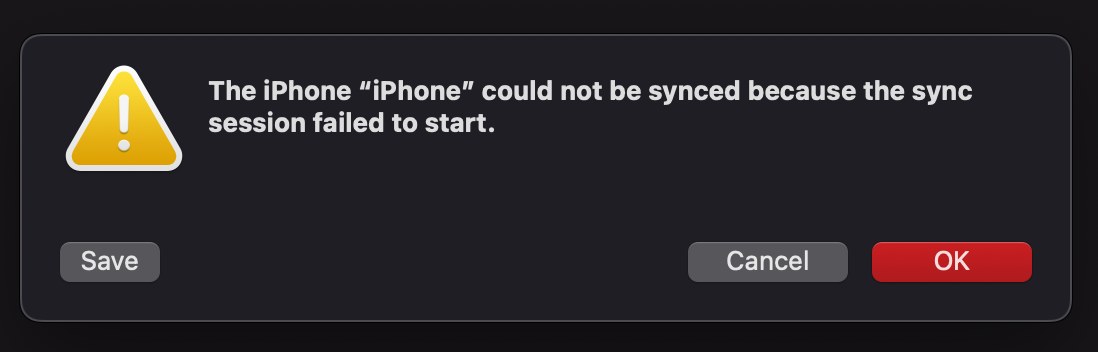
Background, I have about 30-31G of music on my phone (12). Added manually. Big mistake that I am trying to rectify. Spent hours and hours trying to recreate the music I had on there into a playlist. So I try and sync… got a message warning about having to delete all the music first, I figured they won’t simply know that the music is already there, oh well.
So I set it all up to sync from my playlist to the phone. I start the sync… then I get the message above. Tried twice. WTF? I’m still on 15.6.1 and am close to going for 2026, but I think this needs to be figured out first… any ideas?
I’ve seen that across various iOS and macOS versions. On different Macs, involving hubs as well as direct connections. Lightning and USB-C.
I’ve heard tons of speculation as to what might be going on. None of it definitive.
Here’s what has worked for me:
switching the port I use to connect to the Mac
logging out and back in again on the Mac
rebooting the Mac
rebooting iPhone
Sometimes the first one does it, sometimes it won’t start working again properly until I’ve gone through them all. And other times it will just randomly start working again for no obvious reason.
Frankly, I’m sick and tired of it. It’s a silly stupid problem. And solution is long overdue. But instead, apparently Apple thinks people who connect over USB are holding it wrong and instead suggests we all just go iCloud. Screw that. They can have their way once they pay for my iPhone. But until then, my device my rules.
Another possibility is that the iphone/Mac “trust cycle” (not sure what it’s actually called) was not completed.
When I do iphone/Mac syncs, nothing starts til iphone is unlocked, then “trust this device” messages could appear on iphone/Mac, and so on. For us, it’s a multiple step and multiple entry of Passcode dance til Finder actually starts syncing.
So I plug them together, unlock the iphone, then observe both devices and click/enter Passcode as instructed until the little spinning arrows appear on both Mac (next to iphone name in left column) and iPhone (top menu bar, may need to open Control Center to see it).
Ahhhh, think I did see that, I followed the prompts but there was no message on the phone like it told me there would be. I think I figured face id on the phone took care of it.
Thing is, the sytart of the process is apparently to delete mall the music on my phone, even though 99% of what’s in the playlist is already there.
Still, I’ll give it another shot later today…
So I am trying your suggestion, when I plug the phone in, I see nothing except the phone starts charging.
For a simple sync, the iPhone just needs to be unlocked (auth via FaceID, TouchID). But for backup, you need to enter the passcode on the iPhone. For either, the iPhone should prompt you for what’s needed. And also for either, failure to follow what the prompt asks for should not lead to the warning box shown above.
Hmm, I never thought I had to unlock the phone, irt simply goes back to unlocked.
So I did a forced re-boot of the phone, did do the unlock, then started the sync process… oh, I plugged it into a different port, but I highly doubt that had anything to do with it. Woilldn’t you know, it now appears to be syncing my 8100 songs!
There is a weird thing… while it is syncing, Music shows me the whole playlist as if it’s already there… very odd.
The next big “test” is I will offload (take all those and move them to a new playlist so I can retrieve them later) a BIG chunk of that music to create enough free space to do the OS install, then hopefully move the “moved” back to the main. playlist so they get copied to the phone.
Leaves me wondering if I should do all this before I go to Tahoe? There is a known (to me) bug where something gets sorted incorrectly.
Once all this is working, I want to create something I used to do w/iTunes and my iPod Shuffle.