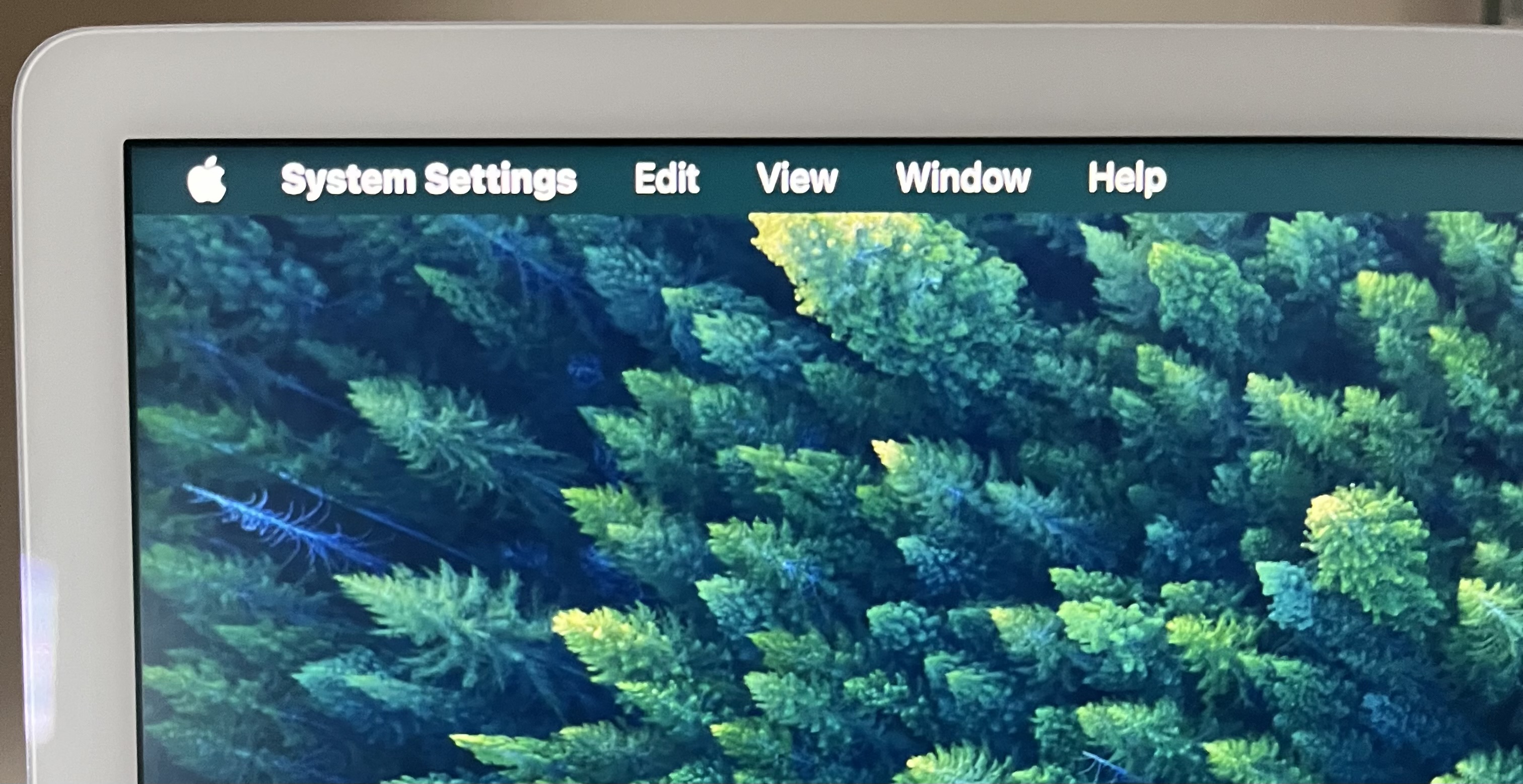
I recently set up a new M4 iMac for a client, and when she got it home, she mentioned that her screen seemed ‘fuzzier’ than her old 27-inch Intel iMac. I asked her to send a screenshot, which I’ll attach below.
It appears to me to be a screen brightness issue, but I can’t find any settings that affect the problem. Do any of you have any thoughts or suggestions? Is this a return issue?
Just now remembering to report back! I did a screen share and we went through every setting that could cause that sort of “blown out” appearance of the text, to no avail. I suggested she call Apple, and they agreed that it was a bad display! The client is sending it back for a replacement!
Hope this helps someone else down the road sometime…