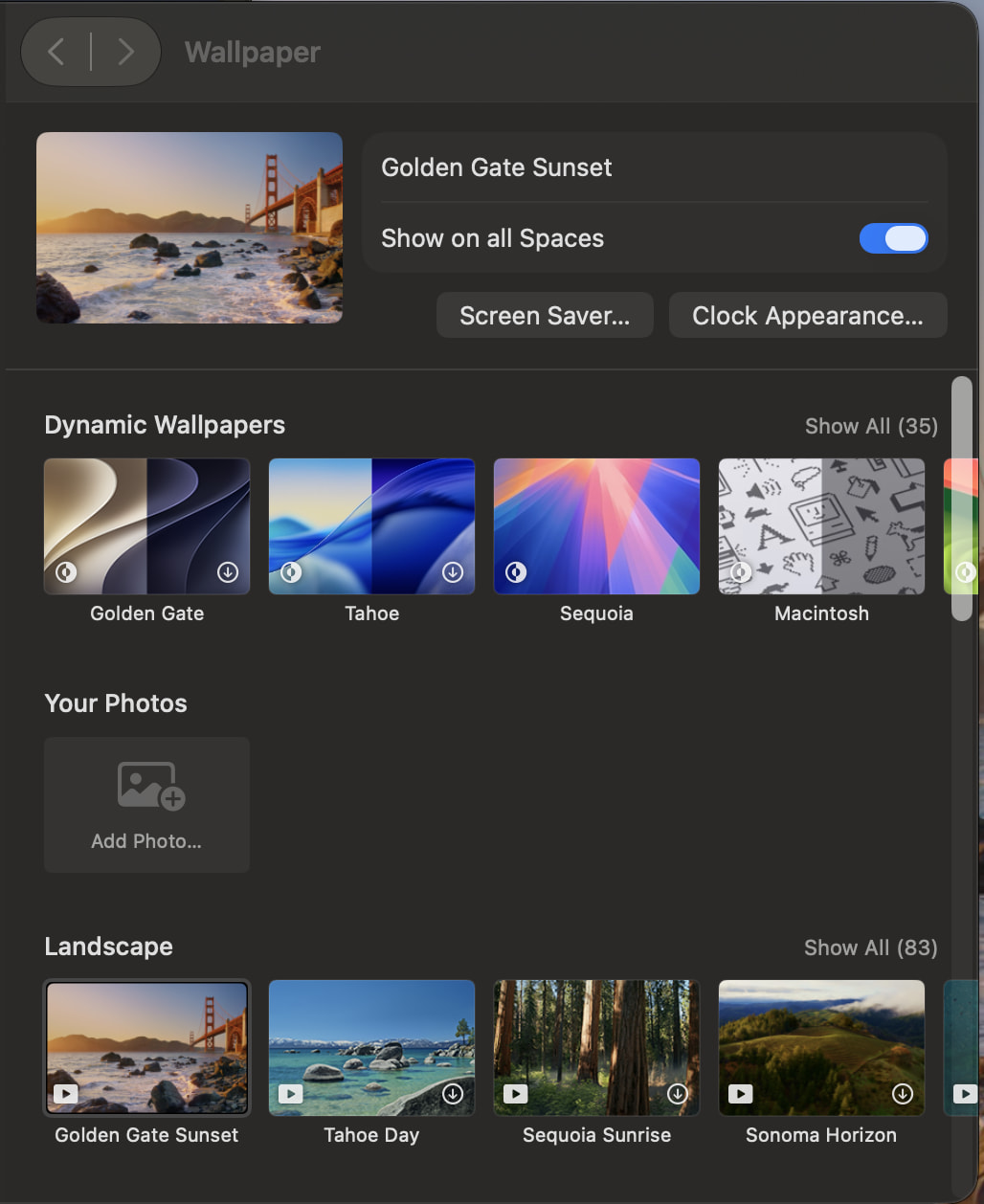
To anyone who’s been using the beta, can you tell me if they still include the fantastic set of “Landscape” wallpapers as the ones in Tahoe?
1 Like
I don’t know about the beta, but Apple typically doesn’t retire old wallpapers. So I’d expect to find them.
Or you can make your own backup of them for later reinstallation. The location is the folder /System/Library/Desktop Pictures. In there, you will find:
- Some actual images (
.heicimage files) - Solid-color images (
.pngfiles in aSolid Colorsfolder). - Thumbnail images for all wallpapers (in hidden folders named
.thumbnails) - Downloaded wallpapers (including video files for the animated ones) in a hidden folder named
.wallpapers. - XML files (with a
.madesktopextension) containing the data System Settings needs to download a wallpaper, and a pointer to its thumbnail.
Note, however, that most of the system wallpapers are not present by default. They are downloaded on-demand when you select one from System Settings. Only then will you see the content appear in the .wallpapers folder.
So…
If you find that your favorite is not being preserved, you should be able to (on your older Mac), activate it, then copy the assets (image and video files) to another location, and then install it on your new Mac (copy it to your home directory and use System Settings to activate it).
5 Likes
Warning! Do not select all the animated wallpapers for download unless you have a 20TB drive. 
Tens of gigabytes for the lot they are.
Dave
3 Likes
This is from public beta 4. I didn’t compare them side-by-side, but it looks like there are a bunch.
1 Like
Thanks everyone – very helpful!