Originally published at: OS 27.2 Gives Siri AI a Memory and Brings Small Improvements - TidBITS
Apple has released the 27.2 updates across its operating systems: iOS 27.2, iPadOS 27.2, macOS 27.2 Golden Gate, watchOS 27.2, tvOS 27.2, visionOS 27.2, and HomePod Software 27.2. Despite the X.2 numbering, this is essentially the first update to Apple’s current crop of operating systems, because Apple reserved the 27.1 version number for the iPhone Duo launch.
The marquee changes affect Siri AI. It can now remember past conversations, draw on more of your personal data, and work in more languages. Other broad changes include context-aware suggestions in Messages, Shared Albums improvements in Photos, a Sound Glow light show and Mac audio output for HomePod, and Find My support for the Siri Remote. The updates also address a large number of security vulnerabilities.
Siri AI Gets Smarter
Apple has spread the Siri AI enhancements across its platforms unevenly, so here’s what’s new and where it applies:
- Conversation memory: Siri AI can recall past conversations, so you can ask about things it told you before. Memory is a core feature of chatbots like Claude and ChatGPT, and it should make Siri AI significantly more useful, because you’re likely to have conversations about the same topics over time. Oddly, this feature appears in iOS, iPadOS, macOS, and watchOS, but not visionOS.
- More personal context: Siri AI can now use photos attached in Messages, Calendar event attendees, your voicemails, and, Apple says, “better results” from Safari history and Reading List. On the Apple Watch, this data comes from your iPhone. It’s also available everywhere expected, other than visionOS.
- Excluded Apps: A new device-level setting lets you control which apps Siri, Search, and suggestions can access. Previously, you had to restrict this access in each app’s settings, which was infeasible for people with lots of apps.
- Granular text selection: Although this has been possible in macOS all along, you can now select and copy just part of a Siri response instead of the whole thing in iOS, iPadOS, and visionOS.
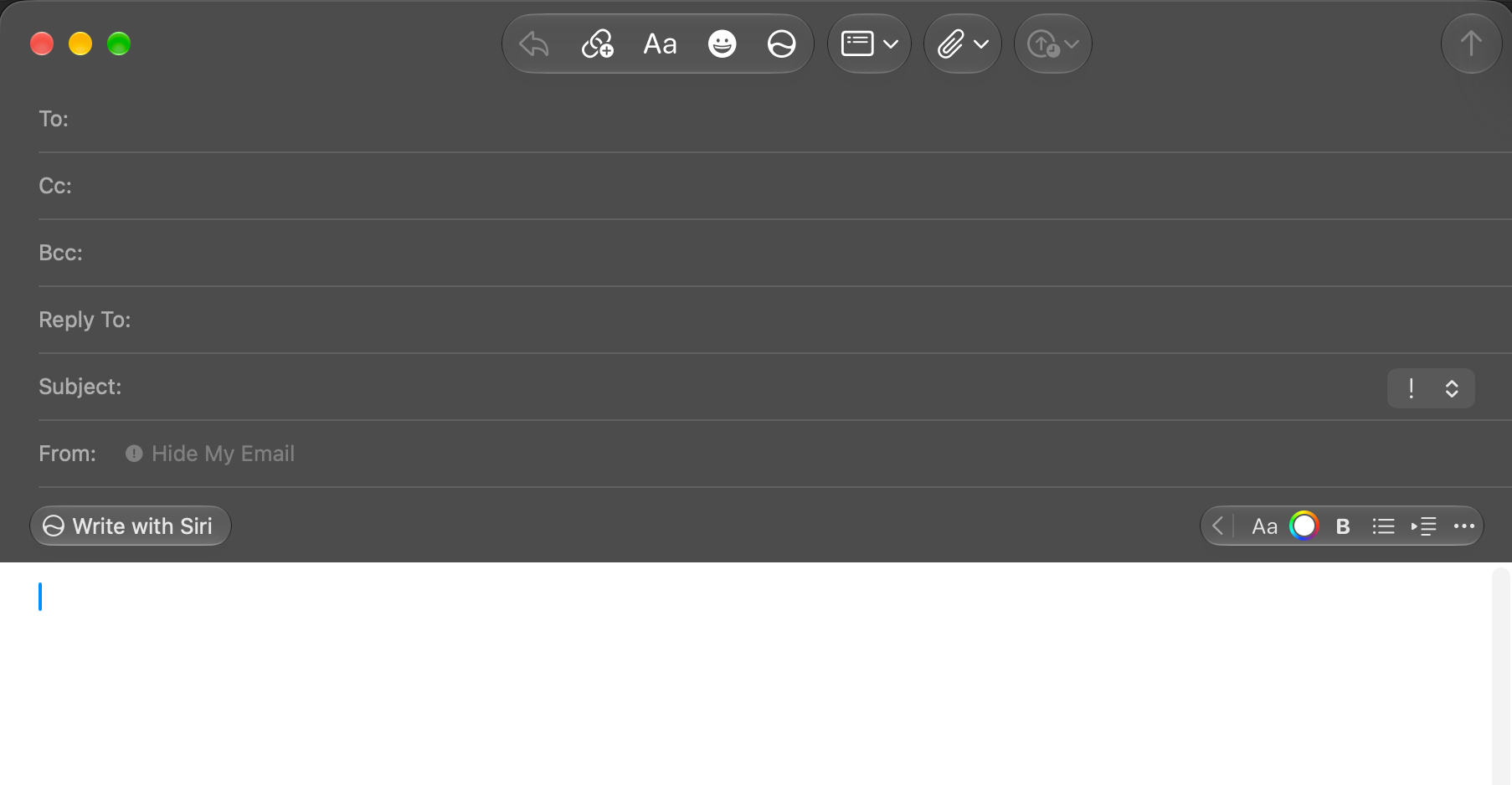
- Write with Siri in more places: On the Mac, Write with Siri now appears in the formatting bar when you compose a message in Mail. On the iPad, it appears when you hover over a text selection or an empty line with a trackpad, and when you select handwritten text in Notes.
- Faster responses on Apple Watch: watchOS 27.2 promises faster Siri AI responses on the wrist. About time—Siri on the Apple Watch has been extremely sluggish!
- New languages: Siri AI now supports French, Japanese, Korean, Portuguese, and Spanish, in addition to English. The visionOS release notes omit Portuguese, presumably because the Vision Pro isn’t sold in Portugal or Brazil.
Other Shared Improvements
Beyond Siri AI, a handful of features appear in most of Apple’s operating systems:
- Suggestions in Messages: Messages can now offer actions based on your conversation, such as creating a Calendar event for a dinner you’re planning.
- Shared Albums upgrades: You can now edit captions and comments, Photos helps you avoid adding duplicate photos, and an optional reminder before an album expires gives participants time to save photos and videos.
- SynthID watermarking: Support for SynthID watermarking helps identify images that were generated or modified with generative AI tools in Photos and Image Playground.
- Podcasts Home tab: The Home tab now has separate New Episodes and Continue Playing sections, so new episodes are listed apart from the ones you’ve already started.
- FaceTime accessibility: You can add a third-party sign language interpreter or live captioner to a FaceTime call.
iOS 27.2 and iPadOS 27.2 Improvements
Several changes apply only to iOS 27.2 and iPadOS 27.2:
- Games app Friends tab: In the Games app on the iPhone and iPad, the Friends tab now explains why it suggests particular friends, and friends’ player pages show the games they’ve played recently.
- Apple TV app Simple Profiles: Everyone in your household can have their own profile in the Apple TV app, with separate recommendations.
There’s only one iPad-specific change:
- Easier side-by-side multitasking: When you tile an app to the left or right with the window controls or the menu bar, iPadOS now lets you pick a second app to fill the other half.
iPhone Duo owners get two features specific to that device:
- Apple Pencil support: Apple promised Apple Pencil support for later in the year, and it has arrived just days after the iPhone Duo itself. It works only with the Apple Pencil (USB-C).
- Edge Light: The Edge Light feature uses the screen to light your face during low-light video calls; it first appeared in macOS 26.2 Tahoe (see “OS 26.2 Adds Reminder Alarms, Edge Light, Podcast Chapters, and Enhanced Safety Alerts,” 12 December 2025).
tvOS 27.2 Improvements
tvOS 27.2 adds a few useful features for the Apple TV 4K—I’m particularly looking forward to customizing the screen savers:
- FaceTime links: You can join FaceTime calls directly from your Apple TV using a FaceTime link.
- FaceTime interpreters and captioners: Like the other platforms, tvOS lets you add a third-party sign language interpreter or captioning service to a call.
- Screen saver photo picking: You can use your iPhone to choose specific photos for the screen saver, without sharing your entire photo library with the Apple TV.
- Screen saver shuffle: A new Shuffle option rotates through the different screen saver categories.
- Find My for the Siri Remote: Since tvOS 17, you’ve been able to use the Apple TV Remote in your iPhone’s Control Center to home in on a missing Siri Remote. Now the Siri Remote (2nd generation) and later appear in Find My itself.
tvOS 27.2 runs on the Apple TV 4K (2nd generation) and later. Owners of the Apple TV HD and Apple TV 4K (1st generation) get tvOS 26.6.1 instead, which adds support for the Siri Remote (4th generation), along with unspecified security fixes.
HomePod Software 27.2 Improvements
In the first feature release since HomePod Software 26.0, HomePod Software 27.2 has a few actual changes, although most of them are limited to the current generation of HomePods:
- Sound Glow: The top of the HomePod mini, HomePod mini 2, and HomePod (2nd generation) becomes a light display that pulses in time with your media and plays light animations for soundscapes. Sorry, original HomePods, you’re not groovy enough.
- Home theater surround sound: With an Apple TV 4K (4th generation), you can connect four HomePods for surround sound. You need a matching front and rear pair of either HomePod mini 2 or HomePod (2nd generation) speakers.
- HomePod as Mac audio output: You can set a HomePod as the audio output for everything on your Mac. Apple promises a “responsive and persistent AirPlay connection.”
- Lock controls: You can now turn off the HomePod’s touch controls so accidental taps don’t pause music, skip songs, or change the volume.
Security Updates, Including Older Operating Systems
As always, Apple included a vast number of security fixes in these updates. You’ll notice that the company also included older operating systems and Safari 27.2 for Sequoia and Tahoe:
- iOS 27.2 and iPadOS 27.2: 163 vulnerabilities fixed
- iOS 26.7.2 and iPadOS 26.7.2: 134 vulnerabilities fixed
- iOS 18.7.11 and iPadOS 18.7.11: 3 vulnerabilities fixed, including one zero-day
- macOS Golden Gate 27.2: 263 vulnerabilities fixed, another record number
- macOS Tahoe 26.7.2: 213 vulnerabilities fixed
- macOS Sequoia 15.8.2: 197 vulnerabilities fixed
- tvOS 27.2: 72 vulnerabilities fixed
- watchOS 27.2: 62 vulnerabilities fixed
- visionOS 27.2: 125 vulnerabilities fixed
- Safari 27.2: 33 vulnerabilities fixed
Should You Update?
If you’re already running one of the OS 27 releases, these updates are probably safe to install, and the security fixes alone make them worth getting. The Siri AI improvements are the main attraction, especially for French, Japanese, Korean, Portuguese, and Spanish speakers who couldn’t use it before.
If you have been waiting for macOS 27 Golden Gate to settle down before upgrading, I recommend waiting for 27.3, probably due out in mid-December.