A recent topic on moving photos out of Photos App got me thinking about my disorganized collection of digital music/audio files. That and importing some recent 99-cent CD purchases from a thrift shop. I searched here and found several Music topics but none on this.
For photos, I just use Finder and folders by year then broad topics and specific projects. Then I can use various photo management softwares to see and work with them in a ‘referenced’ mode without copying them into the management apps.
I’m thinking of similar with music but I don’t listen enough to have built a good system over the years and have never used Music App (maybe launched a few times but not built a library/imported anything). I was more adept at iTunes in the olden days, and have maybe a dozen playlists, synced to various iPod products.
What are some TBTers suggested reorganizing methods, please, with the aims of having music files neatly organized in Finder, and accessible by various music organizer softwares over home network from Apple devices and Linux computers?
I am working on getting an M4 Mac Mini set up as a sort of hub for files and printing but have a lot of research to do. I see there is a Media Server option but apparently it only works if all devices are logged in to the same Apple Account, which won’t work for our situation.
The files are a mix of home-burned CDs (mp3, aiff etc), m4p’s ah, ‘bought’ (and played with Apples permission ;-), maybe some burned elsewhere and simply copied into a Music folder, and some audiobooks. No need for album art.
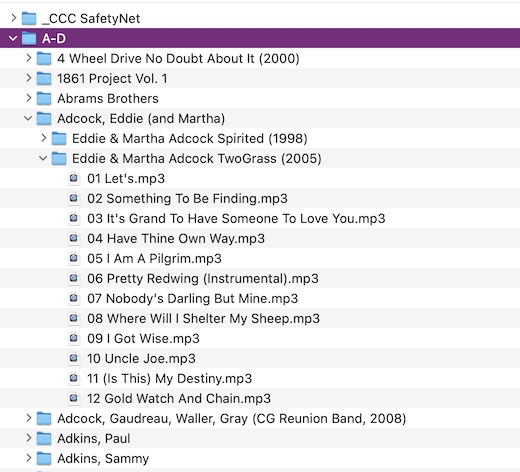
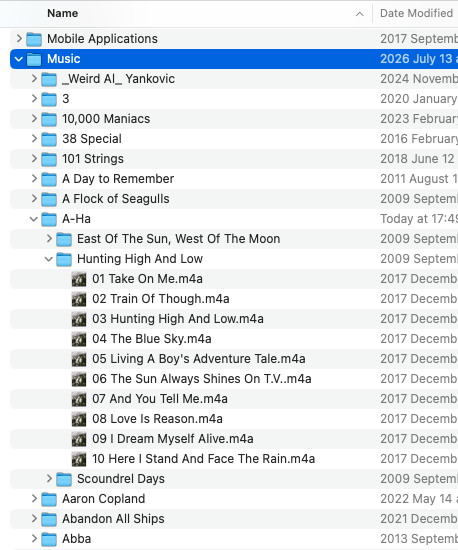
This is a project for long rainy days for sure, but is it advisable to structure it something like:
Music folder/[artist name]/[album name]/[tracks] ?
Compilations and Audiobooks and Recorded Sounds (ie VoiceMemos app) I suppose would be another folder within Music, or… 
[edit: extra question posted 27 Jul below]