Anyone know how to set/remove the default music source for a HomePod Mini? When the darn thing drops off my AirPlay stream, it seems to default to some Apple Music source. (Music that I find somewhere between really annoying to actively offensive.)
1 Like
I’m not quite sure what you mean by “default music source.” The only way I can think of for you to get a HomePod to start playing without specifying what you want it to play is to touch the center button. I suppose you could just say “Play” to Siri, but at that point, it would make sense to tell it what to play.
What do you mean by “drops off my AirPlay stream”? Do you mean what happens at the end of some playlist or album? If this really is AirPlay from a phone, there is a set of buttons at the top of the screen which determine what happens – you can 1. Shuffle, 2. replay, 3. Autoplay (let Apple Music choose songs for you), or 4. just stop. I suspect you’ve got autoplay chosen.
I’ve seen something similar. If the HomePod is streaming music on its own (e.g. from Apple Music), and I tell my phone to start AirPlay streaming, it doesn’t forget the previous content. When AirPlay disconnects, it resumes streaming whatever it was streaming before the AirPlay connection.
But if it was silent before the AirPlay connection, it goes silent after the disconnect.
At least that’s been my experience.
Well, when I pushed the ‘button’ at the top of the HomePod Mini, something I never selected started playing. I have no clue where the HomePod got that music from. Rap is something I would NEVER select. So the HomePod got this source of music “by default”, not by any action of mine! (I’m guessing it’s some sort of Apple Music streaming service, but I have no involvement with Apple Music streaming.)
I have my (extensive classical) CD collection ripped into Mac Music.app, with AirPlay to (1) the local Mac, (2) an old Airport Extreme, (3) an up-to-date HomePod Mini.
With this setup, a couple different things happen randomly (and I’ve spent a lot of time trying to find a pattern.) 1. On the Mac, playback will just pause at the start of a track. Advancing to the next track and then going back to the previous track will start playing. 2. The HomePod Mini will just stop playing (mid-track). Music elsewhere continues to stream. Usually if I use the iOS Remote.app to control Mac Music.app, I can pause the track, bring up the AirPlay, deselect the HomePod Mini. If the HomePod Mini remains, adding it to the list of AirPlay targets it and then pressing ‘Play’ will usually restore sound on the HomePod Mini. Sometimes, though, I have to go back up to the Mac, quit Mac Music.app and restart it to get the HomePod Mini to reappear on the list of AirPlay targets.
So there could well be multiple Heisenbugs associated with Mac Music.app playback going on. But I’ll note the frequency of these problems has gone way up (from once/week to multiple/day) with MacOS 26/HomePod 26.
(Plus there’s the Bohrbug that selecting a different playlist from iOS Remote.app from Mac Music.app ignores the ‘sort by album’ setting on the Mac and starts streaming by track. )
Yeah, I think this falls into the category of “don’t do that.”  The HomePod has no way of knowing what you want to listen to if you don’t tell it, and if you were using it as an AirPlay speaker at some previous time, that connection would no longer be active to pause and resume. Tapping Play on your iPhone (or whatever the AirPlay source was) might work.
As far as I’m aware, there is no setting for default music source, so it probably falls back on Apple Music in some way to do something.
Yeah, that’s what I’m assuming. Now it -should be the case- that you can control what happens when you ‘push the top’, rather than defaulting to whatever (garbage) Apple Music thinks you want to hear. (I really dislike Rap, in case you hadn’t guessed…)
Don’t step out of this house if that’s the clothes you’re gonna wear
I’ll kick you out of my home if you don’t cut that hair
Your mom busted in and said, “What’s that noise?”
Aw, mom you’re just jealous, it’s the Beastie Boys
You gotta fight
For your right
To party
1 Like
Or in Latin, “De gustibus non est disputandum” (or similar)
Same here
every now and then, one (or a stereo pair) of my HomePods or HomePods mini start to play music which I really don’t like.
Start could be because my wife is cleaning around the Pods or a word that Pod-Siri misunderstood, then it starts some music out of 13 million in Apples online music database.
The Apple ecosystem knows so much about us, plus my 12k Music Library that I sync with iTunes match, but it plays nothing from those songs….
Marcel 
1 Like
The Apple ecosystem knows so much about us, plus my 12k Music Library that I sync with iTunes match, but it plays nothing from those songs….
The ‘big lie’ of user tracking. In my case, Apple knows nothing about my musical tastes, since I’ve never used Apple Music streaming.
I just tried this on my AirPod mini (tapped the top to see what it would do) and it said “playing all songs” and just started playing songs by title in alphabetical order from my library.
I never use it to play music - it’s just the hub for my Home setup (since Apple killed the ability for an iPad to do that) and I sometimes ask it for weather info.
I gave up on Apple Music years ago and only have old purchased songs and tracks I’ve ripped from CDs long ago.
This is the same thing that happens when I connect my iPod Touch to my car stereo after a sync (which trashes knowledge of what was previously playing).
I am now very very familiar with the beginning of “À La Lune” (from the Cirque Du Soleil La Nouba soundtrack). 
1 Like
Yes - we got a bit tired of ABBA playing in the car! 
Our sequence after an iPhone sync is Music/Downloaded/Songs/Shuffle so we only play music we have synced to the iPhone. This is partly because when touring in Australia the phone/internet connection is patchy so online music is not reliable.
Back on topic…much of the " new music" suggested in Apple Music is stuff I would never listen to. So it is not surprising that default music on Homepods is not for our generation (a leap in assumption about Tidbits participants).
1 Like
Hmmm…. I can assure you there are ZERO Rap tracks in my music library on any device.
I use one HomePod Mini, sadly just for playing white noise at night (really it’s used as a smart hub). My main goal is to switch it to brown noise to drown out the almost subliminal deep base which some nights floods the town; its incredible bass response is very good for that. The closest way I’ve found to do it is using it as with AirPlay, to play a minutes-long clip from the Apple Store over and over - I haven’t figured out how to cast the White Noise app. However it takes an inordinate amount of time for me to set it up for looping.
Is there any way to move a “song” to the HomePod Mini? Or to change/add to its default noises in any way?
The HomePod Mini just seems really artificially limited in some ways.
It would be interesting to see what it is actually playing.
If you have an Apple Music subscription, then I assume it will pick something from there. Maybe the last playlist you told the HomePod to play directly.
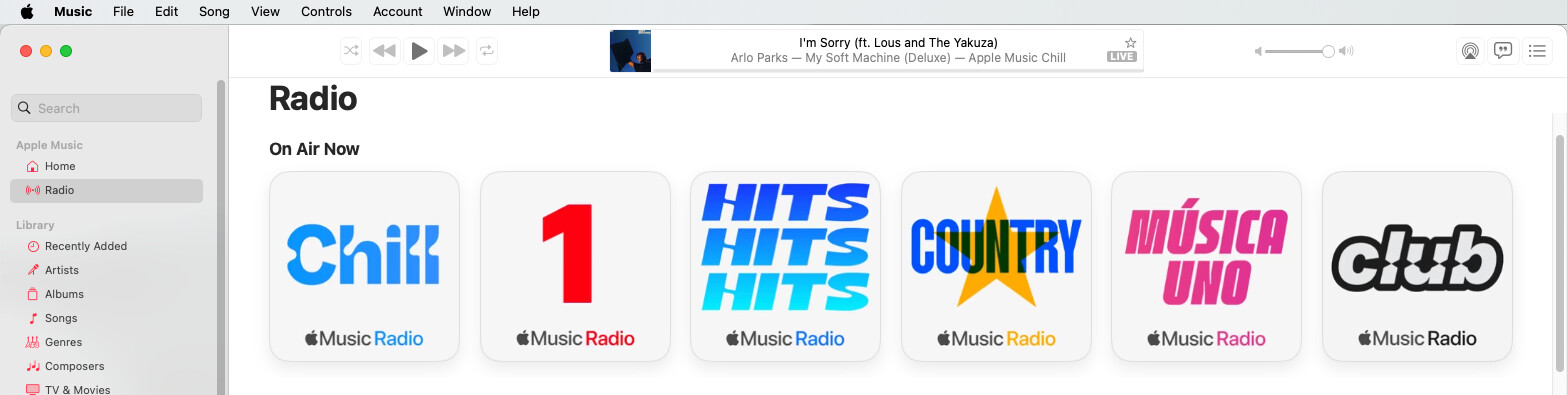
But if you don’t have an Apple Music subscription, then it might just be playing one of Apple’s outside-the-paywall radio channels:
If you have not already done so, you can use the iOS Home app to create a Scene with a looping sound that is output to the Homepod - see screenshot post (if I can get it to work)
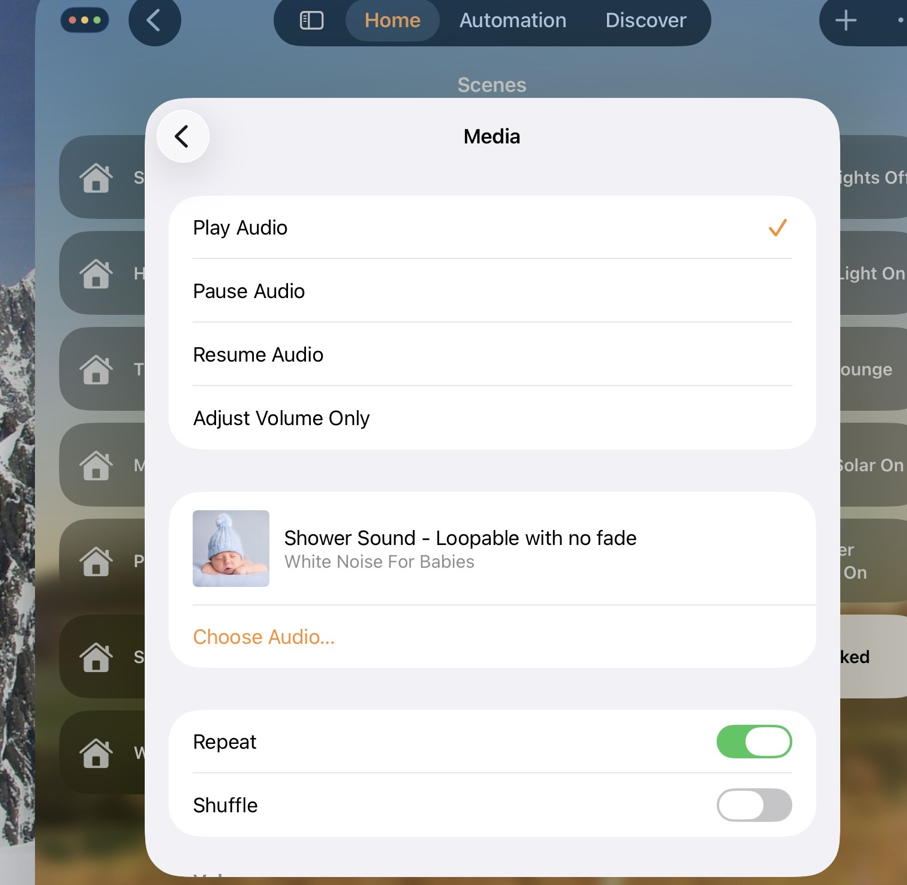
Then just ask Homepod Siri to run that scene (e.g. Play Shower Sound")
Also the iOS Shortcuts app has lots of built-in functions that might be useful. But it is lousy for “programming” IMHO. You might find tips online.
If you ever decide to switch to a dedicated white noise machine, I’ve used a Snooz Original for years now. Even though it is more expensive than many other machines, I would gladly buy one again.