Goodbye iWork, hello Apple Creator Studio. Apple has released version 15.1 of Pages, Keynote, and Numbers with a bevy of new features, as long as you pony up for the Apple Creator Studio subscription (see “Apple Bundles Pro Apps into New Creator Studio Subscription,” 15 January 2026). For subscribers, the updates bring a new collection of professionally designed templates, high-quality photos, graphics, and illustrations in the all-new Content Hub; the ability to create images and graphics in documents using generative AI models; and support for a larger (4 GB) iCloud collaboration file size limit. Apple has also issued security notices for Keynote 15.1 and Pages 15.1 to block exploits based on maliciously crafted documents. ($129.99 annual Apple Creator Studio subscription; Keynote, 906.7 MB, release notes; Numbers, 722.3 MB, release notes; Pages, 859.6 MB, release notes; macOS 15.6+)
As per later posts in this thread, it is quite safe to install 15.1 versions which work as before without subscription to Creator Studio. Installing the 15.1 versions does not remove the 14.5 versions, which will not be updated in future as my screenshot in the above thread shows.
Yes. And people can remove 14.5 versions anyway, AFAICT they have exactly the same free features as the new 15.1 versions. 15.1 versions just have additional prompts in place for certain subscription only features most won’t want or need. Personally, haven’t found those subscription feature prompts that invasive in my usage of the 15.1 versions.
It’s more certain buttons are coloured differently, indicating that one is a subscription-only feature. In a way it’s good, as you can see the additional features in the free app, in case you may want to investigate them further (which I’m sure suits Apple too, of course, in order to get some people to subscribe! But c’est la vie).
Can a file saved by Numbers 15.1 (an unpaid copy, if it matters) be opened by Numbers 14.4, on the same or a different platform? For example, could 15.1 file saved on iPadOS be opened by 14.4 on macOS? Could a file saved by 15.1 on macOS be opened by 14.4 on iPadOS? Thanks.
I cant answer for the older ones but my experince with current is that the version 15s will not show in the usual App Store > Updates, you have to search.
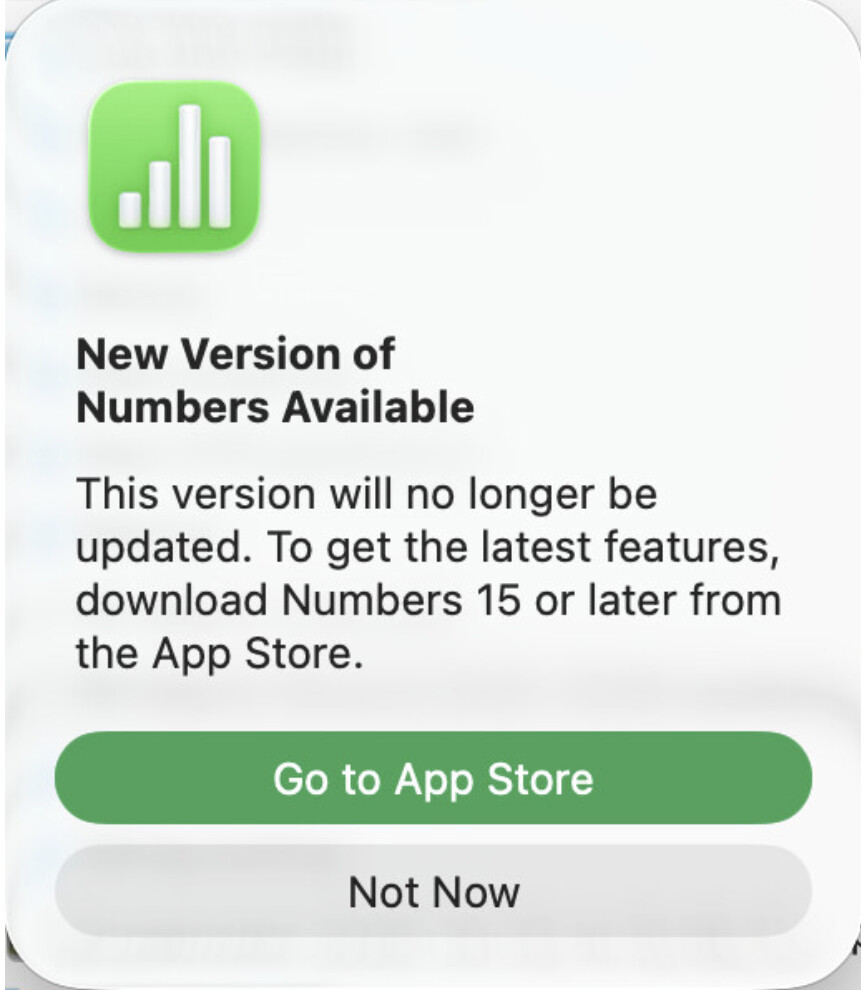
However, while still on version 14s, the first time I opened some Pages & Numbers docs I got this pop up which goes to correct place in the App Store. The pop up seemed to only appear the first time. If I clicked not now it didn’t pop up again for that doc.
The discussion has mentioned versions 14.4 and 14.5. Mine are all 14.1. Is there a way to update to 14.5? All I found in the App Store was 15.1.
I’ve just started reacquainting myself with the Apple Apps recently because Microsoft did not allow me to transfer my licensed version of Office to new M4Pro MacMini and Nisus Writer Pro isn’t being updated.
Found it! I probably should have known but I had assumed they were updating automatically. Here’s the Apple Support explanation in case someone else has a similar question:
Reading the App Store reviews of 15.1 versions made the advertising sound distracting/irritating. I did download the 15.1 versions but wanted the 14.5 versions (while they are still available) in case I agree with the reviewers.
The title of the link above only mentions 15.1, but page includes directions for updating to 14.5.
Are you talking about MacOS or iOS? On my iDevices, they automatically updated to 15.1, skipping 14.5. But in MacOS I was told that 14.5 was available. It looks like to get the MacOS version 15.1 of Pages, Numbers, and Keynote you may have to “repurchase” it as there isn’t an update offered higher than 14.5. Since I DON’T use any “Pro” applications, I’ll just skip getting Apple’s new Creator bundle and stay with the 14.5 versions of Pages and Numbers.