When I turn on reduce transparency it causes Safari to blank out the bottom 15% or so of the web page display in Safari and also make the pop up for holding on “.” To get .com etc display as white text on a white background. Anyone else seeing this?
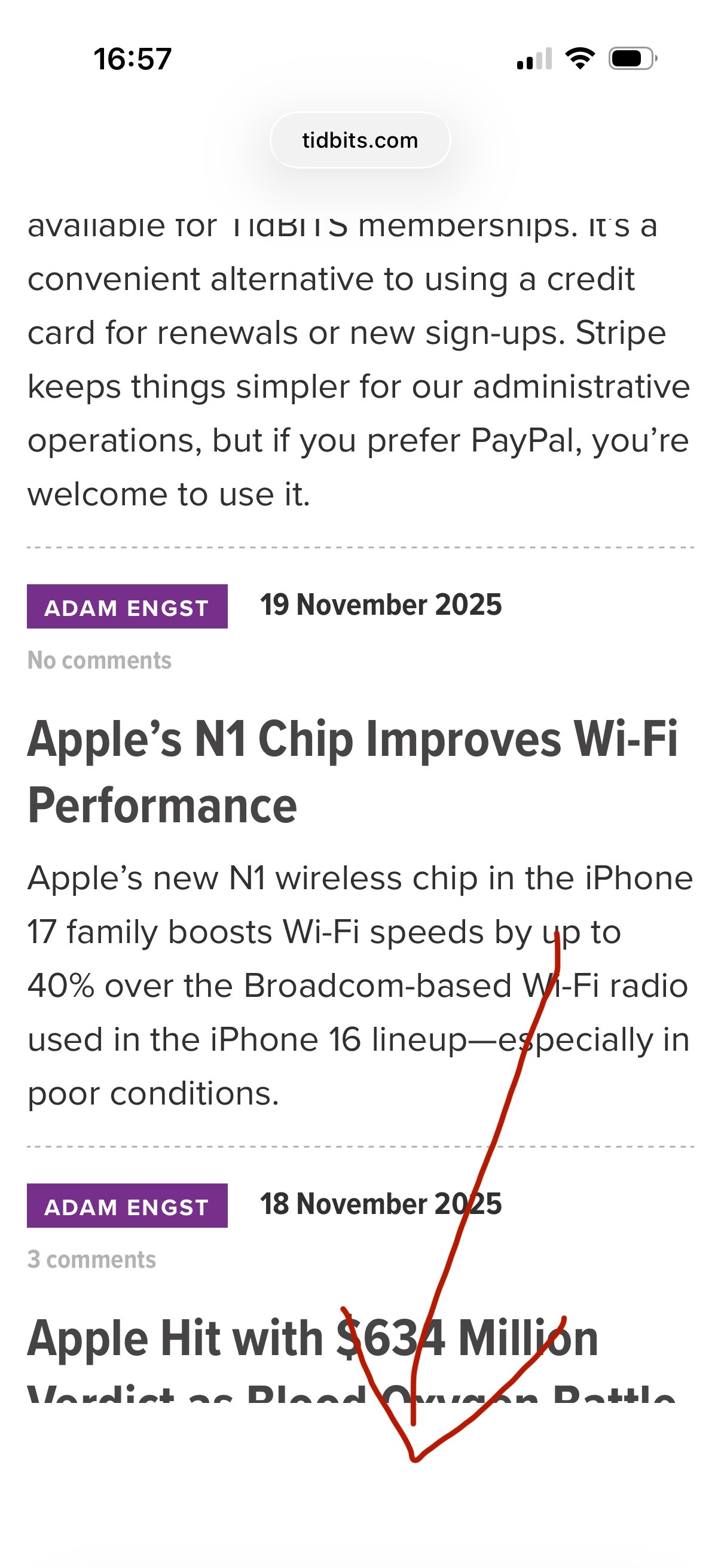
Unable to duplicate that on an iPhone 163 running iOS 26.1. Though IIRC, I did have a problem getting the .com(, etc.) to pop up for holding on “.” with iOS 26.01; something not illustrated in your example where you’re displaying an image with no input field.
That’s annoying because it’s definitely linked to the reduce transparency switch. I’ll do some further investigating and see if there is more to it than just that.
I’ve turned off all extensions and the RT switch is definitely what is causing the crop of the page as I have noticed it is cropping the top as well as the bottom of the web page display when I turn on and it does not crop when I turn off.
IIRC correctly, I did see something similar after I first installed iOS 26.1. When I tried fiddling with “Tinted” as well as “Reduced Transparency” and “Increase Contrast”. Eventually, I turned off the latter two and stuck with “Tinted”. More recently, I saw a note somewhere [which I can’t find any more] that beta iOS26.2 includes an explicit warning that the Tinted option cannot be used in tandem with Reduce Transparency and Increase Contrast.
If you have either of those set, I’d turn that off (and maybe turn Tinted off as well), then Shut Down my iPhone. Restart, and then enable just Tinted.
I updated from iOS 18 to 26.7 just a few days ago – and I see this issue with Safari and Reduce Transparency. I was bewildered at first trying to figure out what was going on. Eventually, I solved the issue by disabling Reduce Transparency.
I have been using Reduce Transparency in both iOS and macOS since it was introduced over a decade ago.
Hard to believe that this “bug” has remained in Safari for a year. Or is it a “feature”?