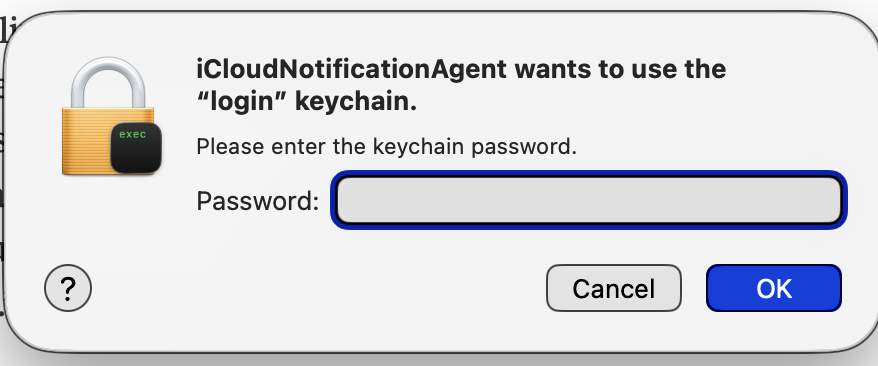
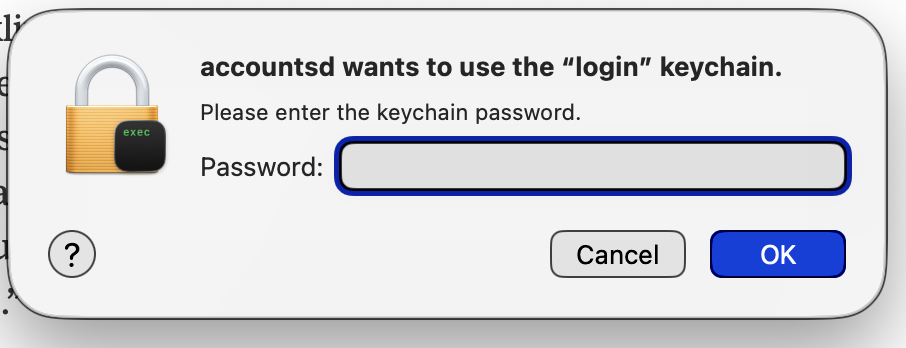
Following up on my earlier thread, this is becoming an increasingly serious issue. A day or 2 after I restart my Mac, I get prompted to sign in with my Apple ID to access Messages, and iPhone Mirroring is unable to connect. Signing in does not solve the issue.
I’m also getting unusual prompts to give various items access to my Keychain, which I’ve not seen before, and I don’t know if I should be accepting these or not. Please advise. I used to go weeks without having to restart and now it’s becoming necessary every couple of days to continue to access those 2 features.
Missed your earlier thread but both of those things used to happen to me fairly regularly (once or twice a month?), but it hasn’t happened again since I got my current M4 MBP (Sequoia). My previous MBP when this used to happen was Apple’s last version with Intel chips.
I researched it at first, never came up with a real solution, so I just got used to entering the various login and keychain passwords when one popped up. But if I remember right, finding I was logged out of Messages usually required a restart, but that didn’t happen as often as the keychain popups.
Have you tried logging out of your Apple Account (Settings, top option on the left, Sign Out button at the bottom), restarting, then logging back in to the Apple Account?
This can generate a lot of activity if you use iCloud Photo Library in the Photos app, as it will spend some time after the log in to re-sync the Photo library, but maybe that will fix this issue.
Thanks. I can try that. Though I think my photo library is all on my Mac. I don’t really use iCloud, being of the old-fashioned sort.
Responding to Brian W., I’m currently running the latest version of Tahoe on an MBP M2. I never had this problem until v. 26.6, but it’s continued with 6.1 and 6.2.
I just got around to trying this and the result was pretty much the same, but it came on sooner:
Less than an hour after restarting and re-logging into my Apple account, I started getting those queries to submit my Mac password to enable various things. After complying with the first one (similar to the image I posted at the beginning of this round), I got the following error message:
That appeared to confirm my suspicion that some or all of these queries could be fraudulent, so I clicked Cancel on 3 or 4 other requests to re-enter my Mac password. Then I immediately lost access to Messages on my Mac, as well as iPhone Mirroring.
Should I just refuse all those requests, or accept all of them? I’m very confused.
Quick info: accountsd is a core part of macOS. So it is difficult to say, based on message board posts, if it is OK for you to enter password information. In any case, information about accountsd is readily available online.