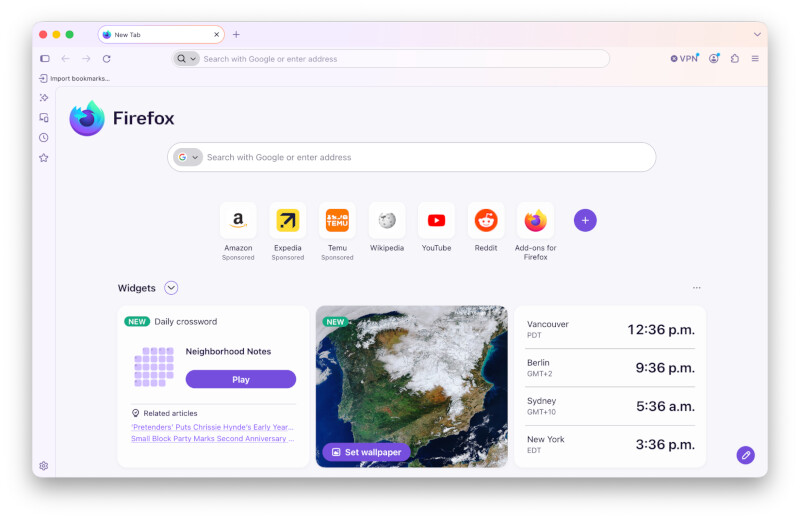
I’m somewhat concerned about upgrading to Firefox 157; Firefox is my primary browser, and I’ve set it up the way I like it.
However, the online comments I’ve seen on the upgrade from existing Firefox users says that the changes are minor; and (more importantly) Firefox 157 seems to respect the Firefox settings you already have, and that the interface will respect those settings.
Before making the leap, I thought I’d ask TidBITs members who have made the jump to Firefox 157 if the upgrade has caused any issues or problems. Thank you in advance for your feedback!
Seamless upgrade thus far. I’ve tested nightly builds prior to this update, so my expressions are positive. Some things are now much better articulated in the UI, like Firefox Containers.
I haven’t read the interview so I’m not sure which “features” Mozilla is touting, but I haven’t noticed any important differences since I upgraded this morning. IMHO the tabs are uglier and I would turn off the titlebar gradient if I could, heh.
The only change I’ve noticed with my Firefox setup is a a couple of buttons added in a narrow vertical strip to the left of the bookmarks sidebar. I keep the Tab, Navigation, and Bookmark bars at their narrowest, though, so other people might be more affected by the update than I am.
I’ve read about 2 possible ways that might solve this:
Switching the browser.nova.enabled preference setting to false. (Though I’m unclear whether this setting was available only in beta versions of Firefox 157, or if it’s still in the release version.)
Re: the gradients, there’s a posting on Reddit that recommends switching to the official Firefox Proton theme:
I haven’t switched to 157 yet, so I can’t comment on the effectiveness of either of these. Though from the comments above, I feel much better about doing so. Thank you to all who responded!
Thanks to the feedback here, I updated Firefox to version 157. No problems, no hiccups and almost no changes.
And said changes are (a) mostly UI and (b) to my eye, pretty minor. None of my custom toolbar changes have been touched; the new Firefox UI theme is about the only thing that is noticeable.
There are aspects of the new theme I mildly like (better outline of the tabs, imo) and barely dislike (the gradient color). I swapped back and forth between that and the Proton theme, which is also nice and (as mentioned above) gets rid of the gradient issue. Both are fine.
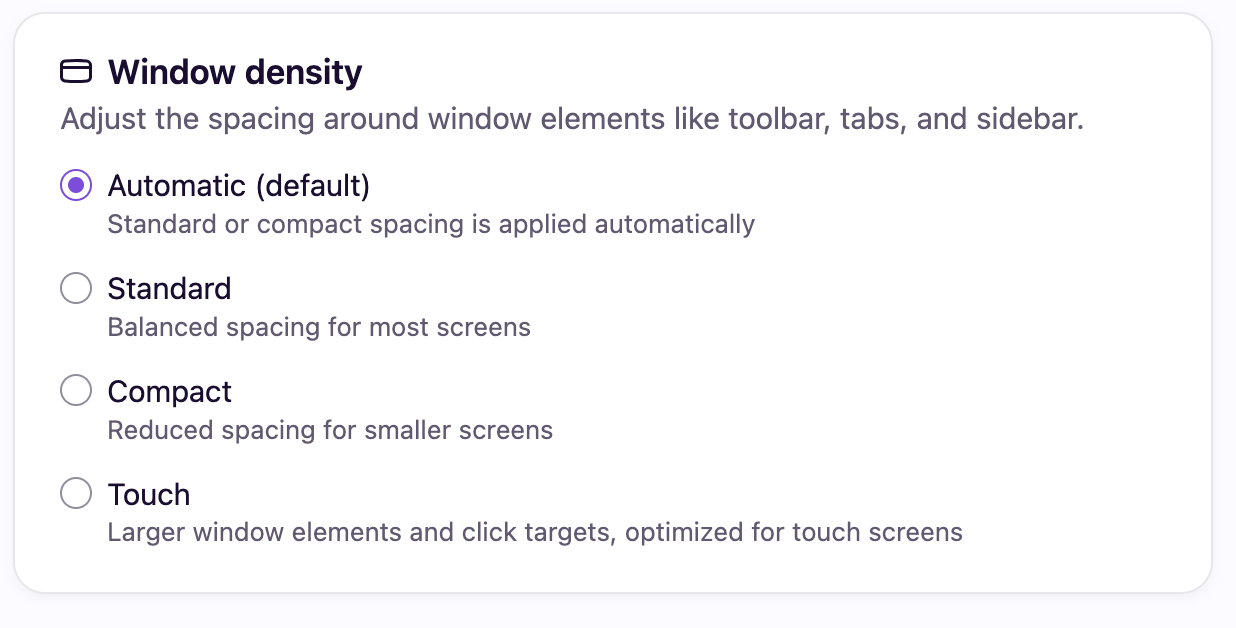
Being slightly paranoid, I also made screenshots of all the Firefox settings, and compared them to the the Firefox 157 settings. Nothing changed (including my AI off setting). (And I customize the settings a lot.) There is a new Setting under Appearances, though: Window Density:
As my aged eyes need all the help they can get, I’m trying it out in Standard (which I believe is probably equivalent to what it was pre-157); I may tinker and compare it to how it works in Automatic. (Compact is too little space between items, and Touch eats up too much screen space, even for me.) YMMV, of course.
This used to be on the bottom of the “Customize Toolbar…” screen.
I’ve always used “Compact”, but for many years, that option was hidden, requiring you to go to about:config to enable it. Glad to see that it has been un-deprecated.
I have 157 on one of my machines, and it’s fine. My profile was heavily customized already, and 157 mostly respected that that (the most visible change was rounding out the URL field into more of a Liquid Glass-style capsule, which I really only noticed because I was looking.)
You can do a lot of customizing within the regular Firefox settings and toolbar customization. Some more with themes. And if you really want to change things, you can generate a userchrome.css file using references like this. This all still seems to apply to the latest version.
Or if you want to hang onto older supported versions, there’re the ESR branches, which are currently offering patched versions of 140 and 153 Download Firefox ESR