I’ve been using EasyEnvelopes by Ambrosia Software for about 13 years, since it was released. I mainly use it for business envelopes, also known as #10 envelopes, and print them on my HP LaserJet 2300dn.
Unfortunately, it is an Intel-only app, and the publisher has gone out of business, so I'll need to replace it when Apple stops making Rosetta 2 available for macOS.
Can anyone recommend software for printing envelopes?
Good question! I had several Ambrosia Software apps, including EasyEnvelopes, which I recall as the easiest app to print envelopes within just a few clicks of opening it. I haven’t found anything quite as simple, though I can’t say I’ve tried very hard to find something new. It was a sad day when Ambrosia went out of business.
For printing just a few envelopes, I’ve tried a few apps over the years. I used to use Labels & Addresses by BeLight Software. It’s been discontinued, with its core functionality merged into the simple desktop publishing app, Swift Publisher. It’s not as elegant as EasyEnvelopes, but it is pretty easy to use, and it supports mail merging and has envelope templates. Since it is a true page layout program, you can easily add logos or other designs. At $19.99, it is a great value.
When I’m feeling lazy, I often print labels instead of directly printing on envelopes. I also find that there are fewer issues with paper jams on most printers with labels versus envelopes.
For just a few labels, I have an old Brother QL-570 label printer, and its bundled P-touch Editor is pretty simple to figure out. You can find used USB label printers for as little as $10-20 on eBay, though once macOS 28 comes out, drivers might be an issue.
Most of the envelope printing I do is using mail merging to print 50-200 at a time, but I only do it a couple of times a year. Microsoft Word (for formatting the envelopes) and Excel (for supplying the addresses) work well together to accomplish this. It’s straightforward once you get the hang of it, but it does take a little work to figure it out the first time. Or the second time. Again, I am gravitating toward printing labels instead of envelopes directly for this task.
I see a few positive reviews for EnvelopeMagic, including reviews that specifically mention it as a good alternative to EasyEnvelopes, but I don’t have first hand experience with it. As @MSL said, it is free.
For completeness:
What kind of envelope printing do you do?
Do you tend to print a small number of envelopes at once, e.g., up to a dozen?
Do you print more than a dozen at a time, e.g., bulk printing or mail merging?
What is the source of addresses you use, e.g., Apple’s Contacts app, a spreadsheet, or something else?
It looks good (for the usage I have, as mentioned in a prior post in this thread), except
It does NOT create a USPS barcode on the bottom (even when the USPS/OCR toggle is on). A few recent Mac App Store ratings note that the absence of this barcode will require the USPS to scan your envelope and print it themselves, diverting your mail and slowing its delivery. Yes, EasyEnvelopes supported barcode printing. I included this in my questions to the developer
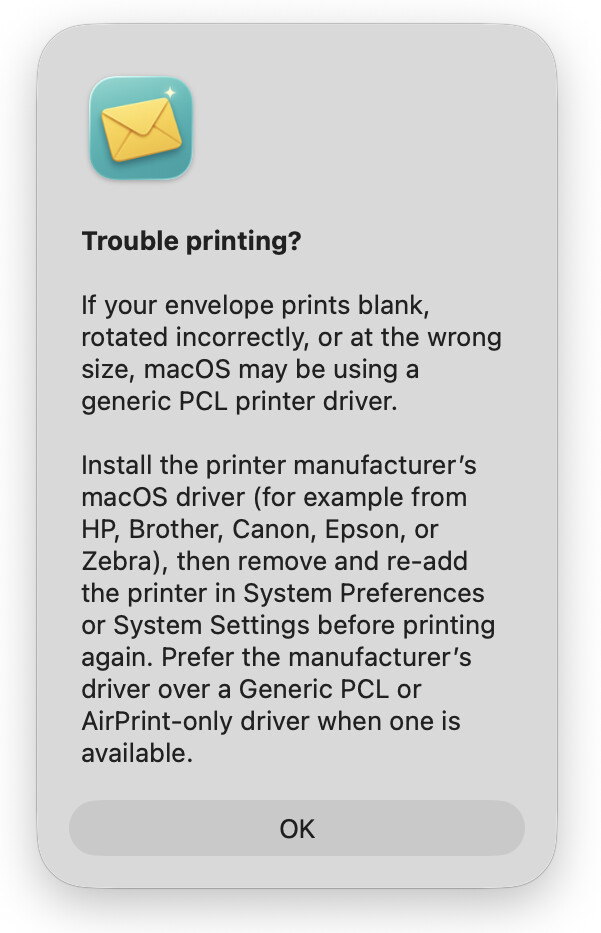
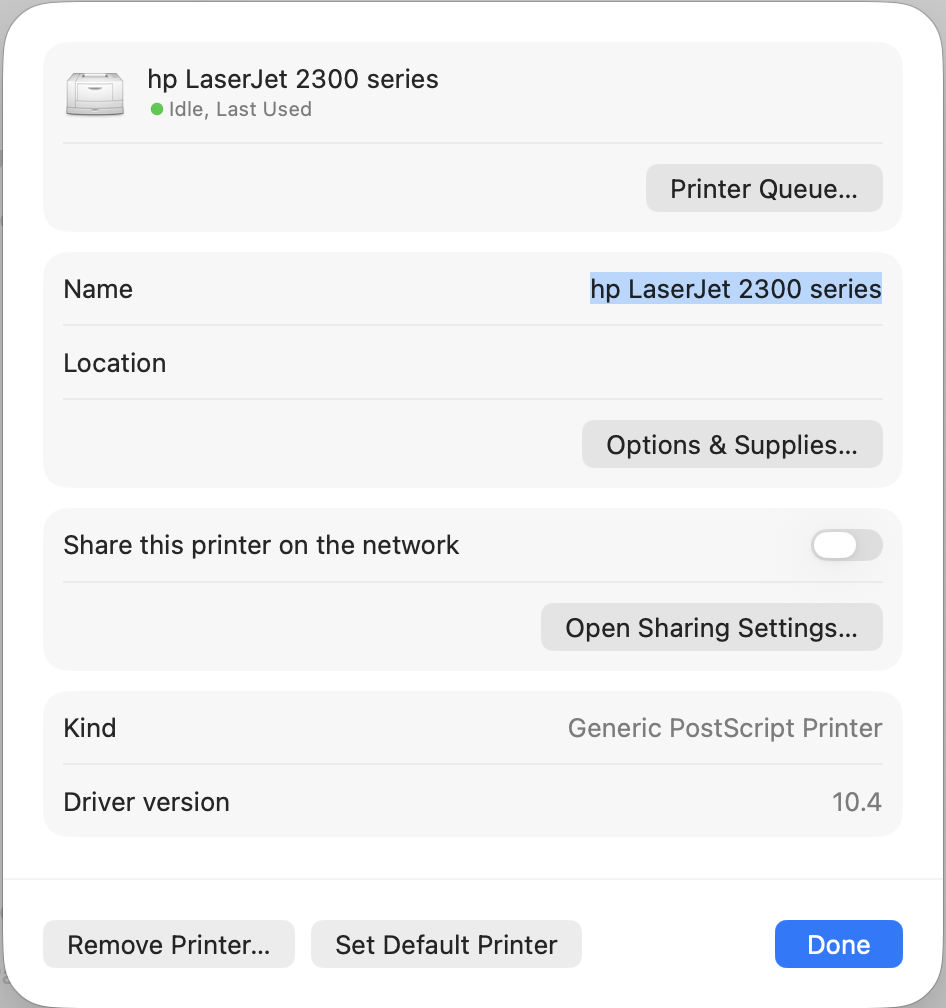
Even though a PDF shows the envelope centered, it is actually printing on my (ancient) HP LaserJet 2300dn on the left margin. This is unacceptable. The sole in-app help mentions that printing problems can occur when using a “generic PCL printer driver”.
One note about USPS barcodes: the USPS moved to a new “Intelligent Mail Barcode” format in place of the old “POSTNET” format more than a decade ago. I don’t know if EasyEnvelopes added support for the newer format. I understand that the USPS may continue scanning POSTNET barcodes, but they strongly recommend using the new format.
Did you try using the generic PostScript driver instead of the generic PCL driver?
Speculation: I haven’t found an easy way to install PostScript Printer Description (PPD) files manually in recent versions of macOS. I am exploring using the Pacifist app to install PPD files and possibly the full drivers of certain printers whose normal installers no longer work. For example, the HP driver installer you linked will report a compatibility error on launch in newer versions of macOS, but you can bypass the error by opening the driver package in Pacifist and then using the “Install Files to Default Locations” command. The method appears to work for some drivers, as long as Rosetta is installed. Without Rosetta installed, the driver and the associated utilities will fail. There also may be ways to tweak the HP PPD files to add functionality to the Generic driver, but I haven’t gotten that far.
Fascinating Topic! It’s been a while since I tried printing envelopes. It was usually a disaster so I went back to handwriting, as I wrote so few paper letters. 2 ideas popped into my head, maybe helpful to some degree…
Here in the EU it’s quite common for business correspondence to be sent in ‘windowed’ envelopes, so the sender and recipient are visible. This way one could simply format the document inside to show this data in the window and not need to print on an envelope at all.
Problem with that I hadn’t considered, the barcode for USPS. I don’t know if it has to be printed on the exterior of the envelope but if it can be inside a window, then at least LibreOffice has an extension that might work and there is a web page that says USPS barcodes can be created with technique and normally installed tools in LibreOffice. A 2023 Apple Discussion says Pages doesn’t have this as of then, and some apps are out there for it. Word might have it, I didn’t check. In which case, if the app you’re using to write the letter can do it, and it’s allowed, just get some windowed envelopes and make a template in the app. Then the old envelopes can be used as scratch paper for the next big buisness idea, or screenplay!
There are manual, simple options when using unwindowed envelopes if that is applicable. For return address, a rubber stamp or pre-printed stick on labels (sometimes free with donations to various causes). If recipients are frequently used, one could print a sheet of labels (might be possible for various standard label sizes from within Contacts app), use them up and reprint as necessary, with or without the barcode.
All in idea 2 leave a rather different visual impression, which may or may not work for this case.
I am also looking for a replacement! I want to print envelopes (#1, other greet card sizes) with USPS bar codes (intelligent or otherwise and I have a mailer-ID already). Microsoft Word used to do it then stopped many years ago. I have been using Easy Envelopes until warnings keep flashing that it will no longer work. Let me know if you find something easy that will do bar codes, please.
I too have relied on EasyEnvelopes and used a Brother QL-720 printer with it for labels and an HP OfficeJet 200 Mobile printer for envelopes. They all worked so well. I’m beginning to get very discouraged with Apple and its crazy silicon limitations. I’m old and sort of “get off my lawn” towards Apple ;-P Thank you all for pointing out some possible replacements. I use EasyEnvelopes most at Christmas time and though the temp outside here in NC is over 100 degrees too often now, there may be snow ahead!! (says a former Buffalo and Syracuse NY resident…)
Well, I tried to order it through the App Store and ran into a similar problem I have been having with my ability to order books for Apple Books - it shows the program/order but there is no way to authorize a download! It shows the App Store item but there is no way to authorize it, just the image of the program, my e-mail address and a cancel in the upper right hand corner. I have spent a lifetime on phone with Apple support to try and get such stupidity cleared up - stuff happening on both my iMac 24” new and my MacBook Air 2025. I’m beginning to lust for the dark side computer alterantive!! Any suggestions are welcome.
Well, I resolved it. I had to sign out and then sign in again. Ours not to reason why, ours but to jump through Apple hoops?? ;-( I have no idea why I had to sign out. I have the app and am so grateful for this discussion!
I have found that restarting can fix a lot of mystery problems, such as Firefox losing track of all my bookmarks, for no obvious reasons.
As for printing envelopes, I have been using Office 19 for several years to print envelopes using my venerable Brother HL-2140 with no problems, although I have never tried printing USPS bar codes. (I’m still able to use Office 19 on Sequoia.)
FWIW, I print envelopes using a plain Word file. I created a document configured for a paper size of a #10 envelope (a standard size). I then created two text-box fields and manually positioned them on the page, populating them with the content I require.
I saved this file as a document template (.dotx file). So whenever I open it, Word creates a new document with the template, which I can populate with the correct address. I save the most commonly used addressees in a folder of envelopes, which I keep reachable from the Dock).
When printing, I follow my printer’s instructions. Which for mine, means opening the rear door and moving two levers to reduce fuser pressure. Then inserting the envelope into the manual-feed slot in the orientation printed on that slot.
It hasn’t given me any problems for many years, and no special software is needed. (I don’t bother with bar-codes.)
It can be. I receive plenty of correspondence wit the bar-codes printed this way.
Microsoft Word (and other free tools) supported the old POSTNET barcode. But the USPS deprecated it in 2009 and stopped supporting it in 2013.
Its replacement. Intelligent Mail barcode, requires a lot more information than just the address’s ZIP code. I assume Microsoft decided that attempting support would result in lots of casual users creating invalid bar codes, due to their not having a valid mailer ID and not understanding the other fields.
But, FWIW, there appear to be third-party add-in tools (including some very old ones from the USPS) that might serve to get the job done.
Don’t assume malice where it can easily be explained by incompetence (or just a bug in the App Store client).
You can print envelopes directly from Contacts. If you select a List, it will print an envelope for each contact in the list. If you select a contact, you get an envelope for just that contact. The print dialog has a pop-up for mailing labels, list or envelopes.
If you are doing bulk mailings barcodes seem to be a no brainer. But if you’re just mailing a few things a month I would trust in the Post Offices OCR system. Their accuracy rate is simply out of this world and that includes handwritten addresses. Somewhere out there in the interwebs are videos about their system. They used to have whole centers devoted to workers resolving unrecognized addresses. There is now only one(?).
I would like to recommend this app on the App Store. It’s called “QuickEnvelopes”. the app is $9.99 and to print bar codes it requires a $7.99/yr subscription. So not expensive for a total of under $20 USD. I checked the bar coding with AI and it is accurate. It currently doesnt allow for a mailer ID but I suggested to the developer, Nigel, who has been very responsive to my emails along with a few minor fixes like COMMAND P for printing etc but that the developer is keen to make the changes necessary to make it a great app : ). He said he is going to update the app when he has time in the near future. If you have questions about his app reach out to him at: support@quickenvelopes.app But it seems to me like a good one-off envelope printing solution with bar codes and the developer actually responds and supports his work. There is no trial offer - but again if you are a true envelope printing junkie with bar codes like me it’s worth the $20. He also has another product that can be used for mass envelope printing (called Address Labels and Envelopes) that you can easily find by searching HamiltonsApps in the App Store. No I am not getting anything from Nigel for supporting his app.
A few recent Mac App Store ratings note that the absence of this barcode will require the USPS to scan your envelope and print it themselves, diverting your mail and slowing its delivery.
I honestly think that is really old advice. The USPS OCRs the front of mailpieces and as others have mentioned they’ve stopped using the old POSTNET barcode.
FWIW, in 1997 USPS keyed 19 billion envelope images. In 2021, it was down to 1.2 billion. 99% of letters are read by OCR. A printed envelope almost definitely is OCR’d. I pulled these facts from a fun video by Tom Scott from a few years ago. https://youtu.be/XxCha4Kez9c There are also some interesting computer networking stats in there.
I remember sometime in the 80s visiting a processing facility with my dad and they actually had people sitting at stations at the processing facility and it would put the physical mail piece in front of them to key the information in, so that a barcode could be generated.
In any case, I ended up here looking for an EasyEnvelopes replacement as well, so I downloaded EnvelopeMagic. It looks like it’ll be good for the few envelopes I print every year..