Hi
I just read
https://socket.dev/blog/password-manager-clickjacking
and – using both 1Password and Apple Passwords – wonder what to do.
Regards.
N. E. Fuchs
Hi
I just read
https://socket.dev/blog/password-manager-clickjacking
and – using both 1Password and Apple Passwords – wonder what to do.
Regards.
N. E. Fuchs
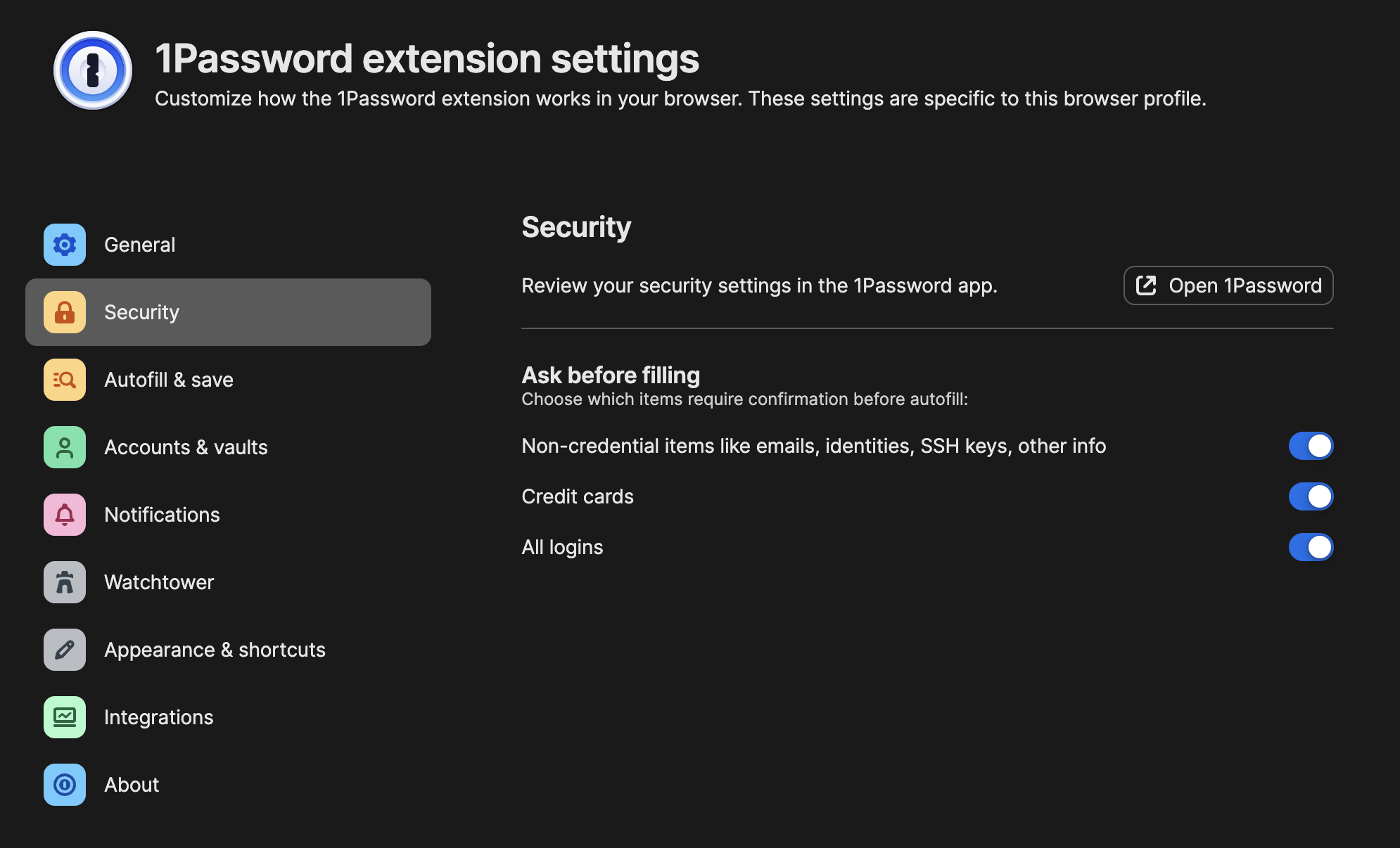
Use a Chromium based browser or Safari. Here is the settings as seen on Arc. The Credit cards setting was on as default. The same settings are in the Safari version.
I’d say the first thing is to decide how much you are at risk from this exploit. For example, if you typically use a single browser for everything you do on the Web and always have your password manager unlocked and use the same password manager to generate 2FA codes and use Autofill, then I think your risk level is high. But, at the other end of the scale, if all of your logins use passkeys or you store your high value passwords outside of a password manger, then I believe your risk level is low.
If you decide your risk level is high or you simply want to take preemptive action until password manager developers patch their products, I’d say some things you can do are:
—————
ETA
This is not directly a solution, but I use Firefox with the NoScript extension to peek at websites I am unsure about. The NoScript extension can be found here: NoScript Security Suite – Get this Extension for 🦊 Firefox (en-US)
I have not installed the 1Password extension in Firefox.
At present, this is the only reason I use Firefox all my regular browsing is done in Arc.
Sorry to be so dense, but I can’t seem to find these settings in Safari?
My setup:
Sequoia 15.6.1
Safari Version 18.6 (20621.3.11.11.3)
1Password 8.11.6
1Password for Safari 8.11.7
I have the same as you except 1Password for Safari 8.11.7.2.
The user interface is identical with the screen grab above from Arc.
Make sure the 1Password button has been added to your Safari Toolbar first? You can do this in Safari menubar/View/Customize Toolbar?
Then clicking on the toolbar button brings up Safari’s version of the screen @paal posted when, from the main 1Password screen that lists all your logins, you go to Menu (the three stacked horizontal lines “hamburger” icon) /Settings/Security?
One possible solution: Deactivate the 1Password Safari extension.
When I installed 1Password 8, there was a warning about how vulnerabilities could possibly occur for the 1Password Safari extension. (Sorry, I didn’t capture the details of the warning.) Anyway, I don’t have the 1Password Safari extension activated. When I go to a website requiring a password, I copy the username from 1Password, paste it in the browser window and do the same for the password. Am I paranoid? 
1Password’s solution:
…
To turn on autofill confirmation prompts:
After you’ve turned on autofill confirmation prompts, you’ll be asked before filling on every website. Malicious or compromised websites cannot hide these prompts. …
Thanks for the tips @Halfsmoke – now I see the settings.
By the way, do I have the terminology wrong, or isn’t it the 1Password for Safari extension screen (not the main, i.e., desktop application, 1Password screen) that has the Menu/hamburger icon?
In any event, I usually invoke that by Command-Shift-X.
Yes, sorry for the confusion. For clarity I should have written, “the main screen, which lists all your logins, of the 1Password for Safari Extension”.
Interesting. I checked the App Store and it said that 1Password for Safari was up to date, but my Settings screen for the plugin was just a link to the Settings in the main 1Password app - none of the settings that were shown in the past by @paal (and the plug-in was version 8.10.x).
However, opening the “Get 1Password for your Browser” from the 1Password app settings brought me to the App Store, where it then showed that there was an update for the plug-in that I could install.
I am still using 1Password v6.8.9 with Sequoia. The Safari extension stopped working many versions ago in Safari so I have been using cut&paste for passwords.
But this might expose me to any malware that can read the clipboard.
This discussion has as of now focussed on 1Password and Safari on the Mac. Thanks for the advice given.
But how about 1Password and Safari on the iPhone?
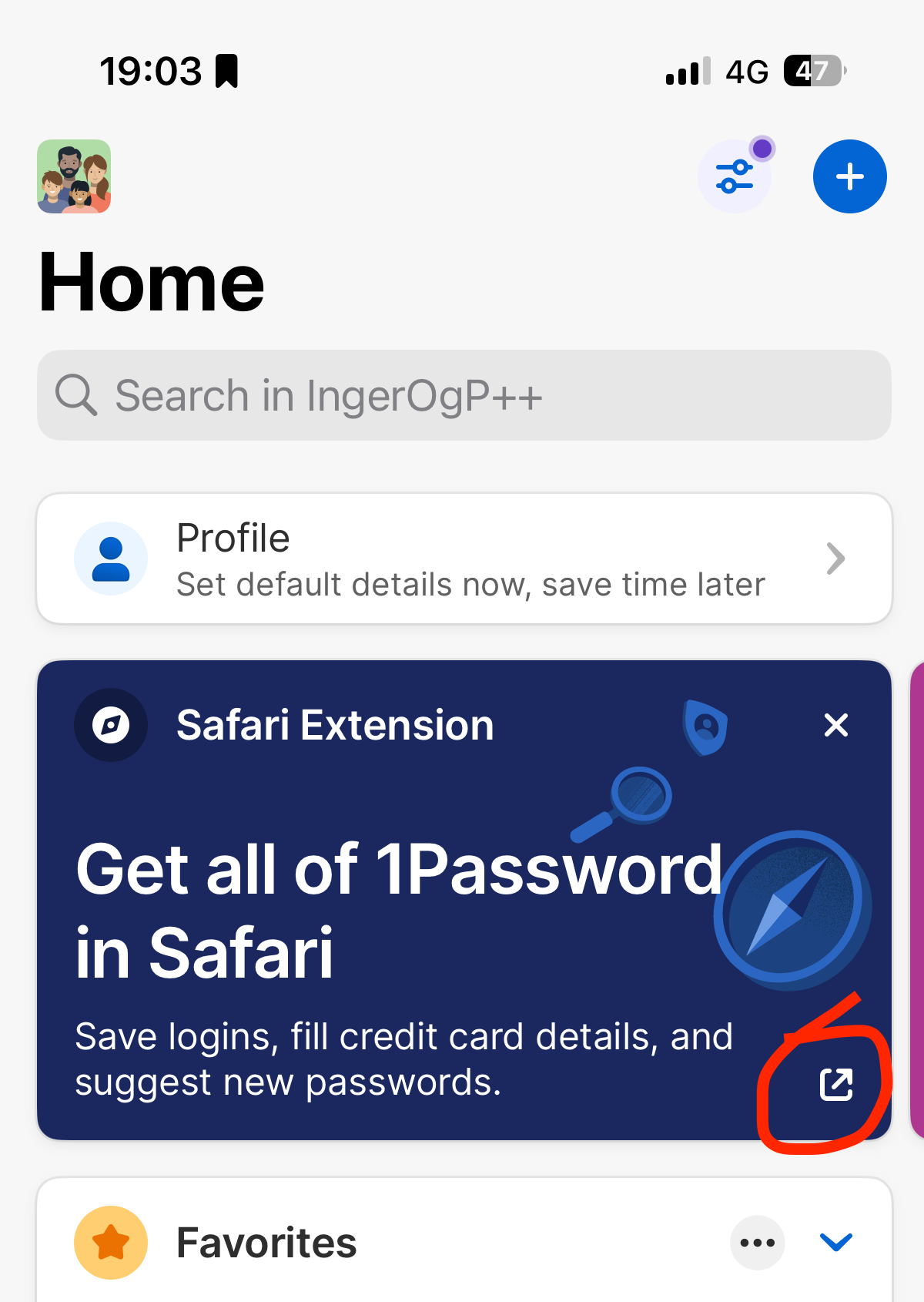
There is a new version 8.11.7 that has the same options as on the Mac when used in Safari. Download the app and click to install as indicated by red circle.
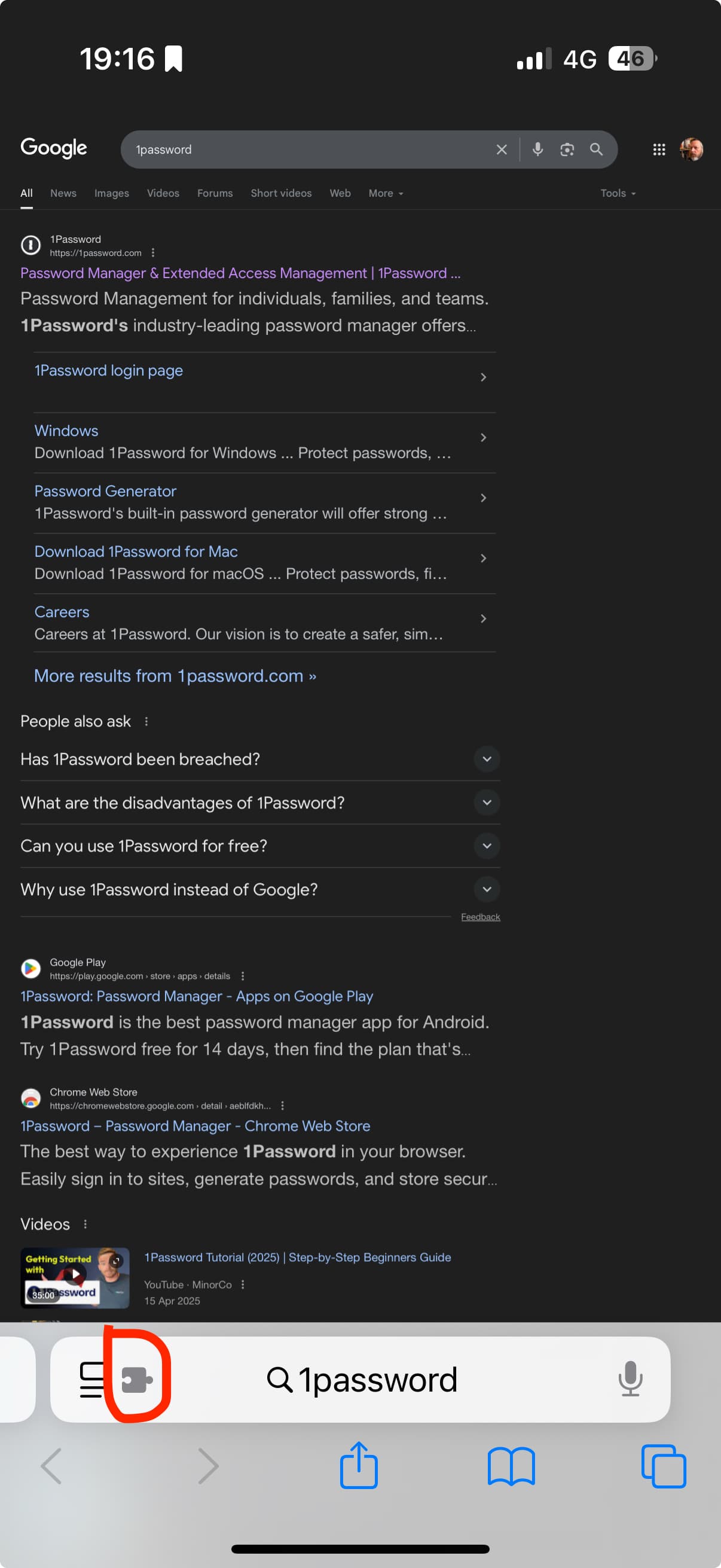
After it has installed click puzzle piece
Select 1Password.
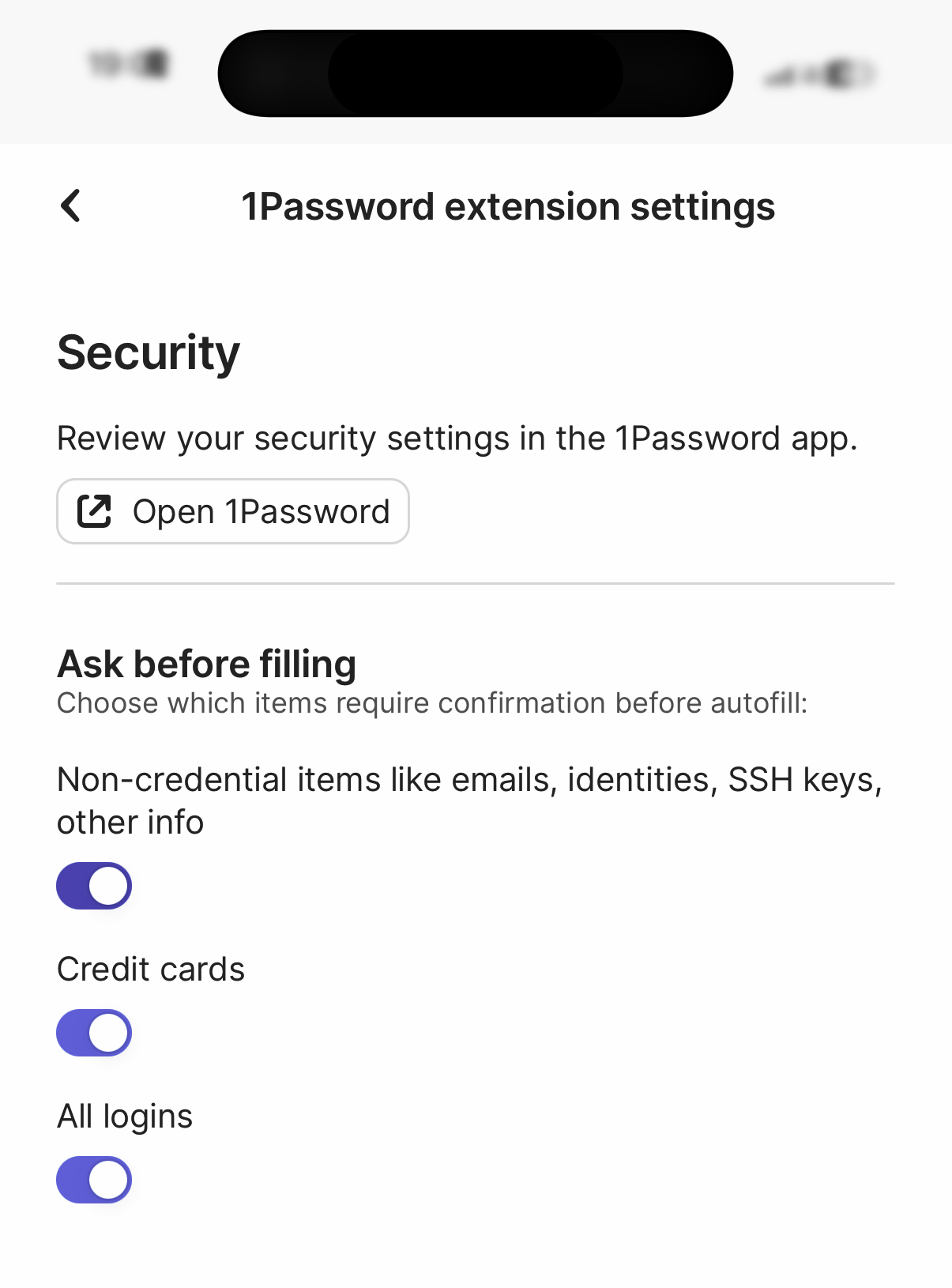
Click hamburger menu and go to Settings. You will find this under Security.
Again, I’d say thinking about how much you risk you face is the place to start.
Then, if you regard your iPhone and iPhone usage as vulnerable to the attack described in your OP, some steps you can consider include:
Thanks, @aldus_vet, although someone else already explained this earlier in the thread.
Sorry for the repeat!
New to this discussion. 1Password is now 8.11.8. Does that take care of the issue?