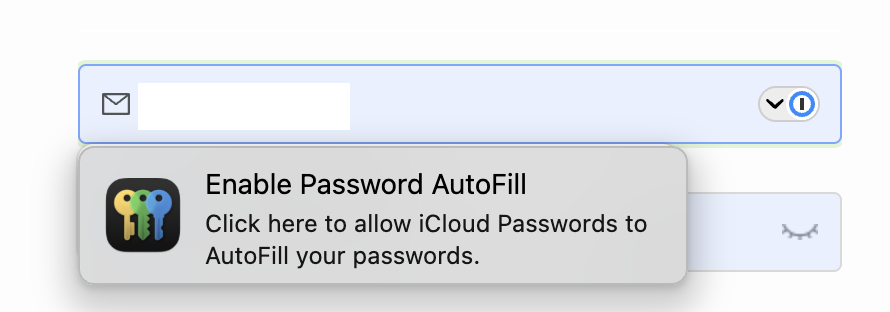
Since Apple Passwords became available, it’s window appears over the 1Password window when accessing a web site (see screen shot) and it takes me some clicks (and some cursing) to get rid of it and to use the 1Password window. I can’t believe that I am the only one having this issue yet I see no discussion of it, so I have to assume I am doing something wrong. Does anyone have a solution please?
3 Likes
Turn off password fill for the Passwords app. Use only one or the other.
You don’t say if it’s Mac or mobile, but for Mac, safari preferences and turn off user name and passwords on the Autofill tab. On mobile, Settings / General / Autofill & Passwords, keep 1Password on and Passwords off.
2 Likes
Thank you Doug, I was afraid that that might be the (only) solution. This is on a Mac, currently running Sequoia, soon to be Tahoe.
So it’s not possible to use both 1PW and Passwords concurrently.
Have I understood correctly: on a Mac you turn off Passwords autofill in Safari? There doesn’t seem to be an option in Passwords itself to turn off autofill
1 Like
Yes, turn it off in Safari on Mac. This is what I did when I was using 1Password. Since 1P announced the price increase, I’ve switched to Passwords, so of course now I have that turned on.
2 Likes
It is possible to use password filling from both Passwords and 1Password. I keep Passwords on because if it has the password, it is faster than Electron 1Password.
When the Password dialog overlays the one from 1Password, can hit Esc to dismiss it.
8 Likes
That’s a useful tip, thank you Michael.
Coming in late…but I think it is possible sometimes. At least on iOS when there’s a password page you can click Passwords at the top of the keyboard and then select 1PW or Passwords. I think it’s the same on Tahoe but can’t remember.
2 Likes
Yes, the choice is much easier in iOS, I don’t know yet how it is in Tahoe. For the moment I’m simply disabling Passwords in my browsers - it seems you have to turn it off in each browser separately. Hopefully Passwords will continue to expand its capabilities and I will be able to switch to it and let 1PW fade.
I have found Passwords to be helpful when I am setting out to set up an account with Hide Your Email, but I like to consolidate it later into 1Password for my main password control. I still do not think my wife understands the difference between the two, but we try to keep all in 1Password and then share what needs to be shared.
2 Likes
I would think that you only need to turn it off in Safari. For Firefox and Chrome, you’d have to have installed Apple’s extension for the passwords app - it doesn’t autofill natively.
1 Like
Yes, I think you’re right, Doug, and thank you for coming back to this. I don’t recall having explicitly installed the extension but looking at it I obviously must have.
I had the exact same problem using 1Password 6.8.9 and Sequoia 15.7.5. I finally just turned off Apple’s Passwords.
Unfortunately, now 1Password will no longer autofill on any website when I wish to log in. Any tips on how to re-enable this functionality would be most appreciated.
1Password app, Settings, General scroll down to autofill and click the box.
I am switching to Bitwarden as their lowest paid tier is less than one third the new price of 1PW and includes storage of attachments and secure notes. Also looked at Proton Pass, but it is expensive too. While Apple’s Passwords is free, it does not allow for storage of attachments. Notes does permit this, but a note with an attachment cannot be locked, so Bitwarden it is.
2 Likes
How are you getting 1Password v6.8.9 to autofill using Sequoia? That feature broke for me back in Mojave (or earlier) when the browser extensions were no longer updated.
In 1Password 6.8.9 the autofill checkbox is not there. Are you sure about the version?
I still use 1Password v6 but have to manually add the username/password. I am also transitioning to Apple Passwords. So far I have not had the type of conflict the OP mentioned.
2 Likes
How are you getting 1Password v6.8.9 to autofill using Sequoia?
I’m not. It doesn’t work anymore. I can copy/paste from the drop-down menu, but no more autofill.
1 Like
1Password app, Settings, General scroll down to autofill and click the box.
Nope. No “autofill” option in General. Version 6.8.9.
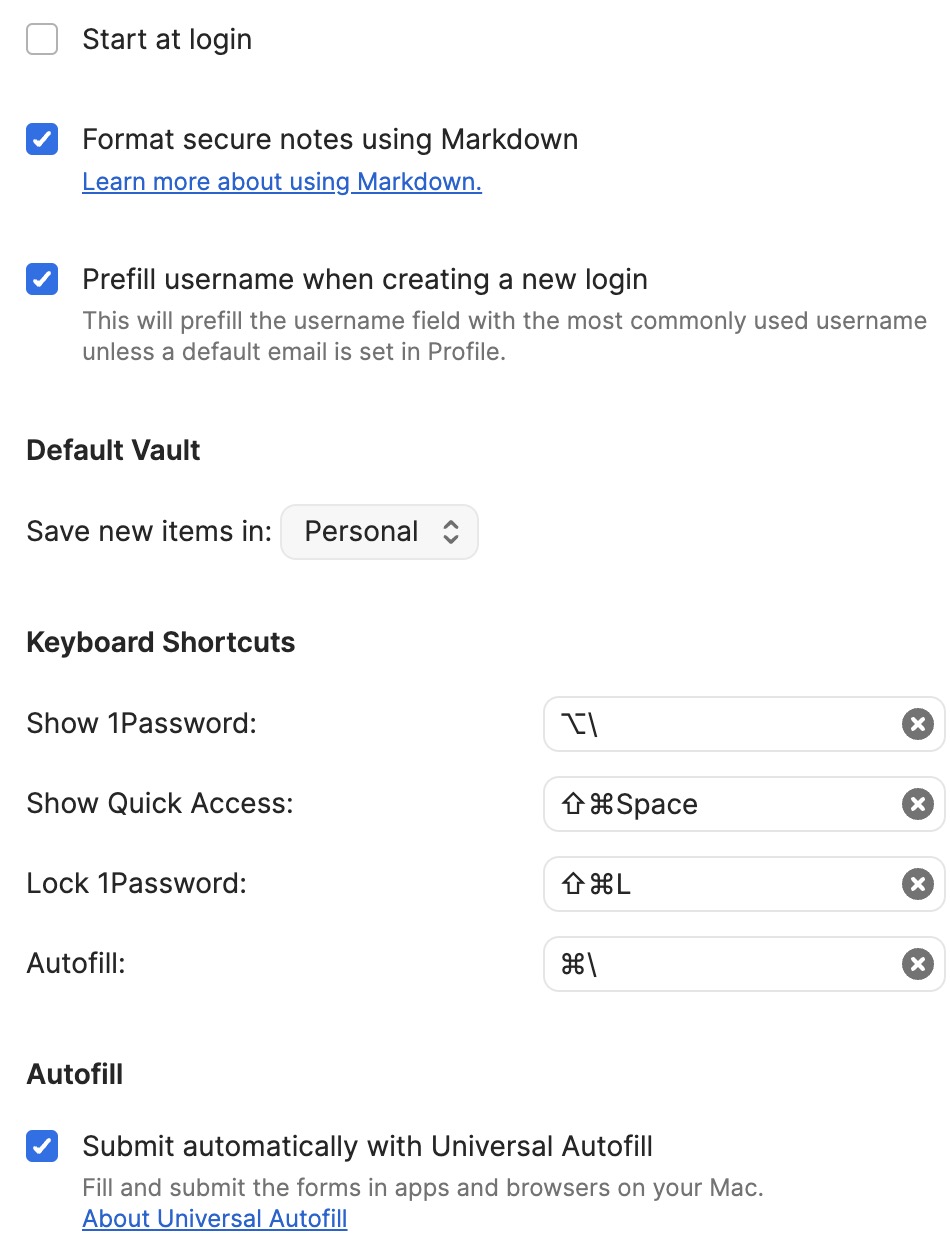
I took the opposite approach, I turned off autofill for 1Password in Safari. When I need to use a password from 1Password, I use the “Quick Access” shortcut (command-shift-spacebar for me, but I don’t remember if that’s the default), and just hit enter - 1Password will preselect the item for whichever web site is frontmost, and autofill the username and password.
1 Like
I have something similar, at least overlapping password manager choices, because I also let the browsers save passwords. At some point, I’m going to have to organize things better.
Solution is simple if on a Mac desktop or laptop – just hit the ESCAPE key and the Passwords dialog will disappear, leaving the 1Password dialog free for use.
1 Like