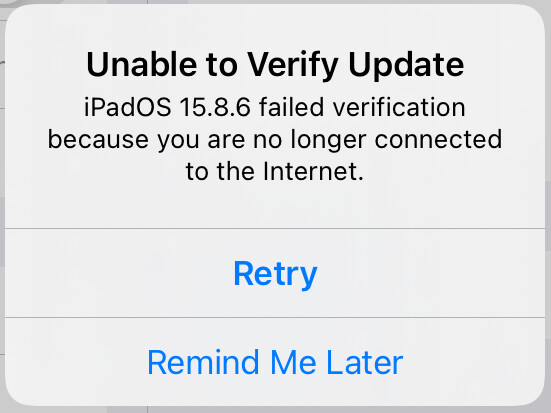
Verification failure makes sense if the image is no longer signed, but the bit about not being connected to the Internet is flat-out wrong and incredibly misleading.
I spent over and hour troubleshooting my network connection trying to fix this before giving up last night. Had I known the truth, I would have stopped trying after the first attempt.
Followup. I just tried again (about 4:30 pm, Eastern time, January 28th), and this time verification didn’t fail. The installation is now proceeding. So it looks like they’ve restored the signing at least for 15.8.6 on a non-cellular iPad Air 2.
… And several minutes later, it has rebooted. Presumed successful.
I ran into the same issue earlier today with an iPhone SE (original model). Tried it now and it updated to 15.8.6 after about five minutes with two reboots so apparently the update is working.
My iPad Pro 13" rev.1 Settings is showing that there is an iOS 16.7.14 available, but when plugged into the Finder, the Finder reports my 16.7.13 is latest?
I’m not running iPadOS 16 on my iPad, so can’t answer your question directly, but if you don’t update sometime this year, several of your Apple apps will stop working next January.
Sorry, I should have dug further on this before posting. What I posted applies to iOS 16.7.13, not 14.
So far the only thing I’ve found is that iOS 16.7.14 addresses an iOS 16.7.13 issue that caused iPhone 8, iPhone 8 Plus, and iPhone X’s in Australia to be unable to connect to emergency services.
I can only guess a similar issue involves iPad Pro 6.7”, iPad Pro, & iPad5 but can’t locate anything definitive yet.
Yes, sounded like that to me too, but the WiFi only iPads were included in the update, so must be more to the iPad versions or Apple just overdid things.
It’s strange that Apple omitted iPadOS 17. My 10.5-inch iPad Pro maxed out at 17.7.10 (August 20, 2025) and as of February 24, 2026 still doesn’t show any certificate or iPadOS updates.
Maybe. A few of the certs expire next year, and a few more in the following year. I’m not inclined to revisit exactly which ones. I figure if they are important, they’ll get done.