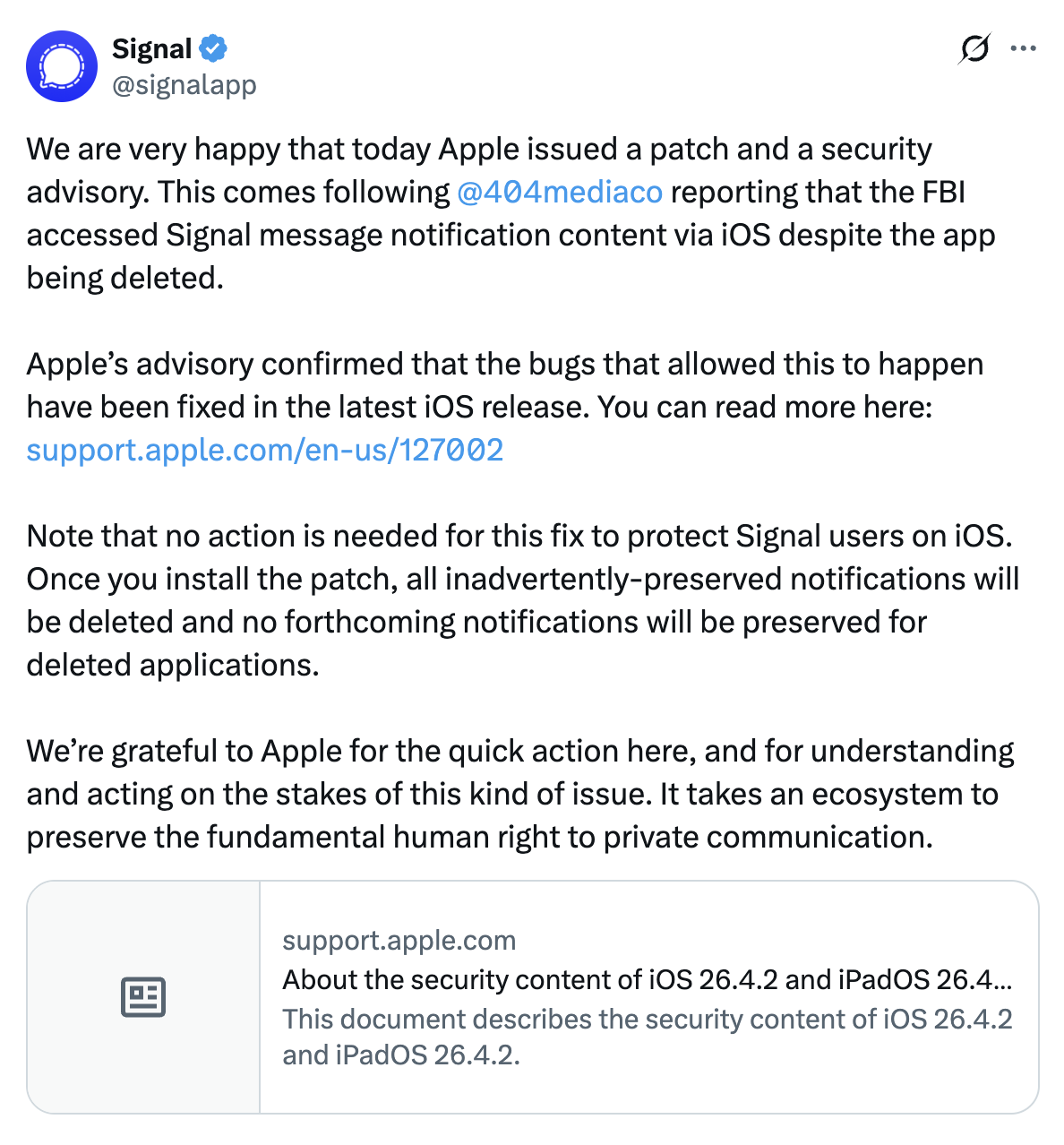
On 9 April 2026, 404 Media published an article about how the FBI was able to extract copies of incoming Signal messages from a defendant’s iPhone, even though the Signal app had been deleted. That was possible because copies of the messages were saved in the iPhone’s notification database. Signal is specifically designed for private communication and offers disappearing messages, making iOS’s retention of notification content particularly problematic.
Apple doesn’t acknowledge the connection, but it seems likely that it triggered the releases of iOS 26.4.2 and iPadOS 26.4.2 and iOS 18.7.8 and iPadOS 18.7.8, which fix a Notification Services vulnerability. According to Apple, “notifications marked for deletion could be unexpectedly retained on the device” due to a logging issue that failed to redact data properly. It’s unclear exactly when a notification would be marked for deletion—is merely dismissing the notification enough?—though deleting the parent app should be sufficient.
This vulnerability primarily raises privacy concerns for anyone who worries about a government entity seizing their iPhone and using specialized forensic software on it. Although the updates also promise unspecified bug fixes, it doesn’t seem there’s any urgency for most users to install them. There is one notable outstanding bug—using the caron/háček (ˇ) character in an alphanumeric passcode will lock you out of your device—but I’m way too chicken to test if iOS 26.4.2 resolves that problem.
Came out Wed April 22. Although we might not see a subsequent 26.4.2 for MacOS or whatever, because its security content only includes CVE-2026-28950, which has to do with Notifications marked for deletions being unexpectedly retained on a device.
To make a long story short, the FBI was able to retrieve deleted Signal messages from a confiscated iPhone. The owner of the phone was in a group accused of vandalizing an ICE detention facility, who had deleted the Signal app from his iPhone prior to being apprehended and getting her iPhone confiscated.
Deleting Signal should have deleted all the app’s messages, including those included in notifications.
But FBI found and was able to recover her Signal messages because the iPhone kept a cache of recent Notifications which included the Signal messages. Deleting didn’t clear those logged notifications. Signal has a somewhat obscure setting that disables message content in notifications, but the owner hadn’t turned that setting on.
The content of the Signal messages that the FBI found was used as evidence in her trial, in which she ended up pleading guilty to providing material support to terrorists.
From the way Apple is reacting, it seems like the FBI was able to unlock the iPhone in some manner (ie, using facial ID or getting a warrant for the passcode) rather than the exploit unlocking the phone and getting into the database. The latter would be much more serious.
Just to be pedantic, in this case the FBI recoveres partial conversations - just the content of messages sent to her, because the content of those messages (and the sender’s contact info) was included in the notifications. They were not able to retrieve the actual Signal messages, particularly the ones that she sent.
To be pedantic: if the FBI was not able to get permission from the owner, they would have had to get a warrant to search the phone. Law enforcement’s search and seizure of a cell phone’s digital contents simply “incident to an arrest” is unconstitutional under Riley v. California (2014). Whether they received permission or got a warrant, we don’t know. All we know — from recorded in-court testimony — is that it came from the iPhone itself.
Which is not the only way law enforcement can obtain Push Notifications. See this informative EFF article:
To be even more pedantic, there are exceptions to the warrant requirement, and we don’t know if any of those applied.
But in any case, my point was not about that, it was about the fact that we don’t know how the FBI got access to the push notifications and knowing that would change how serious a problem this was for users.
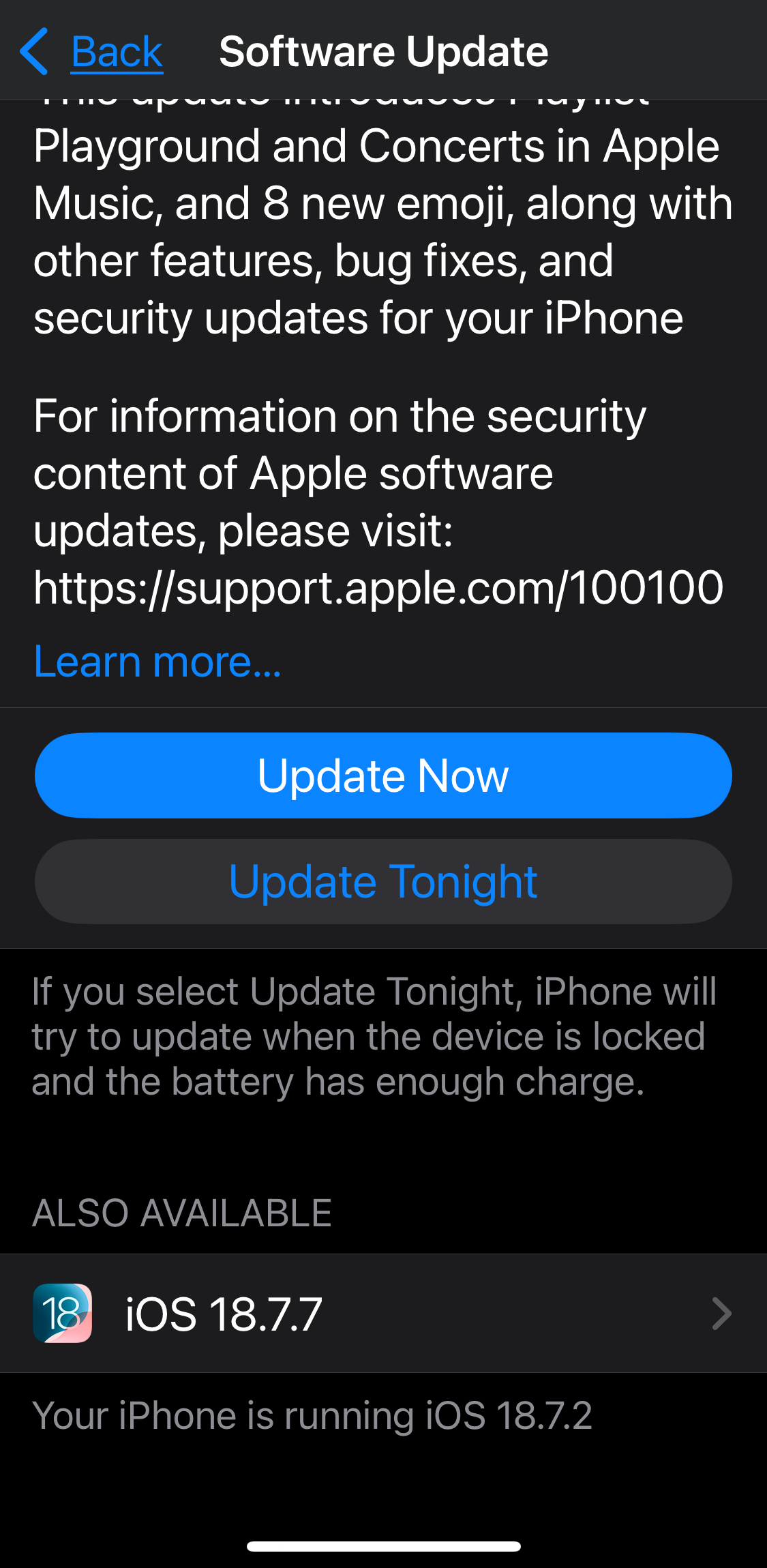
Just a reminder for those manually updating iOS 18… If you do not see the “ALSO AVAILABLE” option for iOS 18 at the bottom, you may need to scroll by swiping up from below the “Update Now/Tonight” buttons.
(Screenshot is from the previous update. 18.7.8 update follows the same style / layout.)
FaceTime got messed up after upgrading to iOS 26.4.2
After upgrading iOS on my iPhone 15 two days ago, I cannot make FaceTime calls anymore - at least not the usual way: when I tap an icon (contact) in FaceTime, it opens Avaya (the app that forwards calls to my office phone to my iPhone) and then tries to make the call on Avaya. Never had this before and it’s mega-annoying. The only workaround I have found so far is to make FaceTime calls from messages. Google searches only suggested to change the Default calling app in Settings but that doesn’t work (even if set to FaceTime).
review the Avaya Settings, change a few back and forth and maybe that jiggles the bits right
restart the iPhone if not already done
look for an update to Avaya
remove and reinstall Avaya (first protect its data; but I think iOS may do this anyway, ie if you tap and hold to remove it, you might be asked if you want to save its data or delete everything iirc)
just another idea popped up, maybe have someone call you with FTime, answer, hang up, and call them back and see if that works both for that contact and for future calls.