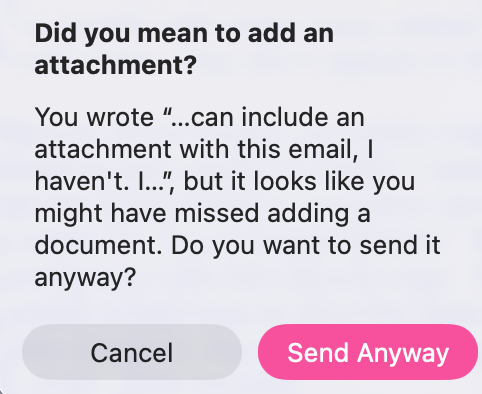
(And when I search in Mail, the top of the results column is cluttered with “Top Hits”). I don’t want Mail App to analyse what I’m doing and provide this stuff. Didn’t find anything in its Settings or System Settings (various keyword searches had no results there; Siri is turned off for years) to turn this off.
But I’m so frustrated both with the topic I was emailing a business about, and this, I might not be seeing the solution at the tip o’ my nose. Thank you for your understanding.
Broken? hm. Ok now I think I’m getting it… use of email these days is broken, you mean, too much spam and stuff.
I see that in my family and some local businesses who just don’t respond or use it much although their addresses are out there, but conceptually I still like email a lot. It’s cheaper and faster than postal mail and recipients can read it at their convenience, which I find politer than a call or text.
Somehow I’m not swamped with email junk like many others, so I’m not experiencing the same dismay/frustration etc.
Thanks @david_blanchard for that. I used T-bird decades ago and stuck with Apple Mail after that.
I want to explore T-bird more on a new Linux laptop, but would hope that feature you mention can be shut off. I take responsibility for my own email and don’t need or want software to watch/analyse. If I forget an attachment, ok, my fault, I’ll send again.
Luckily I’m not in a pressurized business environment but more retiree-consumer realm regards to email.
It’s doubtful that this is AI or anything actually intrusive.
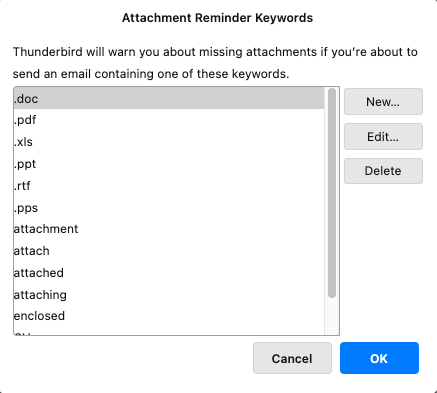
Lots of mail clients have similar messages. They are very dumb, presenting the message if certain keywords (like “attachment”) appear in the message body, without any deeper analysis.
I realize they can be annoying, but I’ve often found them to be helpful, because I usually don’t use words like “attachment” or “attached” unless I’m intending to attach files to the mail. So the warning will remind me if I try to send without attaching the files.
Agreed. Almost every email program has had this feature for years, so I’m sure it’s just a simple scan for “attach” and similar terms in the message body. It’s essentially a dictionary lookup rather than an “intelligent” feature.
Personally, I appreciate that feature in any email program. I find it far more annoying to send or receive multiple “this time with the attachment” messages than to get the occasional erroneous prompt. At the same time, I agree that it should be a configurable setting, rather than another example of “Apple Knows Best.”
The more interesting questions to me are why Mail.app apparently didn’t have the feature until Ventura, and, once it did have the feature, why it wasn’t a behavior that could be toggled.
While it may be happening only locally and only looking for keywords, I have rarely seen in it Mail, and its appearance the other day and apparently missing control options was a surprise and inspired me to post.
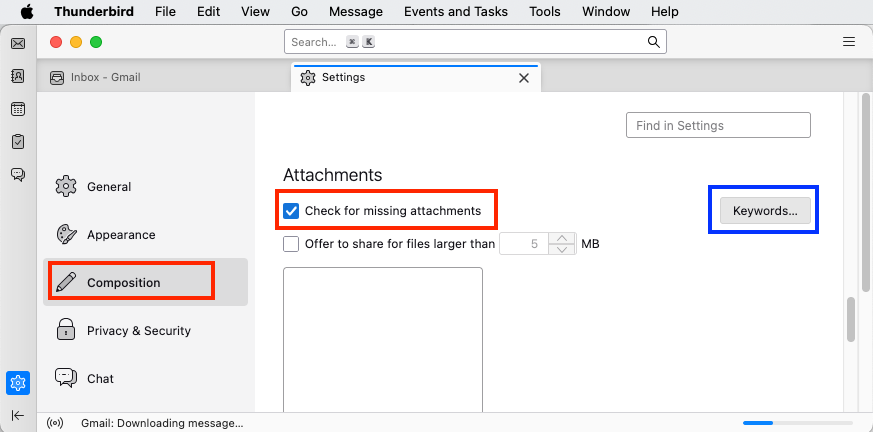
For stuff like this I would personally prefer the control Thunderbird seems to offer. I’ll look at it in more detail.
From a broader perspective, it just bothers me when tools try to ‘help’. It sends me down the wrong path, that is, of gradually developing a dependence, or least expectation, that the tool will prompt me for various things, and thus, less concentration and self discipline, and having one more thing to remember and administer and fine tune.
Just give me a tool and let me learn to use it is my preference, as would be, back to the Topic theme, let software developers provide these features but also let users turn off the stuff they don’t want. At least this categorization thing in Mail can be turned off…