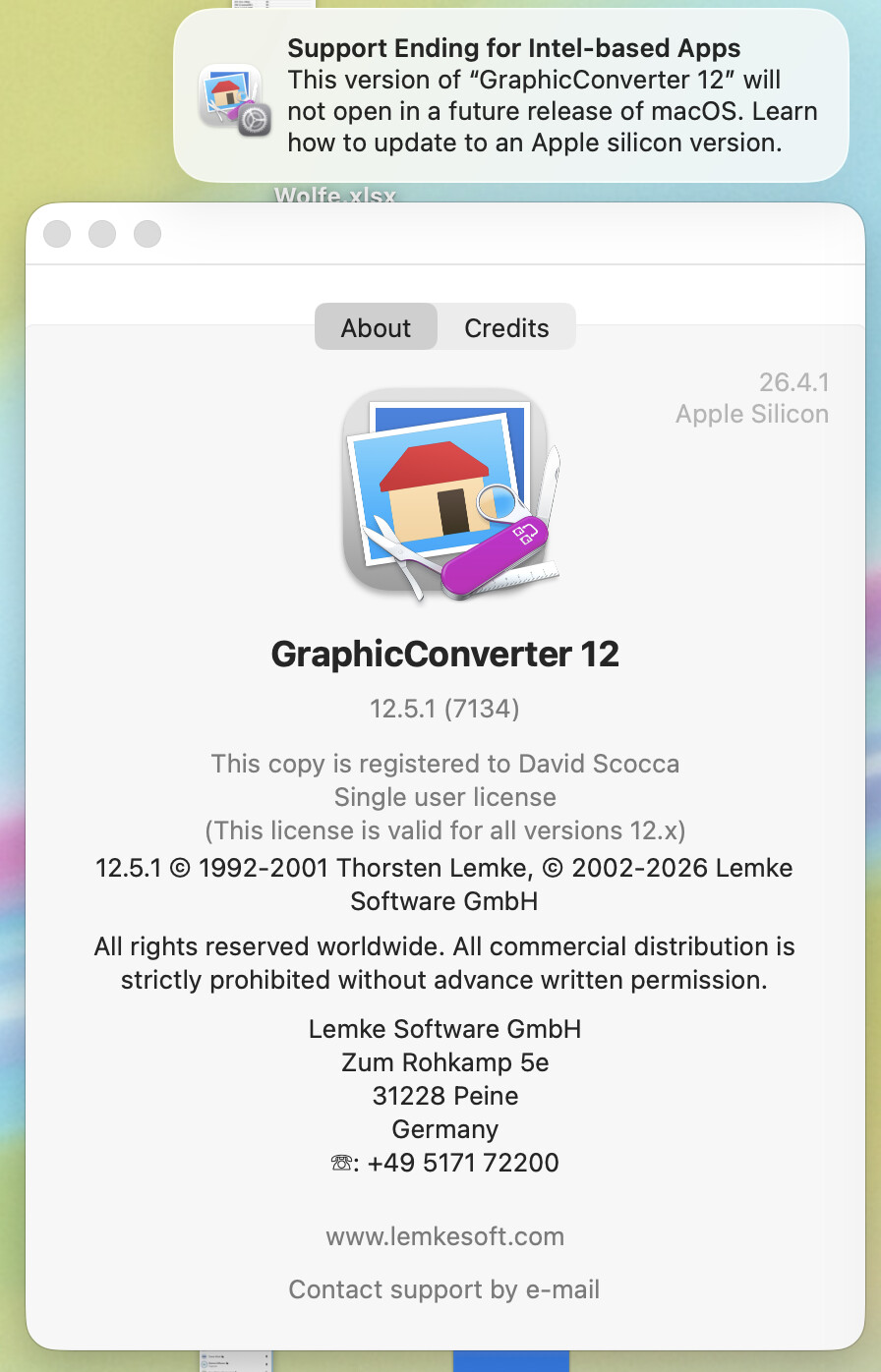
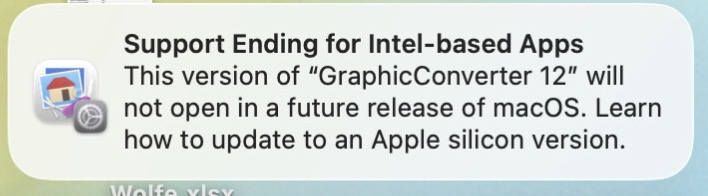
Good afternoon! So I finally ran into this problem at a time I could take a screen shot. Opening GraphicConverter 12 this afternoon, I got the “Support Ending for Intel-based Apps” notification – but my copy of GC12 is Apple Silicon per the about box in the screen shot. Checked the get-info on the application and it shows “Application (Universal)”.
Has anyone else had a problem with this warning showing up on known Universal or Apple Silicon apps? (I got it a couple of weeks back on BBEdit, which is also an Apple Silicon app.)
Any guesses as to why it’s giving me a fake warning?
I had this several times with different apps on my Mac Studio. I think a flag is triggered and it just pops up. May be due to an app being universal but I am ignoring it. Not sure why it started popping up recently.
This is a guess, but by the positioning of “Apple Silicon”, I think that’s referring to the OS, not GraphicConverter. Do a Get Info on the app in the Finder and see what it says (the first entry in General will be Kind: Application ([architecture])).
Looking over the version history (clicking on various versions’ release notes), Graphic Converter has had Apple Silicon support since version 11.4 (February, 2021).
The version referenced in the original message is 12.5.1 - the latest version. Which also supports AS natively.
Sometimes when a program is installed, it also will install various helper apps. Sometimes the helper apps are in the program’s “bundle”, i.e., the special folder that looks and behaves like a traditional app, even though it is really a folder containing multiple kinds of components. Other times the helper apps are installed elsewhere.
With respect to @dave6’s original question about why he is seeing a message about an Intel-only version of GraphicConverter, I recommend using Apple’s System Information tool or the free Go64 app.
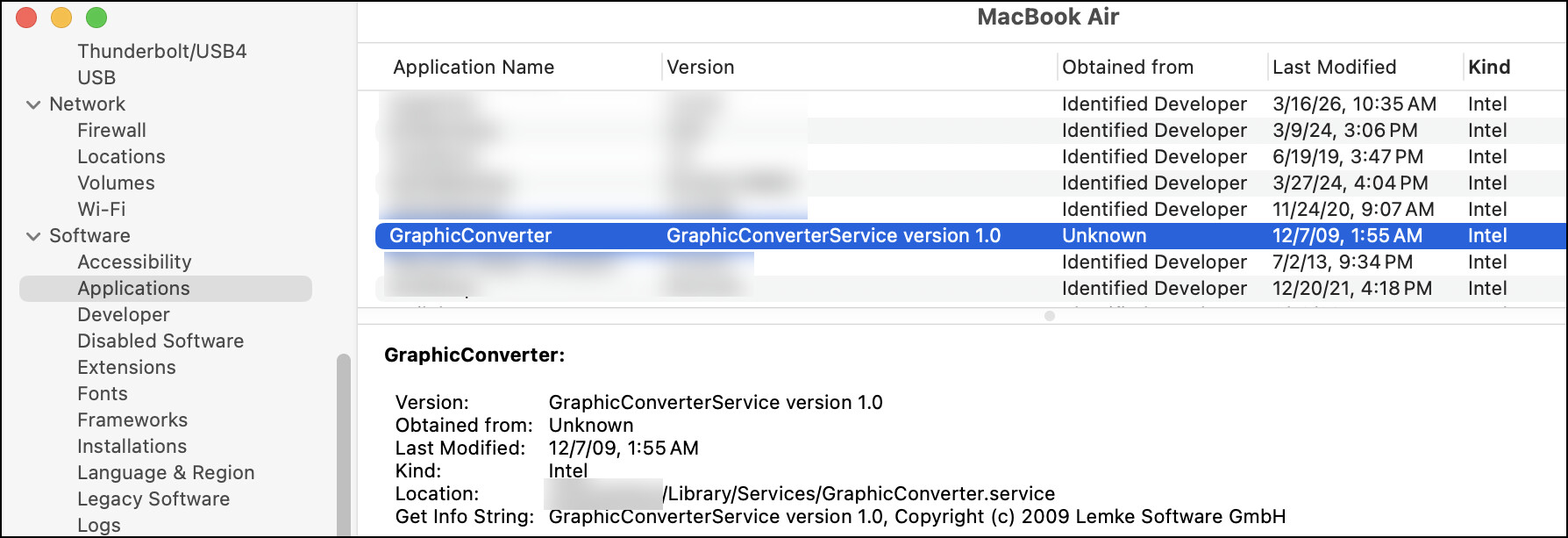
To use the “System Information” app, go to the Apple menu while holding down the option key. “System Information” should be the first item in the menu. Open “System Information” and click on Software > Applications on the left side of the app. Sort the results by “Kind”.
I use GraphicConverter 12 on my M1 MacBook Air, but the installed software traces its roots to an ancestral Mac that started with a clean install of Snow Leopard, if not something older. “System Information” shows me an Intel-only app called “GraphicConverter”, but it actually is a helper app installed way back in 2009 in ~/Library/Services. Perhaps similar circumstances apply to @dave6.
I faced a similar situation during the 32-bit/64-bit changeover with several outdated applications (example: the MS Office uninstaller for my version of Office was 32-bit only so it would have been easy to have an archaic copy of Office stuck on my computer).
I just tested a couple of apps that are Intel and there was no warning. This message has been supposed to appear in some version of 26 or maybe 27, as 27 is the last version that will support most Intel apps.
I get the warning from time to time, but can’t make it appear just by opening an Intel app. I think it maybe happens after a macOS update, but not sure about this. I think it scans for intel apps based on some algorithm and pops up the message.
I have Epson printer and scanner apps which are Intel, so hoping Epson gets its act together before Rosetta disappears in macOS 28
I have had this error come up repeatedly over the past month or more. I have an 2023 M2 Pro. Rosetta is not involved with any of them, all seem to be silicon-savy. I contacted GraphicConverter as it was the first one I experienced this with, and Lemke said he assumed it was an Apple bug.
I started noting which apps have given this complaint. They are now starting to come about once or twice a day. I’ve missed few, but these are included:
All of thee apps are the newest versions–including Numbers! I can’t figure it out. One person told me to uninstall Rosetta, which I felt uncomfortable with, since it was a terminal command. It such a tiny subset of users, that I wonder if its predominantly associated with the M2 Pro…?
I got these with Aquamacs and QGIS… my Mac is an Apple M chip, not Intel. I was a bit worried about this. It didn’t happen immediately after the OS update a few weeks ago and those apps have not been updated recently. I have the Apple M1 Max running Tahoe 26.4.1.
Not worried about lack of support – the message makes it clear the M chip will be supported – but worried why this would pop up all of a sudden. I don’t like this kind of (apparently) un-provoked behaviour.
If so that is not saying the M chip will be supported. That will only happen if the two apps you mention have a Silicon mac version before macOS 28. I don’t know anything about them, so maybe they already are Universal. Otherwise they need Rosetta to run and wont run in macOS28.
Yes an M chip means it is a Silicon Mac, but Apple is not going to support x86 (Intel) apps in macOS 28. It will be necessary for the app writer to supply a silicon (universal version).
The fact that you got the message implies you are currently using the Intel version.
Thanks, I hadn’t realized that. I checked with Claude: “Can I be using Intel versions of apps on an Apple M Mac?
Claude responded: Yes, through Rosetta 2, Apple’s translation layer that automatically runs x86-64 (Intel) binaries on M-series chips.
And indeed Application Monitor shows that Aquamacs is an Intel app… Claude pointed me to this feature of the monitor.
So the message is useful! Those are apps I use a lot. But why the message now? Maybe the first time I opened them after upgrading to 26.4.1? Or triggered on May Day?
I hadn’t realized about Rosetta. I guess way in the past I knew but I am not as much of an Apple-head as many TidBit’ers. So thanks for the explanation.
The message is being sent out by Apple now to warn everyone, especially app makers, to get on and make a silicon version. The next version of macOS will be 27 will be beta released next month and will be last one with Rosetta. macOS 28 will be fully released in September 2027 and will not have Rosetta. (Unless Apple changes its mind!, which has happened before)
I had this for MediaHuman Audio Converter so downloaded the latest version but it turns out I was already running the latest version on Mac silicon. I shall ignore all future such pop-ups based on the comments here.