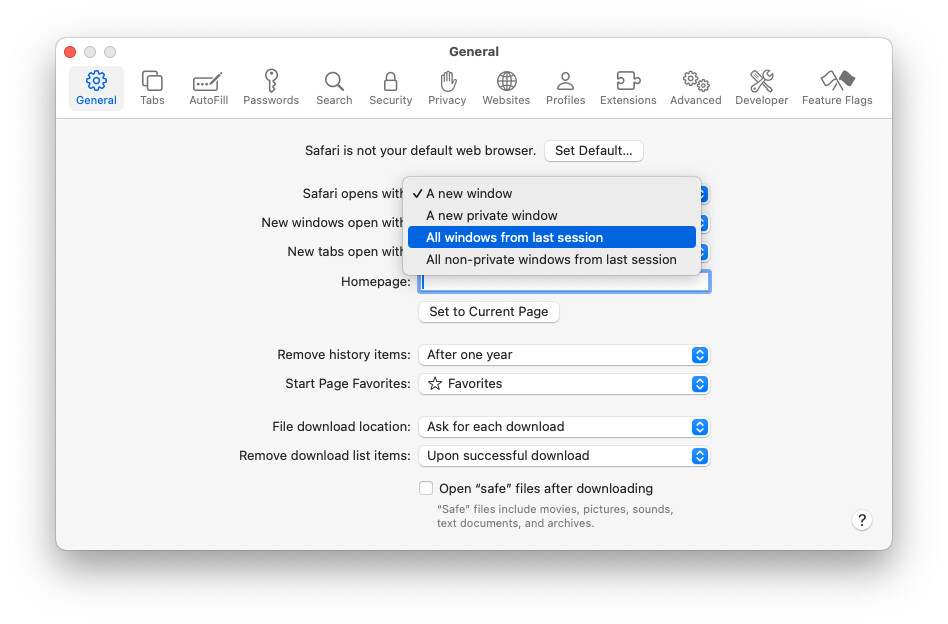
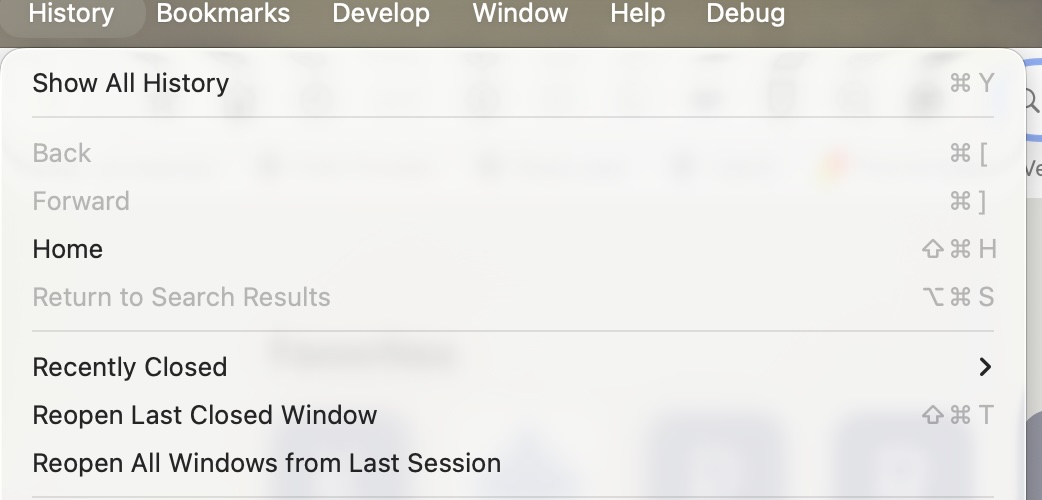
Beginning yesterday, the option to open all tabs from last session is blank.
Using OS 26.1 on an iMac. Wondering if I accidentally turned off a setting. All my history seems to be visible, so I can manually recreate what was open last visit by going to prior history, selecting multiple items and double clicking. But inconvenient.
Troubleshooting included:
Hard shutdown with unplug power, wait to restart. Quit and restart Safari multiple times.
Turned off all extensions.
Deleted all website data in Safari.
Anyone else have this issue? Suggestions to resolve appreciated.
Yes, my “Reopen All Windows from Last Session” under History dropdown, as in your screenshot, is my problem. After I quit Safari and desire to reopen last session windows, my option is darkened out and I cannot select it.
Seems like it is a problem on my system. If others are not seeing it, I will continue to try to figure it out or work around.
If anyone else sees the issue and has a suggestion, would be appreciated.
I see that happen if there are no open windows when you quit Safari. In that case, ‘Open Last Closed Window’ opens the last closed window. So, if all your tabs were in one window, that should let you recover everything.