Replacing Music

Thanks, Patrick. I wasn’t specific enough in my first post, and amended it later: “It’s starting look like what I want doesn’t (yet) exist: a single app I can install on both my Macs at home and my iPhone that can create playlists of (complete) classical works [i.e. multi-track, preferably with the ability to shuffle them] from my collection playable “hands-off” in CarPlay.”

Can Fidelia do that? I can’t find the answer on their website, but may be missing something, as usual.

1 Like

I switched to Swinsian many years ago, it has been a boon for managing my large local music library. It can’t do CD ripping — I use XLD for that — but otherwise it has most of the music features of the old iTunes, and then some!

It can access your existing Music library and use that, so you don’t have to migrate your music tracks over unless you wish to.

It’s a one-time purchase, and version 3 runs on Apple Silicon Macs , which is a huge relief for me as I was dreading having to give it up.

I don’t see what the big deal is with CarPlay as basically it is just a slightly larger external screen for your iPhone. Seems to me a larger older iPhone or an iPad Mini would be sufficient.

I used Swinsian 2 on my Macs for a while, but for my purposes at the time my iTunes kludge (see above) seemed just as effective and I stopped using it. Never tried Swinsian 3, which was a $40 upgrade when it came out (I see there’s no upgrade and it’s one-time $35 now :slightly_smiling_face:). Can it make playlists of multi-track classical works? Can it play them using CarPlay?

CarPlay is a no, as far as I can tell. As for classical works, if you’re talking gapless playback then that shouldn’t be an issue.

You can get upgrade pricing from Swinsian 2, but apparently only from within the app. That’s what I ended up doing.

From the support FAQ:

Swinsian 3 is a paid update so if you bought a Swinsian 2 licence and then upgraded the application will no longer be registered and you will start a new trial period. If you have a Swinsian 2 licence then you can get a 40% discount on the price of a new licence by using the ‘Purchase’ command in the Swinsian menu in the app.

1 Like

Long ago, when I did avoid DRM by burning audio CDs, I found another workaround: don’t bother burning to plastic, burn to disk images. It was possible when I last did it, 15 years ago or so.

I’m going off now to look at Swinsian and Fidelia. I want to leave my iTunes library intact so I can go back to it if Apple’s new software chief fixes iTunes regressions. I was fine with iTunes before (I think) Tahoe or the system before, which screwed up shuffling and volume matching alike.

One of the things that Music.app can do that very few other players can is broadcast to multiple Airplay speakers simultaneously (beyond stereo pairs… I’m talking about multiple rooms). Roon and OwnTone support this feature, but I found both of them less reliable at staying in sync than Music.app (and Roon costs an awful lot of money for accessing your own music). Recently, I came across Music Assistant, which is related to the Home Assistant home automation platform, and it also supports multi-speaker broadcasting, but I haven’t had a chance to test out how reliable the sync is. Given the preponderance of smart speakers that are wifi-enabled these days, I’m surprised that this feature isn’t more widespread.

1 Like

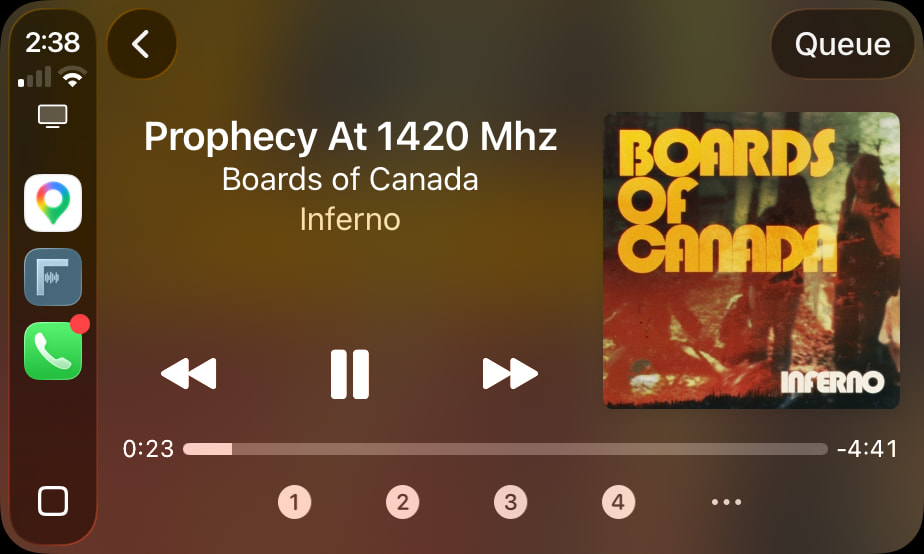
Hey David - Fidelia has been traditionally Mac-only with a free iPhone remote app. However, we have Fidelia for iPhone in review on the App Store so it will be out any day now. Via Fidelia Bridge, you can keep your iPhone in sync with Fidelia on the Mac - tracks, playlists, internet stations, presets, etc., and selectively “Keep offline” any tracks/playlists you want to play when you are away from your home network. This way, when in the car or out and about, you can listen to the offline-sync’d tracks/playlists. The CarPlay view even has presets 1-4 (limited by Apple) right on the main Now Playing view so you can trigger specific playlists or internet radio stations right from the dashboard:

Just tell me if you have further questions.

Cheers,

Patrick

1 Like

Thanks for checking out Fidelia! Just tell me if you have questions or need help in discerning. The only tracks we can’t play are those Apple won’t allow any third party app to play (DRM), but any iTunes Store-owned and ripped tracks will work either directly in a Fidelia library or sync’d from Music. Also be sure to grab Fidelia Remote for your iPhone, which is free. Cheers.

@patrick – some quick Fidelia Q’s:

  1. Does it allow the user to actually edit all internal metadata tags that the audio format supports (especially FLAC and ALAC files), and if so is that on macOS only or also available on iOS/iPadOS?

  2. Does it offer column view on macOS of all tag fields (like Music.app kind-of does)? [Good for finding tracks with missing tag info you may want to add.]

  3. Does it allow you to view all artwork (eg. booklets) a file has on both macOS and iOS/iPadOS (like macOS Music.app used to do before offering covers only)?


I think a lot of the replies from people above are confusing two main music app types, and another lessor app type.

Firstly, the two main music app types:

A. Full music apps that have full (or partial) music library management with correct internal file tag editing (eg. Music.app; at least on macOS kind-of does), along with playback features. Preferably for both macOS and iPadOS/iOS (or at least offering playback on the latter, if no tag editing).

B. Basic player-type music apps (quite a plethora out there) that merely have music file playback features –eg. they may playback your own Music.app owned collection and/or all audio files found across a device’s folders. They generally have highly limited, bad, or no music library management features (eg. think apps like VLC, IINA, et al.).

Then there are the lessor known music apps/services (eg. Roon, is probably the best known) which offer no internal file tag editing, but instead offer a library feature while offering an additional data layer to those already internally correctly tagged files. That layer of data contains additional text/image info on artists/albums/tracks and how they relate to one another – eg. artist bio’s, long-form album info/reviews, related tracks in your collection or available from a streaming service you link-in (Roon offers Qobuz and Tidal integrations), or suchlike. Along with high-end playback features like bit-perfect playback options and lots more.

.
The first two are very different things, depending on whether you’re after full internal file tag editing and management or just playback. While the latter is yet another type that a select few may want to use (as it’s additional cost, above any streaming service you may/may not pay for).

So until the thread starter @cliffmcknight (or anyone else on here) clarifies what they’re precisely after, it’s hard to make decent suggestions. :slight_smile:

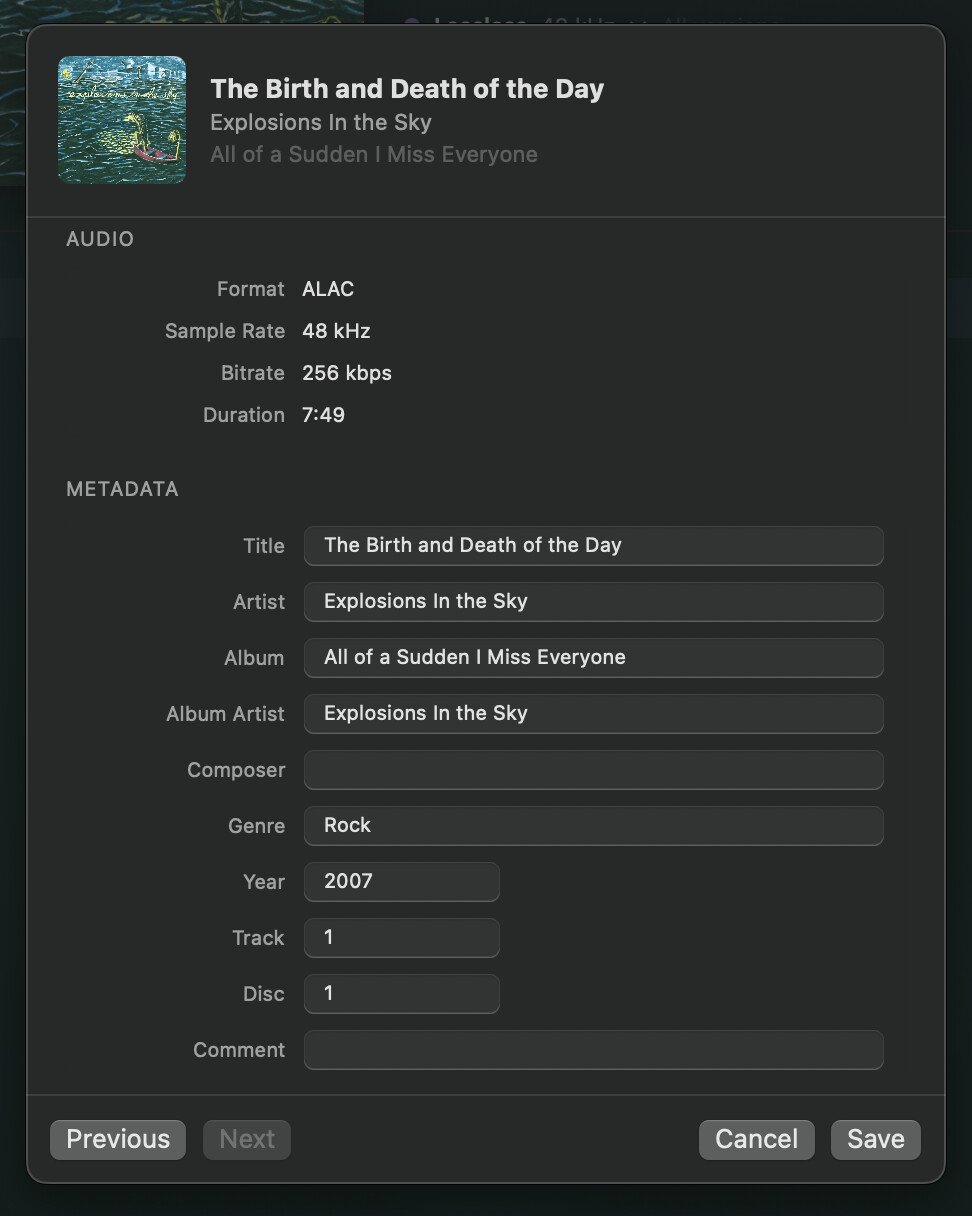
Here is metadata editing in the Fidelia library (right-click on a track, "Get Info”). Yes, including FLAC/ALAC files. The full Fidelia player runs on macOS and iOS/iPadOS, but metadata editing is currently Mac-specific (although as I mentioned, Mac and iOS/iPadOS can be sync’d via Fidelia Bridge).

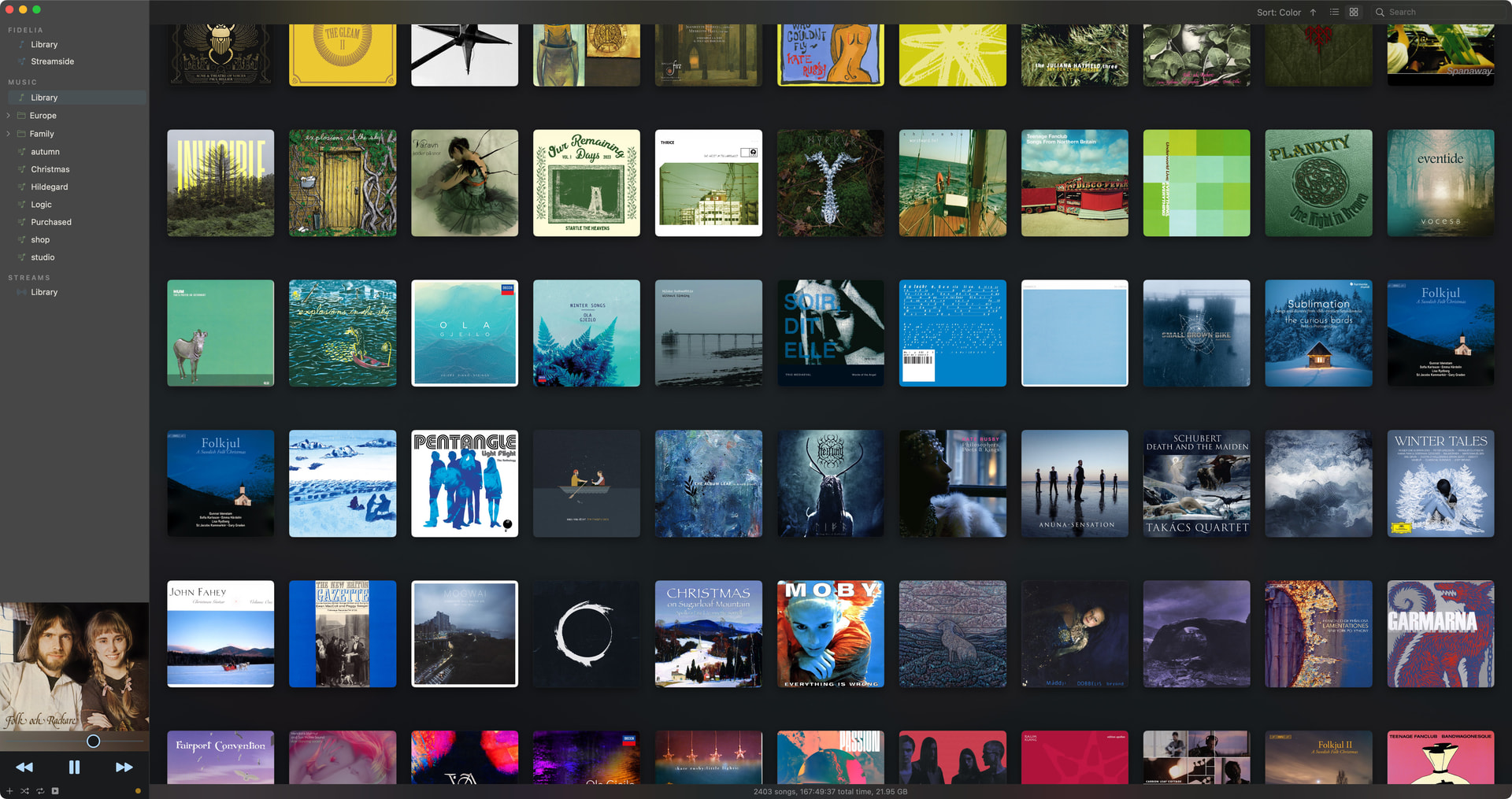
Yes, there is a table view and an album view.

Presently we show album art per industry standard. iTunes had a special format and distribution.

Happy to cover any followup questions this raises, cheers.

Patrick

2 Likes

@patrick Good reply.

re. tag editing: Can you do the full list of ID3 tags available, or only those shown in said screenshot?

re. column view: Does it show the same columns (or more?) as Music.app?

re. artwork: I didn’t meant the Digital Booklets of old iTunes, just other jpg images a file has?

Thanks! I really just needed something simple and the first thing I tried was Swinsian, honestly, which looks like a very simple stripped-down iTunes, but with working shuffle (and shuffle by album) and working sound level adjustments so it’s not LOUD quiet LOUDER. This, and working with the existing library, is pretty much all I needed. SO… while Fidelia looks great, it’s overkill for me. Unless Fidelia can also handle filling my old iPods, no longer supported by Apple, and Swinsian can’t. I didn’t check to see if either could but I should, while in the trial period.

Oddly, I think even Swinsian has better sound quality than Apple Music, I can’t figure that one out. Probably just an illusion.

Hey Jim,

Fidelia’s Get Info edits these ten fields and writes them back into the file:
Title · Artist · Album · Album Artist · Composer · Genre · Year · Track · Disc · Comment

It also shows, read-only: Format, Sample Rate, Bit Depth, Bitrate, Duration, Size, Location.

Write-back covers FLAC (Vorbis Comment), ALAC/M4A/AAC (MP4 atoms), MP3 (ID3v2), Ogg and Opus. WAV and AIFF are not written — there’s no tagging convention for them that every reader honours, and we won’t write what other players can’t read.

COLUMN VIEW (macOS)

You can show any of these in the Library table:

Title · Artist · Album · Time · Track # · Disc # · Year · Genre · Composer · Comment · Format · Sample Rate · Bit Depth · Bitrate · Date Added · Source

ARTWORK (macOS / iOS / iPadOS)

You’re right that a file can carry more than a cover. FLAC and ID3 picture blocks each carry a type — front cover, back cover, leaflet page, media/disc label, lead artist, band, illustration — which is exactly what Music.app surfaced before it went cover-only. Fidelia today reads the front cover presently. I’ve honestly never been asked in 10 years about the others, but I like the idea, and will add it to our queue.

Primarily, Fidelia development has focused on having the best audio engine and DSP in the industry, with unique features for things like multichannel/surround calibration, a wide processing bus for AU plugin slots you can use for EQ, room correction, EQ, effects, etc. (even in the car), networked music server / streamer setups, and convenience features like iPod-style sync between your Mac and iPhone/iPad.

Happy to cover any followup questions this raises.

Patrick

2 Likes

CarPlay is nice because it is a car-specific UI designed to be safe to use while driving. In Fidelia, we’ve mapped car-radio-style preset slots to playlists and internet radio stations, which can be tapped at a glance from the wheel. I find it a lot safer than tapping/swiping on a phone or iPad.

1 Like

@patrick - Great reply, again.

re. Tagging:
A consideration might be to add an ‘extended attributes’ tab in the Get Info with most of these additional tag types in (and perhaps app settings options to choose which to include in that tab to keep clutter down for the user). Editing these other tags can be quite difficult for many users, often having to use all kinds of separate tools to do so with/without success (for some reason I’ve found editing Release Date –not Year– a pain to edit for some reason, lol!).

re. Artwork:
Yes, being able to see these again would be great to have (never understood why macOS iTunes/Music app removed being able to add and see full artwork). A tagging feature might be good if there are type tags for images too.

Thanks again for the info.

What is different between a CarPlay screen with icons & Siri vs an iPad screen with icons & Siri?

I’m guessing not a lot on the surface, but rather in how a driver would use it, as CarPlay has to offer different functionality you may need in a vehicle that you don’t when not in one – eg. directions when driving overriding something else in the foreground, etc.

Not questioning your statement, but are you familiar with Rogue Amoeba’s Airfoil? It is not a player, but it can route audio from the computer where a player is running to multiple other speakers, using AirPlay or Bluetooth. And they’re a TidBITS sponsor to boot!

1 Like

right, that would be handy. That was the idea with adding editing to Fidelia 2, to help eliminate or minimize the need for a separate app just for tags.

They probably removed it just to save storage space (that is a lot of extra images). And, in the streaming era, most albums go to distribution one image anyway. It wouldn’t be a big deal to support it on the Fidelia sleeve view and would be a nice addition to the experience.

Cheers,

Patrick

1 Like