Increasingly, Pages/Keynote/Numbers seem to be following the Microsoft model, and that is a deliberate insult to Apple. Between removing stuff that used to work, and the continuing “need to upgrade” nagware, if I wanted that, I’d just get an Office subscription.
Add to this the continuing problems I have with Music.app, and I’m getting really disgusted with Apple’s software quality. This is where i substantially disagree with those surveyed for the Apple Report Card.
All these comments make me long for the early days of getting iWork on a packaged disc and just using it from the install, no internet upgrades required…aah the good old days! This totally endless upgrade your software train does indeed seem like one of the “biggest rackets ever invented” (a magazine writer’s quote, not mine)!
Pages and Keynote seemed to have “disappeared” from my Mac (use them much do you?). Reinstalling either from the App Store fails multiple times? Just in time for one of those rare moments when I need something that can approximately handle Word files.
I can no longer find the old versions at App Store and copying from another computer usually fails with Apples software now. Also download an older version for systems prior to the latest one seldom works these days. Apple are sloppier than ever – if anything work in macOS and Apple apps they will probably apologies for it, but they will never know anyway.
Yes, you are right – I have it in my history too – so IF you have “bought” it with your Apple account it is available (otherwise likely not …). Whatever… the new versions should work ok too and if the installation of the old versions doesn’t work (think I saw that too) then try the new versions.
Doug, was also not answering you. “Sloppy” refers to Apple software in general (not just the iWork apps that I myself prefer mostly to Microsoft’s apps) – that is not really something needing discussion as it is self-evident.
How about copying over the app from a recent TM or clone? That would be my first attempt before I start trying to wrestle with the App Store. (where is that “purchase” history again?)
I have fragments of Pages support files all over my system volume, but no Pages application file. When I try to download it from the store, this is as far as I get:
I am running Sequoia 15.7.7. This shouldn’t be relevant…?
/*********************************/
After repeated reboots, it finally downloaded. Got no clue why.
It appears you’re trying to install the new version, is that what you want or were you wanting the old version? ChatGPT suggests the new one should work with 15.6 or later so I’m not sure why there’d be an issue for you.
As per what some others have said, I can see the ‘old’ Pages etc in my purchase history for the App store. Have you tried installing from there, or the other suggestion of restoring from a TM backup which should restore whichever version you had?
Just for clarity, wanted to add this bit, as we have references to ‘history’, ‘account history’ and so on which could potentially be confusing.
I just checked App Store App on my 26.4.1 Mac and didn’t find a reference in Menus or the App to ‘history’.
From the signed in App Store icon/link bottom of the left column of the App, or choosing Account from the menu, I could click on ‘Purchases’, which displayed a list of (Mac or iphone/ipad) purchases on this Mac (it didn’t list pre-installed Apps).
So, that looks like the ‘purchase history’ so to speak.
To the need of working with an Office document if iWork is missing, one could also download and use the open-source alternatives LibreOffice (personally used and found satisfactory) or Softmaker Office (recently found but not yet tried).
Have you had saved versions of apps disappear from the Library? Old versions of Google Voice especially have a habit of vanishing, but I think I’ve noticed it with a couple other apps. Do you know of any way to back up individual apps from the Library?
I do that, too, and would caution anyone who wants to use this feature to make sure that iMazing is not set to delete old versions. It’s extra annoying that the switch to keep old versions is set by clearing a checkbox in either the Library or the Device display (I forget which), but by setting a checkbox in the other. And the setting does not stick. (IIRC, in the Device pane, I must put a check in the box to keep the old version, but I’m not certain.)
I see nothing in any “History.” The Pages executable seems to be one of the many things that didn’t “restore” when I backed out of Tahoe (although there were “parts” of pages all over my drive). The new version was all that was offered to me. It finally installed after multiple reboots.
My understanding was there was no old version. One just made in-app-purchases to get the new features.
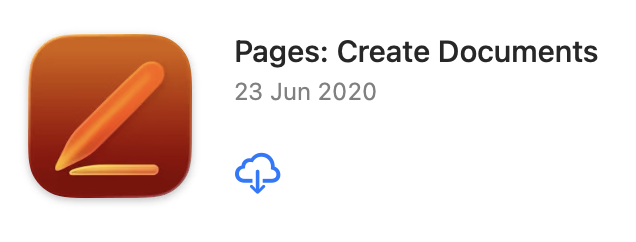
History is probably the wrong term although what many use. If you go to the App Store, click your login name in the bottom left hand corner, then select Mac Apps and Purchased by ‘your_name’, you’ll see a list of apps previously installed (your ‘history’). Scroll down and look for for Pages and you should see the old version (shown below) IF you had it previously installed.
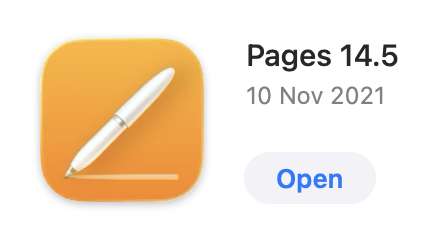
I have no idea if it will still exist here if you’ve installed the new version. I can see both versions in my App store, but I haven’t installed the new version (shown below).
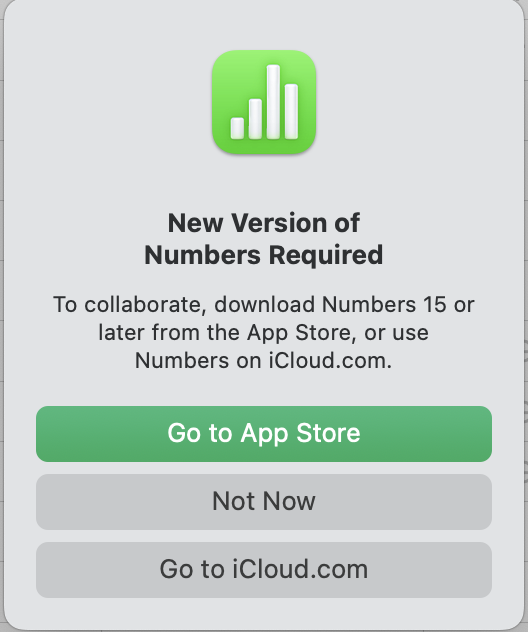
I have been happily using v14.5 and ignoring the upgrade prompts on opening the apps. Today while using a document that was created and shared in the past, I received a new message that a new version of Numbers is required for collaboration.
Do you use the collaboration features? That is, when you work, do you just edit your own documents, possibly sharing the file with others between editing sessions?
Or do you invite others to edit your iCloud documents while you’re editing them, so you can work on it simultaneously.
If the former, don’t worry about it. If the latter, then yes, you’ll have to either upgrade or use the web version of the app.
This spreadsheet was set up for sharing and collaboration through iCloud. It is therefore stored on iCloud.
The message that I didn’t capture said something along those lines, some kind of sync failure. I’m going to leave that doc open for the evening and see if the sync window reappears since I don’t see where to open it manually.
This is standard for iWork (though infuriating). Collaboration only works on the newest version. I had a year where I was stuck on an older iWork version because I couldn’t upgrade MacOS and it was irritating both not being able to use collaboration and getting a warning every time I opened a document stored on iCloud.