It’s bad design if the goal is to facilitate the user’s work. It’s great design if the goal is to create another path for the vendor to push “content” and advertising to the end user.
I’m the other way: all that I need to see is Blank or Basic - I use those more than 99% of the time I create a new document.
Agreed. At least in the older releases of iWork, however, there was no for-pay template content that needed to be pushed to users. In contrast, it does make sense — with regards to your comment — to take users of the Apple Music app back to the ad-packed “Home” tab time and again. But what’s there on the “All Templates” tab that needs selling? 
1 Like
Out of curiosity, have you defined a preferred blank template in the General settings, then, so that you usually see that behavior in Pages?
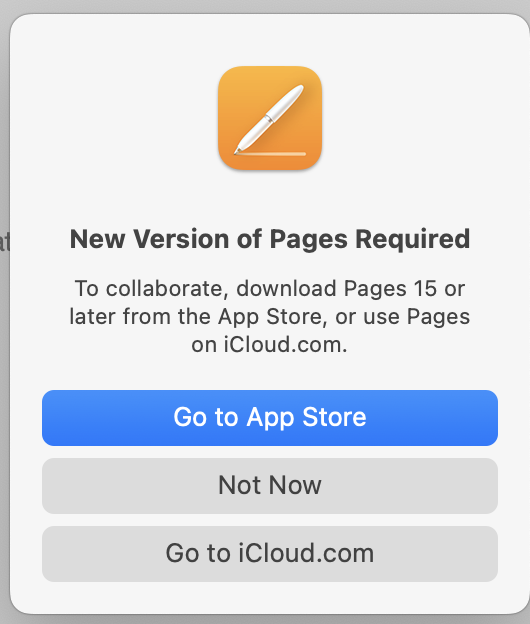
We don’t use Pages a lot, but from time to time my wife and I use the collaboration feature for trip planning. One of us creates the starting itinerary (dates, places, flights, etc), save it in iCloud, and then we jointly update the document as we further plan the vacation. But today I found that Apple has disabled collaboration in v14.5. All attempts to share the document are met with a pop-up advising that Pages has to be updated to v15.
The sort-of-shared document has appeared on my MacBook in the iCloud/Pages folder (my wife attempted to share it with me from her MacBook), but my Pages shows that it’s offline. Attempts to make changes and save them result in a macOS notification that “Pages couldn’t sync shared documents”.
1 Like
That’s very disappointing. They really blew it on the new approach to iWork. Every little step seems just wrong
You might find it quicker to use Notes for sharing, you can do all that you outline. No tracking changes of course but it’s what our family uses for these kinds of purposes.
2 Likes
Technically, I’m sure Notes could do the job (although I’ve never tried sharing a note). But my wife likes Pages, uses Pages, and is comfortable with Pages. Persuading her to change her ‘workflow’ to a new app in order to compensate for Apple’s regressive brain-dead software strategy is not likely to happen. Happy Wife - Happy Life.
I checked with Apple to see what they have to say. As of Jan 28, 2026, the official support document states that version 15.1 of Pages/Numbers/Keynote is now required for collaboration.
I suspect we’ll revert back to old tech - she’ll maintain the trip plan with Pages, print it out occasionally, I’ll mark it up, and pass it back.
2 Likes
I’m confused - why don’t you just use 15.1?
1 Like
Oh I get all that.
Just saying, it works and it’s very easy…
You could also set up a shared folder using SyncThing. Drop anything in it and it’s on both computers. Edit any document and it’s edited everywhere, have to watch when though, can’t edit at the same time… Seamless once established. Not so useful on a phone either.
Several reasons.
Don’t want nor need Apple’s Creator Studio ‘enhancements’.
Don’t want repeated nag screens to upgrade/subscribe to v15.x that Adam warned about. (Some in my user group might click and inadvertently accept the offer).
Don’t want to risk incompatibility with docs created on older versions of Pages. We still have some older Macs that remain on earlier versions of macOS (and Pages). A quick Google search found this:
“Based on recent reports and documentation, Apple Pages v15 (part of the 2025/2026 iWork updates) introduces compatibility issues, primarily related to document formatting, iCloud synchronization, and reliance on newer OS features”.
I don’t have the time nor inclination to dig into compatibility issues caused by upgrading to a new version of Pages that in itself provides us with no useful improvements.
1 Like
Tommy,
Thanks - I may give that a try. I also thought of putting the file in Dropbox and using that to sync it between our two Macs. Same issue as SyncThing (no simultaneous editing).
I don’t want any of the enhancement either. I’ve upgraded to v15.1 and haven’t encounter any nagging whatsoever. I did edit the toolbars to remove the new feature buttons. For me, it works just like v14 did.
8 Likes
Also, 15.1 is just as compatible with older versions as 14.4 was. If you are Sonoma or later, there seems little reason to use 14.5.
2 Likes
Me too! I also set the “New Document” to automatically start with a blank template. Avoids the ad in the template picker.
1 Like
Many thanks to @silbey and @ddmiller and @bhupesh for your tips and tricks.
Perhaps I’ll give Pages v15 a try, but I’ll first make archival copies of the v14.5 apps in case compatibility issues appear and I need to go back in time to access old files.
1 Like
The great thing about using 15.1 is that they keep 14.5 on your computer, so you can happily keep trying out 15.1 and never remove 14.5 (I still have not).
We are not so lucky with iOS/iPadOS - on mobile platforms, Apple simply upgraded the Numbers app without leaving the old version behind, and there’s no way to go back.
3 Likes
This is where iMazing shines! I have multiple versions of some apps stored in the iMazing library. When a new version causes issues I am able to install the older version.
5 Likes
David,
I’ve had iMazing for a long time, but generally only use it for backing up my iDevices. How do I use it to retain the v14 version of Pages (which is installed on a couple of our iPads) prior to updating to v15? I’d like to keep the option to revert back to v14 if v15 is found to be problematic.
In iMazing, I see Pages 14.4 in the list of apps on the Device, but can’t figure out how to get it saved in iMazing’s Library.
Thanks!
David
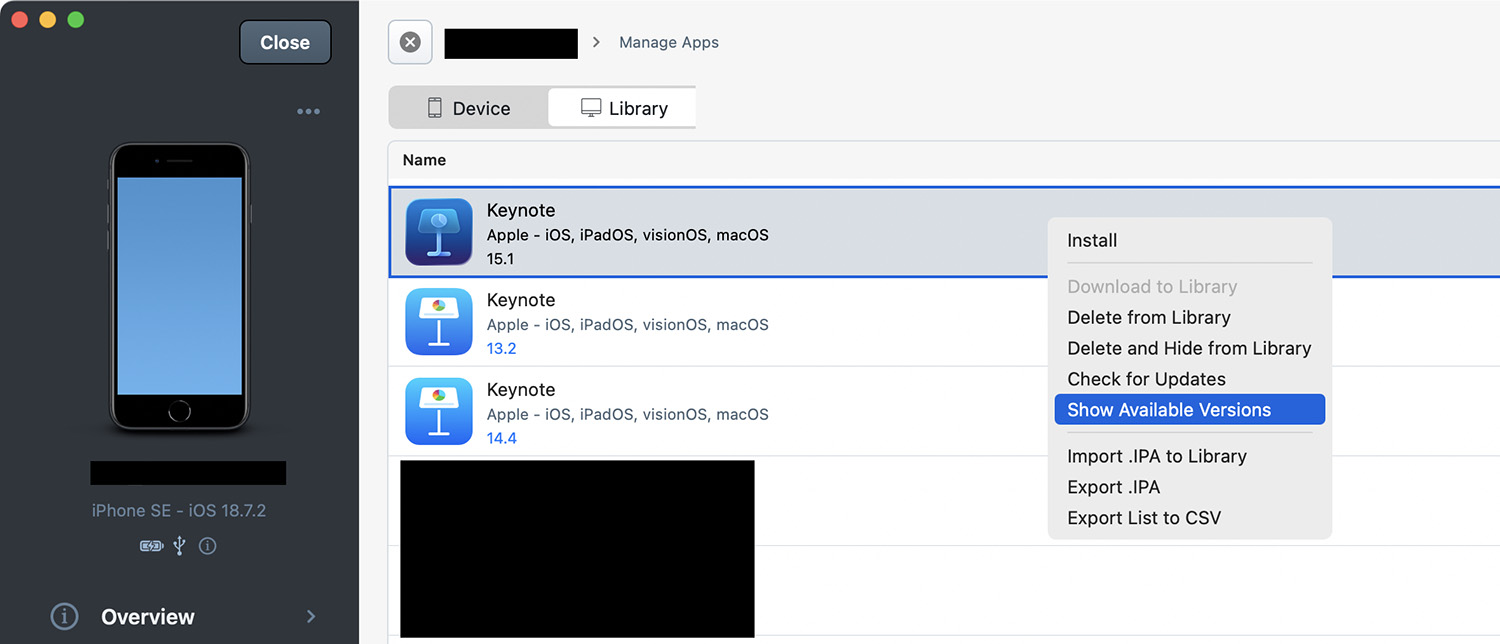
Hopefully this sequence of steps works. I download new versions of all my apps into iMazing’s library and then install them from the library to the device. This way I only download once and install on multiple devices.
Connect the device and select Manage Apps
At the top are two tabs: Device and Library
Device reveals which apps are on the device
Library reveals which apps and versions are in the library
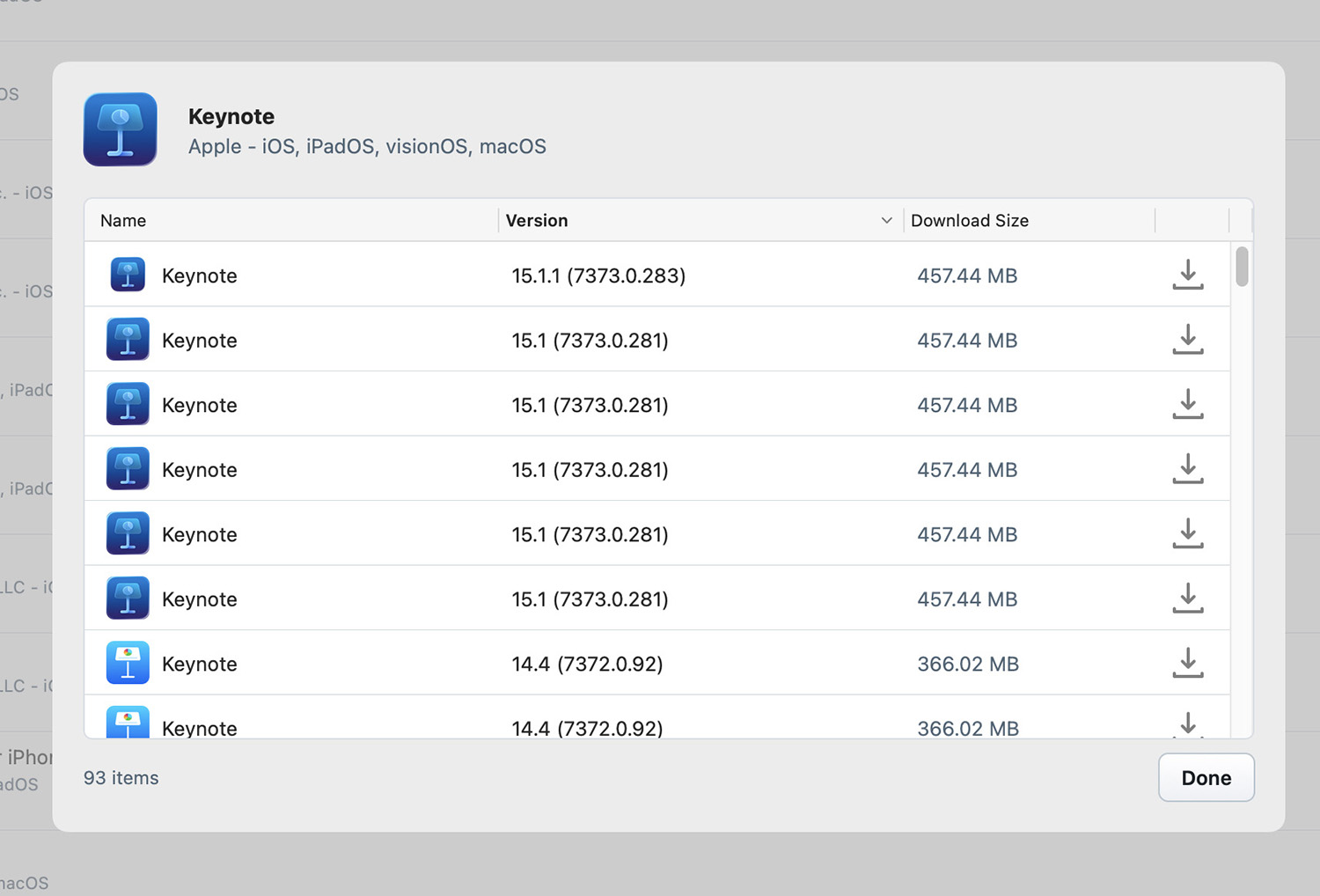
If the app is in your library, select the app and right-click to get the option to Show Available Versions.
If it is not in your library you may need to download it from the App Store using iMazing .
2 Likes
David,
A sincere THANK YOU for the mini-tutorial about iMazing. Your tip to right-click (ctrl-click) on an item listed in the Library did the trick, and revealed a list of versions of apps still available for download from the App Store. I had read a bunch of the help articles at imazing.com and didn’t see that little detail mentioned. I really need to spend some time with iMazing. The last time I used it was with V2, but I’ve now updated to v3, which has a lot of new functionality.
As for my initial post here about macOS Pages 14.5 losing the ability to collaborate, I’ve taken a leap forward and upgraded our two MacBooks to v15, but first making a backup copy of v14.5. As suggested by @bhupesh and @silbey , I removed the Media Hub button from the v15 toolbar, and changed the “New Document” setting to open the blank template. Collaboration has been restored  , and so far my wife hasn’t noticed…
4 Likes