Microsoft Word also has a Text to Table command.
But I assume @dougeddy has more reasons than just this one feature for not changing apps.
Microsoft Word also has a Text to Table command.
But I assume @dougeddy has more reasons than just this one feature for not changing apps.
What does BBEdit offer? When I look at their site, what I see is largely focused on writing code. Is it suitable for general writing about science and technology, which requires Greek letters, math symbols, equations and such.
BBEdit won’t work for your purposes I’m afraid. It’s a plain text editor much beloved by programmers & web developers and there are a surprising number of journalists who use it.
Dave
BBEdit doesn’t support academic standards, like footnotes, directly, It has very good support for LATEX.
BBEDit is a powerful text editor. It is not, at all, a word proessor. But it is extremelt powerful and complex in terms of manipulating text, inclding various human and machine (programming) languages.
I cannot recommend this approachj, but for one part of the TidBITS Content Network distribution process, I need to split a Word document (exported from Google Docs, I’m not an animal) that contains articles and tips into eight separate documents. I used to have a Nisus Writer macro that did this, but it always had problems with resizing graphics in the articles, which became nearly impossible to fix manually in Word in some recent Word update.
So I got ChatGPT to walk me through writing a Word macro that does the same thing. It took a while to get right—there were lots of sandboxing and permissions problems, and I have to save each new document manually—but it does work, and more quickly than using the Nisus Writer macro and resizing images manually.
As I said, I do not recommend scripting in Word at all, but if you just need one thing, it might be worth the pain.
I think that’s a tad harsh, Adam. I have several scripts in Word which I’ve used for years and serve me well. They’re not complex but they are handy.
So I got ChatGPT to walk me through writing a Word macro…
Hmm. You just pointed out something I hadn’t considered: Ask a bot to devise a scheme to simulate or automate something I miss in a particular application, or something too hard to wrestle on my own.
(And I love “I’m not an animal”!)
I find Word to be a nightmare - I like their PowerPoint and Excel but find Word cluttered and seeking to much to control anything I’m trying to work on. I will look again at Pages because I went to Nisus and never looked back after decades of Pages lol. My Nisus Writer is still working very well and I continue to use it but see the writing on the wall (pun intended). No alternative appears to be coming and I wish they would update Nisus, but then I always seem to be a “get off of my lawn” sort of guy. I have hundreds of Nisus documents that I still go back to for things I’m working on. Nice to see there are so many others who treasure a great app. I’m going to hang my head in sadness - sort of like how I felt after the Bill’s season last fall… 
I agree Word is a nightmare – a tangled web of attempts to allow everyone to do everything that anybody ever asked MS to do, implemented in the form of levels upon levels without informing users (at least that I ever saw). I loved Nisus’s simplicity and used very few of its features, but the good news is that the use of .rtf files as the default means the files are very easy to translate if you didn’t do anything too fancy or use macros. I searched my files and I found only two .rtfd files and no zrtf. I don’t use macros, but if you did you should check for them.
I sometimes have to resize hundreds of images in a document to the same size (x or y) and use the PicTool extension in LibreOffice for this. Works like a charm.
My script is very handy! But the entire experience of creating and using it was pretty awful.
That’s one of the very big wins of AI!
Good to know! In this case, the images were right in Google Docs and stayed right in Nisus Writer, but when the macro converted the Nisus Writer documents to Word format, they often grew ridiculously large. For years, resizing them was just a matter of dragging a resize handle but at some point, that got very fussy in Word, and I would often end up reversing the image inadvertently. I tried resizing them by entering image dimensions, and that worked, but it was slow.
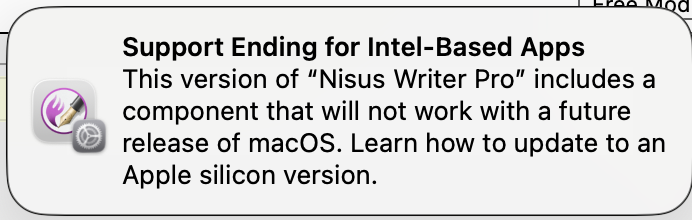
Intel components will continue to run in macOS 27. So, the choice is:
And just thinking about timelines for each of those – MacOS 27 will be released in September of this year; MacOS 28 in September of 2027, so if you’re a bleeding edge upgrader that gives you 14 months from today. If you want to wait until a couple of point releases, that’s 18+ months or so.
For staying on MacOS 27, you’ll have years. Sonoma (which was released in 2023) just got a point release for security reasons. Assuming* Apple keeps doing that, that’s at least until well into 2030 before you have to start worrying about it for security issues.
*insert phrase about “assuming” here.
According to a thread on the Nisus forum, removing Nisus File Converter from the app bundle stops these alerts.
How about a related video clip instead?
;-)
“whois nisus.com” tells that the domain will expire on 7 July 2026. One year ago, the domain was renewed one month prior to the expiry date. This has not yet happened this year.
Well the end has arrived. When I went to print a document in Nisus Writer Pro I got the following result - so sad. I’m working around it by using Nisus to design a document I am using and then copying it into another program like Text Edit or LibreOffice, anything to avoid the nightmare of Pages or Word. grr!
SAMPLE NISUS WRITER PRO PRINTOUT WITH WATERMARKING 06-17-2026.pdf (21.5 KB)
This was reported also in November 2025, see the comments above. I re-entered my name and license, and Nisus Writer Pro worked again (and still works). I let Little Snitch block the connection attempt to nisus.com, not knowing if that was necessary, but I have had no problems afterwards.
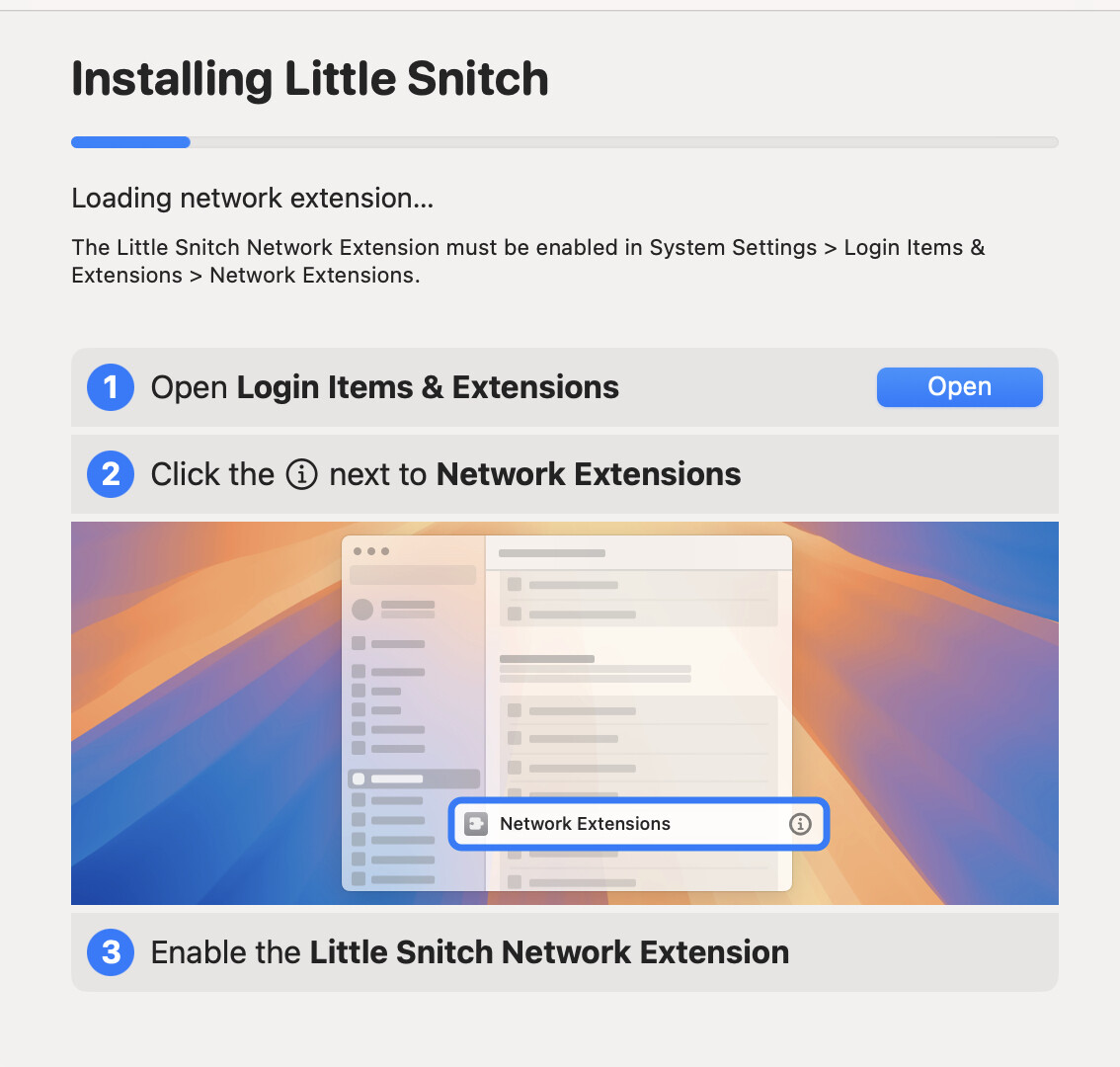
Thank you for a great idea. My problem is that I purchased Little Snitch (used to use it back in 2019) and tried to install it on my iMac 2019 running Sequoia. It ran for hours saying it was Installing Little Snitch. I finally quit the install and deleted the whole program (w AppCleaner app which deletes everything related to the program (not the dmg to install). Is it normal for Little Snitch to take hours to install? I don’t recall it having taken so long before. Appreciate your help. It will be great to have my favorite program back. Right now I have found documents I create in Nisus Writer that I save in RTF can be opened into Word and, thus far, come out fully formatted. I have not tried one of my larger files that contained multiple tables and are bookmarked and have a hyperlinked table of contents.
Again, thank you for a great idea!!