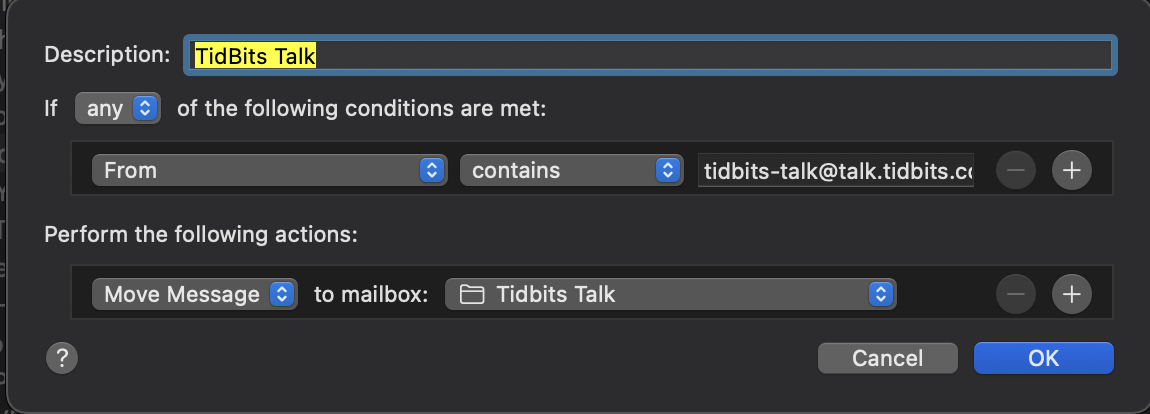
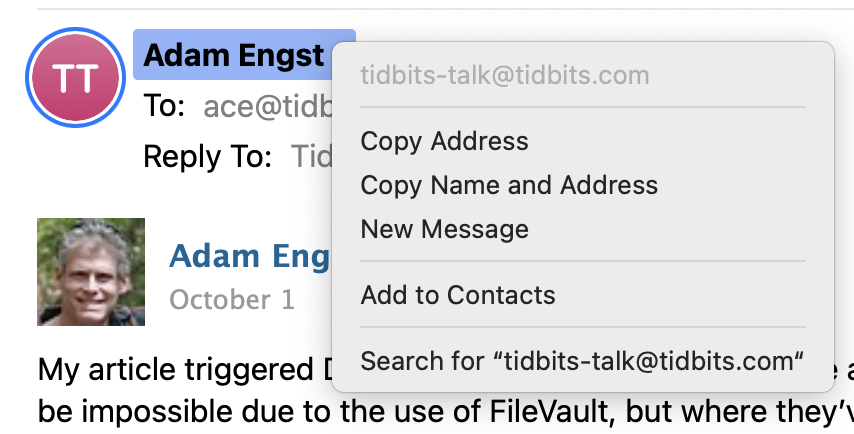
Today a bunch of emails from [TidBITS Talk] were not being filtered even though I tried several times to Apply Rules. Then I noticed the From field no longer has tidbits-talk@talk.tidbits.com but now has <poster’s name> followed by ace@tidbits.com.
So, has something changed in the forwarding process? Have the list server options been changed?
I await knowledgeable replies before altering my Rule.
But I think the From: line really isn’t the best for filtering. If you can filter on arbitrary headers, I think this one is likely to be a better choice:
List-ID directly identifies the mailing list, vs From: which is more freeform. Of course, we still shouldn’t see everything coming from @ace, unless he wrote the message. It should either be from the mailing list or from the user who wrote the content.
Still filters correctly for me, but I have a simpler filter for it. I only have the word “tidbits” in the Reply Field field as the trigger for the filter.
It looks like the migration has also caused my Gmail filters to no longer match some Discourse messages. The first unfiltered message is @Shamino ‘s reply in the planned migration thread, arrived at 9:08am Eastern and there are other unfiltered ones but some, including the messages in this thread, were filtered. The most recent unfiltered message arrived at 5:11pm so it seems like it’s still happening.
Is there a recommended match to use to filter TidBITS Talk? I don’t want it to match TidBITS issues. Bonus points for a rule (or rules) that also won’t filter private messages from TidBITS Talk (my old rules don’t do this).
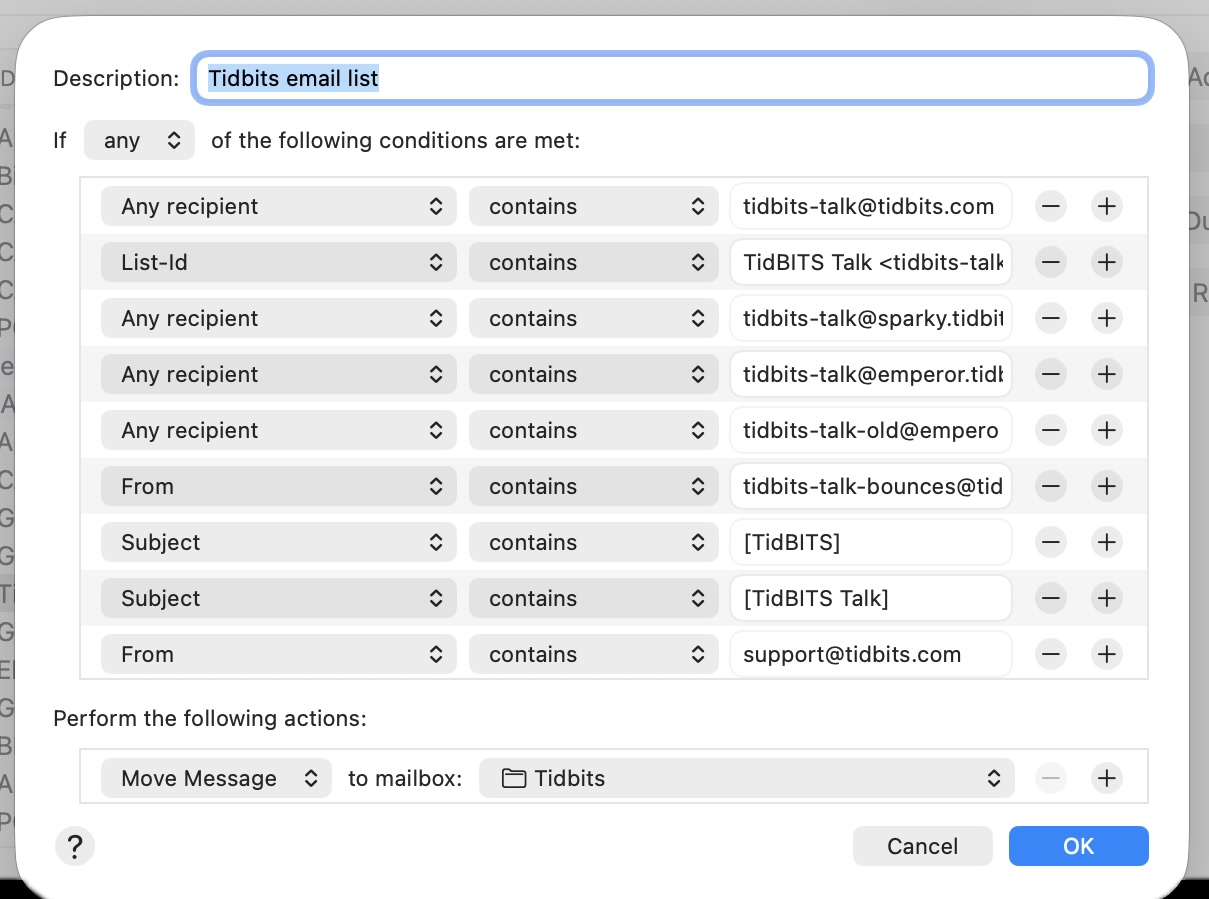
Over time, I’ve developed a complex rule. Most of these are probably currently ireelevant, but it does work, getting Tidbits email and only Tidbits email to my Tidbits mailbox:
Dave’s fundamental rule of filtering (Apple Mail and far beyond) is to search for the unique absolute minimum necessary. So for forum messages you want:
From contains "talk.tidbits.com"
When you create a new rule for a message sender Apple defaults to including the entire email address and, as some posters have discovered, that doesn’t work so well. So when you create that rule, use contains and remove all the rest save the unique absolute minimum necessary.
If you want to move messages from a friend who has an unexplained pile of email accounts but they always use the same name don’t search for all the variations search for the unique “foghornLeghorn@” (And, actually in this case ‘foghornLeghorn’ should be quite enough.)
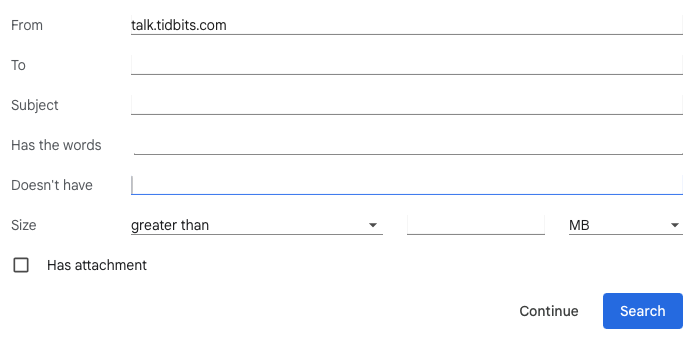
That didn’t work with Gmail’s mail filters. I removed all my old filters, added talk.tidbits.com in the From field, and I’m still getting some TidBITS Talk messages filtered and some in my Inbox.
Discourse has decided to put ace@tidbits.com as the From address for every post, and I’m having no luck at the moment in changing that to something like tidbits-talk@tidbits.com. I’ll keep working on it.
If you want to filter TidBITS Talk messages, look for @talk.tidbits.com in the Reply-to line.
I use Apple Mail as my client on Macs and my iPhone but I want server-side filtering so I’m limited to what Gmail offers.
The fields are: From, To, Subject, Has the words, Doesn’t have, Size (with options for greater than, less than, etc. and to set an amount), and it has a Has attachment checkbox.
I have an address specifically for TidBITS but if I put that in the To field, then the TidBITS issues will get filtered as well. If there’s something that only ever appears in an issue email that I could put in the “Doesn’t have” field, that might work.
I think other search criteria can go in the “Has the words” field and there even is a list: option but the example shows a full email address which I don’t think will work for how Discourse works, there’s not just one address. I think I will try list:talk.tidbits.com to see if it can match all list messages from that domain.