I know this deals with the TidBITS graphics but I began having a problem w images in Mac Mail after upgrading from Ventura to Sonoma. I experience it with and without Hide IP Address and with and without Private Relay. My one big question is I don’t even see a Load Content button on the Mail at the top bar? I’ve tried rebooting after adjusting those privacy settings and rebuilding mailboxes. I was hoping at least to use the Load Content button on a case by case basis but it doesn’t show up? I usually have issues w my After Effects plugins after an upgrade but that went smoothly and ended up with this mess! Thanks for any help you can offer! (I’m on a M2 MacStudio running Sonoma 14.8.3)
I was the OP in the thread where you initially posted this. I don’t remember what it looked like in Sonoma, but currently (Tahoe), Mail’s Settings > Privacy dialog looks like this:
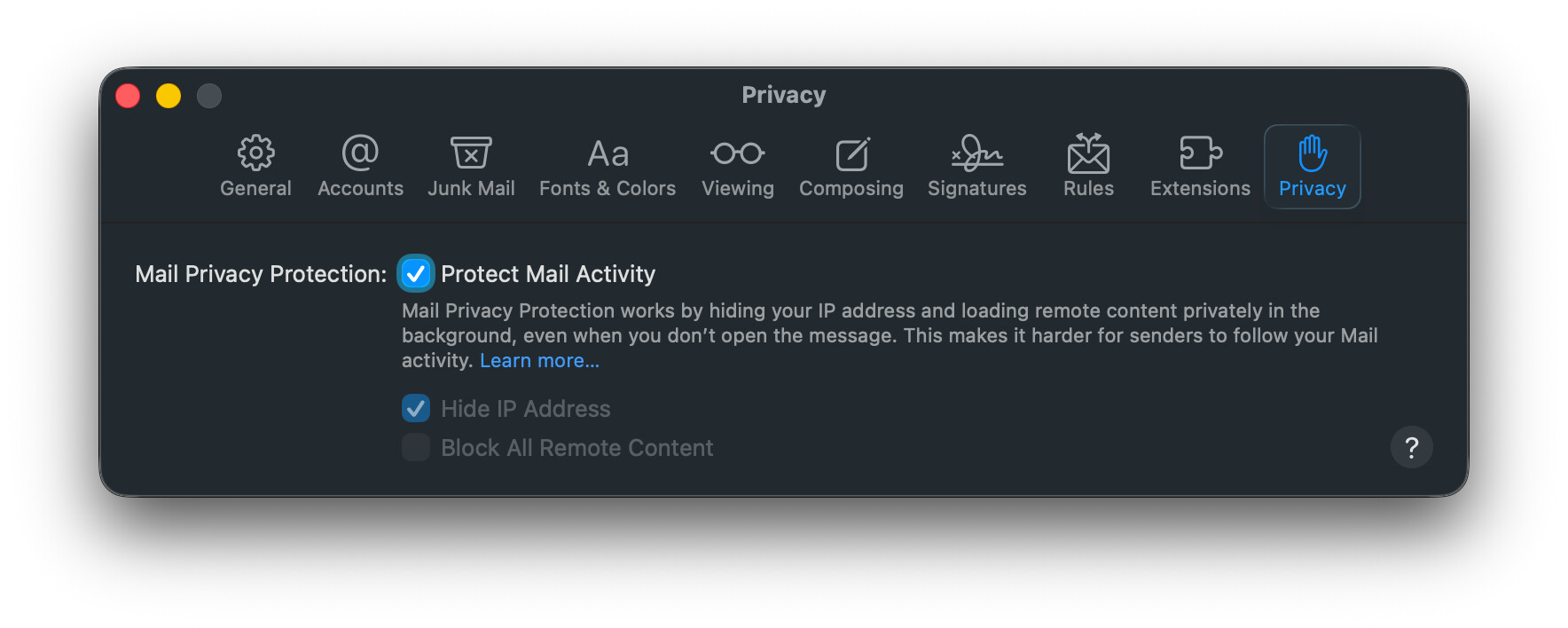
You mentioned “Hide IP Address”, but not “Protect Mail Activity”. Again, maybe different in Sonoma, but you won’t see the “Load Content Directly” button above a Mail message unless this is turned on. How does it look for you, and if similar, do you have this enabled?
Thanks so much, Jeff. I did have it turned off but when I enabled it and restarted, the Load Content is still missing? Here is an image of it. I’m just hesitant to upgrade to Sequoia or Tahoe due to my After Effects plugins but I’ve Googled like crazy to come up with a solution and I’m nowhere. Wondering if I need my laptop on Ventura next to my work station for mail and that makes my head explode!
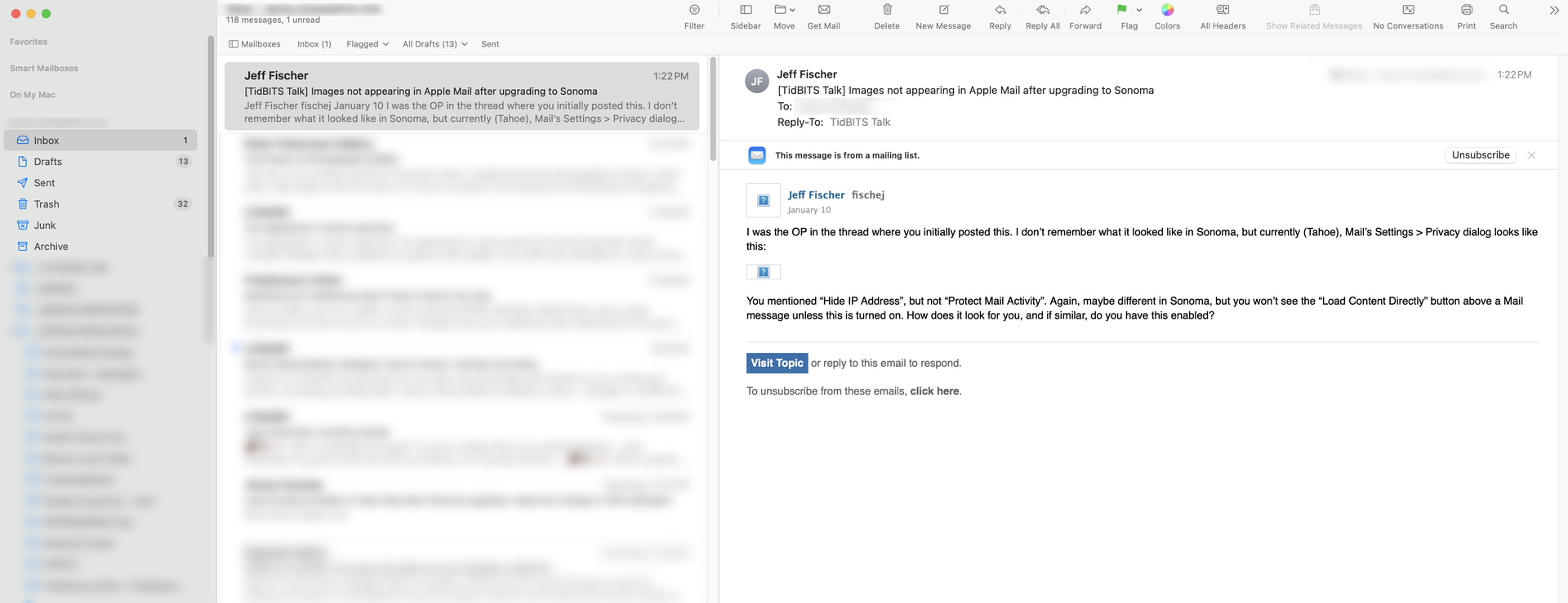
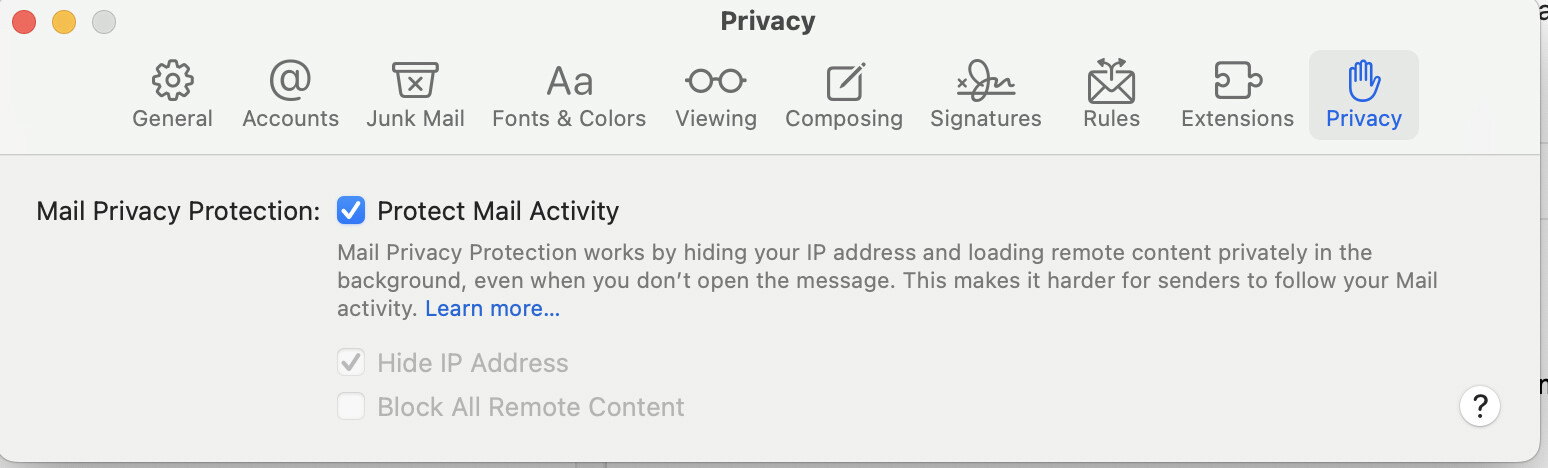
That’s actually very interesting that you said you did not have Protect Mail Activity turned on, yet you were still not seeing graphics in emails. And also that when turned on, you did not see the “Load Content Directly” button. Both of these point to the possibility that Mail is simply not able to resolve graphics in your email, so with Protect Mail Activity turned off, you just get the “broken image” icon, and with it turned on, since there is no resolvable remote content, you don’t see the “Load Content Directly” button. (Just a theory, and by itself, not really helpful.)
Try this: look at the raw source of an email (like the one you pictured in your post above), and see what the image references look like (View > Message > Raw Source), and try to resolve one by pasting its URL into your browser. For example, your first screenshot graphic above is at the following URL (which I copied from the notification email I got when you made the post):
See if you can isolate the URL to the image to my screenshot from the email you pictured above, and then try to resolve it in your browser.
On my macOS 15 Sequoia system Mail hides remote content in email messages and provides the Load Remote Content button. The privacy settings are: Protect Mail Activity off, and Block All Remote Content active.
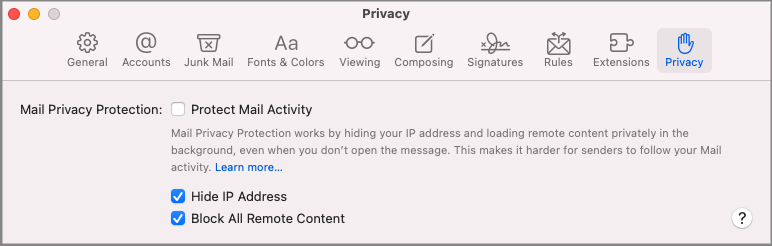
I believe the Protect Mail Activity function intends to disassociate the timing of when you actually first open and view a message by pre-downloading all message content.
Hmm. Not sure what you mean by ‘resolve?’ but I copied the jpeg URL from the Raw Source message and ended up w a 404 error? I can click on that link in your message (works fine) but pasting the Raw Source gives me the error? Thanks for your help!!
Jenny

Thank you Scott! Let me try that and restart my computer. Will let you know!
Hi Scott,
I had a brief flicker of hope because I finally saw the Load Content button, but when I click it the most images don’t appear. And here’s a really curious thing: When I did it on a LinkedIn email, one logo (the 2nd one in the list) appeared while the rest turned into the box w question marks? I’m so thankful the button appears now because that will help me a bit more, but I’m so puzzled that it’s intermittent!
Jenny
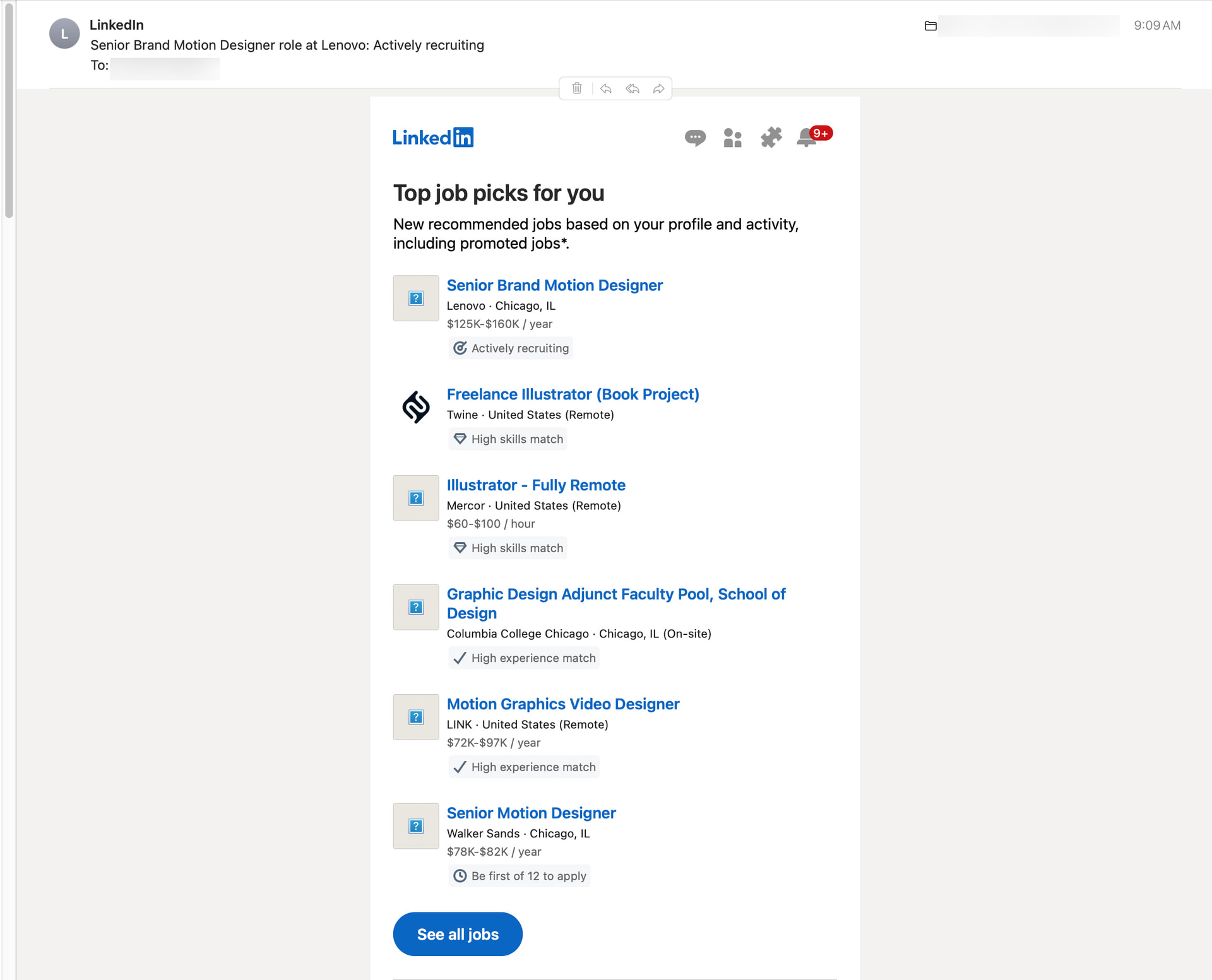
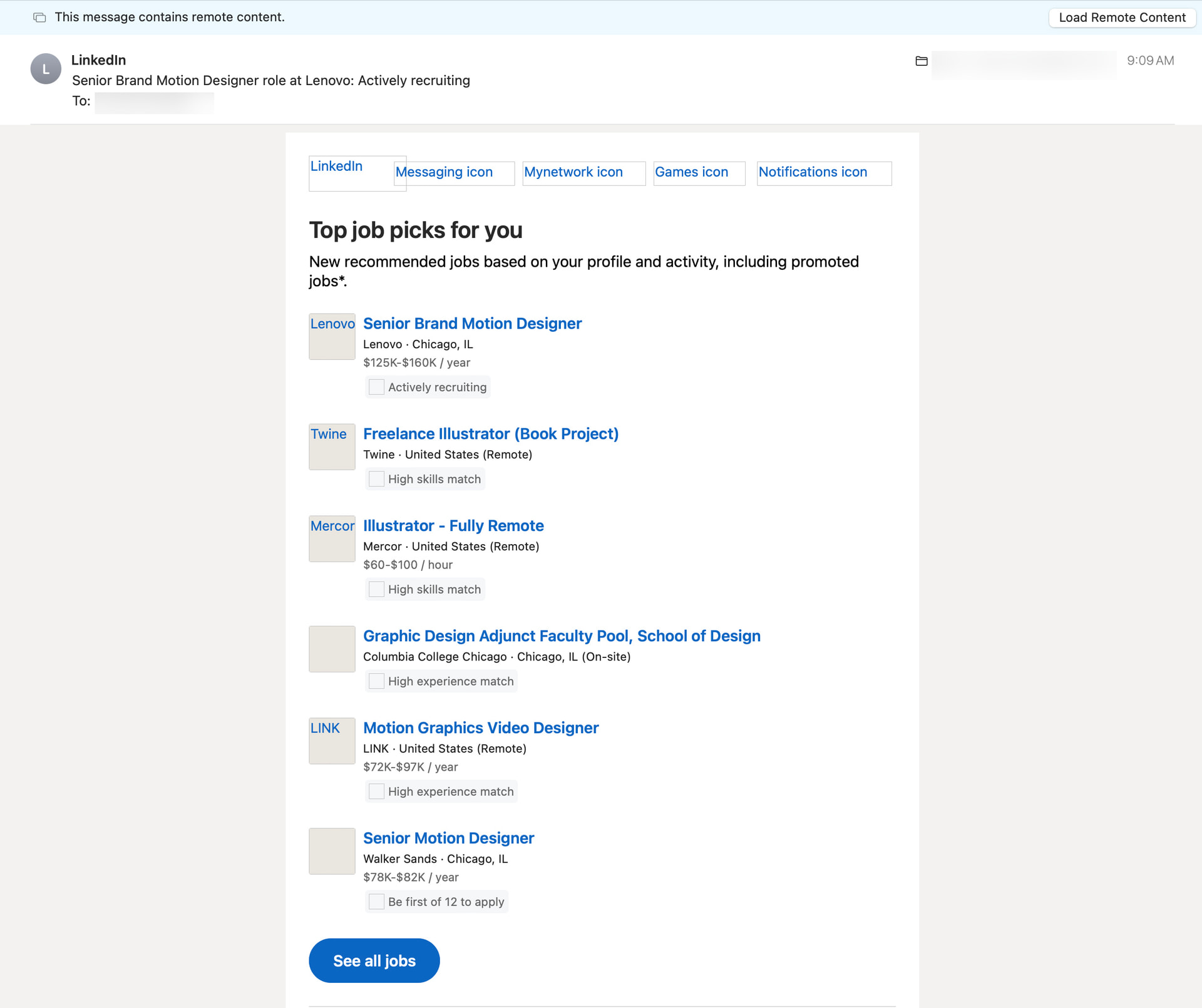
Jenny
I recently upgraded to a new machine and saw this problem. No images in Mail and no Load Content button. I’d had problems with the Protect Mail Activity in the past, so all of that was turned off. I tried a number of things, but nothing worked. No images.
I finally deleted the mail account and added it in again from scratch with the exact same server settings and bingo, everything was back to normal. Not a clue why that worked. Maybe something became corrupt in the transfer/upgrade process.
Thank you Marc! I considered that but was hesitant since I have sooo much email over the years. Deep down, I was afraid it would take too much time and end up w the same thing but that may be what I have to grit my teeth and move on! Appreciate it.
Jenny
It took me under a minute. You’re not deleting the mail itself, just the account settings under Internet Accounts. I basically just deleted that and immediately re-added it, using the settings for the same account on my iPhone so I could make sure I had the new one set up the exact same way.
This is for an IMAP email account, so you’re not deleting anything important as all the mail is stored on the remote server.
It seems worth a try, though your problem could be different than mine.
Ok. Just wanted to be sure you could see an image using the URL from an email in your browser (that’s what I meant by “resolve”…sorry, old habits die hard  ). The 404 from the other URL you tried is likely the line-wrapping artifact in emails viewed in raw source mode. I bet it will work if you remove the equals sign (“=”) between the “7e” and the “51” around the middle of the URL.
But afraid I’m stumped as to the cause. It seems isolated to Mail, and not related to the settings in the Privacy section. Very odd indeed. Hopefully others here can offer some more help.
Marc, that’s so helpful to know! I thought it would take hours. Worth a try and I’ll do it tomorrow!! And Jeff thank you again. Removing the = sign was exactly right and I could see the jpeg. If anyone else has any ideas I’m all ears but I’ll restore my email acct tomorrow, w my fingers firmly crossed!! I so appreciate everyone in the forum, thanks for sharing your hard-earned wisdom and advice.
Thanks, Marc but sadly it’s still acting the same. I can see the Load Content button, but clicking it still doesn’t add images. One question though: when I deleted the account, it didn’t act the way it used to: like how you used to be required to type incoming and outgoing passwords for the IMAP? When I went to delete it, it said “The icloud account “***.com” is shared by other applications on this Mac” and directed me to an icloud window where I toggled off the mail account. This deleted the account and I quit and then launched it again, turned on the icloud email acct and it repopulated. But it seemed odd not to have to add the IMAP acct passwords? Thanks!
Yeah, I don’t think toggling would have any effect as nothing is deleted. I created a brand-new account. Just give it a new name (add a “2” to the existing name if you want) so that this is a fresh account on this device. It’s not as convenient as having a shared accounted, but if it doesn’t work, you can just delete it and go back to the original account, no harm done.
It’s at least worth a try. It should definitely require you put in password credentials and such for the “new” account as you’re starting from scratch.
Thanks again, Marc. I tried but ran into an issue: my desktop uses my Apple ID from my old job (Im a freelancer now). I’ve replaced my work device and pay for the additional Apple icloud service as a separate account. In the past, I was able to add my own Apple me.com email as an account on this desktop, but it appears that adding the email now replaces the entire Apple ID. Bottom line is I have 2 Apple IDs and now adding an email links to a single Apple ID. It’s such a headache but if anyone would know: if I replace the ID are the only items I need to import from my backups the Notes, Photos, Contacts and Calendar? Thanks again!!
Never mind, think I figured out what was at risk. One Apple ID now but still not showing embedded images in email :(
Hmm. I hadn’t realized your email was iCloud or me.com – that complicates things. Mine is a generic IMAP email from my domain provider (I have dozens of them) so deleting the configuration is trivial. In your case, messing with the configuration is more complicated because it’s linked with your Apple ID. I’m not sure I have a solution for that. Sorry!
Thanks, no worries. I appreciate the help and it was a good idea. Think it’s my own personal headache. The workaround I’ve found is that the Load Content in Apple Mail on the browser allows images to load. So, altho it doesn’t seem be be allowing twirldown folders or colorizing folders for overall legibility, it’s better than having to use my Mac Studio + older OS laptop just to read my mail. Appreciate the help tho!
Just an update in case it helps anyone else. A tech helped me and turns out the Sonoma upgrade somehow corrupted the ability of my computer to accept incoming connections. Found out it was more than Mail because it wouldn’t connect to the Adobe Cloud at all. He reinstalled the OS and thankfully everything seems to be fixed. Thanks again to all who were willing to apply their brainpower to help me troubleshoot, much appreciated!