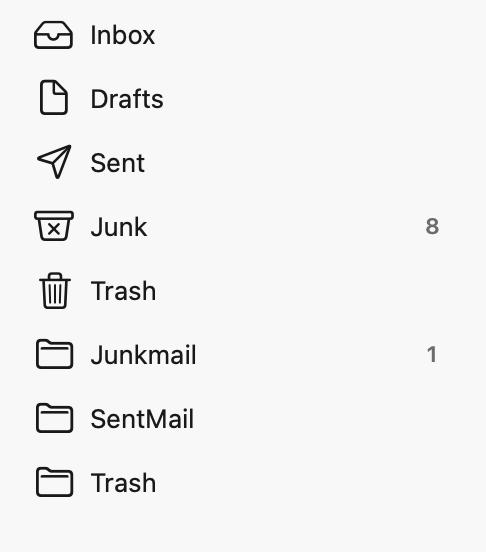
I’m going to enclose a screenshot of my mailboxes on Tahoe, although the same setup existed on Catalina. The structure shown in the image was created, presumably by Spectrum, when I set up my email in Tahoe (I did not migrate mail from Catalina). I have two email accounts and both exhibit the same structure with two junk folders: Junkmail and Junk. My question is: Why are there two? I have also noticed that they capture different types of junk. One captures obvious junk–mostly phishing attempts, et cetera. The other captures mail that is mostly from mailing lists, some of which (most, actually) is legitimate, but mostly unimportant. The Junk mail folder collects the real junk (“Life Line Screening!”), the Junkmail folder collects mail from Adidas and other vendors and messages from mailing lists of various sorts. My question is why two mailboxes and have they both been created by Spectrum?
If you can log onto Spectum’s email with a browser, can you check to see what folders they have there? The folders that are there are what will be given to the mail client via IMAP.
One thought I have is that perhaps Mail has set up a Junk folder for its own spam filtering. And Spectrum has the Junkmail folder for its own server based spam filtering. I also wonder if the Spectrum email system calls their Spam folder “Junkmail” when presenting it via IMAP.
You might be able to switch Mail from using a Junk folder for its filtering to the Junkmail folder by opening Mail’s settings File > Settings, then select the Accounts. Highlight your Spectrum email account, and look at the Mailbox Behaviors tab. See if there’s a drop down for Junk Mailbox, and if there is. see if you can change the mailbox to “Junkmail”. That would give you one mailbox for spam regardless of if the mail client or the server filters the message.
(You can always switch this back if things don’t work to your liking).
One is created by Spectrum and one is created by the mail app. My Spectrum account (it’s charter.net, but the same company) has a server folder for its own junk collecting. I just ignore the one that charter collects and continue to use the mail.app junk folder for spam.
Here is the Spectrum Webmail setup (slightly different because this is a different email account, but aside from the two mailboxes I added, the defaults are the same). No “Junkmail” folder on the Website:
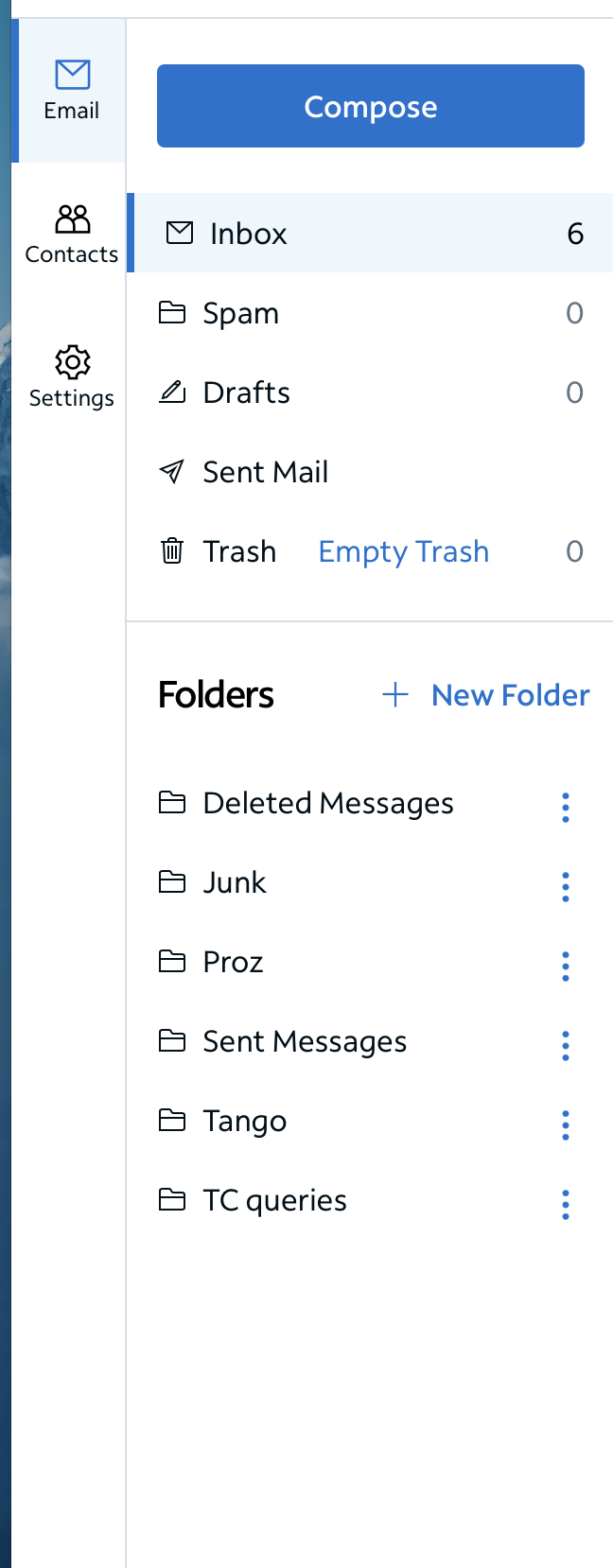
The fix is in the settings for Apple Mail:
Go to Mail>Settings>Accounts and click the Spectrum account. Now go to the Mailbox Behaviors tab. You’ll see something like this:
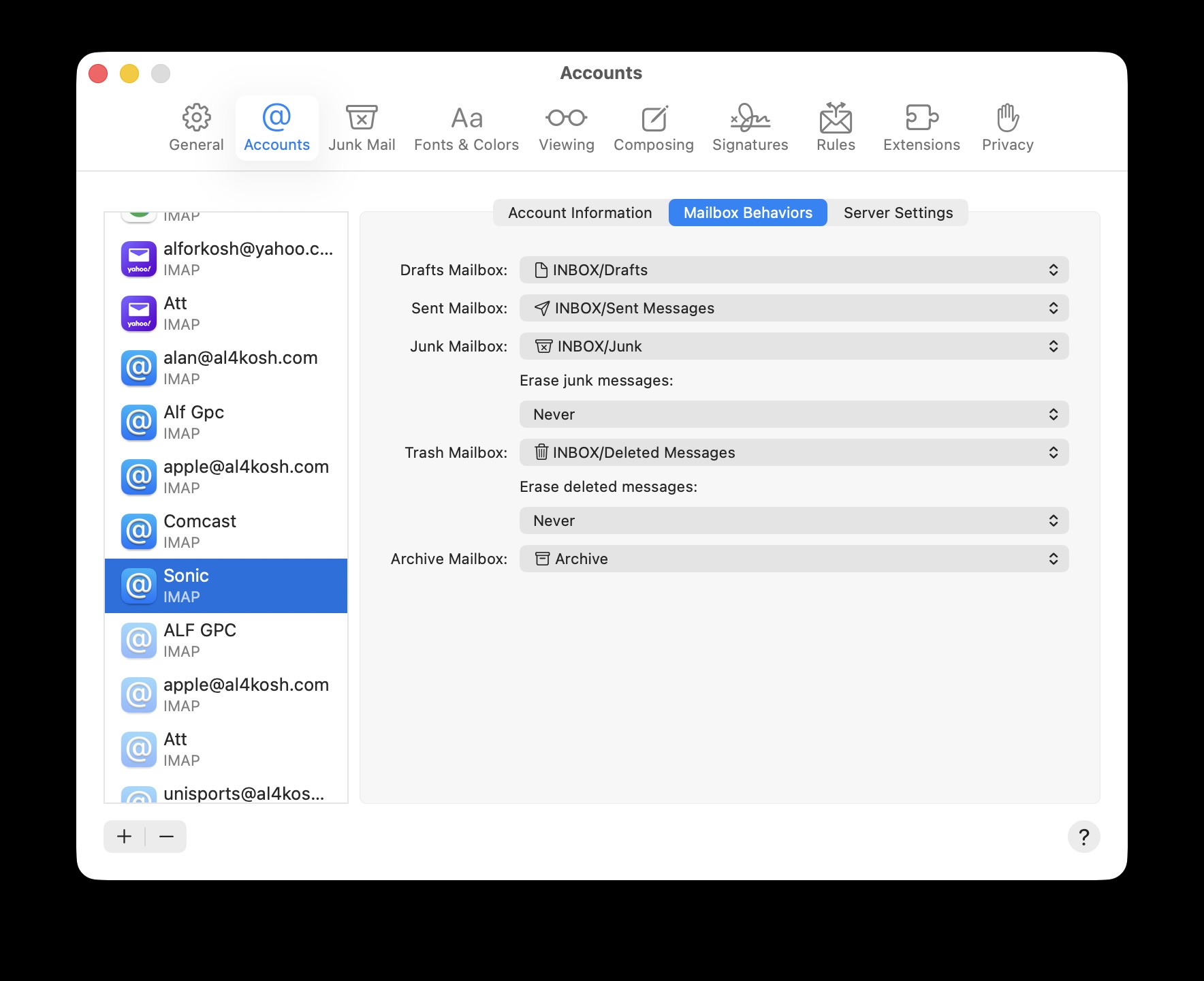
The dropdown next to Junk Mailbox: should include Spectrum’s Junkmail as one of the options. Select it, and you should be done.
Do not select Accounts from the original Mail dropdown–that will bring up Internet Accounts window from System Settings.
It’s the one called “spam”. Apple’s mail apps (mobile, too) rename the folder “Junk Mail”, though it may be what it’s called when accessing via IMAP. It’s been a while since I checked.
You can’t do that on iOS or iPadOS, so anything you mark spam there won’t end up in the same place. Plus, of course, it’s one extra step you need to remember to do when you add the account on any Mac. Since my wife and I share the account, I just leave it using the defaults for us, and spamsieve puts all of the spam it finds in the “Junk” folder used by default in Apple’s Mail apps.
I just checked my settings. In order to allow it for spam to be filtered just by my Mac(s), in the spectrum email webapp, under Settings / Spam Management, I have it set to put spam in the In Box. There is an option to add the word “SPAM” to the subject line if you wish.
That way, Spectrum’s junk mail folder (known as “Spam” in the webapp) is always empty and I don’t need to check it - that’s why I ignore it.