Still flushed from celebrating my release as an estate fiduciary/administrator 2 weeks ago. While it was educational to do things myself, I also retained a lawyer as a consultant. It cost the estate (not me) about 30 minutes of his time to learn exactly how to word the initial petitions, which documents needed to go in which order, and how to handle signatures and service so that I didn’t need a notary for each document I filed.
In all, he billed the estate (again, not me) a total of $1,200 for his advice, and I believe he saved me and my siblings much more than that.
This was in Vermont, which is generally friendly to pro se petitioners but still has some wrinkles that could have caught us…and is two states away from where I live now.
I agree with other posters here that it might feel brave and self-reliant to walk the tightrope of writing language acceptable to the court, it is not the most prudent or responsible course to follow.
A reputable probate attorney will bill the estate (again, not you personally) for their time as part of the estate settlement. Their fees have to be approved by the court before they become payable by the estate.
If the person you are consulting wants their money up front, that’s not proper.
I have no idea why Apple is being difficult. All I know is that when an acquaintance died last year, his son gave his iPhone to a friend of mine; but since no one knew his Apple ID or password, his son was unable to get Apple to unlock the phone. I also tried various third-party apps that claim to be able to unlock Apple devices. Some of them do work, but none could unlock an iPhone 13 (only older iPhones). So now this very nice iPhone is just a paperweight. It is conceivable that there may be a way to remove the SSD from the iPad and find a way to copy the data on the disk; but I’ve never tried to do anything like that. Maybe someone else knows more about pursuing this particular avenue.
I can’t imagine how many fraudulent attempts Apple gets a year from scammers trying to unlock stolen phones. If someone stole your phone, called Apple with fake evidence that you were dead, and Apple unlocked it for them, how would you react? I would react badly.
The thing with a court order is that Apple can check with the court to see if it’s genuine – that gives them an independent (and we hope trusted) third party weighing in on things.
Got another call from Apple today. I have a new rep, since the last one just got promoted.
clarification on one point that I figured was the case: the process of getting access to the devices would have been possible with the normal Letters of Administration / Short Form / PoA, if I understood correctly. I’m not sure if that means unlocking the devices intact, or letting me erase the devices for reuse/resale. But it’s mostly about the devices themselves.
but gaining access to the DATA under the account is what the Court Order is for, since that’s governed by the “Electronic Communications Privacy Act”. And apparently they implement that delivery by creating a NEW Apple ID and moving all the data under the new Apple ID. I don’t know why they don’t just reset the password of the existing Apple ID; maybe they disable the old Apple ID so nothing can bill to it?
I imagine what they can do is remove activation lock so the device can be reset and traded in / sold / used by someone else. One thing we know Apple cannot do is tell someone the device passcode to be able to access or sync the device.
I wouldn’t even know where to start playing a lawyer on TV, much less be a real one, but twenty years ago, I had had to execute my father’s will. At least in my state, executors are allowed up to 5% of the value of the estate for justifiable expenses incurred while executing the will and prepare all the documents for the probate court. As long as you can find a lawyer who doesn’t require all the cash upfront, or you can put it on a credit card, you will be to charge the lawyer’s fee to the estate — once you’re the executor. (Note just to make all that less palatable than it should be: you’ll have to report that, and any other expenses you charge to the estate, as income in some states, at least, come next April 15.)
In my case, I had to prepare a petition for my sister, who was living in Scotland at the time and was supposed to be my co-executor, asking the probate judge to let me handle it by myself. She needed to get it notarized by a notary approved by the US Consul in her city, and then I had to submit it to the judge for approval. Later, I realized I’d made the boneheaded mistake of accepting the offer of a coin shop owner I’d gone to for an appraisal for a single US gold coin from the early 20th century that was part of my dads estate. (In my defense, it was in line with what I’d seen online.) Of course, I should have asked two or three potential buyers for offers. So, fill out a petition, lather, rinse, repeat, and the judge approved. I was really relieved that I didn’t need a lawyer to handle either of those, though the process was laborious enough, including driving about 25 miles to the county seat in the county where my folks had been living, paying (through the nose) for parking, and cooling my heels in the very well appointed offices of the probate court until I was allowed to walk up to a window and submit my paperwork. While I had a full-time job, and a family. And grief to work through. I think if someone had told me I could have paid the 2005 equivalent of $750 out of the estate to make those things go away so I could concentrate on my family, I would have jumped at the opportunity.
Maybe relevant to your point 2: Years ago, something went wrong with my Apple ID password. I can’t remember any longer if I forgot my password, or 1Password lost it, or what, but I was locked out of (the then smaller) variety of things associated with my Apple ID. The patient Apple ID support person explained to me that they couldn’t reset my password (or even delete the account — see below), but they could set me up with a new Apple ID, and move everything over to that (to take effect in iirc two to three days). So I did. After (I forget) a year or two, I was allowed to delete the old Apple ID.
UPDATE: Just heard back from Apple, and they confirmed that the normal administrative paperwork will allow the devices to be reset (including Activation Lock Removal) so that they can be reused or sold, but all the data would be wiped. To get access to the data, which is a big part of my goal, the Court Order is required (in the US).
iCloud Data: as previously stated, I needed the Court Order to get access to the iCloud data. So I am now able to log in to her account at iCloud.com. Earlier, they told me that I had to provide a separate email address to which they would migrate her data; but apparently that’s not what happened. They sent me to iforgot.apple.com and had me set a new password and security questions, and so now I’m logged in to her original iCloud.com account.
Devices: Court Order or not, Apple will not (apparently cannot) give you access to anything on any of their devices. So if you don’t have their device password or biometric access, you’ll never get in to their devices
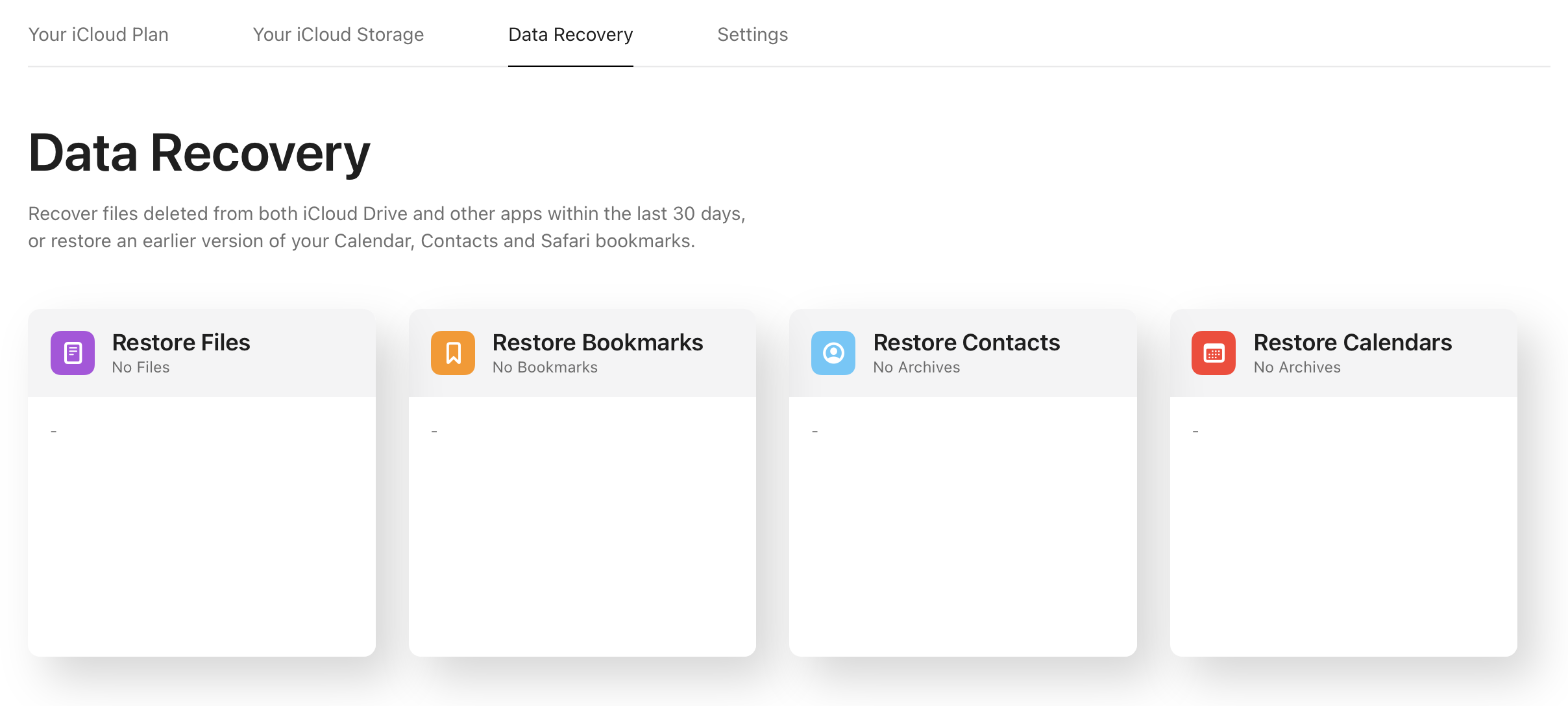
Device Backups in iCloud: the rep suggested that a workaround could be to restore an iCloud backup of a device to the original device after it gets reset (or to another device). But I had no way of telling if the devices had iCloud backups enabled and the rep couldn’t tell me either. And when they sent me to account.apple.com, it says “No Devices”. The rep thought that it was odd that her iPhone and iPad were not listed there, but suggested that maybe they were removed as part of this reset process. And the Data Recovery section of iCloud.com doesn’t show any promise:
So this meant that there was no hope for getting any data off either device.
Resetting Devices - given the above, the best we could do was reset the devices. They all had to be Activation Unlocked, which I could do because I now had access to her iCloud account password. That is all now complete: devices are reset and ready to put to new use, but all their data is gone.
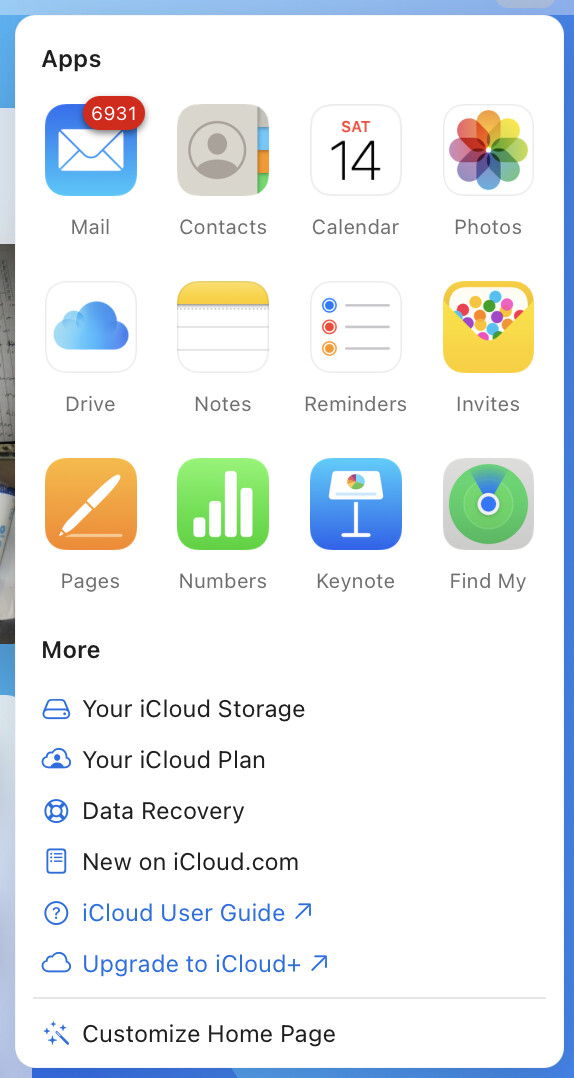
iCloud Data < > iCloud.com - So this was interesting. I went to iCloud.com and was very happy to find almost 10,000 items in her iCloud Photo Library including, thankfully, as we hoped, some 100 videos of her at the piano composing songs (that we hope to publish). I have downloaded them. The same web site gives me access to her iCloud Drive files; I fetched some of those as well. But iCloud.com – while it’s come a long way over the years – doesn’t expose access to all the data that is in your iCloud account. Only select apps are there:
Notably missing is Voice Memos, which many casual musicians use to record song ideas. I don’t know if my sister did or not. But if she did, I’m SOL because any Voice Memos would only have been accessible from her devices, which I can’t get into. There is one thought I had, though. Apple has exposed more iCloud apps over time at iCloud.com. Maybe if we kept this account alive, someday Apple will enable Voice Memos there and then suddenly any that my sister had (and assuming she had enabled iCloud support for that app), they would magically show up on that web site. I’m not keeping my hopes up, but the Apple rep thought that was plausible. But the main takeaway here is that just because you can get to iCloud.com doesn’t mean you can get to all their iCloud data. Technically, the Court Order required Apple to turn over all those files; if I pressed the point, maybe their engineers could deliver any Voice Memos to me, but I’m not that ambitious I don’t think. And anyone else should keep this limitation in mind.
That’s about all I can think of for now. One more thing: her iCloud Storage is consuming over 200 GB, but she stopped paying months ago, so her “limit” is down to the 5 GB default:
Thankfully, Apple hasn’t deleted any data, though. I can’t add anything, but the data is intact. My rep couldn’t tell me if there was a time when it would get deleted, which is why I have downloaded everything I need already. But since it’s been some 8 months since she paid, maybe I’m lucky.
I’d suggest resetting the device with her iCloud account. Without a device password you won’t get iCloud Keychain data (eg, passwords) but it should sync voice memos, and you can see if there is data to restore from iCloud. It’s at least worth a try.
I haven’t followed this thread closely, but if you sync her iClioud account to a Mac, the voice memos can be synced to her local account. Apple hides the folder where it stores the recordings, but you can open it easily using the following command line (all on one line):
open ~/Library/Group\ Containers/group.com.apple.VoiceMemos.shared/Recordings
You also can use the Finder’s “Go to Folder…” command to find it.
The recording files will have names that aren’t useful, but they’ll be in m4a format, so you can scan through them quickly using the Finder’s Quick Look feature. Back when Apple still used iTunes, it stored podcasts and voice memos using their user-given names, but they switched to computer-generated nonsense names when they split iTunes into separate apps for podcasts, music, etc.
Edited to add: I have been procrastinating going through a pile of voice memos I’ve accumulated over the years. It just occur to me that it should be trivial to transcribe them using any number of voice recogntion/AI tools, though of course I’ll need to review for any major errors. That won’t help @dave1, who is interested in musical content, but I’m now looking forward to batch-processing a folder full of old verbal artifacts. I’ll probably use MacWhisper.
Oh dang, another awesome power-user tip! And it works!
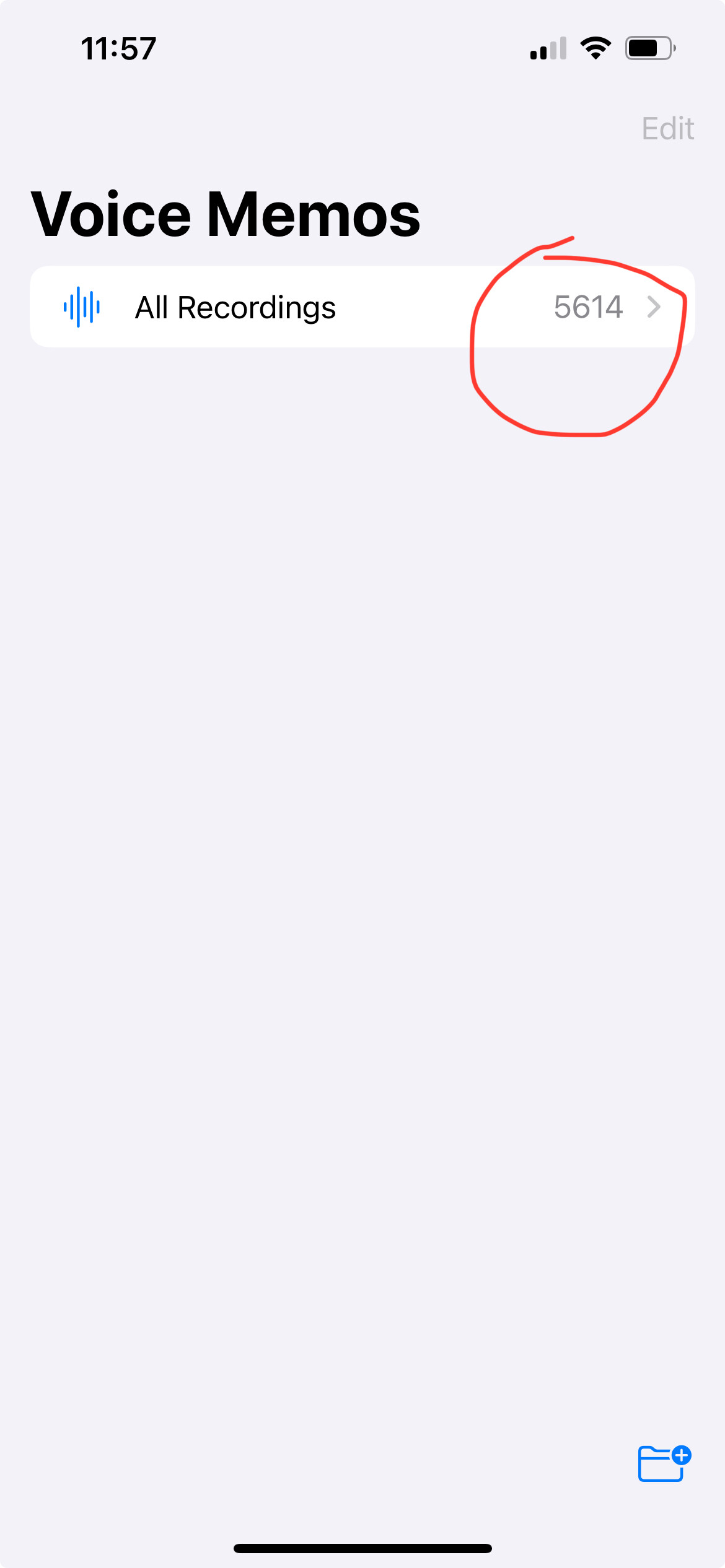
I will say that it still takes about a full minute to select 1000 items in the list. And that includes wiggling your two fingers around that edge of the window, which seems to cause mini “select bursts”. But this would still be a ton faster than tapping each entry.
I’ve been listening to the content, though. I think there’s nothing worth keeping here except a couple that I fetched, which had custom names. So I will probably just walk away from the rest of these rather than try to download or delete them.
iMazing takes just a couple of clicks to download everything — voicemail, iMessages, photos, etc. A real timesaver for this, and for archiving your own device’s contents.
Good point. Assuming you have the passcode to get into the phone, iMazing definitely is the easiest way for to get access to the underlying data for all that stuff on a Mac without needing to poke around the command line or use other technical heroics.