Hard drive enclosure

One of my backup HDDs started getting flaky - the drive would just go off-line for no reason. Assuming it was the drive, I bought a new 4TB Toshiba N300 Pro.

But even with the new drive, the problem continued, so as it turns out, it was the enclosure that was at fault. In case others here are interested, I replaced the enclosure with one of these:

The enclosure cost $24 (vs. $49 directly from the manufacturer). I’ve used FIDECO devices in the past (mostly for USB-SATA adapter cables).

I’ve only used the new enclosure for a short time, since I just got it today, but I am quite happy with it. It features tool-free installation. It also has a fan, so it will hopefully keep my drive from overheating.

It also appears to be quieter. There’s some foam padding which seems to help. My previous case (a Vantec NexStar TX) had no such padding, so the vibration from head motion was transmitted straight to my desk surface, which seems to amplify the sound.

And it appears to be significantly faster than the Vantec enclosure. I ran an incremental backup (via CCC) and it completed in 9 minutes (copying 13.64 GB). For comparison, I ran a backup on my other backup drive (same enclosure as the one I got rid of) and that one took 26 minutes (copying 17.27 GB). So it must be using a better bridge chip for the USB3 connection.

10 Likes

I have mostly stuck with OWC enclosures for 3.5" drives. For 2.5" drives and SSDs, I’ve tried a bunch: Sabrent, Ugreen, Orico, etc., in addition to OWC. Really cheap plastic ones have not held up as well.

1 Like

OWC’s HDD enclosures are almost all RAID enclosures, and they’ve very expensive.

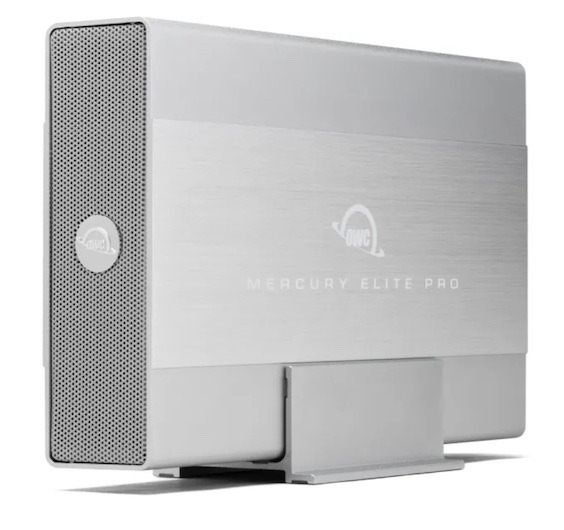
The only low-cost HDD enclosure they sell is the USB-only Mercury Elite Pro, at $46 for an empty enclosure, and it doesn’t have a fan, so it is likely that any high-performance drive will overheat under load. (I personally experienced this when using a fanless enclosure as my Time Machine volume - after a few days, the drive would thermal-throttle, dropping its throughput to near-zero).

In comparison, that FIDECO enclosure I bought cost $24 and has a fan.

In what way? Physical or electrical? My drives aren’t transported anywhere - they sit on my desk, and I power-cycle them as needed. I’ve never experienced physical damage on any. I guess I’d be worried about the plastic cracking if I transported them around, but I never do that.

As for electrical, the Vantec I just replaced is the first time I’ve seen any enclosure have an electrical failure, and I’ve been building drives, mostly with generic no-name enclosures, for decades.

I’ve never had a drive overheat in the Mercury Elite enclosures, of which I have at least a dozen, going back probably 20 years: I even unearthed one OWC enclosure for IDE drives recently (I’m doing some computer archaeology here). I also have some of the dual-drive enclosures. I generally wait for sales to buy them.

These days I’m using Toshiba HDs in them, mainly 6TB and 8TB.

The plastic ones that bit the dust were little Inateck USB 3 enclosures for 2.5" drives. A couple of them have failed, and it wasn’t due to a cable or drive issue. They were dirt cheap.

1 Like

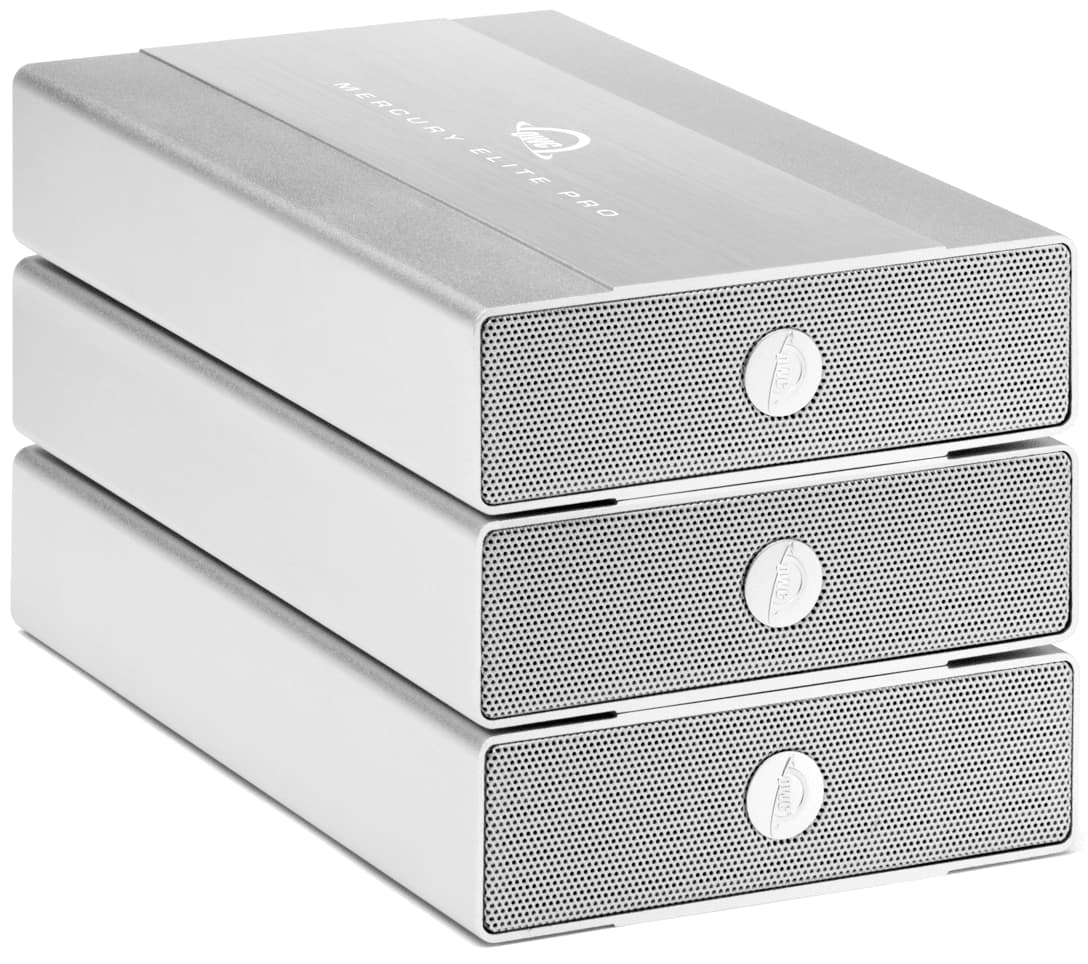
That’s good to hear, because when I see their product photographed in a stack:

with no cooling fan, I question its ability to dissipate heat from a high performance drive that’s under stress for a long time (e.g. making a full backup or ingesting a lot of new video footage).

Even if the aluminum case does a great job of moving heat from the drive to the enclosure, something’s got to move the heat away from that enclosure. If you have it in an open area on your desk where there is lots of natural airflow, maybe it won’t matter, but if you have it in a more out-of-the-way location, you’re going to need a fan of some kind - either inside the enclosure or outside blowing on it - in order to dissipate the heat.

Just as a point of reference, I have had the same experience as @kat634e, with a series of almost two dozen Mercury Elite Pro enclosures, making full weekly backups starting in 2009.

As you suggest may be the reason, I have always used the enclosures sitting upright on my desk, never stacked or on their sides.

David

3 Likes

I, too, have used many of these going back years without problems.

This is how I use mine with plenty of space between each drive/enclosure.

I never stack them! Not sure why they show them that way.

I don’t know either, but it must be a supported configuration, because they explicitly advertise it as a product feature. Note the second paragraph of this quoted section from the product page:

I’ve never used anything OWC because they’re simply too expensive. I’ve had bad luck with Vantec enclosures.

Love Sabrent, they’re inexpensive and they just keep working:

Sabrent 3 1/2 inch toolless drive enclosure

Sabrent 2 1/2 inch toolless drive enclosure, USB 3 A

1 Like

I never had a problem with the old NexStar 3 cases (USB 2.0 + FireWire), which I used on my PowerMac. But I’ve read plenty of stories about people having problems with other models.

I’ve never read anything bad about Sabrent, but when I went shopping last week, I didn’t see any models with fans, which I now consider mandatory for a drive that may experience heavy loads.

3 Likes

Was it the enclosure itself, or the enclosure’s power brick?

I’ve never had an enclosure fail, but I’ve had multiple power supply failures.

I thought about that. I have three enclosures of that type and I tried trading power supplies as a test. The failed enclosure failed with all three power supplies, and the good enclosure works reliably with all three.

The symptom is weird. The drive starts out working fine, but after a few minutes, I hear a high pitched squeak sound (for a fraction of a second) and then it goes off-line until I power-cycle it.

I assume something is dead or dying on the bridge board. Probably a capacitor or a voltage regulator chip is causing a self-resetting fuse (in the regulator chip?) to trip.

As a matter of interest, may I ask why you have chosen an HDD rather than NVME drive for backup? (I assume it is for that use since you mention CCC).

The Toshiba N300 Pro CMR is ~$144.99 with the Fideco HDD enclosure at $23. A Fanxiang 4TB NVMe drive for $198.99 with good NVME enclosures starting at about $20 (USB 3.2) (uncooled) and encloses with fans starting at about $40. There isn’t much price difference.

The NVME drive is over 20x faster, typically more reliable with considerably less power draw, and extremely portable. (The NVME drive is also natively installable in many computers, although that doesn’t include Macs to my knowledge.)

  1. I have no need for high performance. This is a backup device, not storage for active files.

  2. I have lots of experience with HDDs. They work well and are very reliable. In comparison, I’ve seen flash drives of all kinds (including SSDs) fail. And when they fail, there is no warning period. They just work perfectly until the instant they fail, and then they’re completely dead.

  3. You’ll excuse me if I don’t choose to buy a random no-name Chinese SSD that has no published endurance specs. Good quality drives cost significantly more.

    For a backup device, the “endurance” factor (measured in TBW) is most critical. Most 4TB drives have an endurance of about 2400 TBW, but some of the cheaper ones are as low as 600 TBW.

    Looking for a high-endurance drive (using Micro Center’s listing’s as reference), I see a Lexar NM790 (3000 TBW) for $245 and a Seagate FireCuda 530R (5050 TBW) for $340.

    Even so, you’ve cited a solution that costs $70 more ($240 for drive and enclosure vs. $170 for the HDD solution), which is not insignificant. And with a high-endurance SSD, it will actually cost $285 ($115 more than the HDD) or $380 (if I go with the Seagate).

  4. If my backup requirements grow in the future, I can swap that 4TB hard drive with one larger without breaking the bank. Higher capacity Toshiba N300 Pro drives cost $210 for 8TB, $245 for 10TB, etc.

1 Like

:+1:
(I agree with @Shamino ‘s post)

1 Like

Fair enough!

My company used to run online backup services for design companies and we stored petabyte levels of data. We started off by buying the supposedly best “RAID” HHDs but after failure problems and chatting to a provider of hardware for large scientific clusters we made some changes. The setup ended up with better overall performance at a lower price using generic HDDs and designing for failure with ZFS for bit rot protection and RAID 6 (RAIDZ2). This arrangement had an invaluable snapshot capability which I learnt later saved a few companies from the ravages of CryptoLocker. I guess I was also very influenced by a picture of a Google compute node perhaps in the mid 2000s, which simply showed some generic components balanced on a metal tray velcroed into a rack. The setup was designed for dealing with failure practically. (James Somers covers this strategy a bit in his wonderful 2018 story for the New Yorker The Friendship That Made Google Huge.)

For personal/family use I’m interested in being able to rebuild a computer quickly if it fails. The speed of NVME helps here a lot. I’ve standardised on the speed, convenience and generally higher quality of nvme drives several years ago and haven’t looked back (except to migrate data, painfully slowly, off some old archival 2.5" and 3.5" hard disks). But perhaps I just found remarks online about “spinning rust” too much too handle…

I’ve used a few 100 TBs worth of NVME drives in the last 6 or 7 years from enterprise grade to cheap-n-cheerful. I’ve had few issues with any of them – fewer than I’ve had with HDDs – but of course any hard drive could fail at any time. As a result I prefer to have data in 3 places, based on a combination of network backup and regular DAS backups. That means I can carry a backup drive for me and my family that is very high speed, extremely convenient, and not much larger than a cigarette lighter. However this does mean my solution is potentially a lot more expensive, depending on how you choose to count it.

I did a bit of research on Fanxiang before buying a few sticks. These drives use TCL NAND and have pretty good reviews on gaming sites. Good enough, I think, to work with my informal RAID approach. Mac filesystems don’t have bitrot protection (to my knowledge), so my underlying filesystem is btrfs on cryptfs, for network backups at least.

I agree capacity is an issue. I have made valiant attempts to try to eliminate the amount of unnecessary data we generate and keep; largely to no avail, since image and video file resolutions keep going up, and design file formats seem to keep exploding.

Depending on the impact of tarrifs, it seems possible that a reasonable quality 8TB nvme drive will cost less than $400 in 18 months if the current rate of decrease in prices of 2TB drives is anything to go by.

In any event, there are lots of criteria to evaluate. In 2021 Backblaze concluded that “Once we controlled for age and drive days, the two drive types were similar and the difference was certainly not enough by itself to justify the extra cost of purchasing a SSD versus a HDD. At this point, you are better off deciding based on other factors: cost, speed required, electricity, form factor requirements, and so on.”. That seems reasonable, although SSD tech has improved quite a lot since 2021 and prices dropped significantly, although HDD drive capacities have also grown enormously in the mean time. (I see there is another Backblaze article on SSDs updated in April 2024 that might be worth reviewing.)

For me, the days of dealing with inconvenient SATA HDD drives are over. For a relative generating sometimes TBs of new data a week, HDD in chunky, portable RAID5 enclosures is their best way to go.
1 Like

I started using some of the dual-bay OWC enclosures a while back, which have fans. That wasn’t why I got them, however. I don’t have unlimited available power outlets (old building), and using a 2-drive enclosure with a single power plug helps with the cord situation.

Any case recommendations with a fan and Thunderbolt 4, so SMART can be supported? This is for a 4TB Samsung 990 Pro NVMe SSD without a heatsink, since most of the cases I’ve seen don’t accommodate a heatsink. I like knowing the health of the drive. I’ve also read about chipset considerations in the cases, like older JHL 7440 and a newer ASM 2464PD. Lots to consider.

8TB SSD would be nice for other projects, but that would probably mean Western Digital Black, and I’ve had very bad luck with Western Digital in recent years with HDDs, so I have a hard time trusting them. It’s not the company it used to be.

I like both HDDs (Toshiba) and SSDs and agree that a backing up to multiple types is best and that cool drives should last longer.

This fits that bill. $66

This is IMHO a better enclosure, but it doesn’t come with a fan. $119
https://www.amazon.com/dp/B0CPYQPCVP/

And for those of us with Macs with TB5 support, there’s the 80 Gbps variant of that case, too. At $219 not cheap though. :wink:
https://www.amazon.com/dp/B0FKPGF3BH/

And for TB5, there are fan variants too of course if you prefer that. $210
https://www.amazon.com/dp/B0FDKHN1VZ/

1 Like