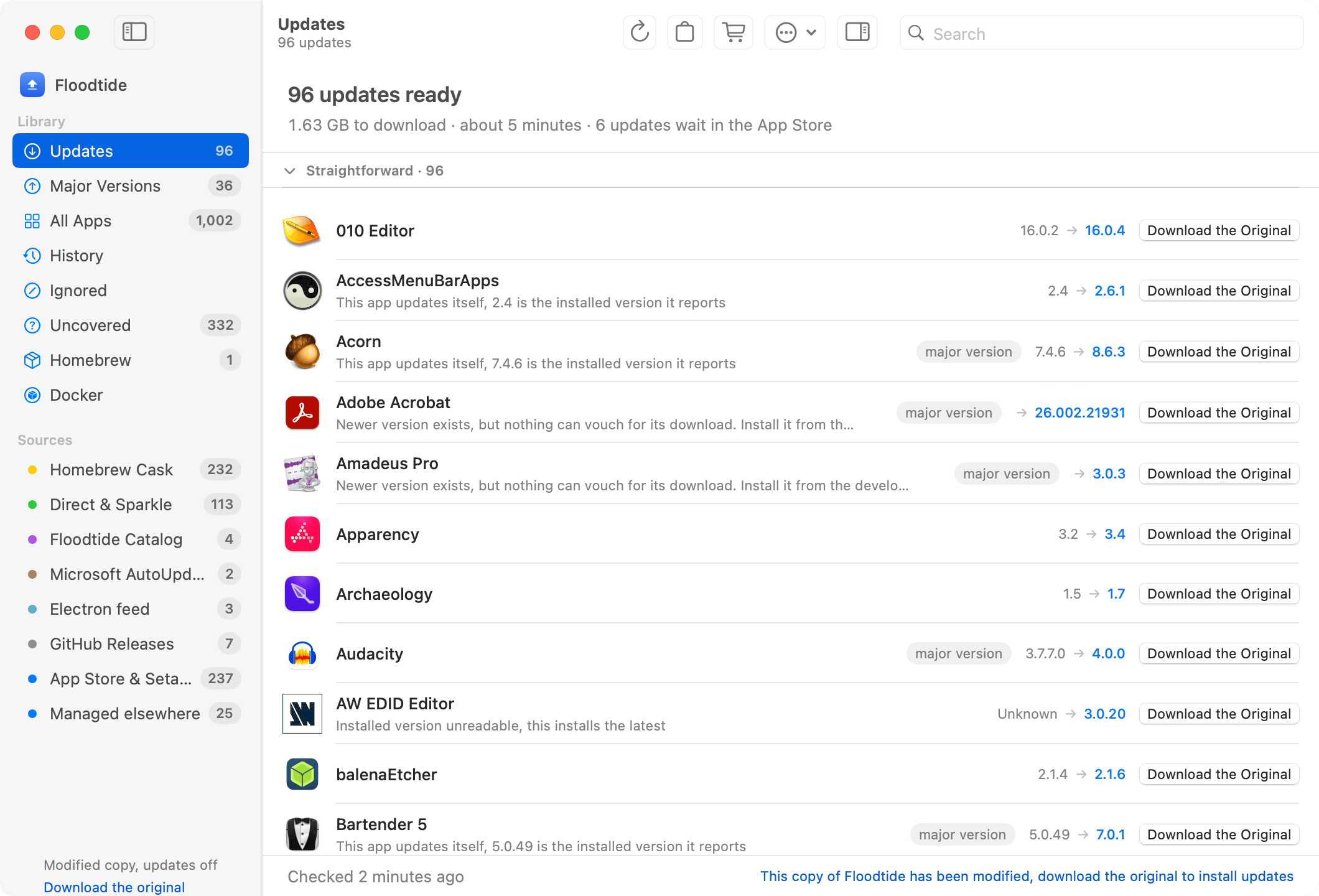
I’m the developer of Floodtide, a Mac app updater I’ve been building as an alternative for people looking for a replacement for MacUpdater.
Floodtide scans the apps already installed on your Mac and checks multiple update sources, including Sparkle feeds, Homebrew casks, GitHub releases, Electron update feeds and other official vendor sources where available.
A few things I’ve focused on:
Update All for supported apps
Checking multiple sources instead of relying on a single catalogue
Updating apps without requiring them to have originally been installed through Homebrew
Code-signature and Team ID verification before replacing an app
Checksum verification where available
Automatic backups before updates, with the ability to undo an update
A per-app inspector showing which sources were checked and what each one returned
A Check Failed section instead of silently ignoring apps Floodtide can’t reliably check
An in-app coverage request feature for unsupported apps
Support for Intel and Apple Silicon Macs running macOS 13+
Floodtide has now reached 1.0, but I’m still actively improving coverage. We’re currently working on a much larger coverage update based partly on requests submitted by users.
One of the things I’d especially like feedback on from people who used MacUpdater:
What features made MacUpdater essential for you, and what would you want a replacement to do better?
I’m also happy to answer any technical questions about how Floodtide detects updates, verifies downloads, handles installation, or anything else.
Floodtide is very well executed. The app is clean and presents all the available options clearly and without too many distractions. I was a die-hard MacUpdater user for years and didn’t think anything could replace it. Floodtide, even being barely 1 month old, is already surpassing it in some ways. The development pace is very fast right now (new versions almost daily!). The best thing about Floodtide for me is how fast it lets you get in, get everything updated from verious sources, and get out and move on with your day.
Updatest is probably the closest comparison to Floodtide at the moment. There’s quite a bit of overlap in the sources we check, including Sparkle, Homebrew, GitHub and other vendor update sources.
The main things I’ve focused on differently with Floodtide are the safety/recovery side — it creates a backup before replacing an app so you can roll back a bad update, verifies code signatures/Team IDs, and shows exactly which sources were checked for each app. There’s also an in-app coverage request system, and I’m currently working on a fairly large coverage update for apps that aren’t detected reliably yet.
As for people moving over from Updatest, I don’t have any meaningful numbers I can give you yet, so I wouldn’t want to make something up. I know people are testing Floodtide alongside the other MacUpdater replacements though, and I’m very interested in hearing comparisons from anyone who has used both.
How does it handle applications with privileged helper tools? Updatest just gave me some grief with a Carbon Copy Cloner update. The CCC developer said that the helper tool has to be relaunched after the application is updated (and its internal update mechanism has always handled that fine). If Floodtide handles that, I’m in.
So far, so good.
A question, Updatest updates packages too, such as the command line tools for the App Store, fastfetch, mole etc. Are there plans for Floodtide to include this function?
That’s a great feature, but I have a question. Does it keep backups for seven days starting from installing the update, or seven days from the first use of the app after the update? If it’s the former, the backup would be gone by the time someone uses the app if they only use it occasionally.
I have VNC Viewer (free product from RealVNC) installed. Floodtide updated this to RealVNC Connect Viewer - a paid product. I think this is because Floodtide searches homebrew cask list for a match. Updatest searches for installed casks.
Hey, thank you for letting me know. Floodtide’s still is in it’s early stages, Updatest has been in development for around 8 months I think, so this is useful for me to know and I will fix this :)
Interesting. I also have VNC Viewer, and Floodtide has not tried to update mine. Instead it’s marked “No source yet”. I must have gotten mine from a different source than yours, likely direct from the RealVNC web site.
This is lovely. I only need scanning, but will probably buy it anyway. Very well done!
As to what MacUpdater does that this doesn’t, the big one for me is non-application updates, i.e. PrefPanes and plug-ins. If you can add that, it would be appreciated, though it’s certainly not the end of the world without.