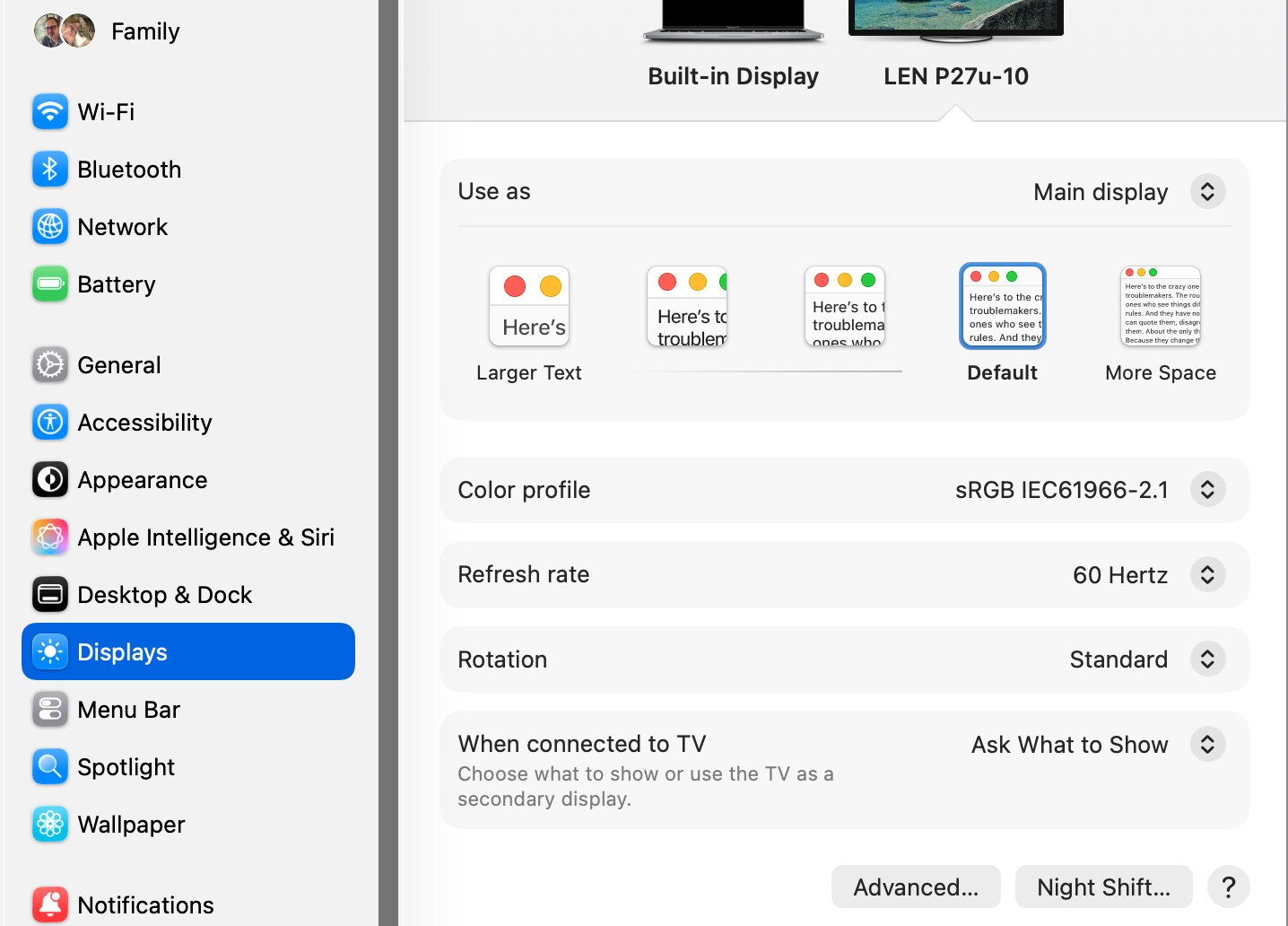
A question for the display experts here! My setup is an M2 MacBook Pro connected to a Lenovo P27u-10 via a USB-C connection (through a powered Kensington hub). Generally, I leave the MacBook open with utility programs such as mail and messages while I do my primary work on the monitor. When I close the MacBook, the Lenovo display changes, becoming noticeably brighter and more vivid, and I can’t figure out why.
Both displays are using the same color profile. I’ve also adjusted the monitor’s own settings so that (when both displays are visible) the two monitors look as much alike as possible. I’m running MacOS Tahoe 26.4.1, but the situation hasn’t changed since Sequoia at least. Running in Safe Mode doesn’t make any change, either.
Can you help me understand what’s going on? Is there any way to make the external display consistent regardless of whether it’s the only monitor, or one of two?
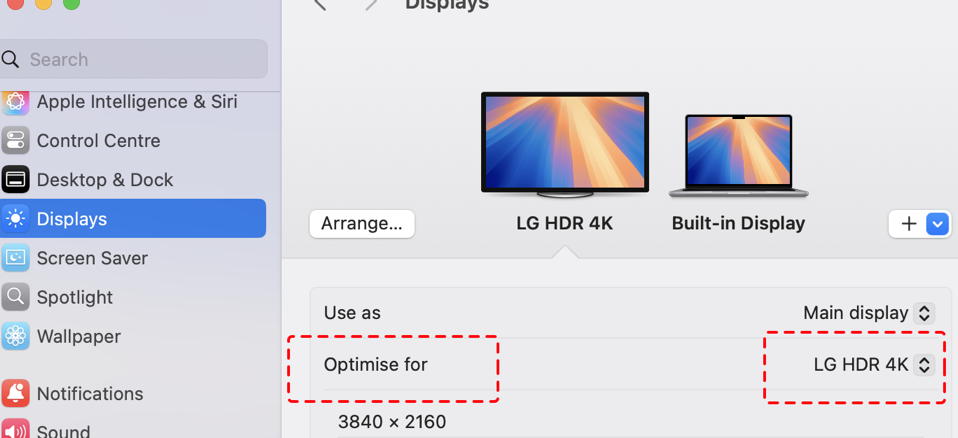
With the Macbook open go to Displays in Settings. There you can select whether to optimise the display for the monitor or the Macbook. Selecting the Macbook might resolve your issue:
Not looking for a solution to a problem so much as understanding of the issue. I know there are people who understand displays here. Anyone willing to chime in?
Regardless of clamshell mode or dual display mode here on this M4 Pro 14" MBP I never see the extra options you indicate. In either case all I see is the same options as @aldus_vet had. That is with two different types/makes of external displays attached through DP (via TB4/USB4).
I’m wondering if the “optimize” functionality might be inserted by some sort of extension. Regardless, I’d still like to know why my monitor display differs when it is the only monitor instead of one of two.