1Password bug deletes all passwords and closes account

Now using 1Password for Mac 8.12.42. I have used 1Password for Mac for more than 10 years.

Last week I migrated from a 2019-vintage, Intel-processor-based, MacBook Pro 16" running MacOS Tahoe 26.7.1, to a 2024-vintage, Apple Silicon M4 Max, MacBook Pro 16" running macOS Golden Gate 27.2.

Yesterday, in the new Mac, 1Password malfunctioned. About 15 seconds after it was launched, it would quit because, it said, I had done nothing for 60 minutes. After this had happened several times, consistently, l went to 1Password’s Support website. I read all the info and advice there, but I found nothing relevant, so I e-mailed support@1password.com. I got a reply saying, yes, that happens when you migrate to a Mac with Apple Silicon. You must uninstall 1Password, then download and install the latest version.

I did so. I used CleanMyMac to ensure that no trace of the “old” 1Password.app remained. Then I downloaded & installed from the 1Password website.

The fresh version of 1Password exhibited the same bug. I reported this to support@1password.com and eventually I got a reply saying that a “human” would reply. Now, about 21 hours later. I have heard nothing.

Meanwhile, I needed a password for an important account, so I fired up my 2019-vintage, Intel-processor-based, MacBook Pro 16" running MacOS Tahoe 26.7.1, on which 1Password had worked OK. I launched 1Password on that Mac. It opened and declared that it could not do anything for me because my account had been closed. I had not closed my account, at least not deliberately. I suppose that my account had been closed automatically when I uninstalled 1Password from my newer, Apple Silicon Mac.

Bottom line: I have lost ALL my passwords and the support people are taking a long time to help me. At this point I don’t know that my passwords can be recovered. I hope that somehow my Time Machine backups will be useful.

Apple Silicon Macs have been around for at least five years; and the M4 Max processor (which I have) has been around for two years. How can 1Password be malfunctioning NOW, and how can its developers blame the transition to Apple Silicon NOW?
I also use 1Password. Some quick thoughts for things to try while waiting for an official response from 1Password:

  • If you can find your 1Password Emergency Kit, use it to try and get access to your info.
  • Go to 1Password.com. Try to recover your account using web-based access (instead of app-based methods).
  • If you’re comfortable using AI-assisted search, paste what you wrote above into (for example) a Google “AI Mode” search. AI-assisted searches often are good for troubleshooting because they are similar to texting/chatting with a human. You can ask follow-up questions, challenge answers, and drill into details.
4 Likes

Thank you. I have my 1Password Emergency Kit. I’ll have to learn what to do with it.

I’ve gone to [``1Password.com``](``https://1Password.com``) and succeeded in recovering my account in the sense that I can see and search my passwords via Safari. I don’t like this method. I prefer having 1Password.app and its browser extensions, but being able to access my passwords at all is a relief.

I am disappointed by the dishonesty of AgileBits regarding 1Password’s incompatibility with Apple Silicon Macs, and by their worse-than-unhelpful response to my bug report.

Thanks again for your suggestion that worked.

2 Likes

And maybe with that you cleared something essential away that would have had to remain on the computer for the new version to work… (just a guess)

2 Likes

Thank goodness you got access to the contents of the 1Password vault!

My fear of similar experience led me years ago to routinely making and securely storing the contents of 1PW outside the app. Back then you could make a pdf or export I think into csv, maybe that is no more.

If you can still exfiltrate the data, consider something like this for any future occurrances.

Most recently I saw that the 1PW 6.8.9 running on my Tahoe Mac would not run on OS 28, so I looked around and settled on open source KeePass XC to replace it. I was able to import my 1PW data (spent some hours pruning and proofreading, found a few mishandled items out of thousands) and am off and running with it.

1 Like

Having just done such a migration, I can say that all you need to do is download the stub installer from 1Password.com and run it.

I don’t think any of the 1Password data files change at all – it just replaces the application with the Apple Silicon version.

2 Likes

After more than 72 hours, AgileBits has not replied to my bug report and request for help. 1Password.app still doesn’t work (It quits after 15 seconds.) on my Apple Silicon M4 Max MacBook Pro 16" running macOS Golden Gate 27.2. I was able to see my passwords via Safari, but I have not yet been able to save a copy of them and it has become more difficult just to see them.

@ccc Your situation sounds really difficult. I don’t have any insights into how to fix whatever is going on with your 1Password account and why you can access it via Safari but not via the 1Password desktop app. I found a discussion on Reddit about restoring 1Password data that might be helpful for you: https://www.reddit.com/r/1Password/comments/1sx6til/1password_backups_and_restoring_from_local/

Here are some other ideas of my own:

  • If you are able to access your 1Password account via the 1Password app on a mobile device (iPhone, iPad, or Android), and if your 1Password items are accessible in the mobile app, then you can use the mobile app to export your 1Password data.
    • On iPhone/iPad, go to: Settings (tap icon in top left of the app and and scroll down to Settings) → Advanced → Start Export.
    • If that is an option, I would strongly advise doing that immediately. See: https://support.1password.com/export/?ios
    • You should export the data in the .1PUX format and perhaps .CSV for good measure. See: https://support.1password.com/1pux-format/. Note that both formats are NOT encrypted and should only be saved to a secure location.
  • If you are able to access your 1Password account in a web browser via https://my.1password.com, then perhaps you could try the following:
    • If your 1Password account is part of a Family plan, then I would consider trying the following. (If you are able to export your data using a 1Password mobile app, I would suggest doing that first.)
      • (1) Add a new account for yourself (using a different e-mail address) to the Family plan. See: https://support.1password.com/category/families/
      • (2) Using that new account, create a new shared vault and share it with your original 1Password account. See: https://support.1password.com/create-share-vaults/?mac
      • (3) Login to your original 1Password account via https://my.1password.com. Access your Private vault and select all of the items in the vault by using Command + Click to select each item. Then click and drag to move the items to the new share vault. (Repeat for any other vaults in your original 1Password account. Don’t forget Archive and Recently Deleted.)
      • (4) Try to login to your new 1Password account on your Mac.

Good luck!

The 1Password desktop app always quits about 15 seconds after it is unlocked.

-C.

More than four days – 96 hours – have elapsed since I reported this bug to AgileBits and requested help. I am still waiting for help. 1Password.app still quits 15 seconds after it’s unlocked. Every time.

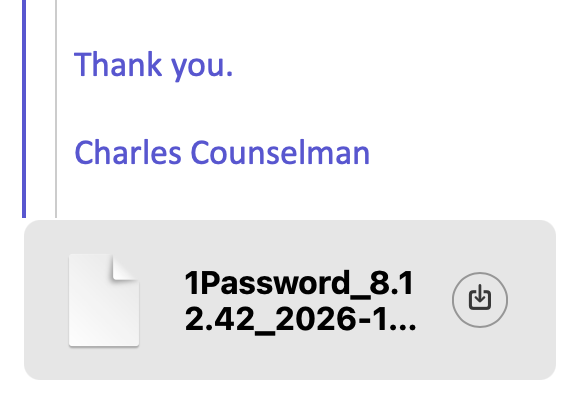
For three days I waited for a human to reply to my report. Today, a human replied. She asked me to generate and send her a diagnostic report as an e-mail attachment. I did so. Hours later, she asked again. She quoted the message to which I had attached the diagnostic report. My Sent mailbox shows that the report was attached. Here’s a screenshot.

MacDrew2000, thank you for suggesting that I try to access my 1Password account via the 1Password app in my iPhone. I tried, but all I got was an error message saying that my account had changed.

I do not have a Family plan. (I did; then my wife died; so I switched to a single, individual user account.)

-CCC

Grasping at straws, I just asked Google about 1Password losses. Google returned 27 hits, but nothing resembling the problem I have. -CCC

At https://www.1password.community/1password-at-home-31/1password-macos-app-automatically-locks-after-10-seconds-25898 (and scroll forward and back from there) I found several user reports of 1Password locking itself after 5 to 10 seconds. (In my case it locks after 15 seconds.) One of these users said that this problem arose when he upgraded macOS to Golden Gate 27.2 – which is just what happened in my case. One of these user reports was dated seven (7) days ago. My problem arose four days ago.

So far, no one at AgileBits has posted an explanation of this bug,

2 Likes

@ccc From your screenshot, it looks like you are using 1Password 8.12.42. Maybe it would be worth downloading the current 1Password v8.12.44 and installing that manually? https://downloads.1password.com/mac/1Password.zip … But the fact that you can login via the website but not via the 1Password mobile app seems to indicate that something is messed up with your account rather than just a bugged installation of 1Password desktop on your Mac.

A reasonable suggestion; and I have done what you suggest. Unfortunately, it made no difference. The macOS app 1Password v8.12.44 also quits after 15 seconds.

The iOS app doesn’t work either. I just tried that again.

I agree that my account is messed up. I wrote at the outset that the 1Password bug had not only deleted all my passwords; it had also closed my account.

After five days, still no joy from AgileBits.

I apologize if I sound like a cracked phonograph record, but it seems a mistake to trust AgileBits with one’s passwords. I’m sure sorry I did.

I began to worry when 1Password began storing my passwords in the cloud. I should have run for the exit then.

-CCC

2 Likes

When you say that it quits, is it just quitting? Or is it crashing? Are any 1Password processes still running? Does anything show up in Console? Is this an Apple Silicon Mac? Do you have the Apple Silicon version of 1Password?

If it were me, I’d use 1Password’s instructions for doing a complete uninstall, reboot, then download the installer from 1Password, re-install.

But if that were the correct remedy, I’d expect AgileBits to tell you so.

I have done a complete uninstall, reboot, and then downloaded and run an installer from 1Password, twice. The first time, the latest version of 1Password was 8.12.42. The next time, it was 8.12.44. Neither reinstallation made any difference.

I should not have said that it “quit.” 1Password locks 15 seconds after it has been unlocked. This happens when it has been set to lock after 60 minutes of inactivity. This happens also when 1Password has been set to lock never.

At a user forum I’ve seen that quite a few users have reported the same problem, going back at least seven days. The common thread is that the problem occurred when the user upgraded macOS Golden Gate to 27.2.

-CCC

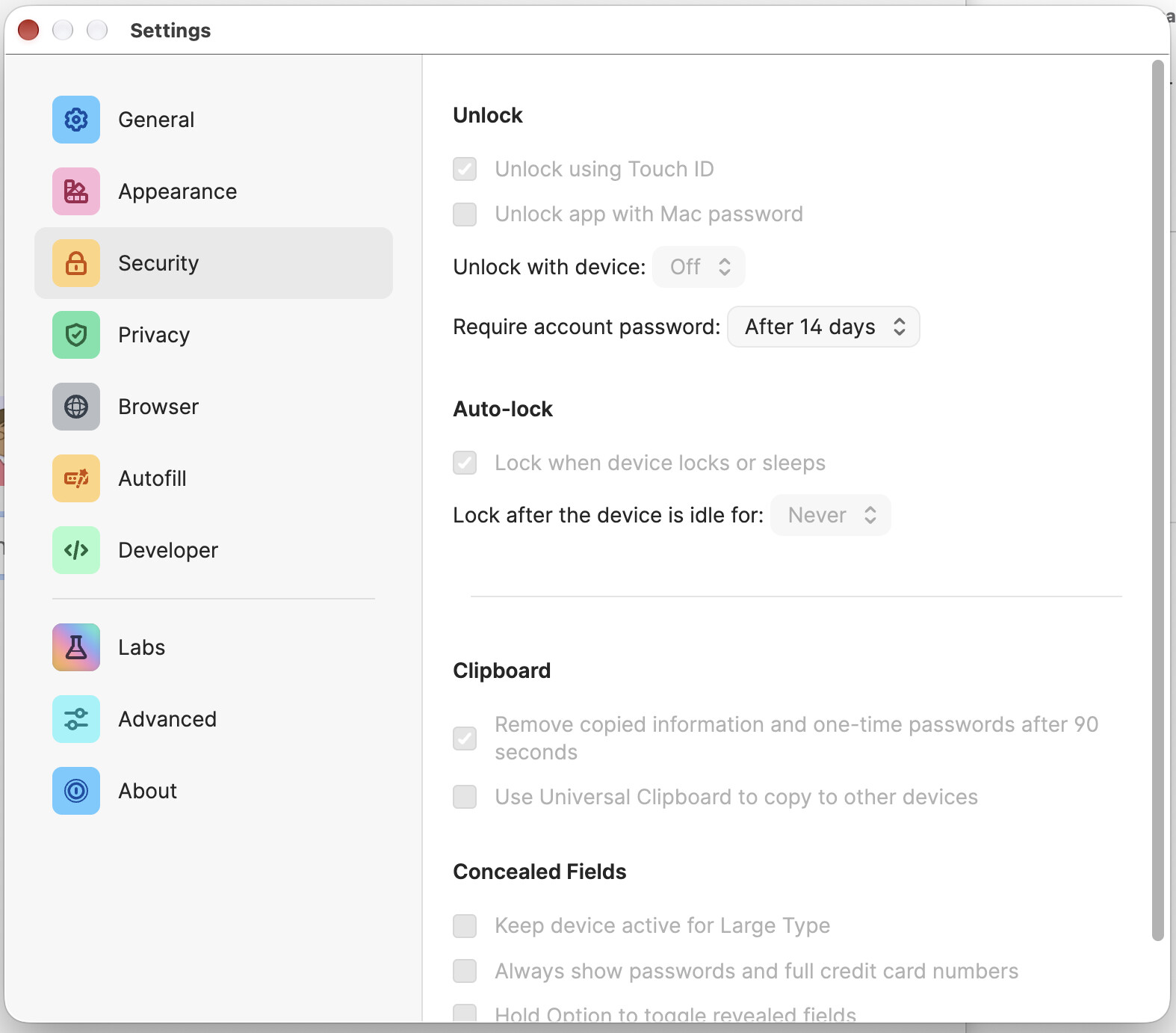
Can you post a screen shot of the 1Password window related to the security and lock settings?

FWIW, last week I migrated 1Password from Ventura (Intel) to Golden Gate (Apple Silicon), and changed the 1Password settings to the “Balanced” profile. I haven’t seen any problem with it locking unexpectedly.

Sure. Here:

It is odd that the settings are greyed out. And that you’re missing the “App unlock preset” section at the top of the pane.