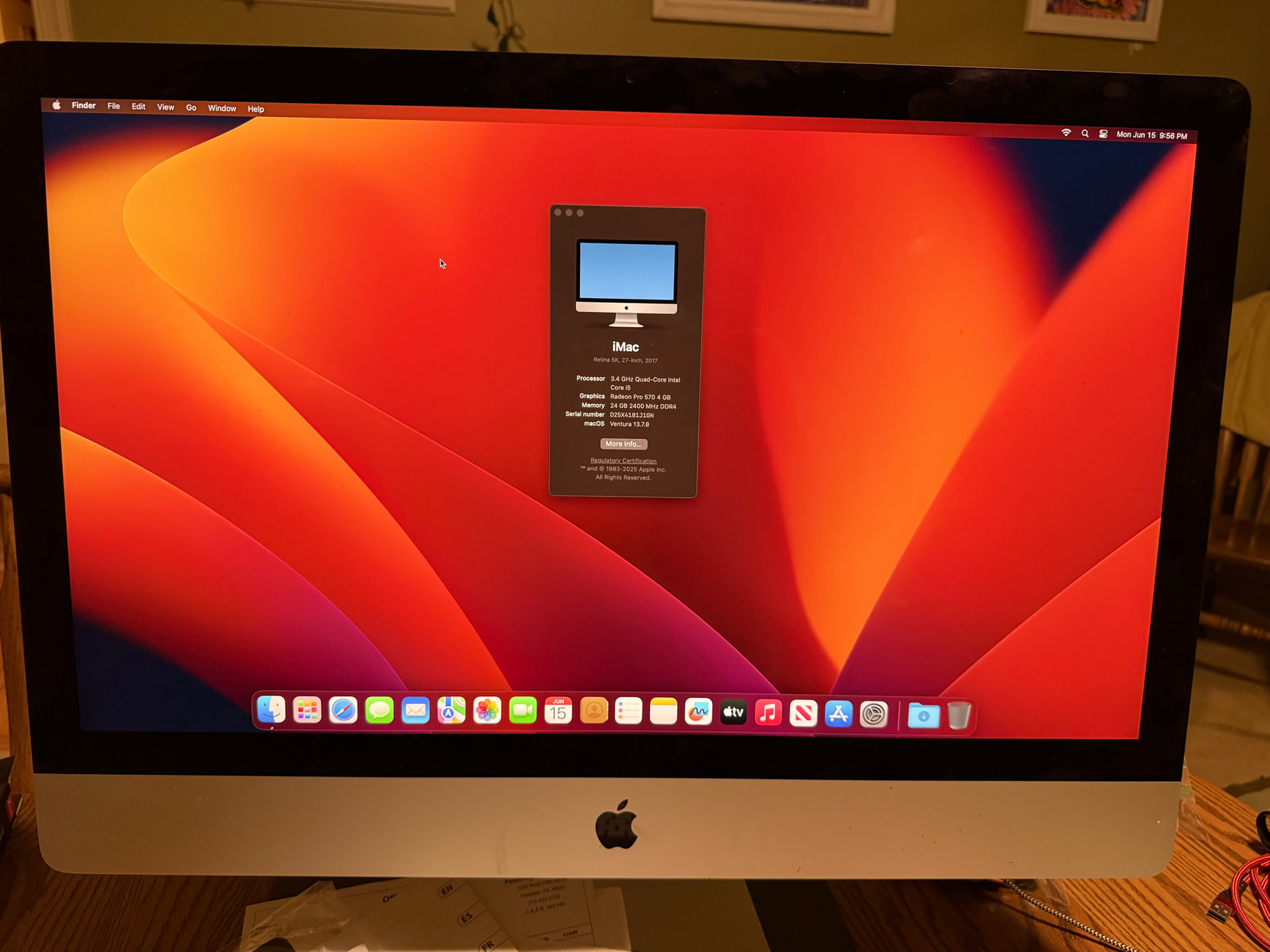
Claude tells me: “Recovery mode has a very limited Wi-Fi driver — it only supports WPA2/WPA3 with simpler configurations.“ and advised Ethernet. Unfortunately, same results. And I confirmed Ethernet gets me to the Internet because the “Get Help Online” feature of macOS Utilities got me to various web sites. Probably should have tried that before Ethernet :-) A fresh attempt on WiFi confirms the WiFi is working fine…
UPDATE: I’m not quite sure what changed, but how I have a dark, more modern recovery screen trying to get me on Ventura. Before it was trying to recover to High Sierra. I think before I did ⌘-R. This time I did ⌘+Option+R, per Claude: “internet recovery, upgrades to latest compatible macOS“.
So maybe the High Sierra was taken offline by Apple, but Ventura was not. Installation is proceeding…
Perhaps I’m the only one who cares :-) My patience for this is thin, so I may walk away at any time. But I also feel like I should be able to figure this out… LOL
I realize it’s too late for my advice, but if the Mac is using FileVault, and yours is the first login since it was rebooted, then macOS isn’t fully loaded until after the login. It might have gotten confused, trying to boot the SD card.
In the future, just to be safe, I’d suggest logging in before installing the SD card, just in case this has something to do with it.
But from your description, it sounds like there was a critical problem before you ever sat down to read this card.
I agree and own a few. But one ended up in Philly with my daughter and another in Iceland this week with my son
Probably a good idea. But do you think an SD card with no OS would confuse the Mac?
UPDATE:
So, what just happened?? After Internet Restoring to LATEST (Ventura) to the internal drive, the Mac seems perfectly fine, with no external drive attached. Did Ventura fix some filesystem corruption on the boot drive that was previously insurmountable?
Recap: the NVMe external drive is confirmed corrupt (it’s not the Mac or enclosure or cable). I may have luck reformatting it after I give up on getting that data back, especially since everything useful may be in iCloud. But the iMac surprisingly no longer needs the external drive to boot anyway.
Didn’t see this coming. I was ready to chuck it. Now I’m going to have to scroll back and find those tips about making it run as an external monitor. It’s a 27” 5K gorgeous display…
Replacing swollen electrolytic capacitors is also how many failed LCD displays can be resurrected. I’ve rescued two LCD flatscreen TVs already by replacing four capacitors serving the main power supply and the backlight inverter circuits. In both cases, the capacitors failed one month after the end of the three-year Costco warranty.
This Macrumours review of a 32" LG 6K monitor is useful. The monitor has several USBc ports on the back so is effectively a USB hub. It uses a single Thunderbolt 5 cable to the Macbook that provides power, video and connection to the peripherals (my setup, described above, is similar but much less powerful)
Just had a look at some of the reviews at Officeworks (Australian retailer). There are concerns about display quality and ability to daisychain displays. Also Au$2198 seems expensive!
It does. Asus has their 6K 32" IPS with TB4 support, matte display, and full adjustable panel at $999. 20% below the LG. Color accuracy and response are better on the Asus. I guess LG is trying to reap a bit of that sweet Apple tax.
Thank you. That might be my next purchase, if my current system fails.
One thought is whatever happened to webcams? If I want to video conference I need to open up the Macbook in front of the monitor, or use an iPhone as the camera.
I have the 5K 27" variant of that Asus. While the aesthetics IMHO are meh (dark plastic like on the many Dells I’ve had before), the panel itself is awesome. The combo of full adjustability, lots of inputs, and matte surface to me make it a really nice package. I’d buy the Asus again. And I have to admit, I’m tempted by the 6K 32" as a nice upgrade over my current 5K 27".
But indeed, as you point out, this is a screen you buy for the panel and the ports. Forget about speakers and camera.
Myself, I don’t do a lot of Zoom calls in front of this screen, but for the few I have done, I used iPhone camera forwarding (together with a $2 plastic stand from Amazon to get the phone to stand at the right angle) which to my surprise worked really well. No stutter or lag, good image quality. Easy to configure (in Zoom at least). Certainly not a permanent solution for heavy use, but for my more casual use it’s more than adequate.
More types and models than you can shake a stick at. Any generic USB camera should work. I’ve been using an old el-cheapo Logitech 720p camera for years. Works great for FaceTime, Teams, Zoom and similar tasks. (FWIW, the current version of this camera is the C270 with an MSRP of $30.)
Actually, most are not. The iSight is simultaneously ahead of its time and outdated. It only has 640x480 resolution. But it has a mechanical lens assembly for adjusting focus and aperture, which no webcam (that I know of) today supports.
I think it’s because high-end monitors are targeted at content creators, not for generic office use. You can get displays with built-in camera/mic assemblies, but they are nothing special. I personally think you aren’t missing all that much, since USB cameras are plentiful.
If you need or want anything more than basic functionality, you really should go shopping and pick out your own camera.