Is anyone using safe shutdown (and event logging) software with Tahoe for their UPS – not compatible yet!
I went with CyberPower for my least unrecent { } UPS. It had (safe) shutdown software that previously worked, but more than two macOS versions ago. Now that I’m catching up and am on Tahoe, I have found that no one in the UPS industry has stated their UPS shutdown software is compatible with Tahoe. I’ve searched and checked web and support pages of multiple vendors eg., APC, Tripp Lite, and CyberPower. No one says Tahoe is supported for their (safe) shutdown software.
The question: is anyone using Tahoe and UPS shutdown software on Macs now? Did you have to work around the vendor’s installer somehow to get it to install on Tahoe on its attached Mac?
For reference this is the UPS:
purchased in July 2022
shifted to a Mac Studio purchased late in 2025.
I’d like to have the (safe) shutdown software, because I’d also like to see the diagnostics and event log in that software
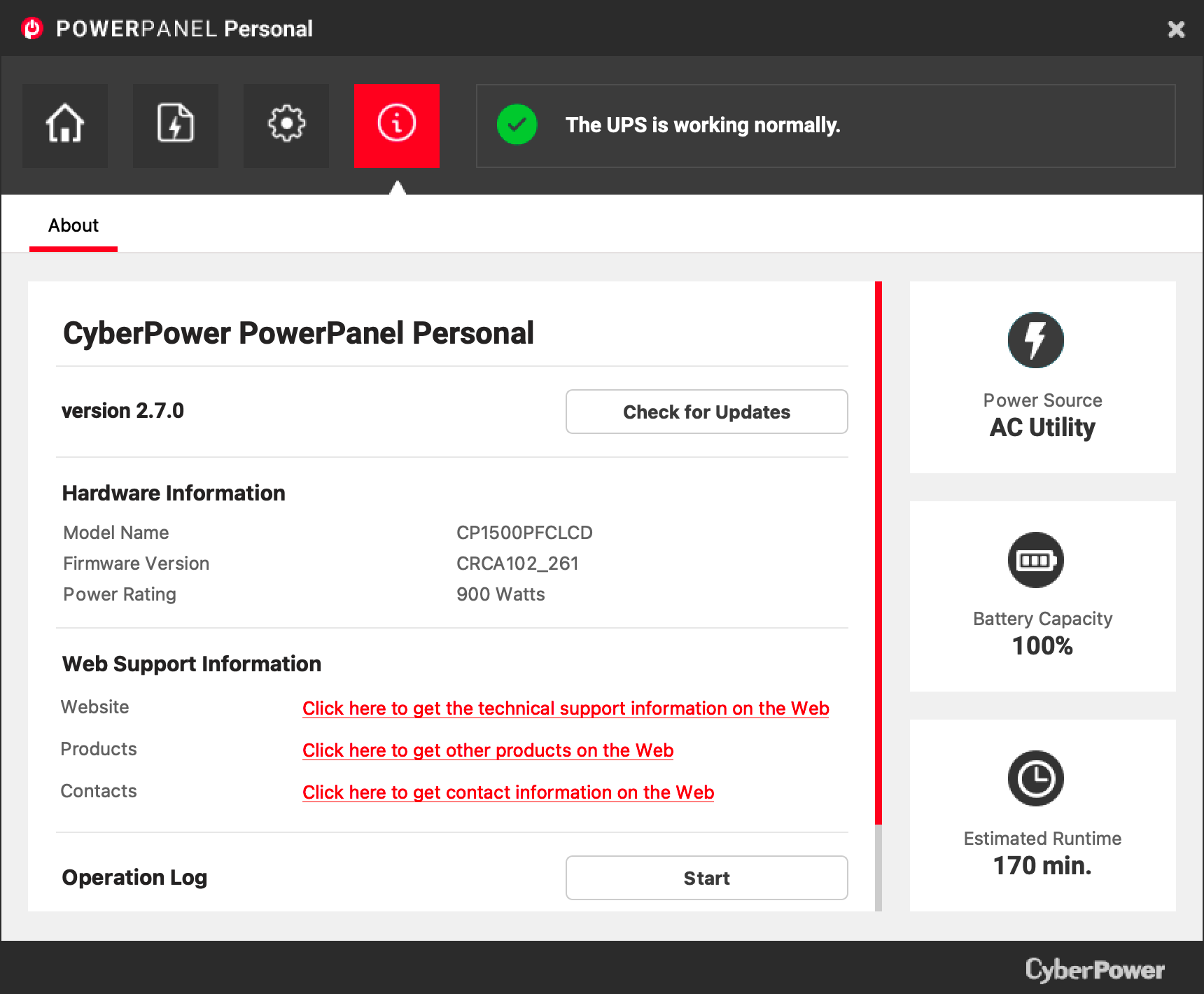
My CyberPower PowerPanel Personal (v2.7.0) seems to be working just fine on Tahoe on my M4 Mac Mini. I have the same model that you have. I can see the event logging.
The same for me. I just accidentally upgraded my mini to Tahoe (I wasn’t paying as much attention as I should have) and CyberPower didn’t connect after the first boot, but doing a restart I found it’s connected just fine.
I have tried rebooting, and didn’t have luck. Will try again. Of course I have diverse other problems going on. It may be that low lying corruption in either my local user account or Apple ID account is affecting why I can’t install the software successfully?
This is a pet peeve of mine. Mac desktops support hibernation, just like the laptops – it just isn’t turned on by default. So when you use the macOS UPS control panel to tell it to shut down your Mac when the UPS battery is low, why don’t you have the option to just hibernate it?
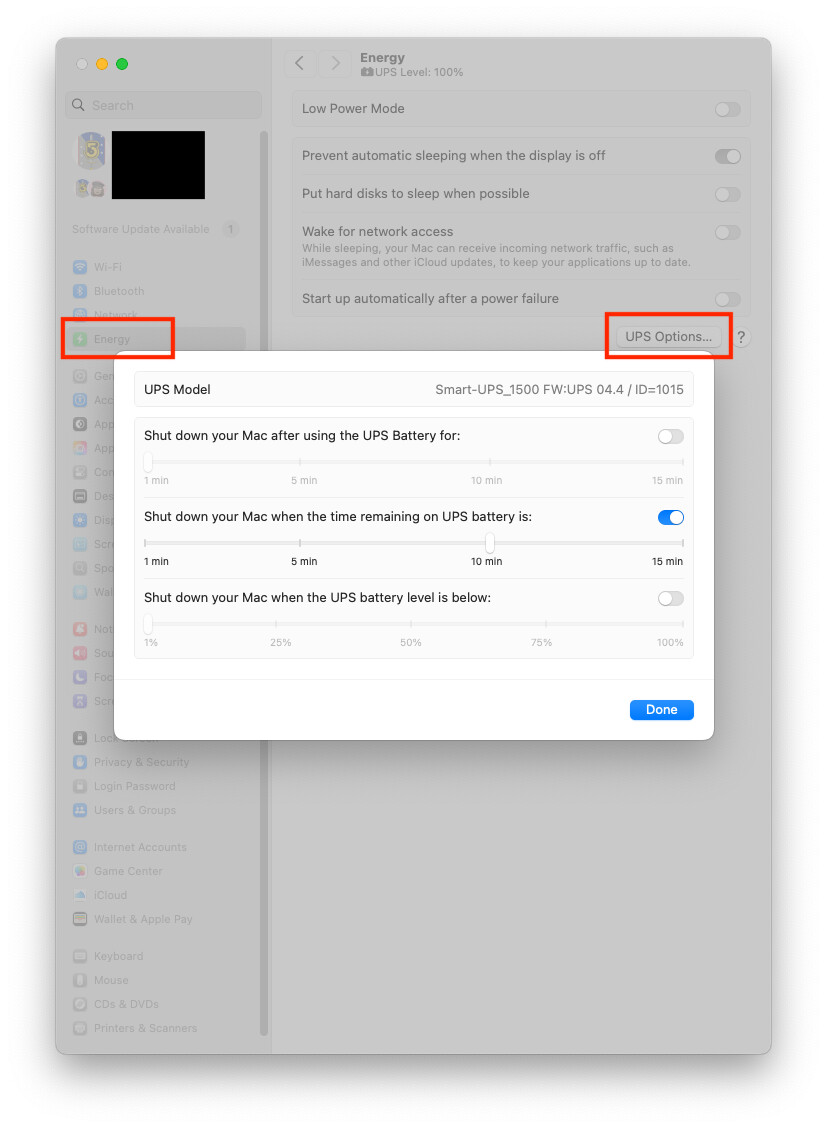
Is there a need to use device-specific apps? I know that APC hasn’t provided a Mac version of their PowerChute software for a very long time, but it isn’t necessary, because macOS automatically sees it (via a USB connection) and lets me configure automatic shutdowns.
I bought a new CyberPower UPS last week and didn’t have any trouble getting the software installed on my M4 Studio running Tahoe, though I noted that it’s relying on Rosetta. It occurred to me after reading this thread that I hadn’t tested it though, so I pulled the plug & it shut down a minute later as instructed. So it seems to be working properly.
As for why you’d want to use the UPS software & not just the settings in System Settings > Energy, the CyberPower utility has additional options for shutting down such as over/under voltage conditions. It can also turn connected devices on & off on a schedule. And you can use it to configure other UPS options like turning the alarm on & off - you probably can do that stuff via the controls on the UPS itself but it’s easier to do it via the app.
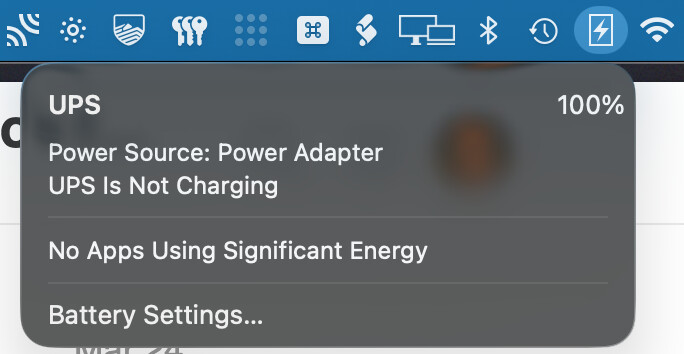
Alas, on my MBP “Energy” is “Battery”, and there is no “UPS Options…” selection. This is on Tahoe, with an APC Back-UPS 750 connected via Bluetooth USB. Instead, I see a menu. As you can see, it offers no further (useful) options.
I see the same lack of options on my MacBook Air even when it’s connected to the UPS via cable. But it’s not surprising that a Mac with a built-in battery doesn’t provide the same UPS options as one without a battery.
Yes. For some reason, Apple doesn’t provide UPS configuration on laptops. I guess they assume that it isn’t necessary, because the internal battery’s state can be used to drive automatic shutdown.
But I agree that it should still be offered as an option, since you might want an automatic shutdown at a battery level higher than what you’d want when disconnected from external power.
 } UPS. It had (safe) shutdown software that previously worked, but more than two macOS versions ago. Now that I’m catching up and am on Tahoe, I have found that no one in the UPS industry has stated their UPS shutdown software is compatible with Tahoe. I’ve searched and checked web and support pages of multiple vendors eg., APC, Tripp Lite, and CyberPower. No one says Tahoe is supported for their (safe) shutdown software.