Apple Unending Hell: why multiple Macs over 8 years cannot use Apple Mail to Send

For 7-8 years, I haven’t been able to hit “SEND” in Mac Apple Mail. Inevitable dialog that it cannot be sent using “this SMTP server”–when it’s the standard iCloud settings! I’ve checked, searched, read Take Control of Apple Mail, and much more over that near-decade. Every Mac fails with that same error in Apple Mail. Here’s a typical dialog.
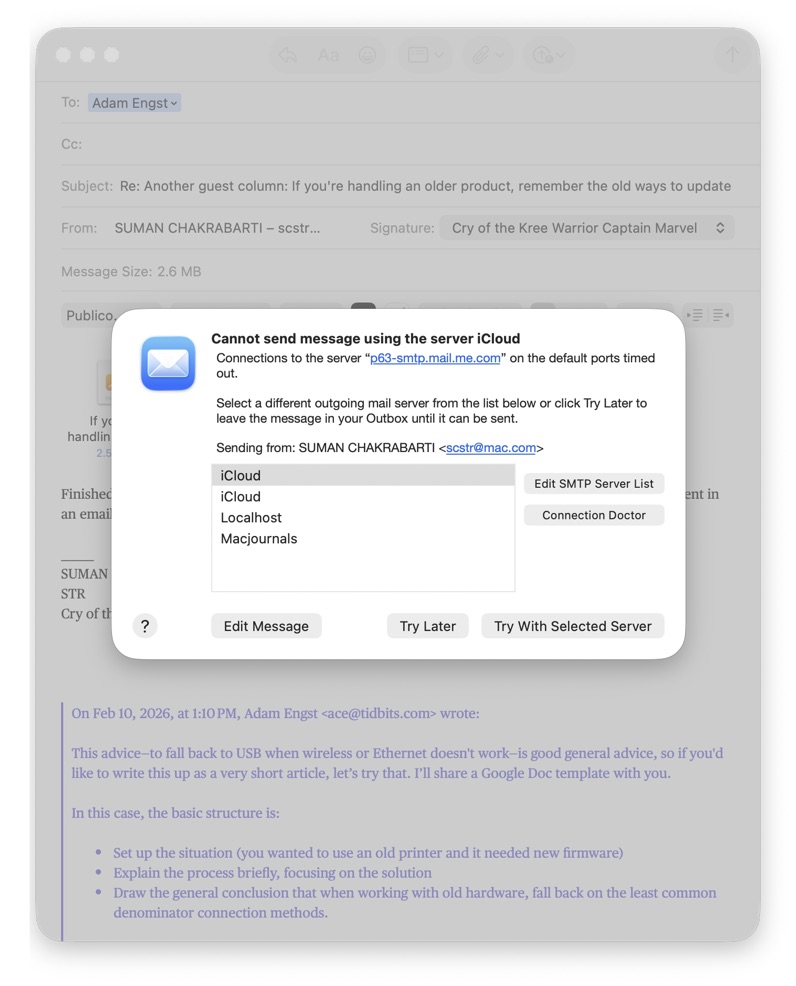
No, I don’t know why there’s multiple iCloud servers listed. It just happens sometimes. Don’t know why. I’ve deleted and reset more times than I can think. I’ve talked to Apple Support via phone and chat, up to an hour at a time.

I have had to log into iCloud to be able to send Mail at all. The standard iCloud SMTP server fails every time. This has gone through multiple Macs over the last 8 years. It’s been horrible. being unable to simply hit “Send”.

This is one of the several crippling issues that seem to resurface on each Mac I buy through the years. That’s what I’ve been battling. It’s so frustrating–like Freddy, Jason and Mike Myers each coming back with Apple ID sync to sabotage each Mac over time. :nauseated_face:

Is there a way to nuke every single iCloud setting for once and all, and make sure it doesn’t get restored by iCloud sync every time? I swear that this is going to plague every Mac I own forever! SOS, please.
1 Like

I’m sure it’s a long shot, but probably anything would be a long shot at this point, but if you have it selected, UNCHECK the box for “Automatically manage connection settings” in both Incoming and Outgoing server settings.

1 Like

Have you created a new iCloud account on a new machine?

1 Like

Have you tried consulting the Connection Doctor referred to in your screenshot?

(You can invoke the good Doctor at any time from the Window menu

First, I’m grateful for any responses. I’ve been humbled: I’ll take any advice from anywhere. No one on TidBITS Talk knows everything: certainly not me!

Second, I never thought to UNCHECK that box. Again, I sure don’t know everything. That’s why I came to this discussion.

@silbey

Have you created a new iCloud account on a new machine?

Let me clarify please, because that’s an interesting suggestion. My own iCloud ID is “scstr”. Due to the interconnectedness of iCloud and Apple services, that’s tied to all my media purchases: Books, Music, Movies, TV Shows and so on.

Are you suggesting to create another entirely different new blank iCloud ID, like blargh at iCloud? One would figure that would work and be completely fresh? Or were you suggesting something else?

Or were you suggesting that I use the “scstr” ID on a new machine? That’s exactly what I have been doing, on multiple machines over the last 8 years. At least 5 or 6 Macs in that duration. Each time the Mac starts out well, then suddenly gives that dialog.

Here’s another example of that dialog:

@silbey I would be grateful if you could clarify what you meant, at your convenience. Anything that forces me to think different is welcome.

@Incompatible I love your ID. :rofl:

Have you tried consulting the Connection Doctor referred to in your screenshot?

(You can invoke the good Doctor at any time from the Window menu

Yes sir, I have! Sometimes it has worked, sometimes it hasn’t. It has been a dynamic aberration, like a phantom lol. Maybe I need to combine your advice with the earlier two responders. Definitely food for thought.

All responses and followups are appreciated. I will get back to this somehow some way. If I can explain this to serve as useful reference, that’d make me very satisfied,

1 Like

My solution would be to clear the SMTP list and start again.

  1. app-specific password
  2. uncheck automatically manage

Once you’ve confirmed it works with one SMTP server gradually add the others in as and when you need them, confirming they all work after each.

If that doesn’t work the more serious remove Mail account and re-add. Of course be sure you understand what you’re removing and have backups.

1 Like

@scstr

I don’t know if you’ve tried this…change your SMTP server to smtp.mail.me.com. Your screenshot makes it appear you are using p63-stmp.mail.me.com.

You may already know about these Apple Support pages as well, but I often refer to them when troubleshooting:

2 Likes

Have all the failures occurred with the same internet service provider (ISP)? Years ago, I ran across an ISP that blocked all the common/standard SMTP ports. When I finally got through to someone who knew what was going on, they said they only supported sending mail through their own MTA (mail transport agent, the “SMTP server”). That’s… weird, but if you’ve always been using the same ISP perhaps they have a similar misguided policy.

2 Likes

Yes. That’s been a commonality. Vary it.

1 Like

This is how I set up iCloud mail, and it has worked reliably for many years now on many Macs. I have 6 Macs running with different OS versions currently.

Make a new test user on your Mac. This is just to troubleshoot. You can delete this user later. System Settings > Users & Groups> Add User… Log off your regular user and log on with the test. Log in to iCloud with your regular iCloud user and enable iCloud mail. This is it, nothing more. Then test sending and receiving. You can test by sending to yourself.

This is how the settings look in Apple mail Settings>Accounts after enabling iCloud mail. I never touch this settings for iCloud. (On my other mail accounts which are not iCloud I have to.)

4 Likes

When you add an iCloud account to mail, it manages the outgoing mail account for it automatically. There are no settings you can change. Mail > Settings > Accounts > Server Settings > Outgoing Mail Account should be set to the iCloud account in the list, but if you select Edit SMTP Server List, that iCloud account is not in the list.

If you have two iCloud accounts in the Outgoing Mail Account list, but only one in the Edit SMTP Server List, then one of those two is the true outgoing mail account for the iCloud account, and is the one to select – if you added iCloud to Mail.

You can use iCloud outgoing servers from other, non-iCloud, accounts you have added to mail. In this case, you can not use the automatically created outgoing iCloud account described above. You must manually create one. If you have an “iCloud” account in the Edit SMTP Server List, then that’s one you’ve manually created.

A manually created SMTP server for iCloud must:

  • Use an app-specific password created at the iCloud website
  • User name same as iCloud user
  • Mail must be sent From the iCloud user’s email address
1 Like

Over the years my Apple email account has been forced to change from @mac to @me to @icloud. The mac and me accounts are effectively treated as aliases for the current @icloud account so I still receive some emails from them but some time
ago they stopped working for sending emails.

Note that it seems smtp.mail.me.com is still the correct server address for iCloud emails, even though the user email address is xxx@icloud.com :
iCloud Email Settings: POP3, IMAP, and SMTP Server Settings

1 Like

That’s strange, I can still send from my @me.com and @mac.com addresses.

1 Like

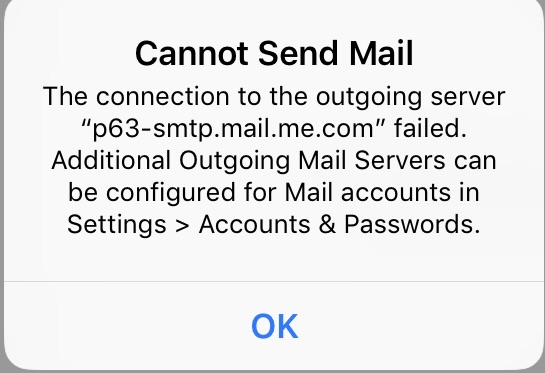
I’ve had this issue with my personal emails on my iOS devices. It got so annoying I just removed them. My .me account has been the most reliable.

It does happen randomly in Mail but I figure at that moment something is down. The iOS issues were consistent. I never found a solution

1 Like

Troubleshooting such an issue starts with trying to isolate the cause, using a process of elimination. Creating test accounts can help you narrow it down.

Create a test login account on your Mac, and a test Apple ID, login to the test account on your Mac, and then add the test Apple ID in System Settings. Make sure that ID is enabled in Internet Accounts. Open Mail and if the Apple ID is showing as an email account, send a test message.

Success or failure of the test message can allow you to isolate the problem to either your OS, or your particular login account on your Mac. If you can send mail then it is a problem with your account, and the next step would be to switch that test account to your Apple ID, to see if it can send mail from the test account, and possibly isolating it to your Apple ID. Alternately, if you can’t send mail, then a separate Mac would be a good place to repeat that same send test, as a verification that it really is your OS having the problem.

I hope this makes sense to you. Do not hesitate to ask for clarification.

Here is another example why subscribing to TidBits is such a good thing.

2 Likes

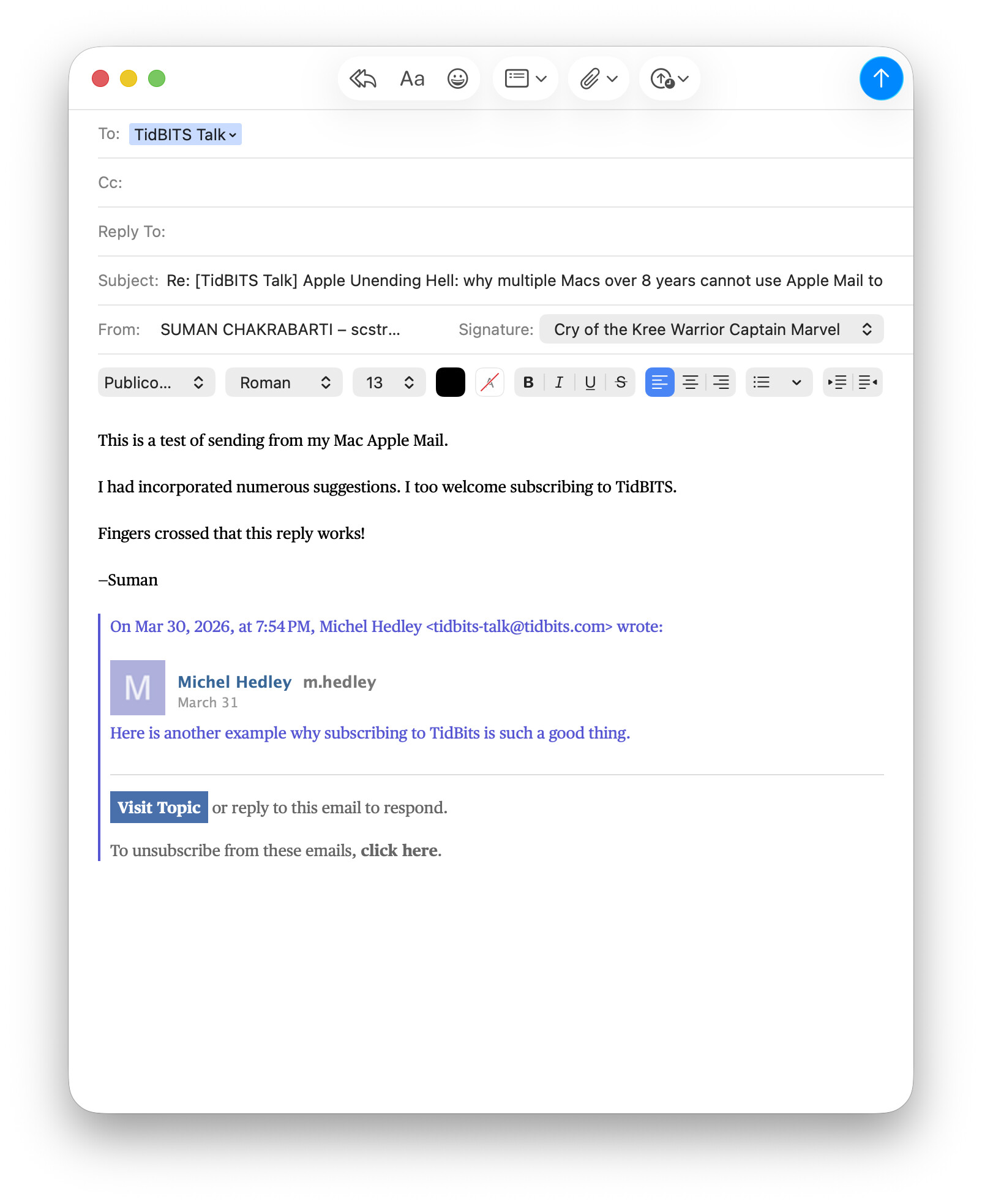
This is a test of sending from my Mac Apple Mail.

I have incorporated numerous suggestions. I too welcome subscribing to TidBITS.

Fingers crossed that this emailed reply works!

—Suman

Edit: this is what the screen shot of the draft in Apple Mac Mail looked like before I sent.

ALSO …

@Ron

Have all the failures occurred with the same internet service provider (ISP)?

Great great question. What you say is true. After I got rid of the previous bait-and-switch ISP with considerable prejudice, I switched to AT&T Fiber. That’s who I had from 2017 onward.

@gingerbeardman

My solution would be to clear the SMTP list and start again.

  1. app-specific password
  2. uncheck automatically manage
  1. I decided to utterly nuke everything about my iCloud account along with all its settings then signed out of iCloud and saved NOTHING to my Mac
  1. <<< I don’t know how to indent in Markdown; but I took all kinds of screenshots on this process also >>>
  1. I wanted to see if Tahoe didn’t need SMTP server settings or other advanced stuff;
  2. could I get by without all that stuff,
  3. and just be an “old person” who wants things to work.
  4. I never wanted to manually configure SMTP in the first place @paal @mschmitt @mpainesyd @Icho
  5. How would Tahoe configure Apple Mac Mail for iCloud from scratch?
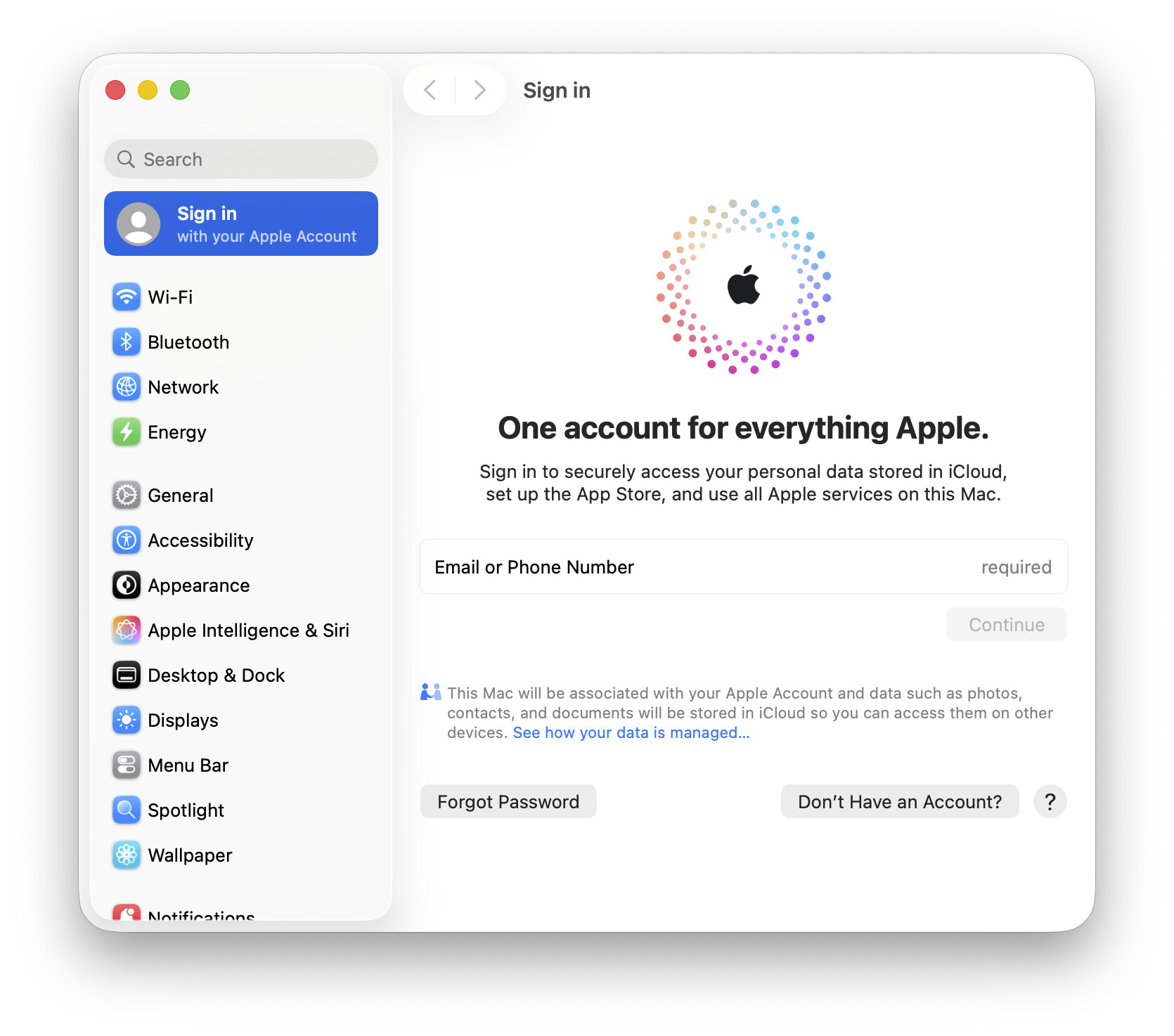
  1. After nuking, I then signed back in to my Apple Account on my Mac
  2. there were no SMTP server settings shown
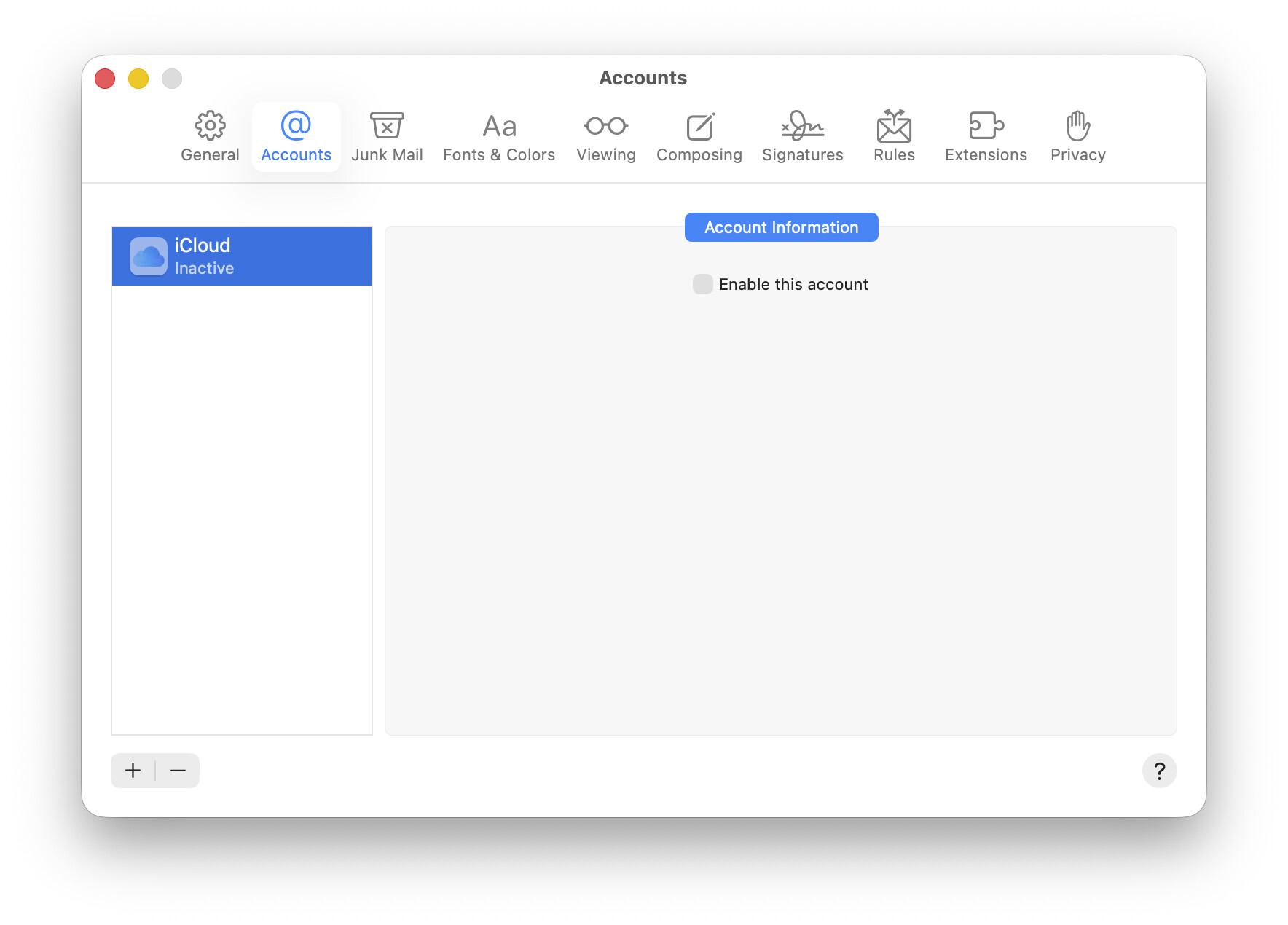
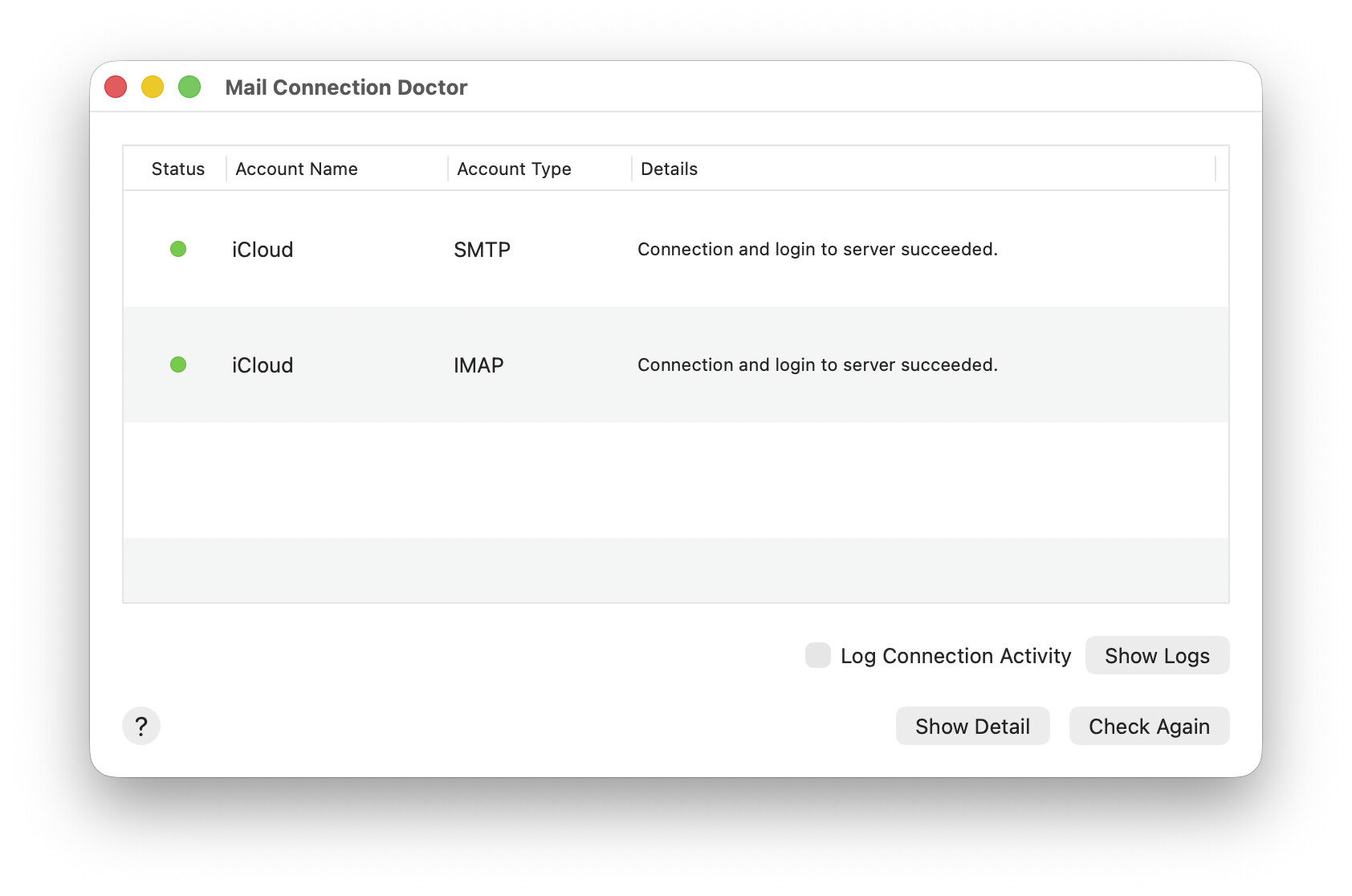
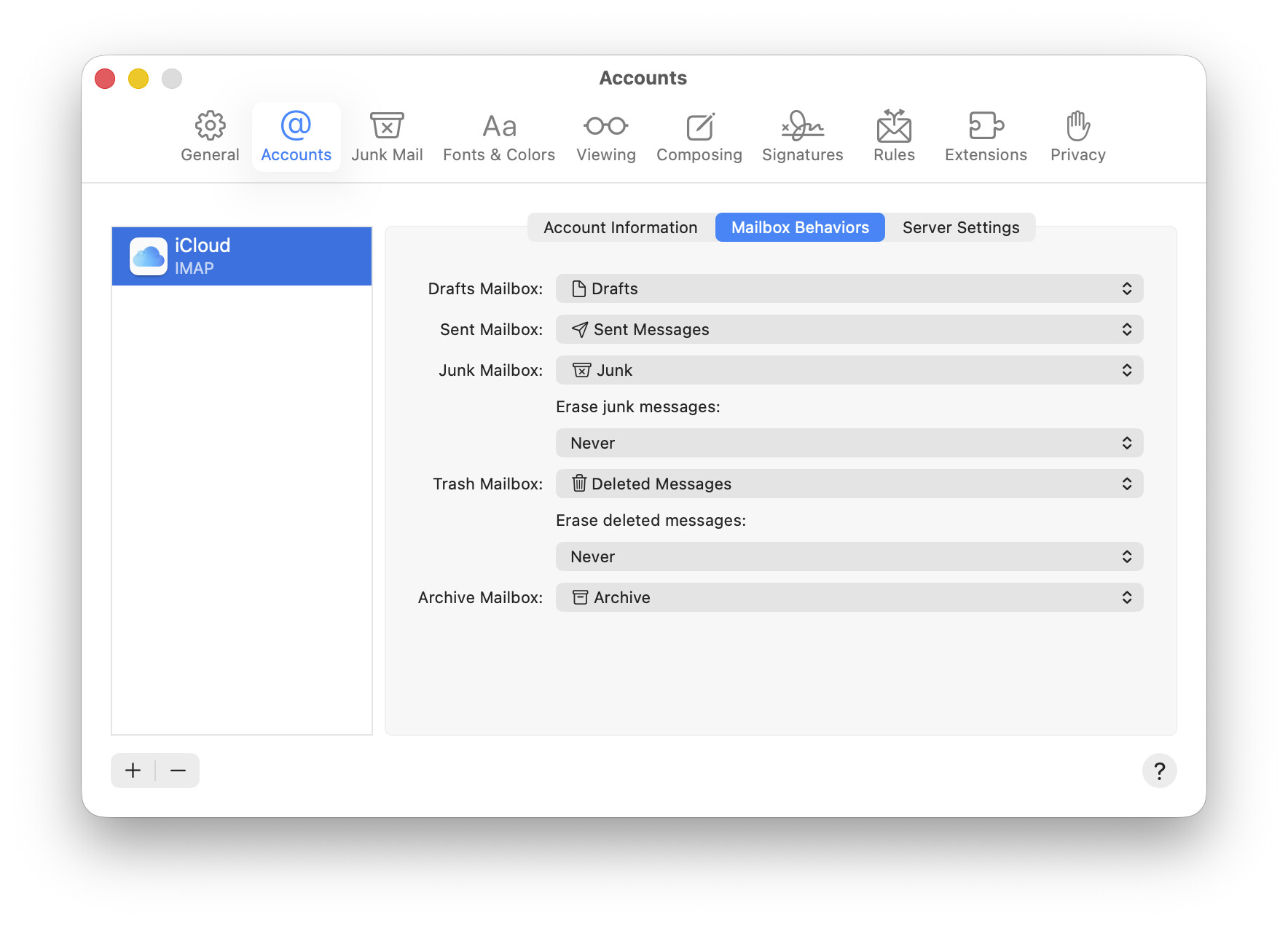
  3. I’ll show you what I saw in Tahoe Apple Mail Settings – Accounts in five screen shots:

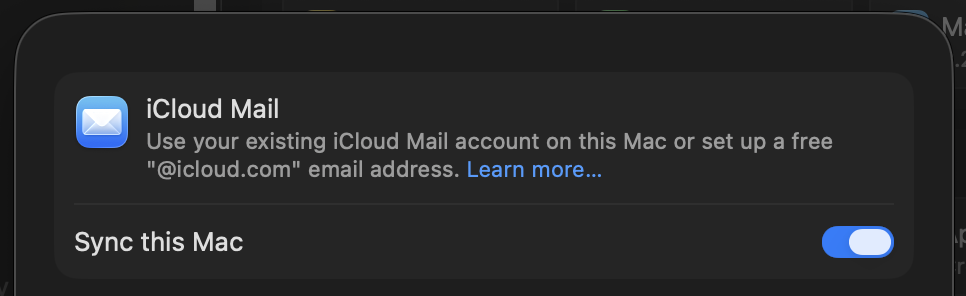
iCloud Inactive, not enabled

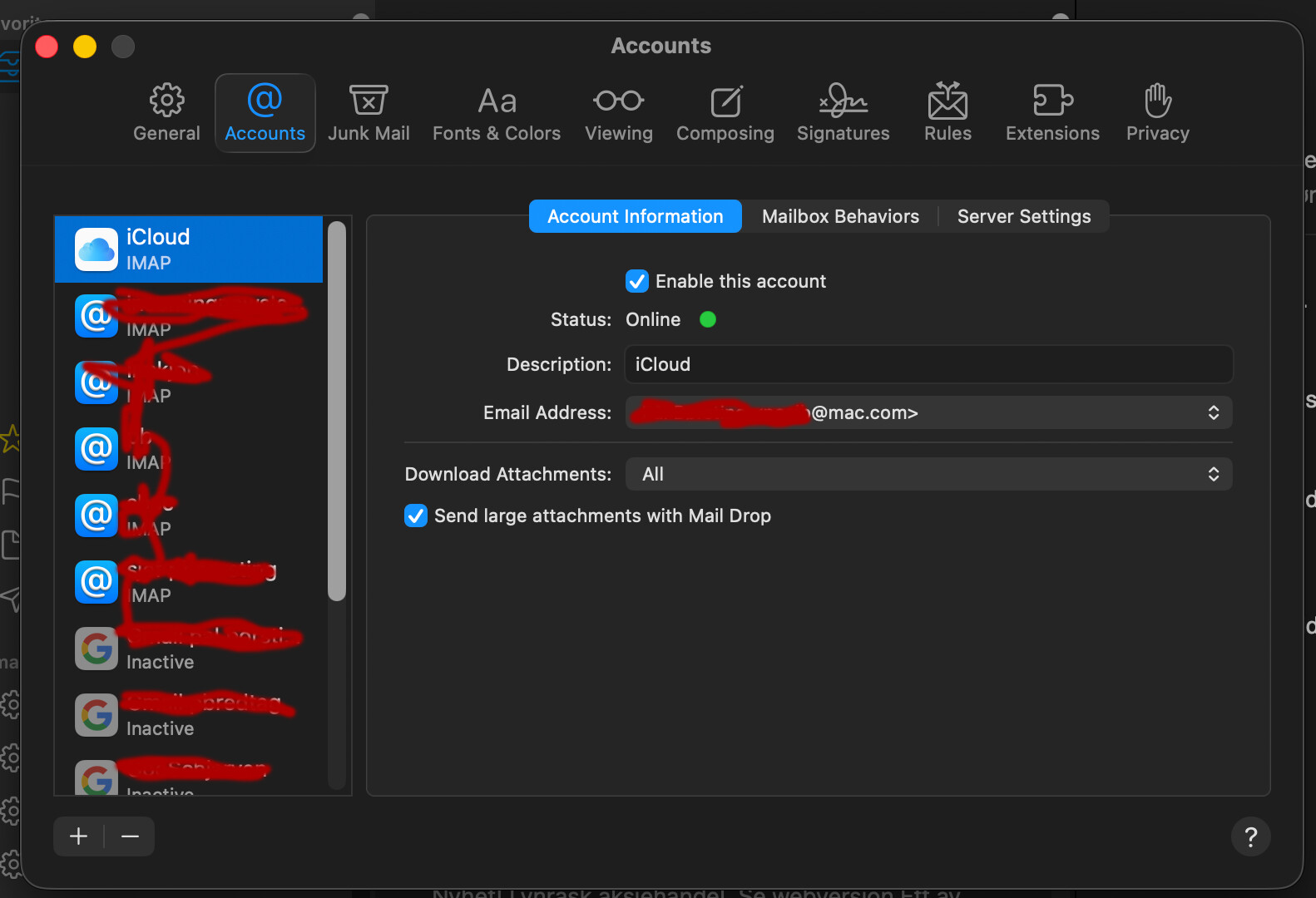
iCloud Enabled – Account Information tab

I did nothing except to click that checkbox; all other items in that tab showed up by themselves

I checked the Connection Doctor

Like the good doctor that @Incompatible recommended

iCloud Mailbox Behaviors tab

I only changed tabs by clicking the tab title; I did nothing else

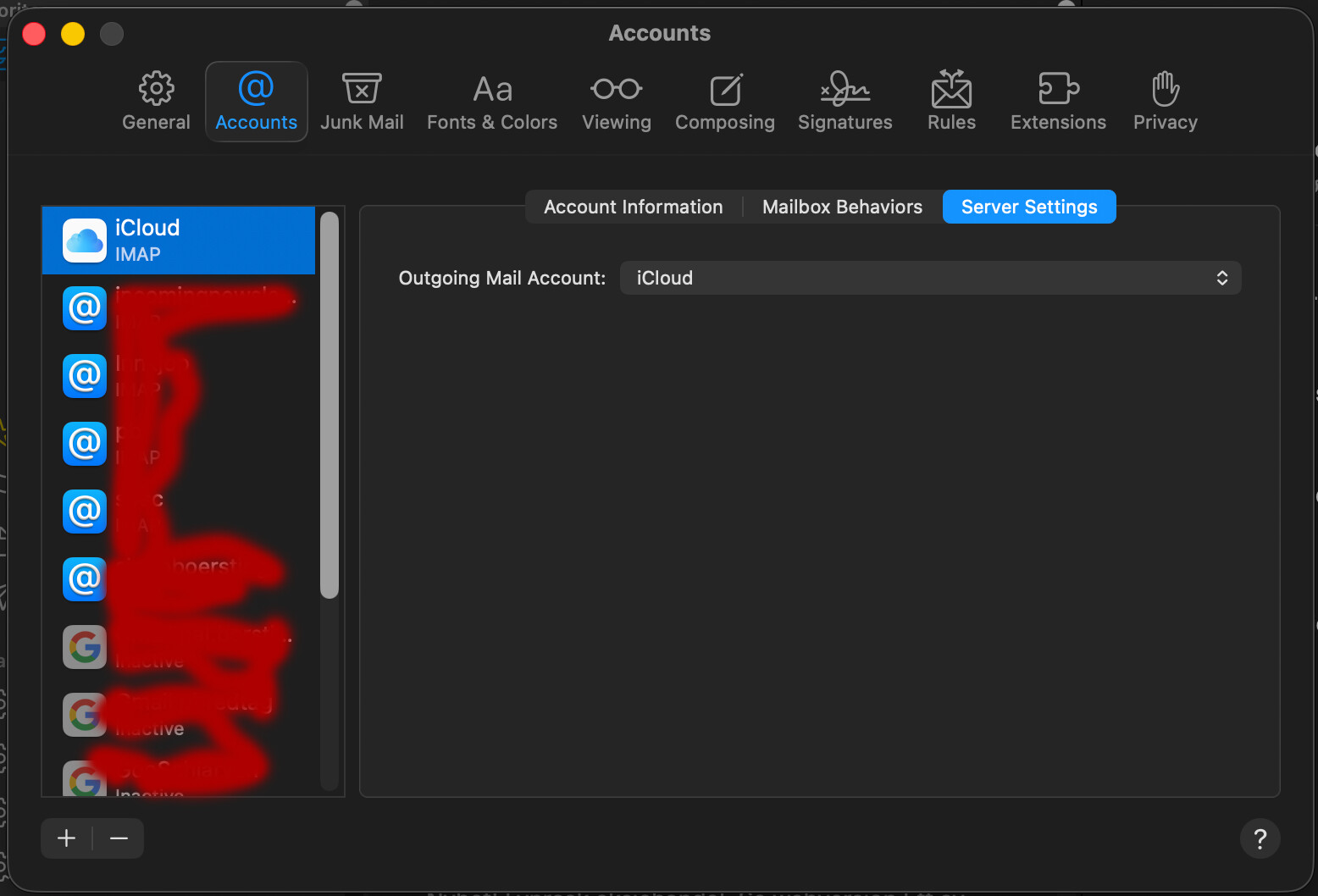
iCloud Server Settings tab

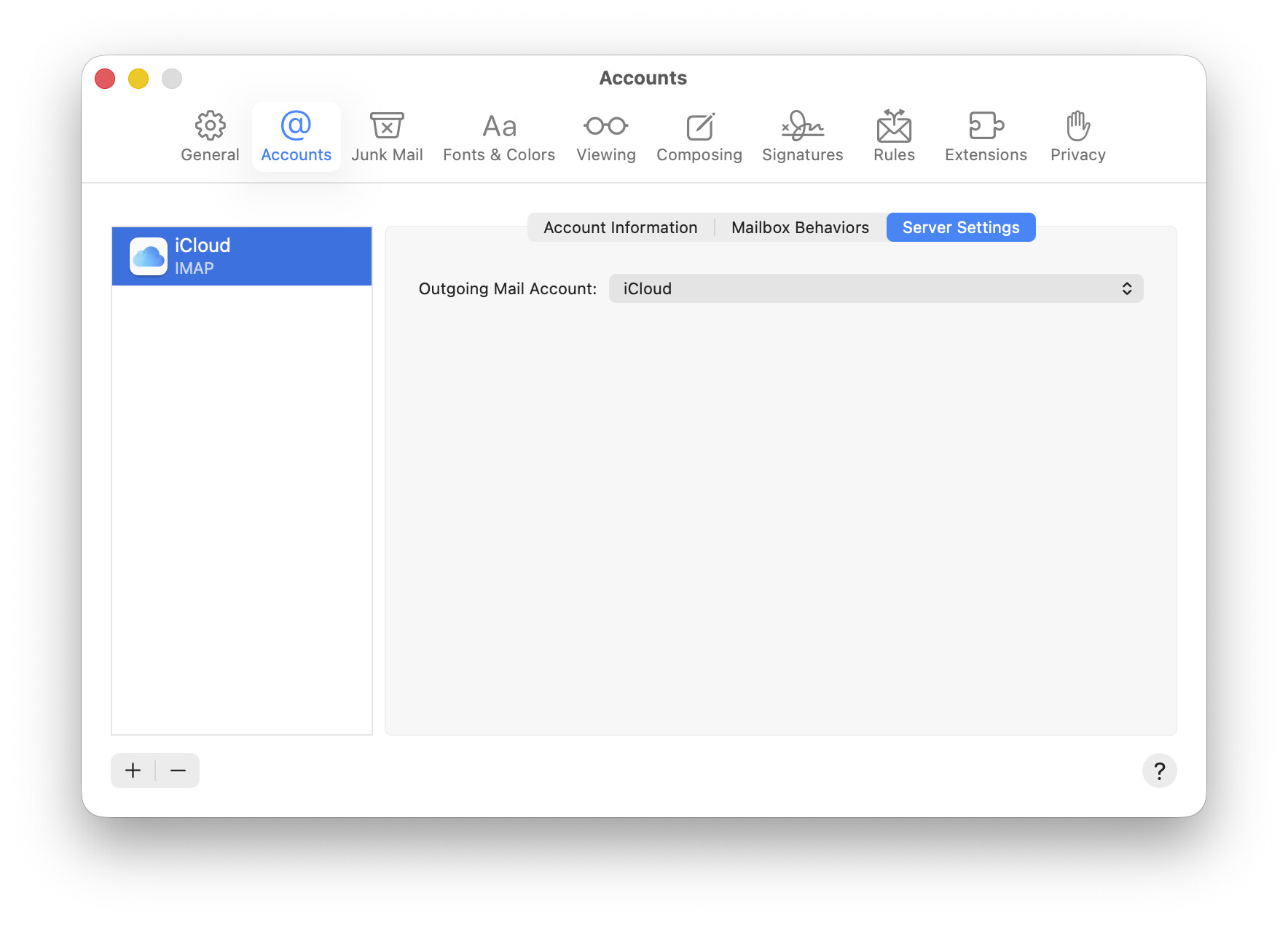
I only clicked to the tab; it was pre-populated. No sign of advanced configuration settings like SMTP

My Conclusion: Tahoe makes it simpler to configure Apple Mac Mail; but don’t nuke your Apple Account unless truly desperate

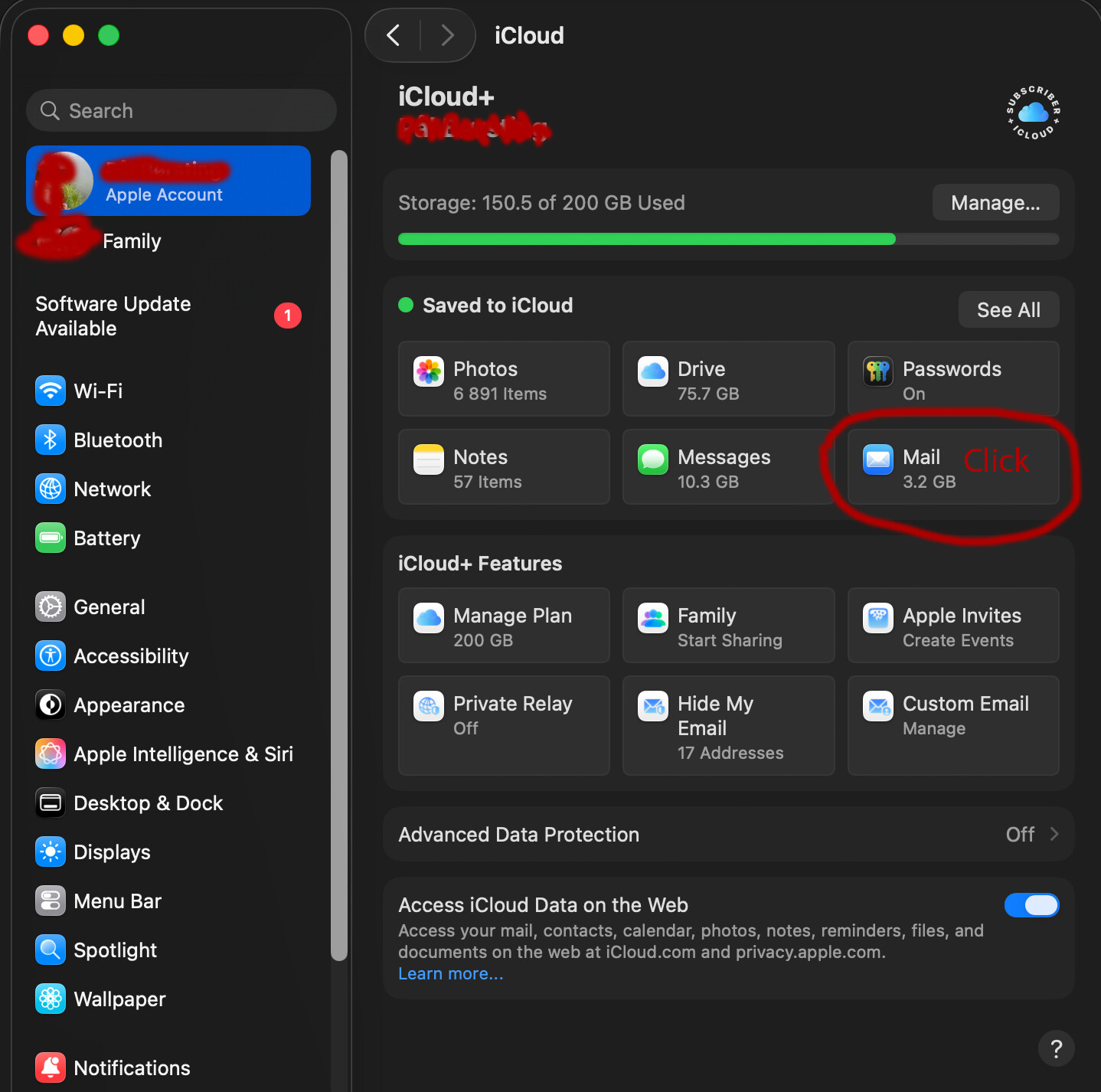
All of my fussing and frustration manually trying to configure SMTP incoming and outgoing servers became unnecessary. Nuke everything on your entire Apple Account on your Mac. Save NOTHING. Sign out of your Apple Account completely, like this:

Then let Tahoe do Apple Mac Mail configuration automatically.

P.S.

Of course you now have other problems, as Apple tried to resume sync’ing with iCloud by asking you for devices YOU NO LONGER OWN–if you’ve owned two dozen devices and don’t recall which passcode was for each, then Apple’s security defeats you. I’m fighting this battle now. Maybe I’ll start a new thread.

In conclusion, I don’t recommend such nuking of your Apple Account for most people. This is not something you undertake unless you’ve had a lot of hassle – in my case Apple Unending Hell over multiple Macs and many years. I was therefore desperate enough to do this.

5 Likes

Thanks @scstr for the detailed report of the solution!

These settings would be visible when clicking on the Pop-Up Menu next to ‘Outgoing Mail Account’ and choosing ‘Edit SMTP server list’. fyi. Not encouraging anyone to fiddle with them if Mail is working!

1 Like

@glennf probably knows more about this multi-device authentication than anyone. Glenn, what do you do if you don’t have the devices in question anymore?

1 Like

I do own dozens of Take Control Books, including many by @glennf.
I started this book of his and am 13% into it so far…

Take Control of Your Apple Account

1 Like