And you wonder why some people think AI is going to kill us all??? It’s already started. 
A more general miss: when I press Command-Shift-5, click the Siri button, and click Ask Siri, I always get this error. Does it work for anyone else? Everything else seems to work regarding Siri, so the claim that it is unable to connect seems wrong.
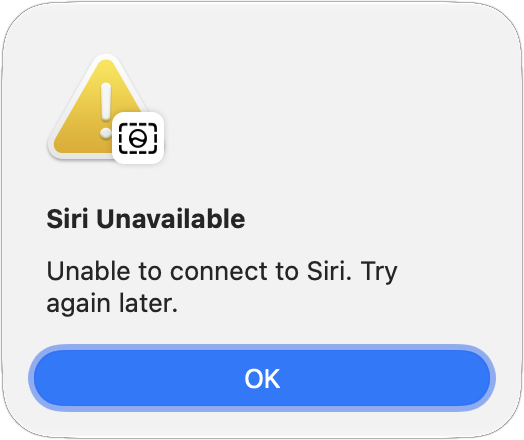
It works for me. I took a screenshot of the image in your post with cmd-shift-5, and clicked on the Siri icon in the action area. One of the following prompts was “Ask Siri”, so I typed “What is the source of this error?”. I got back, “The most common source of this error is an inability to communicate with Apple’s servers…”, and more like that. You may indeed want to “Try again later.”. 
1 Like
Everyone has different expectations of an app. You might send feedback to Apple about the Siri+ beta expressing your preference.
Using Siri hands-free has taken a step back - these worked for me reliably earlier, but are frustrating now. Often I’m trying these while wearing AirPods with the phone in my back pocket, but I run into the same problems anytime my phone is not able to clearly see my face:

 Play WNYC-FM in the Living Room - Siri thinks for a moment, then says I need to unlock my phone. The phone automatically attempts faceID, but since it’s in my back pocket that fails, resulting in an on-screen prompt to try FaceID again. While the prompt is on-screen, Siri becomes completely unresponsive. But if I unlock the phone, the command succeeds.
What song is this? (while listening to music on airpods) - Previously Siri would quickly answer the question - essentially just reading what was already showing in the “now playing” widget. Now Siri takes much longer, and starts “listening” like when you ask it to recognize music that is playing in the room. It takes much longer, but generally works. Often it puts the answer in the black bubble on the screen, but does not read it aloud (again, using airpods with my phone in my back pocket where I can’t see it) so it works but not in useful way. Sometimes saying "What is now playing?” works better, but sometimes that does the same music-recognition and no-speaking thing too.
Add milk to the grocery list - Same problem with needing to unlock the phone.
Reliability on the Apple Watch and AirPods are both generally worse than before - I can start timers on my watch or start a workout, but about ⅓ of the time Siri processes but then silently fails to do anything. Same with the AirPods, I often run into times when Siri just cannot be invoked unless I take my phone out of my pocket and hold the side button.
Have you gone into Face ID & Passcode → Allow Access When Locked and turned Siri on?
1 Like
I’ve not updated my iPhone Pro 17 to Golden Gate Yet, but one thing that drives me batty while creating messages is just how awful the interface is in correcting misspellings when I enter text using “slide to type.” WHENEVER a word that probably is NOT in “her” dictionary (typically scientific or medical or pharmacologic terms) is compromised by a story excursion of my fingertip, a completely different word that makes NO sense in context is substituted, and the ONLY way I can correct it is to abandon “slide to type.” In fact, this word substitution happens even if my digital dance is precise. Has this been improved at all in iOS 27?
Excellent suggestion, and I had not thought to check that.
But it is already on, and this all worked before I installed iOS 27.  Maybe when I’m bored sometime this weekend I’ll try toggling it off and on again, to see if that helps.
1 Like
I have been trying a few things on my phone and iPad, but when I went to my Mac Studio, it would not respond to Hey Siri. I went through the whole set up process and made sure there were no microphone problems. The Siri set up led me through five dictations examples, but then it would not recognize me when I repeated the phrase to the computer. I double checked that the microphone was functioning correctly and could see the bar graph going up and registering my voice, but for some reason, it is not responding there so I cannot test it. I could do some tests typing in long instructions, but I feel that’s kind of against the whole point. It is an M1 Max Studio
1) [on Mac, not phone] Open the Siri app and show me my recent conversations [with Siri] - (Shows me my recent conversations in the Messages app. Doesn’t open the Siri app.)
2) [On iPhone] Can you create a shortcut for me which installs all pending App updates in ONE click (instead of the 4 clicks now required by iOS)?
Siri: It isn’t currently possible to create a custom shortcut that installs all pending App updates in a single click, as iOS does not expose that specific action to the Shortcuts app.
However, you can reduce the number of taps required by long-pressing the App Store icon on your Home Screen and selecting Updates from the quick actions menu. This will take you directly to the pending updates screen, where you can tap Update All.
Alternatively, you can enable Automatic Updates so your apps update in the background without needing to be triggered manually.
[The long-press option was new to me, so this response was at least somewhat helpful.]
3) [On iPhone] So… it’s not possible to create a shortcut simulating a “long-press" on the App icon?
Siri: No, it isn’t possible to create a shortcut that simulates a long-press on an app icon.
The Shortcuts app can automate many tasks and open apps directly, but it cannot simulate physical Home Screen interactions like a long-press or a tap on a specific part of the screen. Because of this, you won’t be able to use a shortcut to bypass the standard steps for accessing the App Store’s “Updates” menu.
[I believe this one may be related to the idea that Siri is deliberately NOT able to bypass “selling” functions, such as the App updates multiple-clicks sequence.]
4) [On Mac] Please convert this PDF (uploaded) to an editable spreadsheet in Numbers format.
Siri: I can’t convert a PDF directly into a Numbers spreadsheet. However, you can copy the text from the PDF and paste it into a new Numbers document.
Me: Can you convert the PDF to an Excel worksheet?
Siri: I can’t convert a PDF directly into an Excel worksheet either. You can copy the text from the PDF and paste it into a new Excel document.
Me: Can you convert this PDF into a Pages format text document?
Siri: I can’t convert a PDF directly into a Pages document. You can copy the text from the PDF and paste it into a new Pages document.
This last one (#4) is a great example of things OTHER AI programs can accomplish, but Siri can’t. It’s also a great example of everyday productivity chores which would really make Siri useful in accomplishing creative work. Less time spent “converting” stuff and more time to analyze it. Copying text from PDFs is notoriously challenging, more so when there are tables, spreadsheets and graphic included. So Siri’s suggestion to copy the text is not very helpful.
1 Like
Why are these X? Didn’t Siri answer the question correctly in both cases? This is not a failure of Siri but a limitation of the Shortcuts app.
Siri: I can’t convert a PDF directly into a Numbers spreadsheet. However, you can copy the text from the PDF and paste it into a new Numbers document.
This is the kind of thing Siri AI can’t do, but Shortcuts can, using the new “Describe a shortcut” feature. I was able to get it to create a Shortcut (Mac) that would add the text from a PDF to an existing Numbers shortcut; it seemed like I could add “Create a new spreadsheet” to the top of said shortcut, but I didn’t test it further.
I’ve found this new Shortcut feature to be quite remarkable.
That feels like a deeper problem. Is your microphone working normally?
I’ll try the Shortcuts route, for sure. But if Shortcuts can do it, Siri should be able to do it. Isn’t that the purpose of Siri? To stitch together complicated computer tasks from different apps into a single, seamless, uncomplicated response? (If Apple has “crippled” Siri by keeping some of these complexities off-limits, then that’s a Siri fail, in my book.)
I followed some online suggestions and basically had to turn off Siri, restart, then turn it back on again. It seems to work now. My microphone is in my Mac Studio Display and is working fine.
I did have to turn off the “hey Siri” on my iPad because requests were being sent to any device listening. This will be a problem with HomePods around the house.
For one fail, I had taken pictures of all my DVDs, rotated them so that the titles were in the correct orientation, then asked Siri to take the titles and insert them into a numbers spreadsheet. At first it had trouble and only identified one picture and a few dozen titles, but after prompting it found the rest of them, but insisted on putting them all inside of one cell. When I gave it more explicit instructions, it did not seem to understand and could not do what I asked. I was able to take the same list from the clipboard and put it into a Pages document.
But if Shortcuts can do it, Siri should be able to do it.
Agreed.
Variation of “What do I have going on today?”. After asking “What remaining meetings to I have?” at the end of the day, it tells me there are no more meetings today, but tells me the ones I have for tomorrow.
Following up with “and pending tasks?” it tells me that I have 30 pending tasks, and that the next ones are for October 4th and October 5th. There is a useful link to open Reminders to see more.
Asking about the latest WhatsApp messages, it tells me about the last iMessage I received. After I explicitly requested messages from WhatApp, it says that it could not find any recent messages from WhatsApp, even when just having received one.
I asked Siri AI how could I make WhatsApp messages accessible, and it told me about settings in WhatsApp that sounded similar, but did not actually make messages accessible to Siri AI.
I asked it to create me a small AppleScript to search for tabs in Safari that contained a given term either in the URL or the title, and then show them so that I can select which ones to close… and then close them. I had done that a couple of years ago, and the result was as good as mine.
Now that I can use the Command-Shift-Space shortcut to bring up Siri and focus it on a window, I’ve had really good luck with things like Add this appointment on Tuesday to my calendar. Siri did a good job because the appointment was originally scheduled for Monday, and I worked with the eye doctor’s office to reschedule it to Tuesday in the same conversation.
“What is the current firmware version for the AirPods Pro 2?”
The current stable firmware version for the AirPods Pro 2 is 8B41. This version applies to both the USB-C and Lightning charging case models.
Wrong. It’s 9A348
Dave