Is there a way to get iOS 26 Mail to download/include mail that automatically goes to one of about a dozen subfolders on Catalina? All of the major folders are present (Inbox, Junk, Drafts, etc.) but none of the subfolders or their contents. So if I get an email from a client and it goes into a subfolder on my iMac, it doesn’t show up on my iPhone. Tried it with one message today and I had to manually move it to my Inbox on the desktop version of Mail before it showed up on my phone. I’ve fussed with all the options and see no way to add those subfolders to iOS Mail. (I’m using List view for all mail on iOS 26.) Is this an Apple decision? In my case, it represents quite a lot of missing mail.
I’m not having the same problem with iOS 26.1 and Apple Mail configured with both Fastmail and iCloud. Can you tell us any more about your configuration?
Offhand, it sounds like a subscription problem (that is, iOS Mail isn’t subscribed to the folders you’re missing), but I don’t know why that would be or how to correct it.
Question: are your email accounts POP3 or IMAP?
If POP3, your iOS Mail probably isn’t aware of the subfolders. Also, under POP3, your macOS Mail most likely downloads new messages then deletes them from the mail server. This means if your macOS Mail checks for messages before your iOS Mail, iOS Mail doesn’t have anything to download or sort.
(for anybody interested, here is a brief comparison of the two protocols)
https://www.cloudflare.com/learning/email-security/what-is-imap/
1 Like
I think the poster means Smart Folders, which I don’t have on my iOS device either.
If you go to the mailboxes screen in iOS mail, tap the “Edit” button top-right, then at the bottom of the mailbox list tap the control that says “Ads Mailbox”, it will be added to the list of mailboxes in the main list, and in my experience with Fastmail and Gmail mailboxes, these get updated when the inboxes get updated.
This has been the same for a while in Mail on iOS.
They are IMAP. Time-Warner is the provider (now Spectrum).
Yes, well, supposedly smart but sometimes not so smart.
I tried that but none of the smart folders appear there. All I can see are the default Mail folders.
I believe that smart folders are MacOS mail only. They will not sync to iOS.
I’m confused. You say “if I get an email … and it goes into a subfolder on my iMac.” And you say you have dozens of them. Are those actual folders? How are messages moved into those subfolders?
Smart folders are just virtual folders. They don’t actually hold messages; messages don’t “go into” a smart folder. Where are all your actual mail messages on your iMac? Which real folders hold the actual mail messages? Those are the folders you need to display on your iPhone.
2 Likes
Well, I created them for various projects and then created rules (using the Mail feature) to direct incoming mail to the appropriate folder. They are listed as “Smart Mailboxes” under On My Mac (Catalina). The problem is that messages that are directed into a “smart” folder on my desktop do not appear at all on my iPhone. They never show up there. If I go to the desktop and move a message from a “smart” folder to my Inbox, it will appear in iOS’s Inbox as well. On my desktop, messages are in User/Library/Mail/V7/… The directory names in V7 are basically just strings of numbers and letters with the exception of two: MailData and RSS. All the subfolders though are in one of the subdirectories in V7.
Hmm. So that means they will never appear in iOS mail? That’s a huge problem.
You should actually create new mail folders in your mail account and rather than use smart mailboxes, create rules (Mail app, Preferences, Rules tab) that redirect incoming mail that meet those criteria, whatever they are, into real mailbox folders - those will show up in Mail on iOS.
2 Likes
I believe they are mail folders. They are smart only to the extent that there are rules for directing mail to them. But they are actual folders in the Mail subdirectory. Here’s a screenshot:
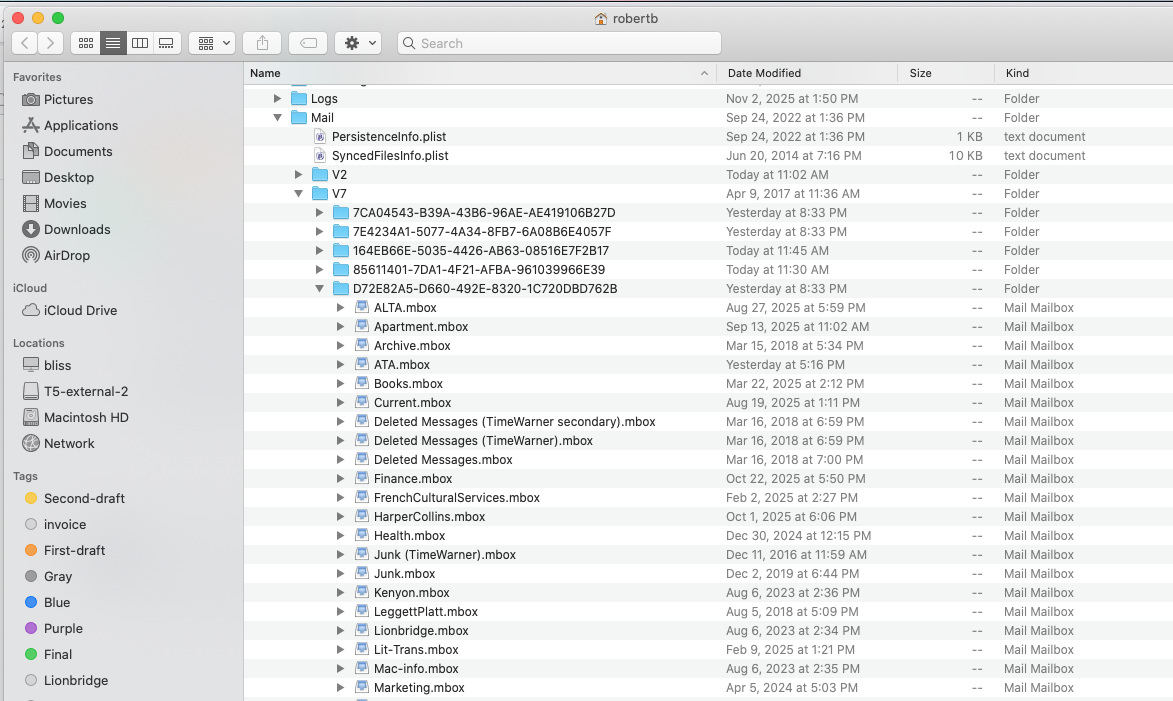
For mail to be visible on the iPhone and iPad, it must be stored in the Cloud. For mail at an Apple Mail-related address (mac.com, me.com, iCloud.com), it must be in iCloud. When you open the Mail app, do the mailboxes appear in the iCloud or On My Mac section? If they are in the On My Mac section, they won’t be visible on your iPhone.
If you use Rules to redirect mail to a mailbox, then that is a ‘real mailbox’, but it is visible on a mobile device only if it is in the Cloud (iCloud, Gmail, etc). Smart Mailboxes are logical constructions that combine mail meeting certain logical conditions. There are no user-defined Smart Mailboxes on mobile devices; on a Mac, they are defined via an entry in the Apple Mail Mailbox menu.
Note: Some system-defined Smart Mailboxes are available. For example, the All Mailboxes box combines the inboxes from all accounts that Mail can access; Today shows all mail from today in those inboxes.
1 Like
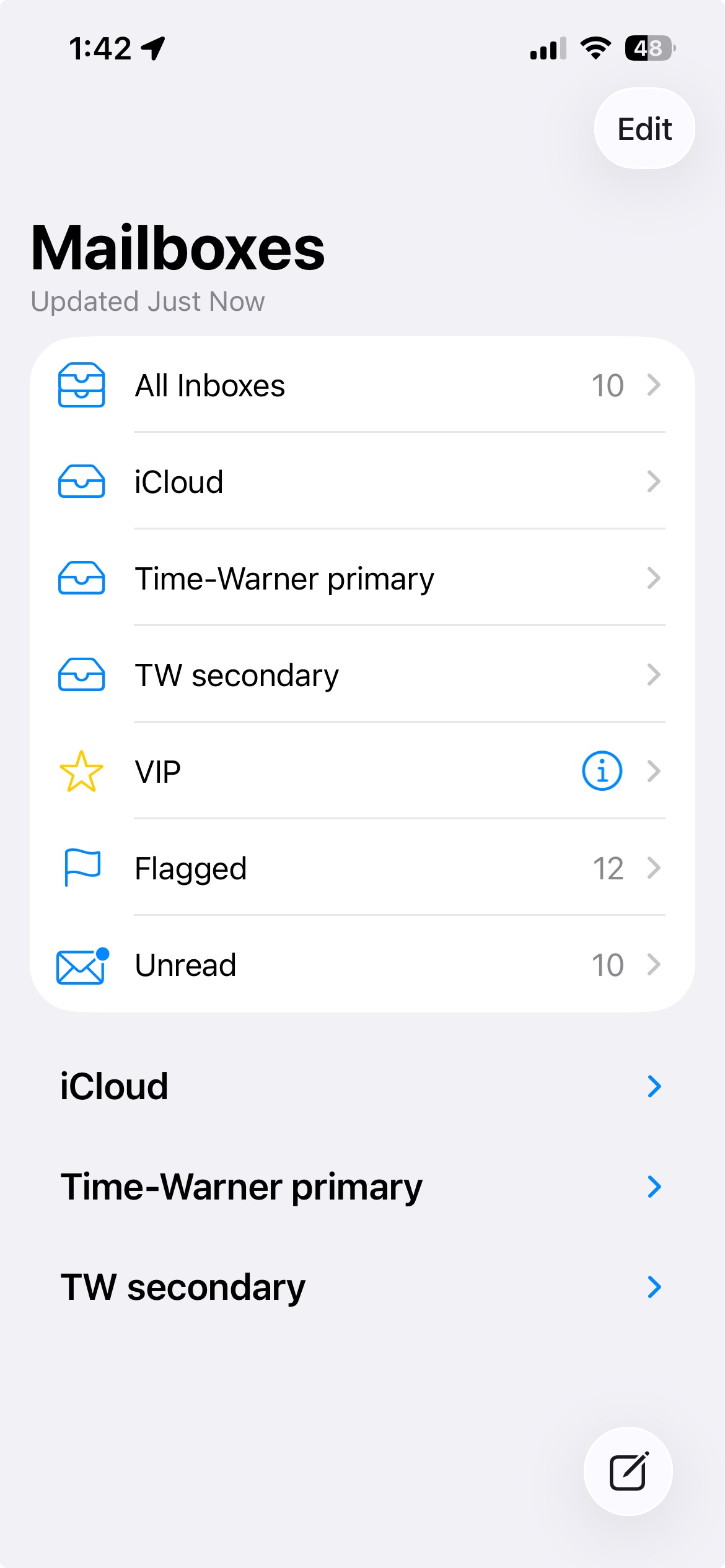
I don’t have any Apple-related mail addresses that I know of. I have iOS Mail set to List view of mail from “All Inboxes.” If I open > for my primary email address, all I see are the default mail folders, none of the folders I have created.When I open Mail on the desktop, all the mailboxes are in “On my Mac”. On the iPhone, I simply see my default mail accounts and the iCloud account. Looks like this:
And opening the primary mail account reveals the following (similar to desktop mail but with none of the subfolders):
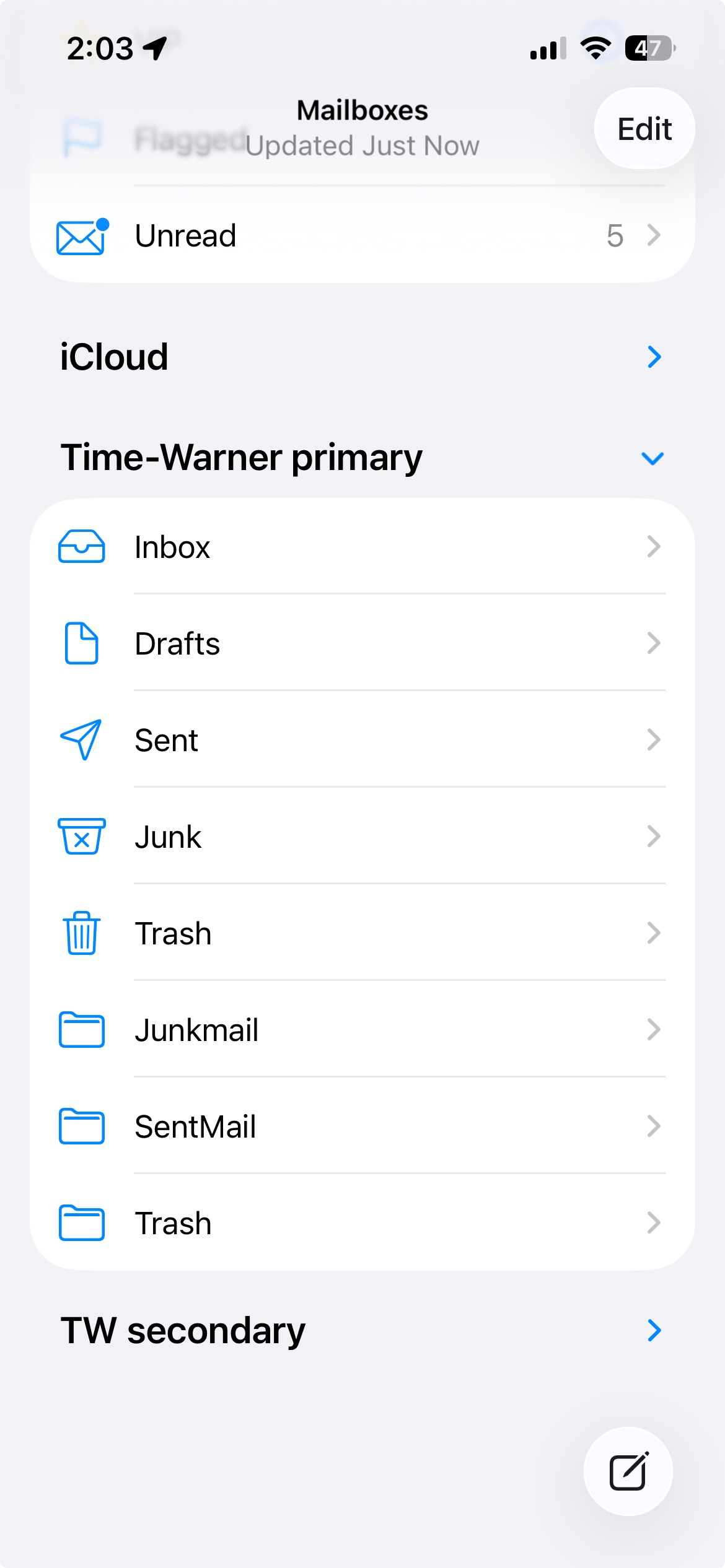
So that’s your problem. Your iPhone cannot see mailboxes that are ‘On Your Mac.’ It can only see mailboxes in the Cloud. You need to have your mailboxes in your Time Warner primary account, not on your Mac.
2 Likes
Oh, hmm. I thought all the mailboxes on my Mac were already in iCloud. Guess I was mistaken. Not sure how to make that transition though. I wonder if simply dragging the mailboxes to the TimeWarner section of Mail’s mailbox panel would solve the problem?
You also need to stop doing stuff in the Mail folder inside the Library folder on your iMac. That can only lead to disaster, which is why Apple hides that Library folder by default. Everything should be done in Mail.
1 Like