Is there currently any way of running older macOS versions than your Mac’s age in VM’s or suchlike, on Apple Silicon machines?
Love to be able to run Catalina somehow on a newer OS like the upcoming Tahoe.
Is there currently any way of running older macOS versions than your Mac’s age in VM’s or suchlike, on Apple Silicon machines?
Love to be able to run Catalina somehow on a newer OS like the upcoming Tahoe.
Older OS’s may or may not work in VMs. Historically, it has worked, but a lot of it will depend on what kind of hardware the VM is emulating.
Note, however, that no VM technology can change the CPU architecture. So you’re not going to be able to run an Intel macOS release on Apple Silicon using a VM. You might be able to do it through emulation, but that’s not the same as virtualization.
See also:
So that’s likely no then for 10.15 Catalina? As it wasn’t until the next macOS version, 11 Big Sur, that got both x86-64 & ARM64 versions.
That’s unfortunate.
Still waiting (likely in vein) for Apple to re-add the editing of Category/Year/Description fields back to the Books.app – IMO, annoyingly removed for no reason from what is supposed to basically be a database app of your ebooks. Like these fields were meaningless to users or something. 
It definitely won’t work through virtualization.
There’s no technical reason why it couldn’t work through emulation. It will depend on how well the emulator is written. You might want try UTM - its home page says virtualization on Apple Silicon requires Monterey or later, but it also says that it can run x86 builds of macOS through emulation.
Of course, emulation always involves a significant performance hit, but depending on what you’re doing, it may still be acceptable.
On Apple Silicon you are limited to Monterey because that is the first macOS to deliver both hypervisor (foundation added to Big Sur) as well as the Virtio framework that provides for Apple silicon macOS virtualization.
And note that functionality will be limited too as with every successive macOS major version since Apple added bits and pieces that weren’t back-ported to older macOS versions.
Anything older than that and you’re looking at emulation.
Mostly the latter. The hypervisor runs on the host, not the guest OS.
The big deal about VirtIO (a concept not limited to macOS - Linux has had the libvirt library for a long time) is that your VM environment doesn’t have to emulate specific hardware.
For example, if you want your VM to provide digital audio, it would have to emulate some kind of well-known sound card (e.g. a SoundBlaster 16 is popular on PC platforms), so that the guest operating system can use it’s built-in device drivers to interface with that emulation.
This works reasonably well, but only up to a point. If your physical hardware’s capabilities are significantly different from the emulated hardware, the guest operating system won’t be able to take advantage of them. And performance may be poor, if a lot of translation is needed to map the emulated hardware’s APIs onto the real hardware (or the host system’s APIs).
Virtual IO solves this. The hypervisor doesn’t emulate specific hardware, but emulates the hardware’s capabilities through a generic API. The guest operating system then uses VirtIO device drivers that are designed to communicate via this API.
In the case of macOS, Apple provided VirtIO support starting from Monterey (12). macOS 12 and later defines VirtIO devices for its hypervisor to use, and it includes device drivers that are designed to communicate with those VirtIO devices. So a Mac running macOS 35 (  ) should be able to virtualize macOS 12, assuming the CPU remains compatible. macOS 12’s VirtIO device drivers should be able to talk to the macOS 35 hypervisor’s VirtIO devices.
This concept has been used in VM systems elsewhere for quite some time. For instance, VirtualBox (on PCs and Intel Macs) defines VirtIO devices (the concept, not the same software) for a wide variety of device classes and it includes “guest addition” software (for supported guest operating systems) that include device drivers for using these devices. (Guest operating systems that can’t use the guest additions must use the older technique - the hypervisor emulating specific real hardware devices, which can be used by the OS’s built-in device drivers).
In theory, you could run Big Sur (macOS 11) in a VM on Apple Silicon, but since Big Sur doesn’t include any VirtIO device drivers, it would require someone writing appropriate hardware emulation code for the hypervisor that Big Sur’s drivers can use. This, while theoretically possible, probably requires information that Apple hasn’t published (e.g. the register-level API for the Apple Silicon GPU) and/or the ability to install new kernel device drivers into the guest macOS (difficult or impossible these days, thanks to macOS security). So it’s isn’t likely to happen.
The really big question though is even if you got macOS running under Intel emulation, the virtual hardware support is somewhat lacking. Running macOS under QEMU (or its friendlier face UTM) is akin to running a Hackintosh on top of a machine that has devices that macOS didn’t have drivers for…
In particular, you’re likely to have issues with the functionality and performance of the video display. Typically those emulated graphics adapters (yes, even virtio drivers) are not Metal capable so anything in the guest that wants to use them to accelerate the display are going to be sorely disappointed. (software rendering of graphics acceleration does indeed suck). Apple’s virtualized graphics drivers for the Virtualization framework on Apple Silicon are a notable exception because they know all the secret sauce of a Metal-compatible GPU driver.
IMO while we can wish that there would be a breakthrough in Intel CPU emulation, given that there’s not t a 1:1 mapping between the two architectures (and the difference in memory layouts that Apple had to provide a hardware “cheat” for in the Apple Silicon Macs to get Rosetta to work well) means that it’s highly likely that more than 1 ARM instruction will be needed for an Intel instruction.
I vote for getting the newest Mac you can find to do the job if you need those old macOS versions. And then run it until it croaks.
Or find a used Mac mini that fits your purposes and ‘run’ it with Remote Desktop. Quite okay IMHO as long as no gaming is involved
That’s exactly what I ended up doing, specifically for some scientific apps that are stuck at 32-bit because the grad student or post-doc who wrote them moved on long ago. It works well enough that I bailed on Apple’s Music and reverted to iTunes on the mini as well.
Oh iTunes… we knew thee so well.
I have 10.13 (as well as 10.4 and 10.7) running under UTM, so it’s doable. However, 10.6 won’t run under UTM, so 10.15 might or might not work.
See the following sites:
And for my purposes was superior to Apple Music in so many ways!! 
Out of interest, iTunes is better for you in what ways?
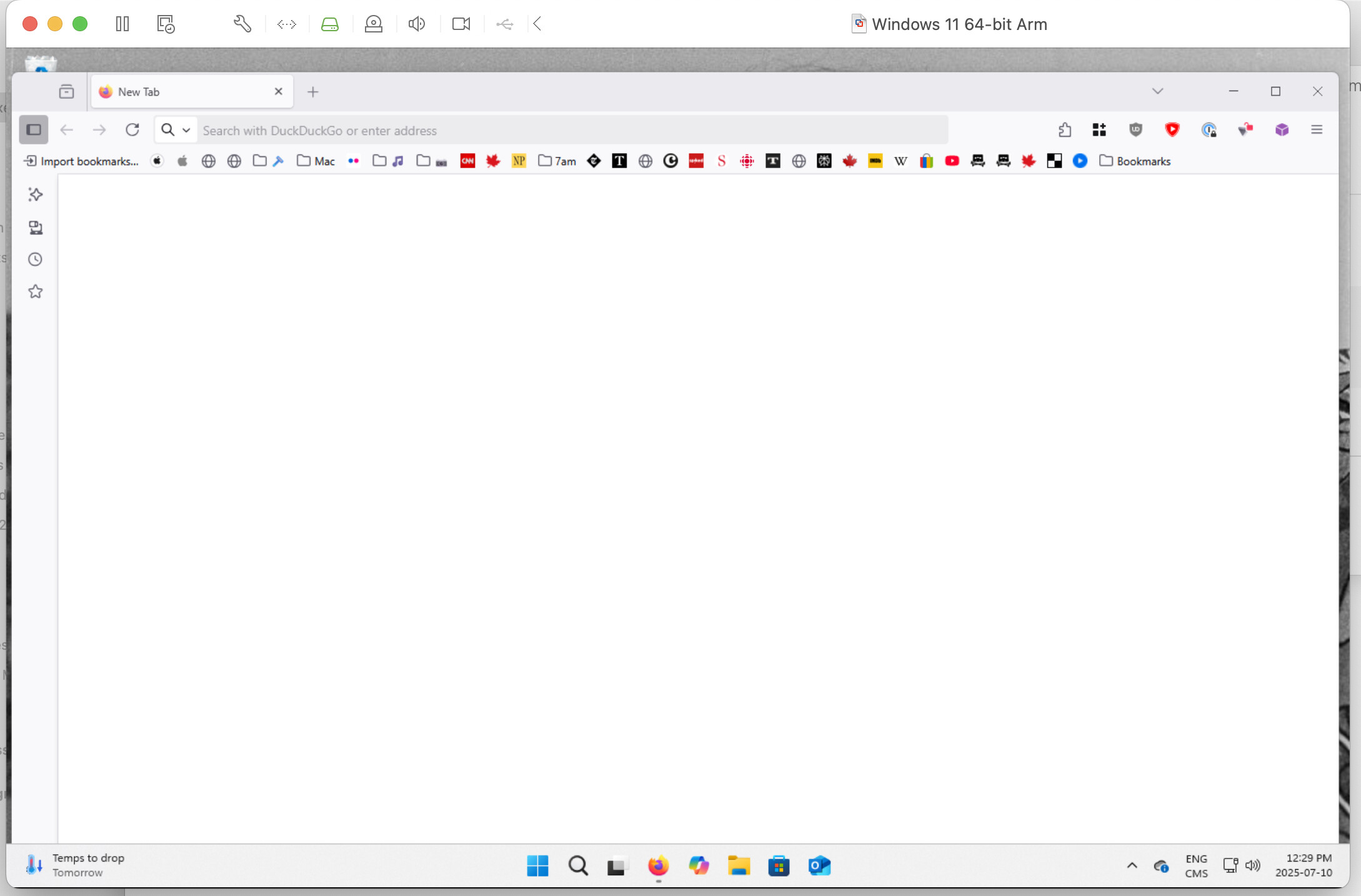
I have what may be a silly question: Inspired by this thread I installed VMWare Fusion and set up a Windows 11 VM. However, there are no application menus on the top of any application windows. Is that a known issue with Fusion, or am I missing a setting somewhere? Maybe I have to pay $189CDN to activate Windows 11 to see them? I’m only doing it out of curiosity, so if it’s the last I’ll just delete the whole thing.
First off, I have absolutely no use for streaming music. I have very specific music likes and I have over 25gb of music I love in my iTunes library.
Second, the interface has greatly changed over the years and I just prefer the way things looked in iTunes. Apple seems hellbent in recent years with changing the way things look rather than improving the way they function. This applies to macOS as well, not just to iTunes.
Last but not least, I was one of the very few people who loved the brushed metal look of iTunes, QuickTime, et al. On my classic Macs, I can still enjoy that look!
Thanks for asking.
iTunes handled audiobooks reasonably well. It was especially great the larger your collection is. Books.app is a terrible audiobooks manager, even with a small collection.
Doable: yes.
Works as expected: Debatable. Chances of “things that don’t quite work properly” increases with newer macOS releases.
Performs well: not to my expectations. Yours may vary.
Presumably your main beef, is Apple still limit media storage of ebooks/audiobooks to have to be on the Mac’s internal drive, don’t they. So if you have a large audiobook library, the media files cannot be offloaded to external storage anymore.
Why Apple thinks that’s ok and won’t cause users issues thus annoyance, is anyone’s guess… apart from the conspiracy theory of wanting to sell more of their marked-up storage, lol! 
Please post a screenshot showing the behavior, along with the type of Mac and the OS you are using.