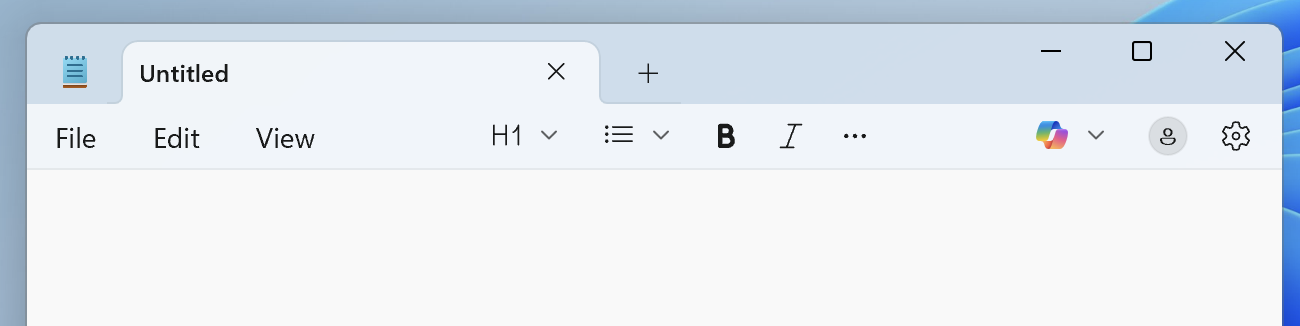
Believe it or not, that’s how browsers are intended to look on other platforms these days. Firefox, Edge, Chrome…they’ve all ditched the traditional app menu for those silly hamburger/ellipsis menus.
I can enable the title bar, but there are still no menus to be seen within it. Looking at the other installed apps (Outlook, Edge, Notepad) none have any menus at the top of their windows. Is this how Windows 11 is supposed to be?
I have a converse question, (no, not the sneaker ). I’m currently running 10.15.7 Catalina on a 2008 vintage MacPro with a metal capable graphics card using the Dosdude’s setup. It works fine but Safari hasn’t kept up with many recent website requirements. Is there any Dosdude type workarounds that could get me to at least 11 or 12? I’m not sure I’m ready up for the OpenCore route.
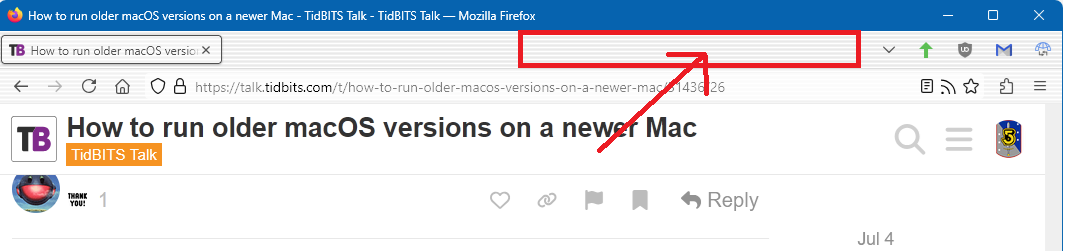
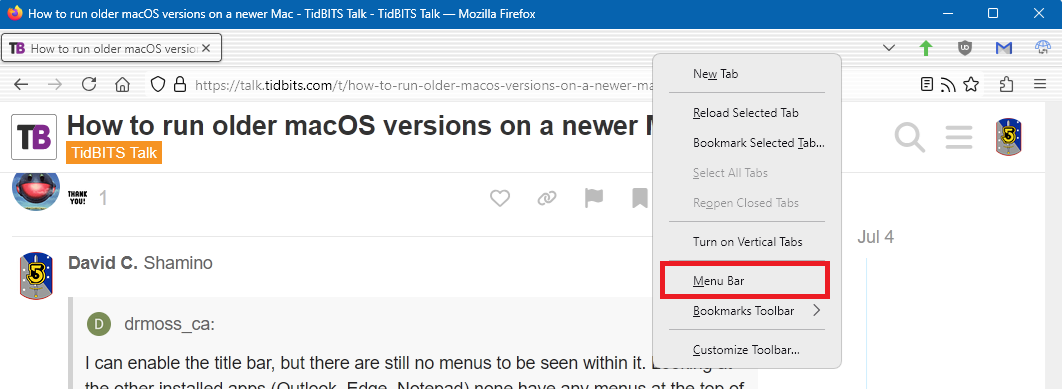
It depends. In Firefox’s case, you can enable the other menus, too, so that it mostly looks the same as on a Mac, though Mozilla makes it hard to find the settings.
I do find I need to run through a bunch of Windows settings to get it to behave like I want it to. The same hatred for visible scrollbars exists in both Apple and Microsoft.
FWIW, here is what Notepad looks like on Win11 on my Mac:
It’s how Firefox and many other recent apps (including Microsoft Office) work these days.
But it is configurable (at least in Firefox). Right-click in the tab-bar and the pop up menu has an option to re-enable the menu bar. Or you can tap the ALT key to temporarily show the menu bar.
Ah, the alt/option key works, but I get no option to show menus by right-clicking on the title bar. Looks like I can delete the VM and experiment with other flavours of Linux. I have a very old MBA (first version ever) dedicated to Linux Mint. Any recommendations for which to try out—for fun—in the VM?
I’ve mentioned this before, but some versions of iTunes still work under Sequoia and older OS using either Retroactive or using a script provided in this thread on MacRumors:
There has been some testing on Tahoe betas and some versions still work. Of course, this does not mean that every feature will work but for regular listening of your own music which is what I use it for as well as free streaming stations, it’s fine. Under Sequoia, iTunes 10.7 still works and that is my favorite version.
 ). I’m currently running 10.15.7 Catalina on a 2008 vintage MacPro with a metal capable graphics card using the Dosdude’s setup. It works fine but Safari hasn’t kept up with many recent website requirements. Is there any Dosdude type workarounds that could get me to at least 11 or 12? I’m not sure I’m ready up for the OpenCore route.