Those reminded me of another great use of YouTube videos: watching somebody assemble Ikea furniture. Using Ikea’s printed instruction sheets are truly like learning a new language!
For example:
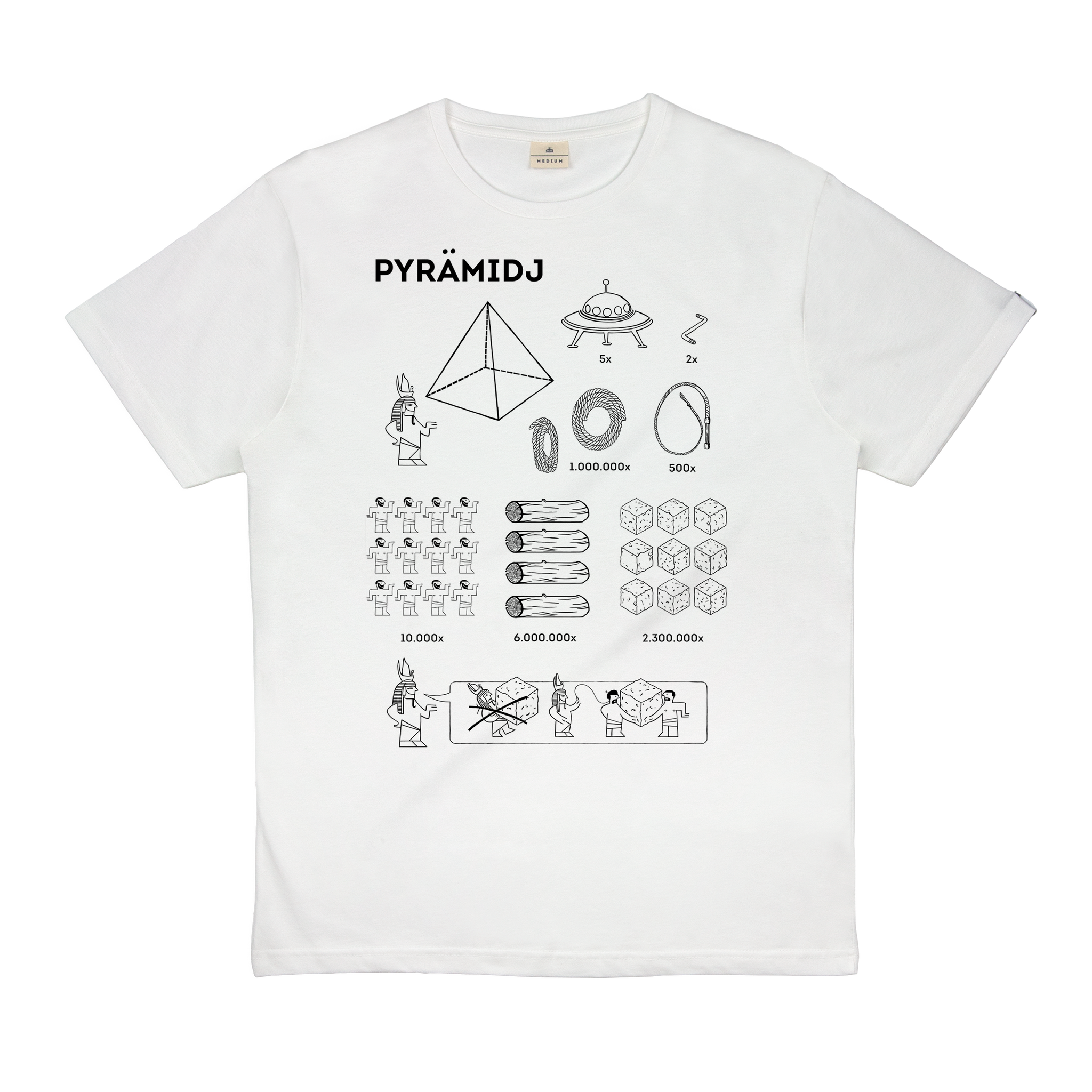
;-)
Those reminded me of another great use of YouTube videos: watching somebody assemble Ikea furniture. Using Ikea’s printed instruction sheets are truly like learning a new language!
For example:
;-)
Because you never know when Google might decide to shut YouTube down.
Key line 49 seconds into the video: “I encourage everybody to watch as many videos as possible before YouTube deletes everything tonight.” 
Was the video published on April 1?
Yes. And by The Onion no less.
I use YouTube videos for research purposes. I need to download and do linguistic analysis offline.
Fascinating! Perhaps there’s an article in this. Any other reasons people download?
I use a lot of combat footage in my military history classes and the classroom wireless can be spotty. Downloading ahead of time saves me that worry.
What is the item in the upper right? I have screwdriver that looks like that, or it might be a crank. In either case, for what? Perhaps that item is complete the Ikea reference?
It’s a hex wrench.

Dave
Yes, and just about every piece of flat-packed Ikea furniture relies on dozens and dozens of hex screws (IYKYK). So a tiny, not-very-effective hex wrench is always included in the giant bag of fasteners, connectors, and other bits that is part of unboxing a you-assemble-it Ikea purchase (pro tip: get a hex screwdriver bit for your cordless drill).
I’ve been using ClipGrab, too (very, very infrequently, though,) but yesterday, when I launched ClipGrab, I saw a notification saying “Intel applications will not be supported in the next macOS.” (I run macOS Tahoe 26.4.1.) So, it seems ClipGrab has no future.
According to Jon Gotow’s Go64 app, I currently have 17 apps built with Intel architecture, one of which is ClipGrab. (Others include various Scanner apps, and a few “Cisco Webex Meetings” apps.)
Use that bit on a manual screwdriver. Don’t use power tools when assembling flat-pack/particle-board furniture. It’s far too easy to overtighten the screws and strip the wood.
I’ve actually had no problems with the hex keys that come with Ikea furniture. They’re not as good as the Stanley set I have in my tool box, but they will last long enough to get the item assembled. And it’s pretty hard to over-tighten the screws using these right-angle keys. Get it as tight as you can get it by hand, and you’re usually right where you should be.
Yes. I make greeting cards and other crafts and sometimes I want the videos accessible on my iPad. I also use the SAVE feature.
Too many reasons to count. I just haven’t had the chance to jot them down.
start with Google ads interrupting videos at the worst times.
then consider learning to play songs by watching the videos. I’ve found no platform that lets you pay and play and loop videos. This also is true for teaching students.
This famous video is left by John Tesh— very entertaining to see how his composition process works. Apparently it’s deliberately free to all. About 2 1/2 minutes in, you see a violinist harmonize with the electric guitarist. It’s fun to see two wildly different instruments play the same notes in the same measures. I point that out to music students to get them excited. There’s no reason you couldn’t do the same measures with a different instrument. An organ! A xylophone! An oboe! A tuba! Or combine two of those in a duet! Doesn’t that sound like a way to have fun?

That’s awesome.
Not seeing that on my Tahoe laden M1 Max. Perhaps you may need to update Clipgrab?
I had version 3.9.14, but after seeing your post, I updated it to version 3.9.16. Jon Gotow’s Go64 app still says ClipGrab 3.9.16 uses Intel architecture, not supported in macOS 27.
The notification does not come up each time I launch ClipGrab - it just appears infrequently. (I tried launching Black Ink app, another Intel app I have, and there was no notification. Tried ClipGrab, too, and no notification, either. So far, I have seen the notification just once.) So the notification is not a reliable source of information; Go64 is.
A combination of 2 reasons:
For informational YouTube videos, I’ll watch them from Youtube via the web browser on my Mac – which is the majority of the time. But entertainment videos are a corner case for me.
I just downloaded the current version of ClipGrab and manually inspected the package contents. Indeed, the binary is an Intel-only “Mach-O 64-bit executable x86_64” file.
From what I gather, ClipGrab is an open-source GUI for the youtube-dl command-line program. Since youtube-dl exists for non-Intel architectures, maybe it won’t be too difficult to compile ClipGrab for Apple Silicon.
I see that ClipGrab’s support forum is down, but maybe someone at support@clipgrab.org can say if an official Apple Silicon version is planned.