This time last year I re-created a 32 year old classic Macintosh app: Stapler
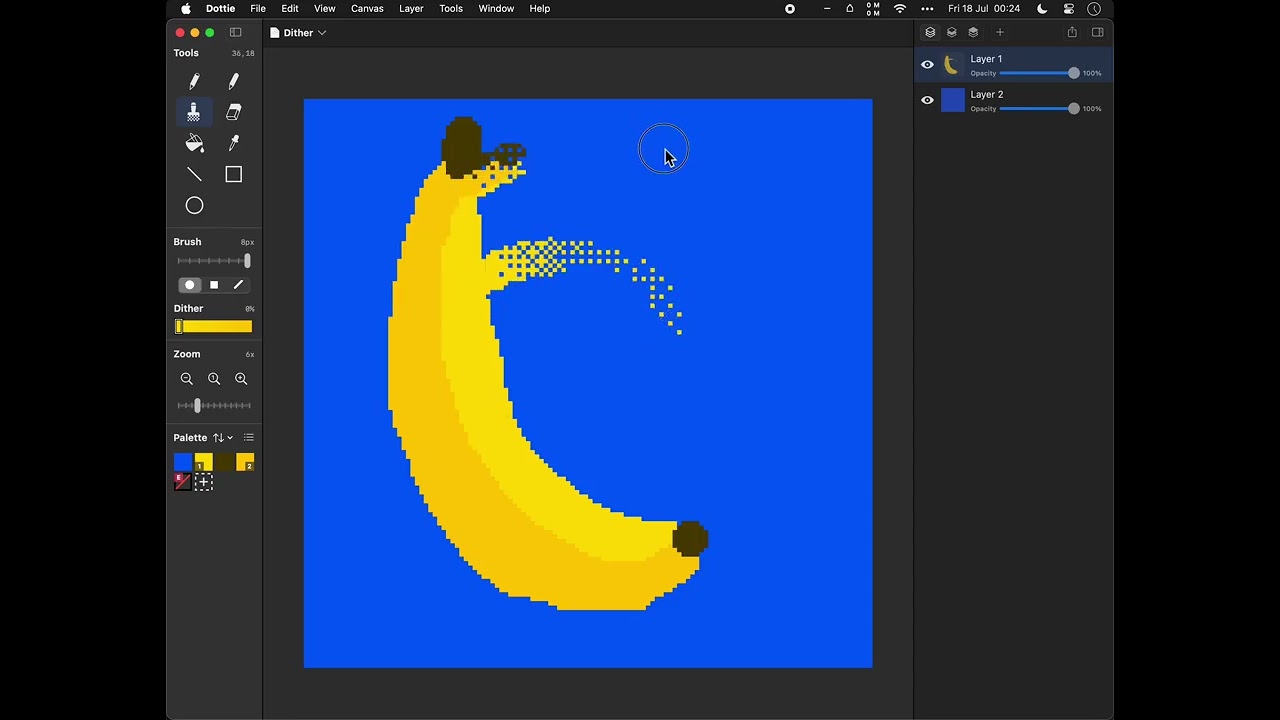
This year I’ve been working on a pixel art editor, I’m calling it Dottie.
I consider myself a game developer above all else, even though I have a very broad set of skills. So I make a lot of games, having even been lucky enough to get a spot on “Best Games of 2023” next to Super Mario Wonder and The Legend of Zelda: Tears of the Kingdom.
But I’ve long been disappointed in the pixel art apps that are available for MacOS for developers like myself to use. Few good native apps, and some wrapped web apps. Nothing with a good user interface (imho, as a former Apple engineer). There were more pixel art apps in the Classic Macintosh era. But the Mac has never really had many great pixel art tools for whatever reason. A Japanese app called Blue Paint (download for MacOS 8) is probably the best of the old bunch. Whilst other platforms had it much better. Here’s a big list.
So, I thought I’d create one. Mostly to fill my own needs but also to go on the Mac App Store. iPad version might follow. The goal is for it to work with modern technology and processing power on full colour images with limited colour palettes. Offering features that are completely new and innovative, and reintroducing useful features and techniques that have been forgotten about for decades. Plus, lots of dithering.
Right now it runs in macOS 12 and up.
Currently on TestFlight. If there are any budding artists on Talk, send me a DM for an invite.
This video shows dither smudge brush, AFAIK last seen in 1992!