I find the Widgets really useful to get glanceable information on both my iPad and iPhone. The Contacts widget I use a lot to get in contact with my closest coworkers and my family. The Smart Stack I haven’t been able to configure - it seems a bit unintuitive, or am I just stupid?
I just went through this. On the phone you can long-press the widget Smart Stack and tap “edit stack” and from here you can remove any widgets that the device has added, and if you hit the “+” control top-left you can add widgets that may be missing to the stack, and I you can also long-press and drag the widgets into different positions in the stack, if that makes them more useful. You can also turn off the “smart rotate” feature, which will stop the device switching the showing widget to what it thinks would be useful at that time, and turn off widget suggestions, which I believe is supposed to add widgets that the device thinks may be useful.
1 Like
Thanks Doug - I was a very unclear. What I really meant was that I can’t configure the Smart Stack on my Apple Watch (Series 4). I have managed to get in a state where I have been able remove Widgets but not being able to add Widgets…
Mac Old Dashboard: I used to use that a lot! Still miss it. Much more intuitive and convenient (at least for me) than the modern arrangement: I’m an iMac person, so having an entire dedicated desktop for arranging my (personally chosen) widgets visually in categories, in a way that made sense to me–and never having them scroll away if there are “too many” of them–was a muscle-memory-stable part of my workflow for years. SIGH --But then…I’m old. ;-)
New widgets…not so much. At all. Don’t use them on my phone or iPad, ever. Didn’t know about the notification screen in Monterey for about a year after I installed it; hardly ever use that, either. (My phone takes care of notifications.)
Oh, and Simon: it was F4.
1 Like
I also liked Dashboard a lot — so I’ve a few macOS Sonoma widgets — Weather, Time, Photos etc — set to show on a click (‘Never’, ‘Always’). But that’s the only place I use widgets, can’t stand them on an iPhone or iPad…
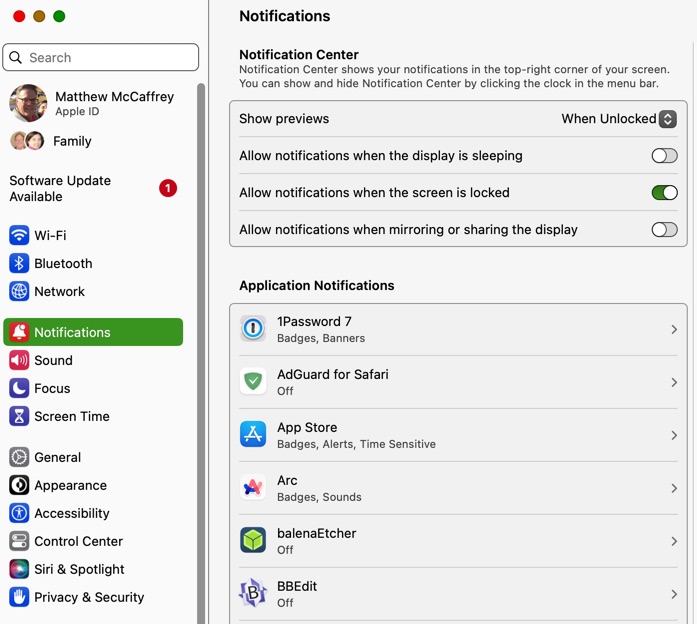
These Notifications are often turned on by default when you install an application or an app. You should see a Notification from the Notifications control panel letting you know either that it has happened or that the app “wants” to send you Notifications when certain things happen. You can control them on MacOS in System Settings—>Notifications.
On iOS, go to Settings:
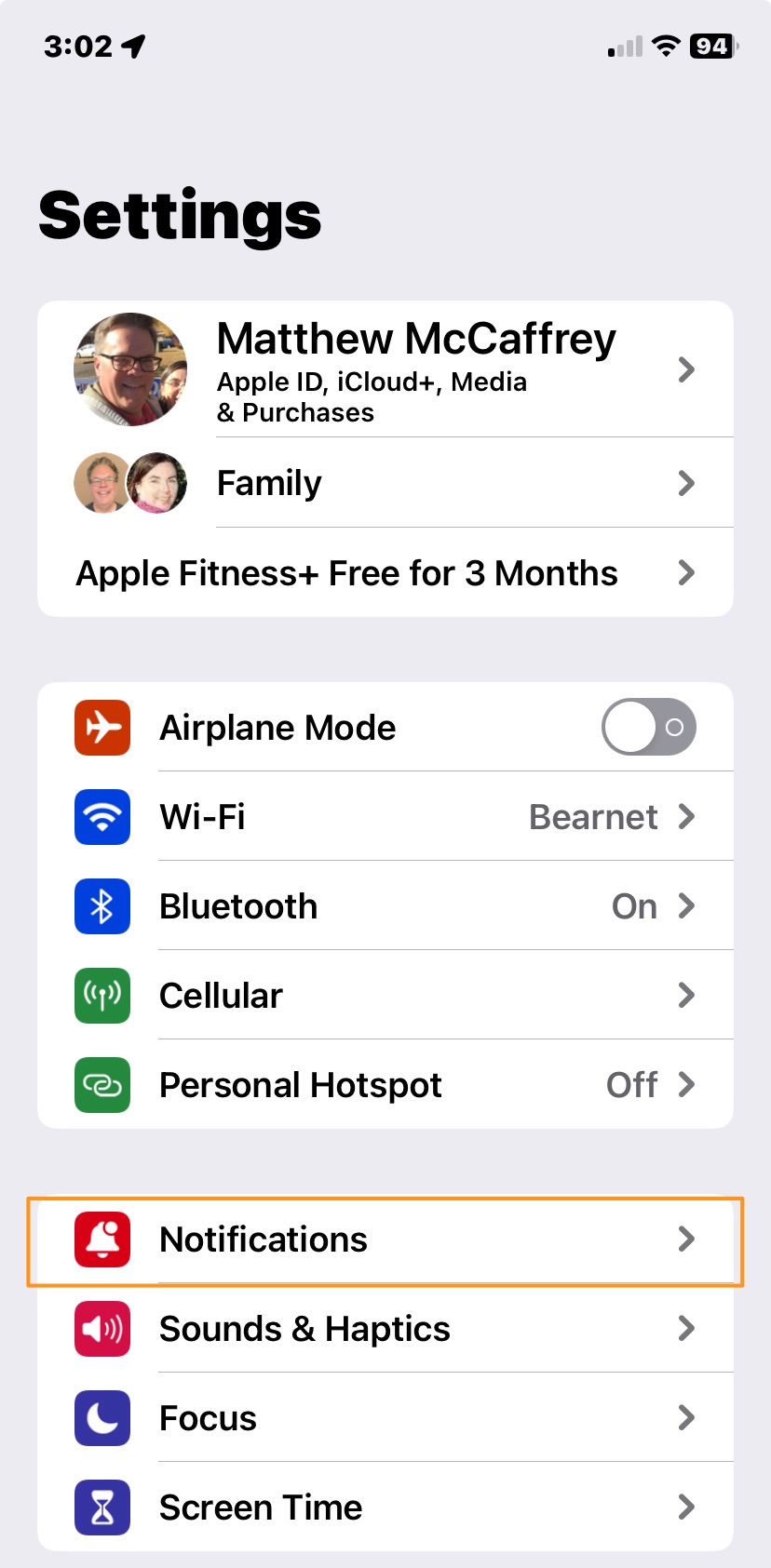
You can control for each app listed whether it sends any notifications at all, or what kind(s) it sends.
Hope this helps!
1 Like
The problem is that it is, as usual with Apple, too complex to install them. If they made it drag and drop easy, and easy to find how to add or remove, more people would adopt them. IOW: too many clicks for no reason.
However, having said that, I find them to be of limited use and just one more thing my brain bandwidth cannot multiprocess. I’d rather just open a weather app when I want the weather. Not all the time.
Some are also unhealthy. Looking at the stock market all the time will make you a terrible investor of your retirement and investment accounts. Stock brokers aside…
I do find Music on the lock screen useful. But, did I install that? Is that even a widget? I can’t even remember. I suppose that is how critical the widget feature is.