I guess give them time and they’ll rebuild the Ship of Theseus. 
2 Likes
I use both bookmarks and tabs. Book marks are for things that look like they might be interesting someday. Book marks are somewhat organized in folders (more or less).
I keep 20-30 tabs open for regularly accessed pages (everyday or at least every week access).
1 Like
I typically capture 1000+ instances of text from the internet per month, pasting them into a BBEdit text file.
I have been using a Shortcuts automation, triggered by
shift-command-7 [shift-7 = &]

and I have been messing around with ChatGTP to write a script to grab text from Facebook Event pages (unsuccessfully, Facebook pages are monsterous)
And, I’m thinking I will download Keyboard Maestro …
1 Like
I (almost) always open links in a new tab. I also tend to close tabs as soon as I’m done w/the page, don’t like to have too many tabs open at the same time, I find it confusing & distracting.
1 Like
Pretty much ditto. Never liked tabs, and fortunately never had the need for more than a few (1 - 4 or so) windows to be up at a time. Since I worked for years with 3:2 displays, I was used to almost entirely hiding windows. In any case, the desktop Dock in macOS makes it easy to access any open app (say, Safari) window, whether open, hidden, or relatively recently closed. Now that is a feature I use regularly.
1 Like
Just to report it, this is an option on Safari on iPhone and iPad. Settings / Apps / Safari / Close Tabs - the options are manually, after one day, after one week, after one month.
1 Like
I know what a pinned tab is, I just didn’t know how to create one (or if I wanted to). And never felt compelled to find out. However, I just had a thought, “I bet if I right-click on a tab”. And sure enough. At least in DDG. When in doubt, right-click.
1 Like
Technically they are tabs, and I believe the default setting is to show them as tabs when you turn the phone landscape. (There is an option to turn that off.)
I have grown very accustomed to Arc’s tab features. My main space is my “work” space and I have 8 favorites pinned at the top, and enough more pinned tabs to fill the sidebar to the bottom of the window on my large screen. Almost all of my work is on a collection of different web apps hosted on different sites, and using the tabs (and “little arc” links) to move between them is incredibly efficient.
Pretty much the same - I dislike tabs, so I open links in new Safari windows until the list becomes unmanageably long, and the computer complains by issuing a work slowdown… Only about 100 Bbedit files open, most of which are text snippets pasted to remove formatting, or generated to include formatting that FaceBook et al discourage. All on two big monitors hovering about 8" above a 6" drift of papers on my desk. Nothing is ever really finished, so any notion of clean desk at end of day, or inbox zero is as absurd as giving up caffeine, or working a regular schedule…
1 Like
I easily have over 100 open tabs in Firefox and Chrome and no pinned tabs. Chrome is used for a few items and has “only” 56 open tabs right now. Since Firefox has a great auto-suggest of open tabs when I start typing a url, I don’t worry about bookmarks anymore, beyond a few that I check once each day and then close. Since pages don’t load until looked at, I have encountered no memory problems.
1 Like
I usually have many tabs open, this forced me to count them all:
462 tabs open, spread across 11 windows, in 3 desktops, and 3 different profiles. All of this is in Chrome. Occasional use of Safari and Firefox but not today. Have tried some of the other browsers mentioned in this thread but seem to always return to the familiarity of Chrome. Need to experiment more.
Have been using Notes more as a tool to replace bookmarks because I can add a few notes to jog my memory.
2 Likes
Prior to using Arc, I had a morning routine in which I had saved in Safari all the landing pages where my to-be-consumed media could be found. I’d open the single bookmark in tabs, and then right click links on each of those landing pages to propagate even more tabs.
Frackin’ mess, and sometimes enough to crash my Mac.
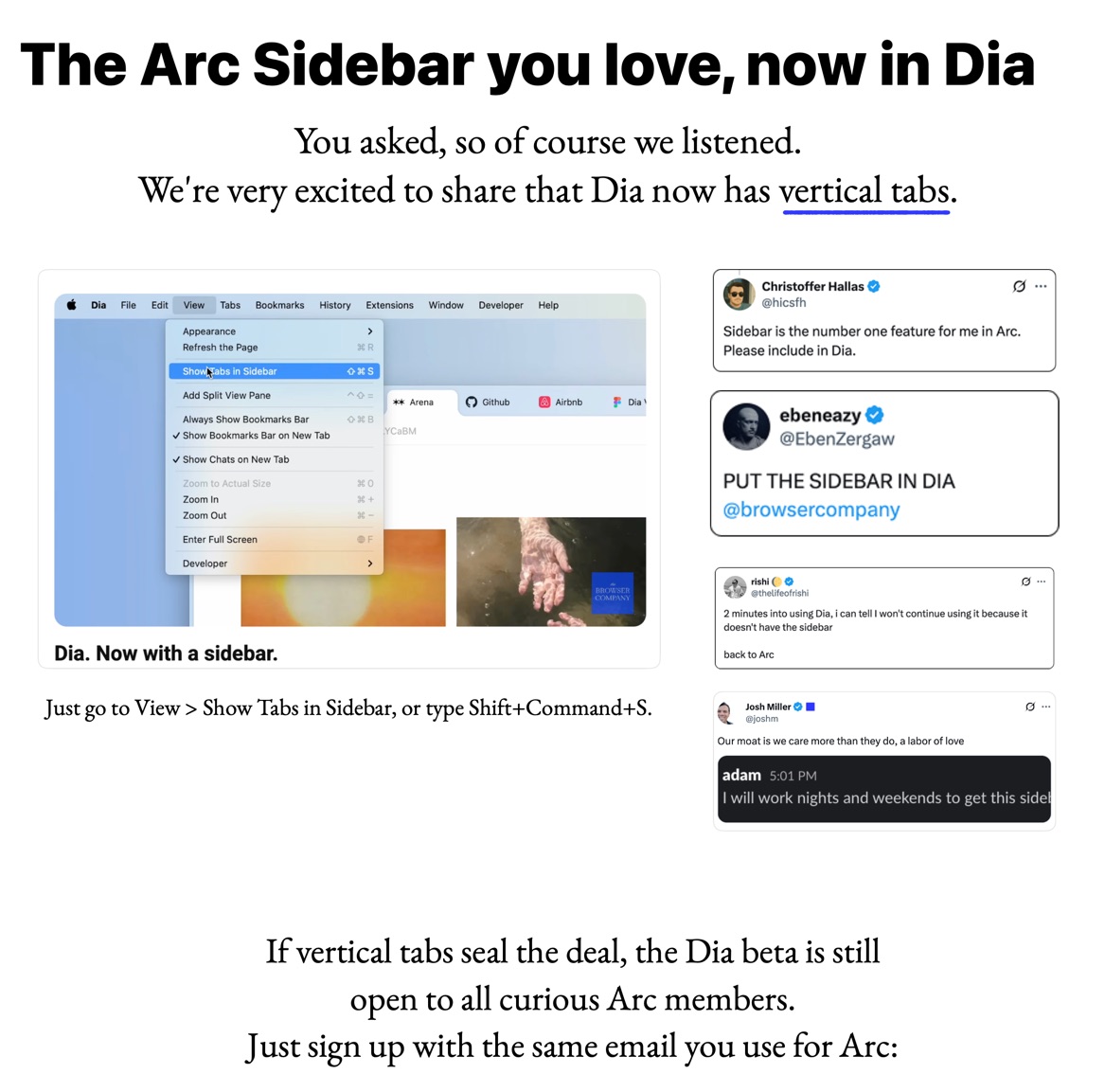
When I saw the notice in the latest Chrome update to Arc that Dia is now using a sidebar, and that the notice practically begs Arc users to try the beta, I was beyond amused. Oh, now they’re listening to us for real?
1 Like
What about Arc’s Spaces? They are a key part of Arc’s tab management. Not only to I rely on dozens of pinned tabs, but I also organize them across separate spaces for Personal, Work, and a Volunteer org. Each workspace has its own set of frequently used pinned tabs.
4 Likes
Missed
“how many browser windows do you have open at any given time”
(me)
15 to 20 on Mac
2 to 4 on iPad
“how do you organize your tabs”
- Ted Nuget style, “Free For All”
- tabs that relate to each other, grouped by browser window
- tabs that relate to each other in tab groups as supported by my browser
- other
I use Safari, and instead of huge numbers of tabs always open on a window, I use multiple windows, up to 3 or 4, each with a few tabs. Each window is usually for a different topic.
1 Like
I only have about 120 tabs open because I used Brave’s “Bookmark All Tabs” feature to convert the other 200-300 to bookmarks. Maybe I have a tab problem.
2 Likes
Firefox 4 windows – 1 visible w/ 89 tabs (5 pinned) + 3 minimised windows (34 tabs / 10 tabs / 23 tabs) with website for current/future projects, housing issues, purchases, etc.
Chrome 1 window w/ 13 tabs – Gmail x 4 addresses + Cycle racing websites as SBS (Australia) works best in this browser for me.
Palemoon 1 window, however this program is generally not open. Used for accessing my credit card’s website as Firefox often takes forever to connect. I also use Palemoon with the occasional website that doesn’t want to cooperate with Firefox.
Me, too! I loved Omniweb and its tabs. It took a long time for the other browsers to catch up. Now I’m rocking well over 100 tabs in groups in Safari.
1 Like
I wouldn’t recommend it as a primary browser, but note that there is a development version of OmniWeb. It last received an update just a few weeks ago.