The Verge Hails Chrome’s Belated Vertical Tabs

Originally published at: The Verge Hails Chrome’s Belated Vertical Tabs - TidBITS

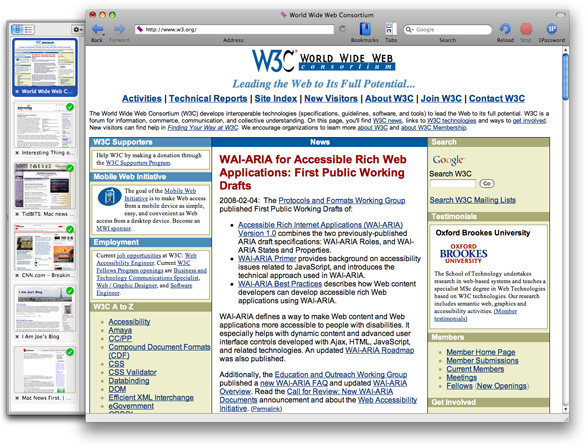
Those who keep more than a handful of tabs open in their Web browser should investigate vertical tabs, as I encouraged in “A Roundup of Vertical Tab Support in Mac Web Browsers” (5 June 2023). Prompted by the addition of vertical tabs to Google Chrome, The Verge’s David Pierce has now penned “Vertical browser tabs are better and you should use them,” echoing my argument for them in “Arc Will Change the Way You Work on the Web” (1 May 2023) when he writes:

All of this is to say: Vertical tabs are better and you should use them. It’s a simple matter of screen real estate. Virtually every modern computer display is widescreen, which is to say it’s wider than it is tall. Websites and web apps, meanwhile, are practically always vertical experiences. Whether you’re on a 13-inch laptop or a 32-inch behemoth of a monitor, the space from top to bottom of your computer is more precious than the space from left to right.

He also notes that vertical tabs are easier to manage because you can actually read their titles (words for the win!), work with tab groups more easily, and use browsers more like other apps, many of which feature sidebars.

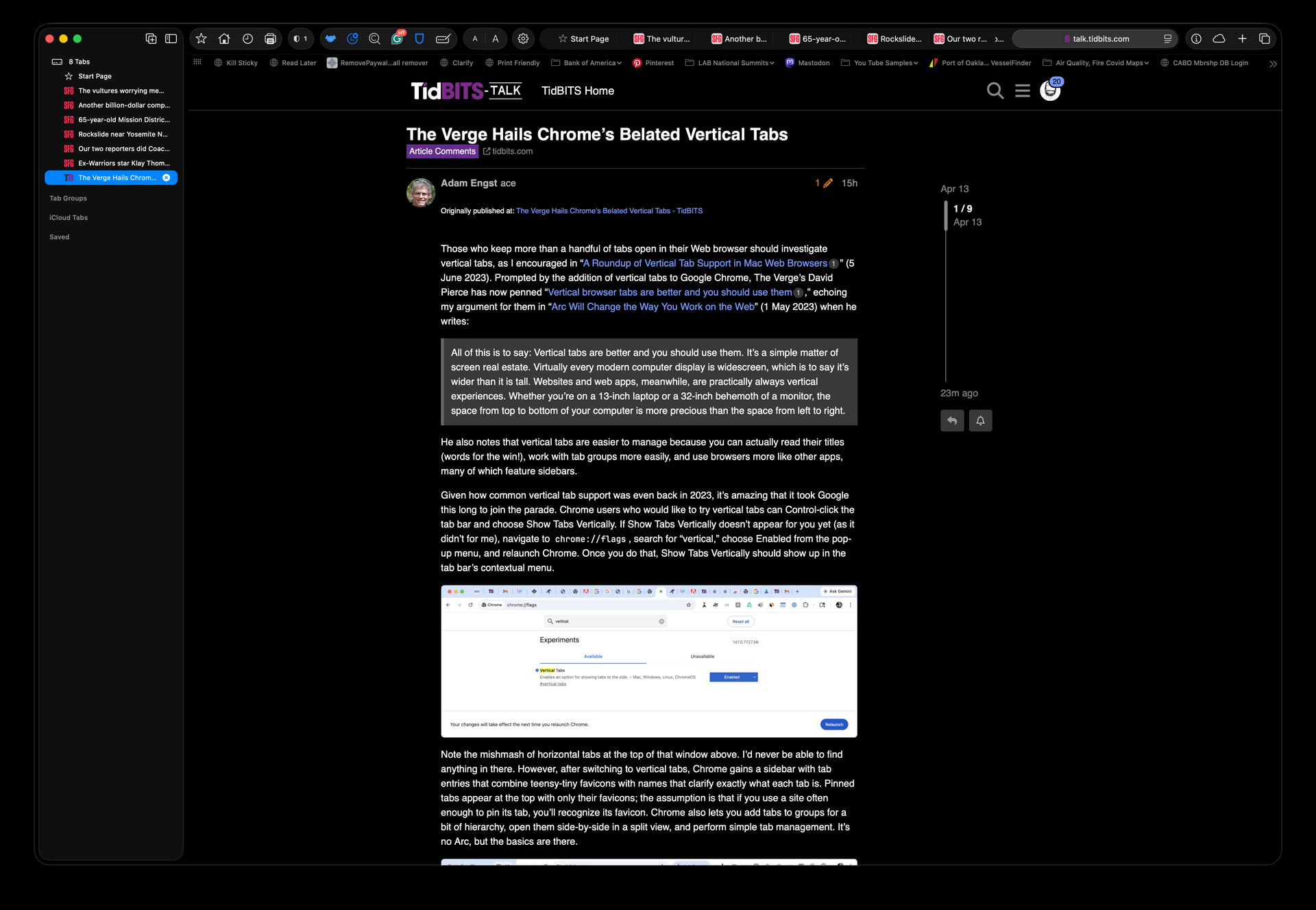
Given how common vertical tab support was even back in 2023, it’s amazing that it took Google this long to join the parade. Chrome users who would like to try vertical tabs can Control-click the tab bar and choose Show Tabs Vertically. If Show Tabs Vertically doesn’t appear for you yet (as it didn’t for me), navigate to chrome://flags, search for “vertical,” choose Enabled from the pop-up menu, and relaunch Chrome. Once you do that, Show Tabs Vertically should show up in the tab bar’s contextual menu.

Using chrome://flags to turn on vertical tabs

Note the mishmash of horizontal tabs at the top of that window above. I’d never be able to find anything in there. However, after switching to vertical tabs, Chrome gains a sidebar with tab entries that combine teensy-tiny favicons with names that clarify exactly what each tab is. Pinned tabs appear at the top with only their favicons; the assumption is that if you use a site often enough to pin its tab, you’ll recognize its favicon. Chrome also lets you add tabs to groups for a bit of hierarchy, open them side-by-side in a split view, and perform simple tab management. It’s no Arc, but the basics are there.

Vertical tabs in Google Chrome

And if you try vertical tabs and decide they’re not for you, just Control-click the tab bar and choose Show Tabs Horizontally to put Chrome back the way it was.
1 Like

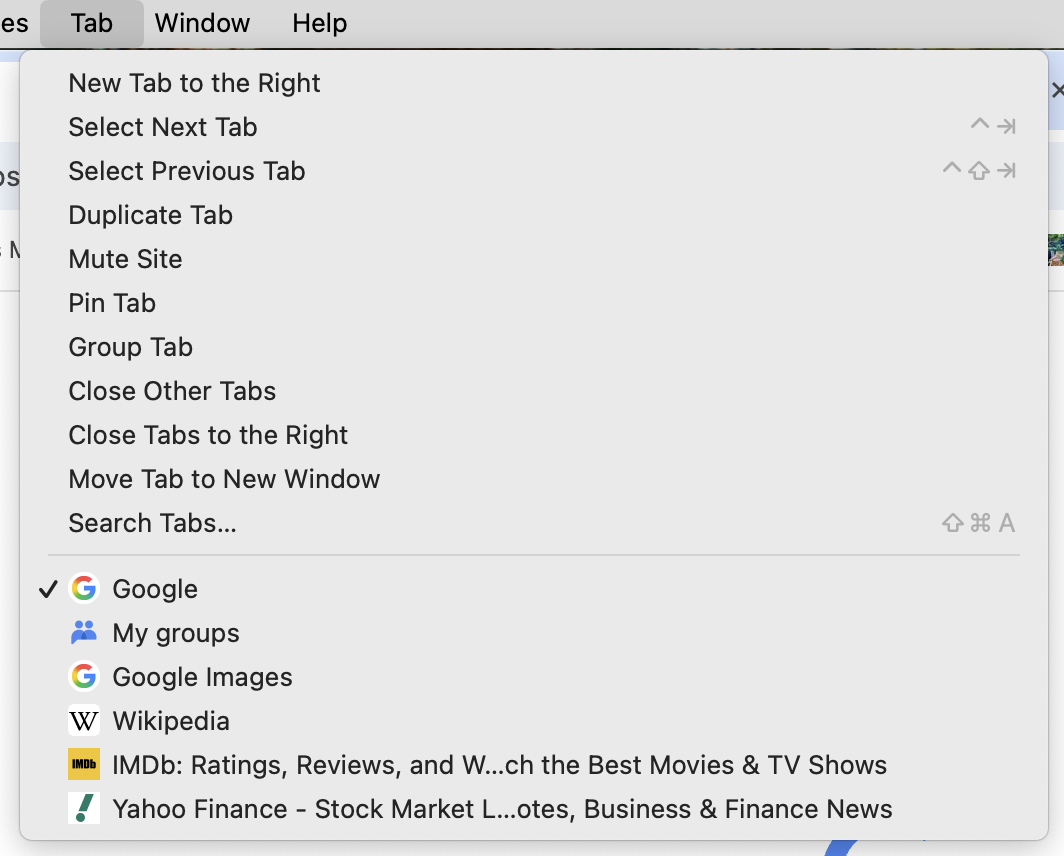
There are a couple of similar existing options too. The Tab menu has a list of all open tabs:

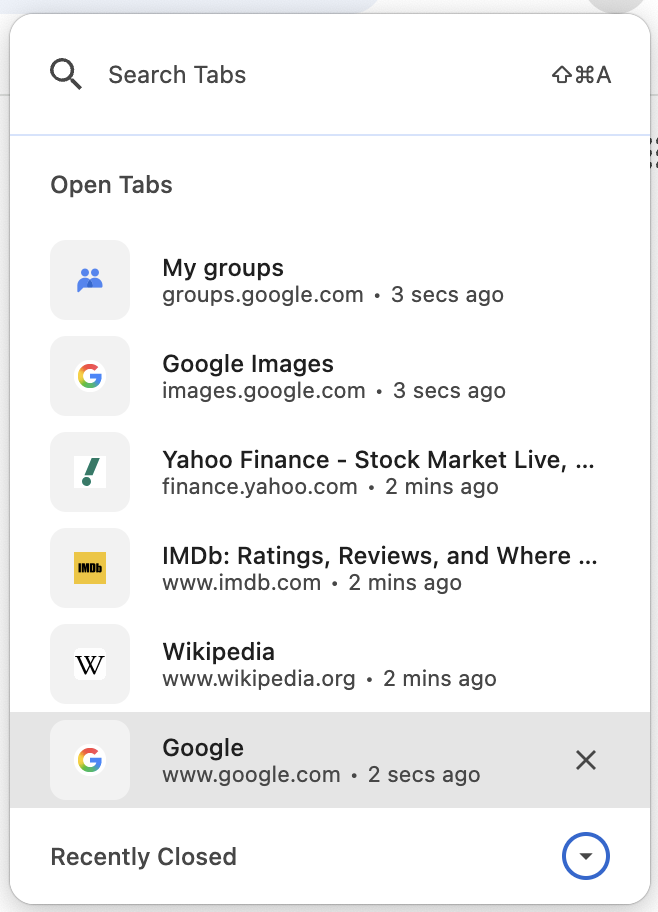
as does Search Tabs… (shift-command-A):

(it normally shows a list of Recently Closed too but I closed that to keep the screenshot shorter) where you can also type to search current and recently closed tabs. The advantage both of those have over vertical tabs (IMO), is they don’t consume a chunk of window real estate when not in use. (They share a disadvantage as well, in that there doesn’t seem to be a way to list the tabs alphabetically. That’s why Search Tabs… is nice because you can type to narrow down the tabs to where a linear search isn’t ridiculous.)

1 Like

OmniWeb!

6 Likes

Now if there was an setting or extension to all (any?) browsers to put the site name before a page name…

When I’m looking for TidBITS across tabs & windows, I’m looking to see the site name first, then the page title. Because “The Verge Hails Chrome’s Belated Vertical Tabs” does not, in my overload of tabs & windows, immediately bring TidBITS to mind.

That would require a good bit of custom code, I think, since the tab names are all working from what I assume is the TITLE tag in the HTML. Many sites put the site name in the TITLE tag, but after the page name. For instance, Arc shows this article as:

The Verge Hails Chrome’s Belated Vertical Tabs - TidBITS

Since there’s no guarantee of the sitename being in the TITLE tag, a browser would have figure that out in some other way.

I don’t have an issue with this because Arc lets you rename tabs, so I make sure any that are sticking around are named to fit with what I expect to see.

Unfortunately, the very concept is not possible.

In HTML, the page’s title, is the literal text of a <TITLE> tag in the document’s header.

For example, if you pull the source from this page, you see at the top:

<!DOCTYPE html>
<html lang="en" class="text-size-largest">
  <head>
    <meta charset="utf-8">
    <title>The Verge Hails Chrome’s Belated Vertical Tabs - #3 by tommy - Article Comments - TidBITS Talk</title>
...

The site name is part of that text. It’s provided by the server, either as literal text on the page’s HTML source or an insertion by the web server.

By the time this tag gets to your browser, there’s no reliable way to know what is the article title and what is the site name. It’s all just a blob of text.

Although site-owners could easily make this change, I don’t think there’s any reliable way for a browser to do it.

Do they persist after page refreshing the renamed tab?

Am I correct to presume The Browser Company’s replacement for Arc, Dia, allows renaming tabs too?
Does any other browser allow renaming tabs?

Never thought of such an idea, so would be good to know. Having something simple as the tab name rather than whole string of needless words would often be great, I think.

EDIT: Quick research on Chrome tells me there are some third-party extensions that rename tabs (nothing natively built-in), but said renames don’t persist on page refreshes unfortunately, so not much good for my use cases. Hrrumph!

Setting the tab name is as simple as doing:

document.title = "New tab name"

in JavaScript so a user script extension (like Greasemonkey or Violentmonkey) could be used, or if any of the tab rename extensions are open source they could be modified to store a URL → new tab name mapping in local storage and to do the rename on page load (although user script extensions give you all of JavaScript to calculate the new tab name where a tab rename extension would probably be to a fixed string, which seems less useful).

1 Like

Yet another great feature Safari will likely never see… :roll_eyes:

But you already have vertical tabs via the sidebar. You can get rid of the horizontal tab line by using the compact layout, which can be set via Safari > Settings > Tabs > Tab Layout.

3 Likes

I hadn’t considered using the sidebar in this manner, so thanks for pointing this out. It’s a nice option, though I’m still forced to see Tabs in the URL bar one way or another. It would be nice to be able to not have the Tabs show in the URL bar at all and ONLY show them in the Sidebar.

But I also can see that this idea is probably way outside what most people would want, so I can’t see them offering the option (unless you’ve got a trick for that as well, smarty-pants!! :winking_face_with_tongue: )

I’ve tried before - I just can’t use vertical tabs. I’m glad for people who prefer them that it’s a supported feature for Chrome, though I think extensions have existed to do this for a long time. And I think Firefox has supported it natively for a while already (which is probably where I tried it.)

1 Like

Mostly. The tab name does change to the title of the page that is loaded within it, but if you close the tab it will remain pinned in the sidebar and revert to the name you gave it.

1 Like

Yes and yes. Partly this is true because both apps treat tabs more like bookmarks rather than ephemeral pages that come and go.

1 Like