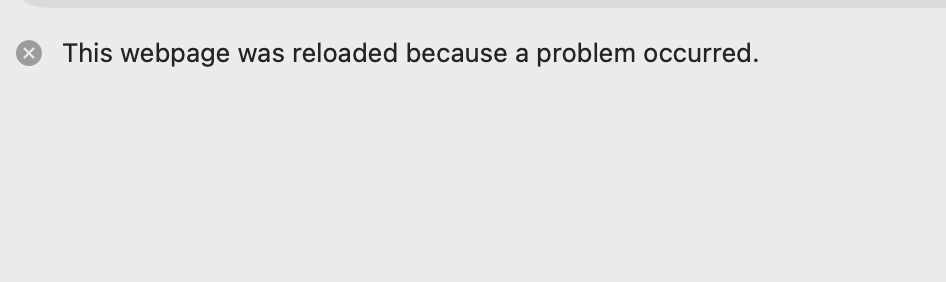
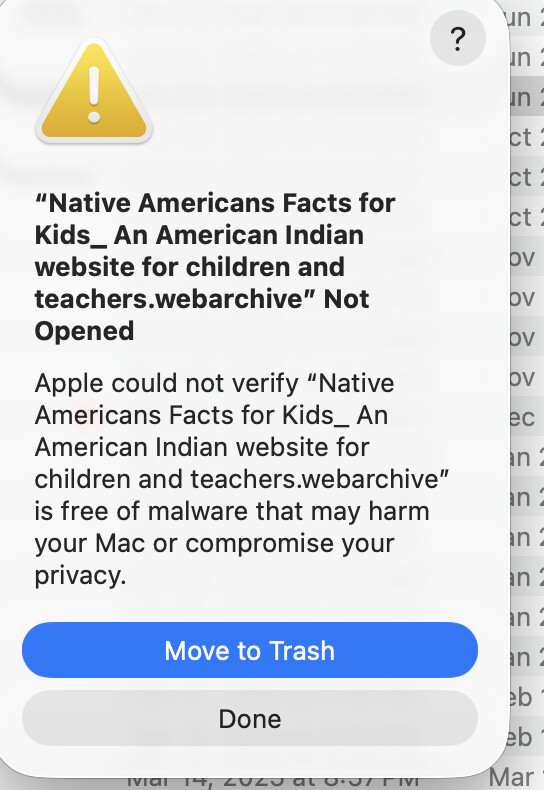
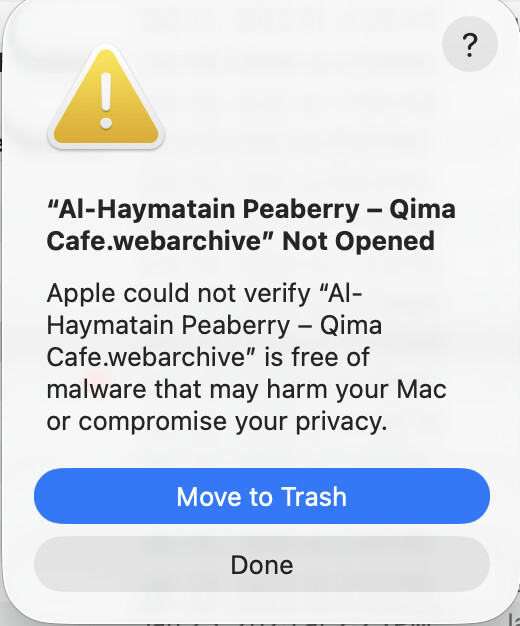
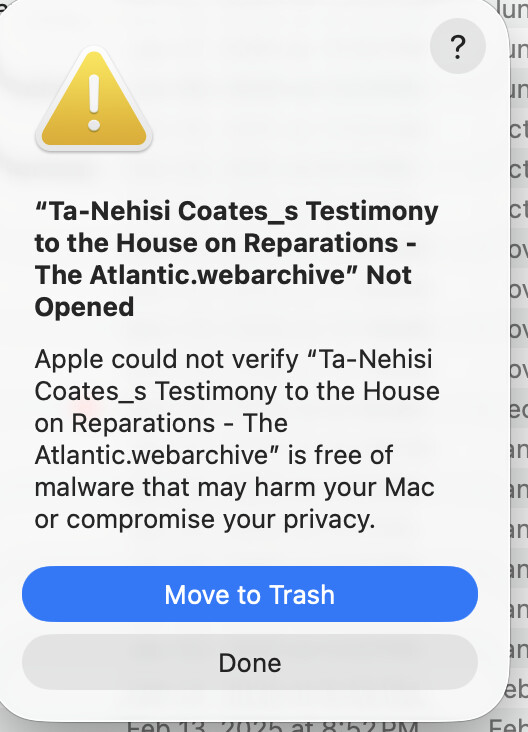
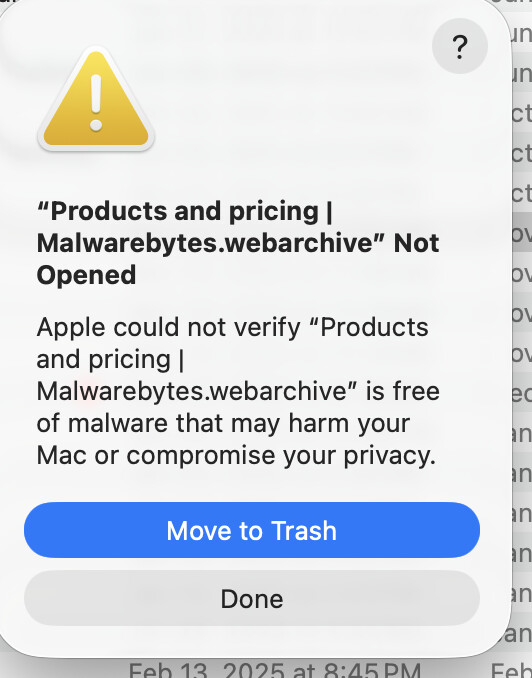
I have not yet gotten into the, apparently advisable, habit of saving webpage archives as pdf exports.
That being said, my habit is generally, for instance when making a coffee purchase at a website, to save description pages as webarchives, for future reference in my coffee tasting hobbies.
Now, Safari will not open its own created webarchives, resulting in the error “a problem repeatedly occurred with” …
I have discovered that turning off javascript will often result in successfully opeing the saved page, but I have to say, I have no complimentary thoughts on Apple’s perfomance in this regard.
Webarchives are super reliable for me. I have 20 year old webarchives which still open perfectly. macOS 15.7.7, Safari 26.5 (20624.2.5.18.3).
You must have something wrong. Let’s start diagnosis with: What macOS? What version of Safari? Have you tried disabling Safari extensions? Is the error with all webarchives or just old ones? Have you tried clearing Safari caches and deleting all web site data? Can you open the webarchives on another Mac?
Lots of times page cycles and cycles all blinking trying to reload trying to open with the mention from above notes. “a problem repeatedly occurred with” … I have zero extensions installed. While I have noticed similar in Sequoia, that’s been more rare.
I just tried one of the oldest webarchive I have, some magazine article from an online subscription. The system made me go through all sorts of security checks. The “problem” seems more systematic than my system specific, for the moment I have to chalk it up as changes in system privacy and security protocols. Something to do with malware checking by Safari
Now I am finding lots of previoulsy openable webarchives un openable. Even with javascript turned off, and wi-fi turned off, what should be a stable standalone file, almost akin to a pdf, indicates “Safari is offline” … not to sound paranoid, but why is it only me this is happening to LOL
AI bot does indicate that Gatekeeper is likely updating and changing security definitions which, virtually the next day, decides it cannot verify the safety of a previously fine file.
I wish Apple had announced this rather than doing a backchannel marginalization protocol … how about offering a converison protocol like how DiskUtitliy will allow converting obsolete dmg containers to be converted to openable format dmg upgrades
#Sheesh, I have a lot of information, from medical records, tax page renderings, magazine subscriptions that are now obsolete with fewer and fewer opportunities to update them to valid files.
So sorry, just one more rant, then I will drop it.
Apple does not realize that by deprecating support for webarchives they actually make their system more unsafe by, essentially, directing people to install extensions, or utilize unvetted or somewhat vetted, third pary apps
I guess it’s forward to saving archives as pdfs, until Apple starts marginalizing that protocol too
You are making the assumption that the problem you are having is due to Apple doing something to deliberately break your webarchive files. So far, nobody has shown any evidence that this is the case. This appears to be a glitch or bug happening under particular circumstances that have not yet been identified.
I don’t intend to sound like I’m belittling your issue, but I do not like how so many people who report problems here jump to the conclusion that Apple did something to deliberately break something that was working. Most of the time, these issues are bugs or glitches.
Apple is not in the business of randomly deprecating things, especially not in ways that behave inconsistently. Please, everyone, stop accusing Apple of deliberately causing the problem that only you are experiencing.
Yes, pardon my venting on the subject, bad form I apologize.
Currently my assumption, however, is not that it is random, but sort of backchanneled marginalization. My latest Google information searches have indicated that Gatekeeper (starting with Sequoia, and Tahoe backgroud security updates) no longer treats Safari webarchives natively, but as random(?) executable files which trigger much higher scrutiny and blocking the archives as having unrecognizable signatuire attributes, or such.
So perhaps not randomly breaking, but indicators are that Apple …I mean by way of Mac OS, is shifting, without much notice, how it behaves in its own ecosystem
Plus, if I save a webarchive of this current thread, while the page will eventually open, it goes through a number of cycles of reloads due to “problem occurred” previously shown in the attachment earlier in the thread
currently running Tahoe 26.5 Safari Version 26.5 (21624.2.5.11.4) and I do see this phenomenon on another system running what ever the latest Sequoia is running.
oh, just to add, it’s not really the URLs per se … it’s the webarchive saves, which used to open fine.
Ta-Nehisi Coates's Testimony to the House on Reparations - The Atlantic Saved as webarchive and opened fine. But I only got as far as the paywall introduction. If you have a webarchive of the complete page it may well have some of the paywall code embedded and this might well cause problems. The web page seems to be almost entirely javascript. So not surprised this gives you trouble - I don’t think that is an Apple issue, rather due to the complexity of the javascript and paywalling.
I could not determine the precise URL for the others.
I also saved this page Did Apple Deliberately Break .webarchives? When opening the web archive it gives a brief message about not being able to open and reloads to the page from the web. I suspect this is requiring a login and that is causing problems.
Remember that web pages can be complex objects requiring interaction (e.g. login) with the user and this would need multiple message back and forth between browser and web site. A standalone webarchive might not be able to do that.
In general, I would suggest and ask that someone posting version information give actual version numbers. First, because someone saying “latest” could be ignorant of a recent update. Second, because someone reading the article later would need to correlate software release dates with the posting date.
I saved a copy of the Malwarebytes Products and Pricing page in webarchive (I never do this usually), and the webarchive file opens just fine. MacOS 26.5.1, from and into Safari Version 26.5 (21624.2.5.11.4).
[edit] And I just purchased a couple of pairs of running shoes and saved the confirmation page as a webarchive - it also opened just fine.
Indeed, very current webarchives seem more or less valid.
The examples I posted were a range of archives, from say, 2021, to 2025 or so. This lends a little bit of credance to the notion that Gatekeeper updates might be “more strict” for older items.
I cannot prove any of the scenarios, but my inquiries/resultes from Google AI bot, and some Mac blogs, suggest any number of agreements such as how Gatekeeper is reacting to executable scripts in web pages, I have seen mention that this may have started with Mac OS 15.4 (sequoia)
• flashing page content repeatedly before either opening, or blocking the archive. When I create a webarchive of this current, Tidbits Talk page, when opening the file, it repeatedly blinks “problem occur” then does actually open the file. Older files are simply triggering those screenshot examples.
• mentions of stricter quarantine flags? Just to remind, I do seem to be able to open the “suspect” files in Quicklook and copy into text edit
Bottom line at this point: I don’t know why this is only happening “to me” but feels like it’s sort of a known glitch … mainly something I am definitely experiencing. Even if noone here actually experiencing this, whether they are coming up with any validation in there search queries on the subject.
Yes, I can create a current webarchive of those pages. And they will function, although I must say there is a slight pre-load effect/flash before opening the page.
The issue stems with that older archives will no longer open. Ironically I have a web archive I just created yesterday, that now results in a gray screen with the words “A problem repeatedly occurred” however with this particular archive, I can open it if I disable javascript. From a range of files from 2020 to 2026 most of the older ones will not open regardless of javascript setting, some will, even files as recent as 2024, 2025 and even 2026, many problems result.
I think going forward, this might indicate the lack of serviceabilty of using webarchives in the future, and that exporting to pdf will be a more stable method.
I wonder if you have any really old webarchives and if you have issues, and/or what is your current system.
I have not really had time to solidly compare this in Tahoe compared with Sequoia …
My experience is the same using the same version of MacOS and Safari noted above. I just opened numerous *.webarchive files created between 2006 and 2026. All opened without issue.
You might want to read this article from H. Oakley where he demonstrates that the problem does exist for a small number of users but is likely a bug and not deliberate behavior from Apple.