I have a Mac mini running Sequoia 15.7.4 and an iPhone 15 running iOS 26.5
When I try to backup the iPhone using Imazing on the mac it automatically turns on HotSpot and then can’t use that to do backup and hangs.
I know that there is such an automatic function when both devices are connected to iCloud and the last Tidbits discussion in 2020 says there is no way to block this.
I am hoping that 6 years later there is some way – but I can find on on internet or here.
Help, suggestions, best Plan B, any and all welcome.
Should I assume that the Mac is normally connected to the Internet via Wi-Fi to your broadband router and that the phone’s hotspot is taking over the connection?
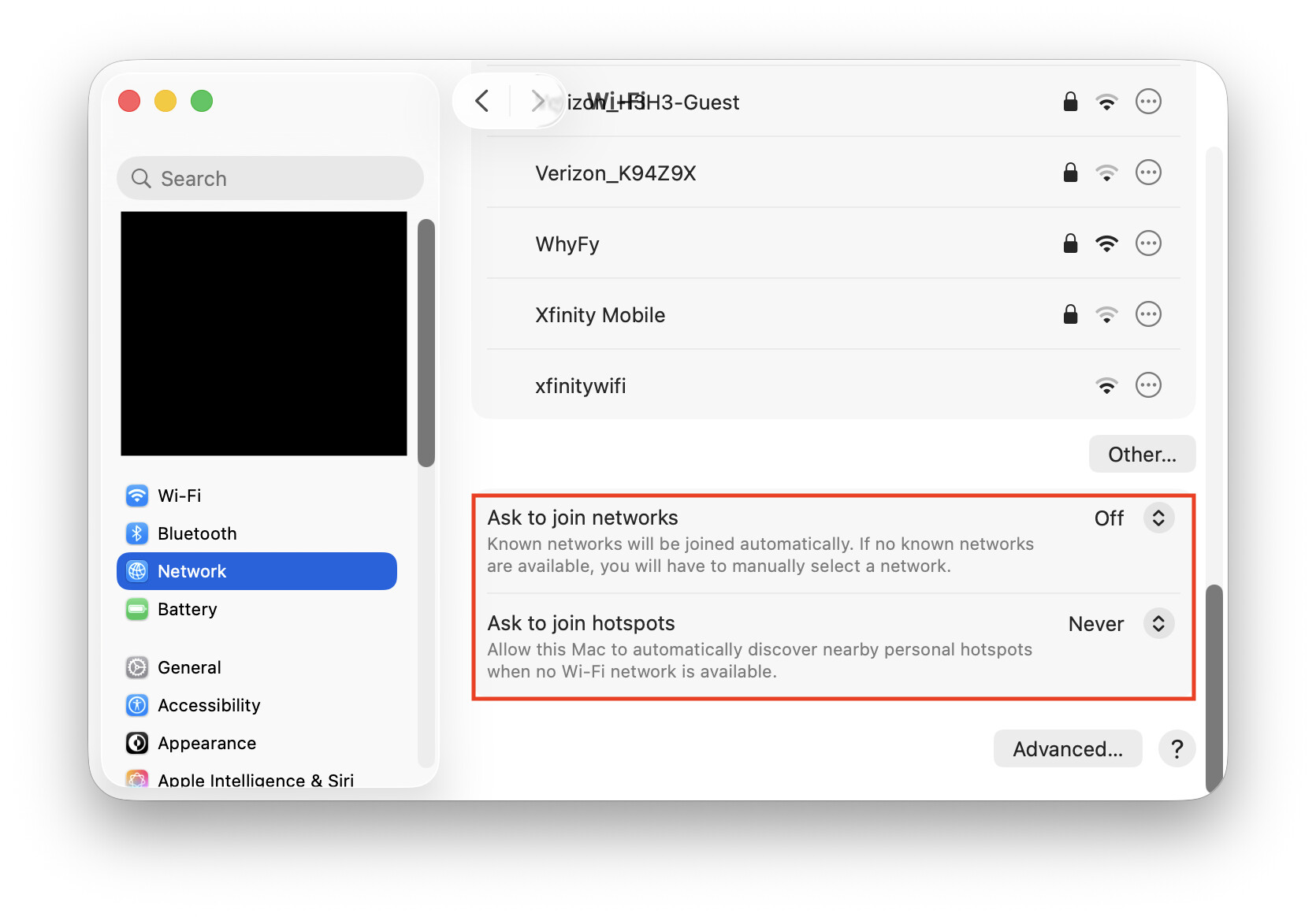
If so, go to your Wi-Fi settings (System Settings → Network → Wi-Fi), and scroll to the bottom. Check the values of the “Ask to join networks” and “Ask to join hotspots” options:
It sounds like your Mac is configured to automatically join hotspots. What happens if you change that setting to “Never”? Or since you’re running macOS 15 (where these settings are just on/off), what if you turn them off?
Can you use the Wi-Fi icon in the menu bar or control center to explicitly join your normal Wi-Fi network after this happens?
If your Mac’s normal network connection is Ethernet, not Wi-Fi, just disable the Wi-Fi interface. If your phone is connected to the same LAN via your Wi-Fi router, you should still have connectivity.
I hit this too. macOS 26 Tahoe has a new option to “Auto-Join Hotspot”, but what happened to me was that my Mac running Ventura had unexpectedly joined a hotspot created by my iPhone running iOS 18. The iMac had “ask to join hotspots” on.
It should have prompted me before the iPhone started a hotspot and the iMac joined it. I think this is a bug. I had to disable it on the iPhone to keep this from happening again.
And note that /Instant Hotspot/ isn’t new, it is the feature since iOS 8.1 that allows password-less hotspots.
Although Airplane Mode on iPhone stopped auto-activation of HotSpot on iPhone, Imazing on the mac still failed to find the iPhone on WiFi even though both were connected to the same network.
There are some new sequoia updates and I am installing them now but I expect I have to go to Tahoe. The Apple support pages imply that now has additional settings to control “Instant Hotspot” and that is what is needed and seems to be missing from Sequoia.
Yes. I realized that after I wrote the comment. I later edited it. On macOS 15, these settings are simple on/off settings instead of the three values I showed. Can you just turn them off? That’s how I have my devices configured. I can manually join my personal hotspots by connecting from the Wi-Fi screen