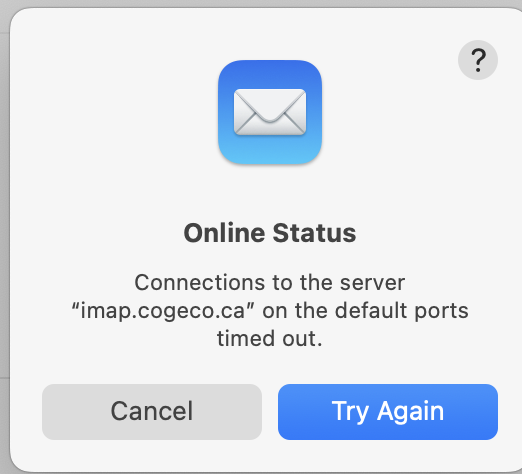
For the past week, Apple Mail on my Mac and my iPhone has been getting stalled when communicating with my ISP’s email server. My wife’s iPad and iPhone are having similar problems. My provider, Cogeco.ca, has a webmail interface that appears to always be up to date. Cogeco basically refuses to provide any support for local email clients. They say, “use web mail”. They insist that nothing has changed on the server side.
On the Mac, I’m running macOS 15.8.1 on an intel iMac. My iPhone is a 16 iOS running 26.6.2.
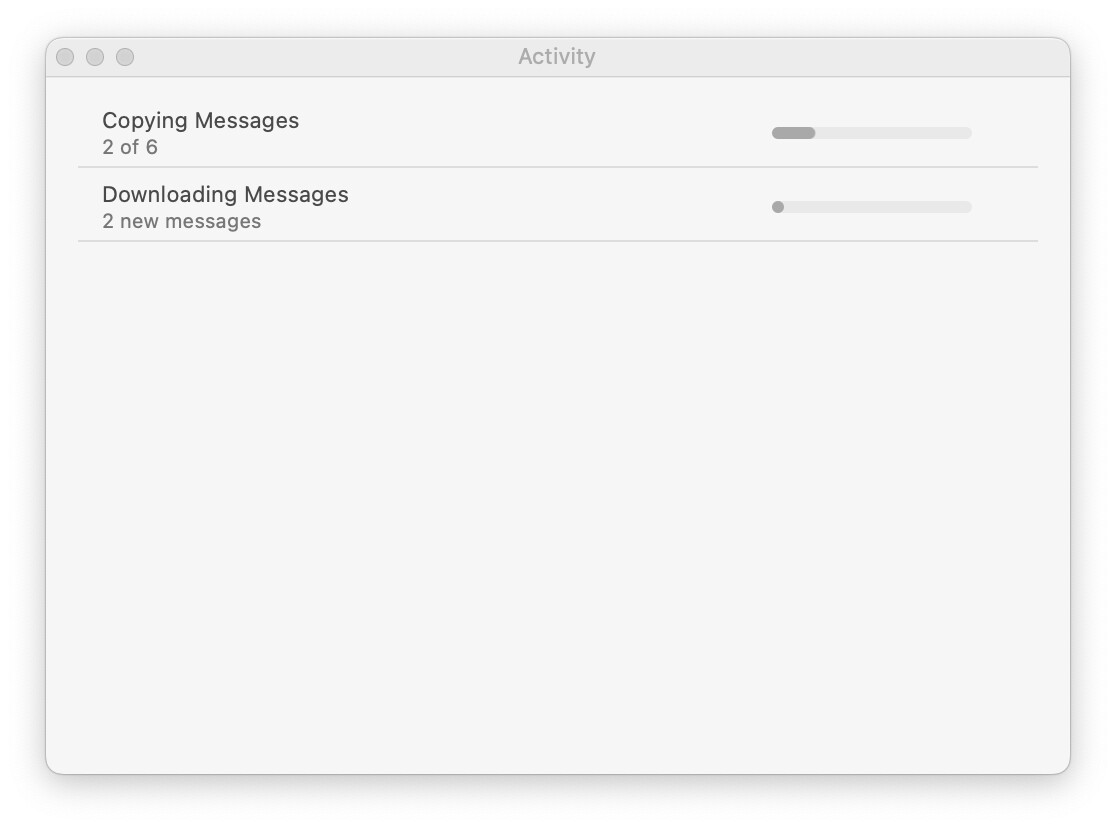
I don’t know how to find out what is going wrong and therefore what to fix. On the Mac, Mail’s Activity window will show status like the following for many minutes at a time.
Well if that’s what you want, and they won’t support it, then it sounds like time for a new ISP. I looked at their support page, and you’re right, they specifically disclaim support for the setup of an external email account. Weird though that they published a page on how to set it up, but still won’t support a customer who has trouble after it has been set up.
From what you’ve done so far, it looks pretty obvious that the stream from the server is stalling. And if that’s the case–and this is the only connection you’re consistently having trouble with–I’m afraid there’s nothing you can do about it on your end.
I’m certainly not an email expert, but I’d try using Mail > Window > Connection Doctor. Once it’s open click the ‘Show Details’ button, click on your problematic connection, then tap ‘Check Again’. Maybe it will show you something helpful.
Thanks. The window itself did not help but I found the “Show logs” button at the bottom. The log file for imap.cogeco.ca is over 800 MB! Even BBedit is groaning a bit opening that.
I’m not a Mail guru either, but to me it looks like their server is overloaded. Take a look at the pairs of INITIATING CONNECTION and CONNECTED lines, especially the thread ID at the end of the message. Notice some threads are attempting connects and are never answered. Others attempt, and those attempts are answered out of order. That’s not in and of itself an issue, but to me it speaks of a server struggling to keep up and simply dropping connection requests it can’t handle, and handling others “when it can”. Likely they prioritize their own hosted RoundCube (or whatever) web mail service so that its requests get handled first. You could feed an extract of the connection log into an AI for further analysis and confirmation (or not) of my theory.
In addition to not being an email under-the-hood expert, I’m also no good at reading logs! But…
We recently had a Mail failure for several hours, a self-employed family member who depends on their Mac only noticed when some expected business correspondence didn’t arrive.
We got surprisingly deep response from the provider (possibly a robot disguised as a human as it was so unusual from the provider) of the account. They do offer webmail and diy setup for clients and for us also the webmail showed mail that didn’t arrive in Apple Mail App on the Tahoe Mac.
In a long email analysis, they had analyzed the connections and noticed many times that Mail tried to connect then stopped trying. This account has many GB of email synced and the thought was that each time Mail checked for new mail, the amount of mail syncing required a long connection and for some reason it appeared the ISP had broken off the long connection. There was no notice from the Mac or Mail app about the failure. We haven’t done further analysis as it seems to work again and Family Member is traveling so much that the base of ops ISP is not that much in use lately.
We’ve also had trouble connecting with some providers while using NordVPN (although other accounts work fine with same selected location). So… If you have loads of IMAP mail sync’d, maybe see if there is a reasonable way to reduce it (move to On My Mac and back up frequently), or if you’re using a VPN, try other locations or without one.
Finally, yes Mail connection logs can get into the GB huge. We had a mac whose backups were taking forever, and finally I noticed it appeared to be stuck on huge log files. So I found and deleted them and turned off connection logging. Now, the backups are faster and without a specific problem to troubleshoot, we don’t really need them afaik. So once you resolve this, consider finding and deleting the logs and turning off logging to save internal storage space if that’s an issue.
With the holiday weekend in Canada, I didn’t devote any time to my email connection problems. BUT there was a new wrinkle. My email appears to work fine on a cellular connection as opposed to directly connecting to my service provider (Cogeco). It could have just been coincidence so I need to do more testing. And Mail has had fewer problems updating over the last few days anyway. Still very annoying after 20+ years with them.
Can’t help on the issue. But a side-note you’ve probably heard before, is that it’s best NOT to use email service from one’s ISP.
Why? Because if you move home or simply want to move ISP to a better deal financially (however unlikely), then when you move ISP you also need to move email provider, as your original ISP will either immediately or after a grace period shut down your email account. All of that means having to move to your new ISP’s email service or somewhere else. Plus these technical issues you mention… ISP’s are notorious (worldwide) for not being good when technical issues arise, that’s especially true for add-on services they bundle in for free like email et al. (as they often buy-in these services from other companies for cheap).
Options for free email are: iCloud (obviously great for Apple users); Gmail (if you don’t mind their ‘tagging’ rather than ‘filing’ system); if not then Outlook.com’s free email is good (also free if you’re an MS365 subscriber; you can keep your email regardless of subscribing). Alternatively, a paid service like Fastmail or Proton Mail offer more nuance in service and a better level of customer support.
I have an email service with my ISP that I rarely use. I appreciate the caution about changing ISPs & but in my case the email address is linked to my domain name hosted by that ISP. So I expect that if I change ISP I can move that domain name to the new ISP and keep the email addresses. Not a big issue for me though.
& decades ago my original ISP and email/web page provider was TPG in Australia. When they ceased hosting I only had a few weeks to change the email in all my accounts.
I appreciate the cautions about using email provided by an ISP. For years, I’ve known that I should migrate our email but a quick trip to the Passwords app shows how daunting that task is now. Up until a few weeks ago, Cogeco provided OK service. And it is frustrating that this problem is not consistent. Sometimes email updates immediately and other times the Mail client will be many hours behind.
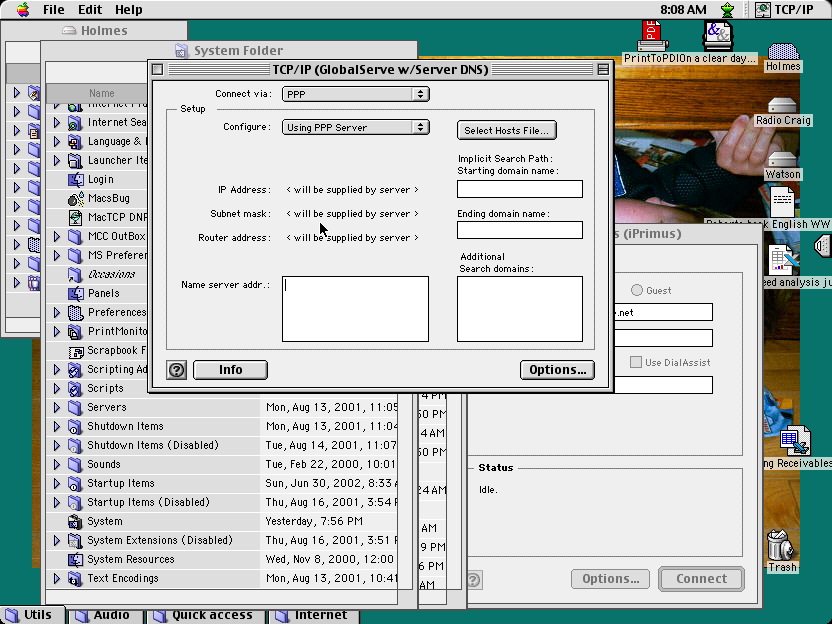
BTW, I believe we switched to Cogeco internet in 2002 or 2003. I found a saved screenshot (PICT format!) from just before switching. Needed to use GraphicConverter to open it:
Was using Eudora to access email via POP at my former ISP (Globalserve). Didn’t switch to IMAP until 2015. When I switched ISPs in 2002/3, I think I used a hand-written page to keep track of the UserIDs that I had changed from globalserve.net to cogeco.ca. It is going to be a major pain to do it now.
I’ve seen a few posts elsewhere that suggest it is possible to retain a Cogeco email address after leaving the paid service, sort of like someone can do that when they leave Comcast/Xfinity cable Internet. It might be worth contacting Cogeco to see if that is true.
As an aside, migrating email addresses associated with a lot of third-party services would be an excellent use of agentic AI. I’m not sure that it is worth attempting today, but I have no doubt that it won’t be too long before someone can say to an AI, “Access all accounts I have in my Passwords.app that use me@ISP.com as my email address and update them to use me@newemail.com instead. Be sure to report all successes and failures back to me.”
That use of Agentic AI sounds like it could be a real problem if lists of user names and passwords were hacked and allowed third parties could transfer accounts. For that matter, it also might be used for a third party who did not know the password to tell third party if the username had an account on that account.
That TPG account that I mention above was originally a dial-up subscription which was based on usage, not an annual renewal. This meant that the account stayed active and the web pages that I created to be hosted by TPG stayed active for many years after I moved to another ISP.
At least that gave me plenty of time to move those web pages to a new host
The wisdom of this being well emphasised by the wailing and gnashing of teeth being caused in UK by Virgin closing their email services. People who have had ntlworld, blueyonder, virginmedia email addresses for 30 years are crawling out of the woodwork and realising what they are up against. Many are not at all IT literate. Virgin are handing it off to a third party at a cost of 99p for first year then £80pa. Fortunately I have been slowly changing to my .mac email for the last 15 years so not much to do.
It’s indeed daunting if you think about updating your information everywhere at once. The key is to migrate to a new email address over time. Just do a handful at a time when the mood strikes over the course of weeks, months, or even a year.
… And when you think you’ve got everything, set up a forwarder on the old mailbox. So if you forgot any senders, the mail will get to you and you can see (from the message headers) that it was send to the old mailbox. At which point, you can update the sender or ignore it (e.g., if it’s junk mail).
Another challenge is all the old accounts/subscriptions set up with an email that no longer works. Their owners can’t contact you and you are unlikely to be able log into your account without using that email. I have tried to catch these by searching the Keychain/Passwords app before the email was shut down but several remain.
Additionally, consider setting up your client, ie Apple Mail or whichever, with a rule etc that brings your attention to the forwarded emails. I have one ongoing and a rule in Mail to turn the background of the forwarded mail to yellow, so even I can’t overlook it in the middle-column list of email. There are other options too like playing a sound and so on…