Originally published at: Yet Another Story of an iOS Update Silently Changing Settings - TidBITS
Ann Garretson, an old friend from our Seattle days, wrote to me recently with what initially sounded like an utterly inscrutable problem. I knew Ann from Seattle dBUG, and she’s married to Ralph Sims, who provided my first UUCP connection in Seattle in 1991 and later co-founded Northwest Nexus, the ISP that offered the world’s first flat-rate Internet account for readers of my Internet Starter Kit for Macintosh book. So when it comes to Apple devices and networking, she’s far from a novice.
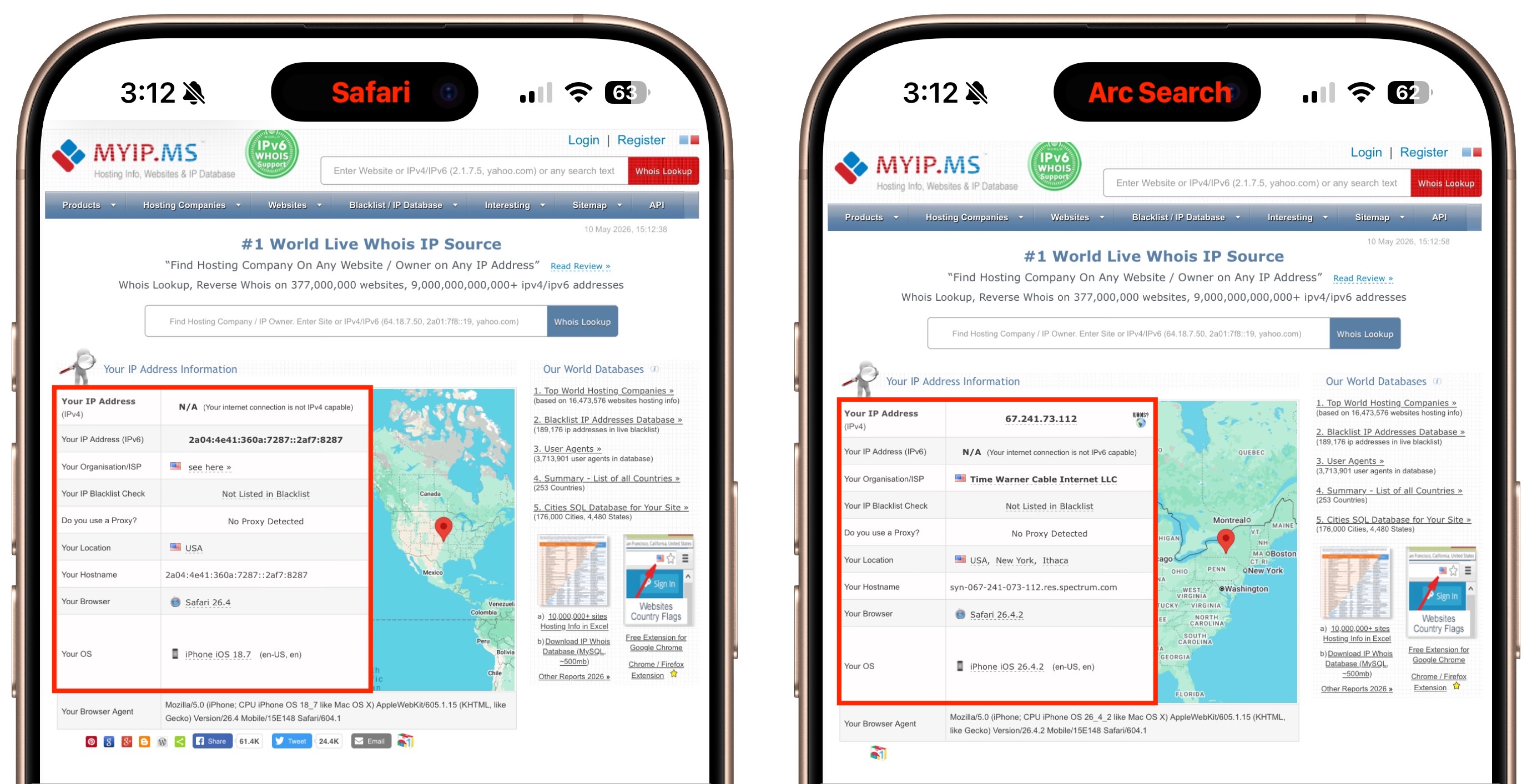
Ann’s problem appeared after she updated to iOS 26.4.1: Safari on her iPhone 16 Pro failed to display an IPv4 address and hostname, and since her server required both, connections were timing out. However, if she switched to Firefox or DuckDuckGo on the iPhone, connections to her server worked fine. So did Safari on her Macs and iPads. When iOS 26.4.2 came out, installing that made no difference. To illustrate what she was saying, Ann suggested that I visit MYIP.MS, which shows IP address information.
With a variety of Apple devices at my fingertips, I visited MYIP.MS from different browsers, and she was correct—on my iPhone, Safari didn’t show an IPv4 address or hostname (left), but Arc Search and other browsers did (right). However, I saw the same behavior on my iPad, though not on my Macs. What could be going on?
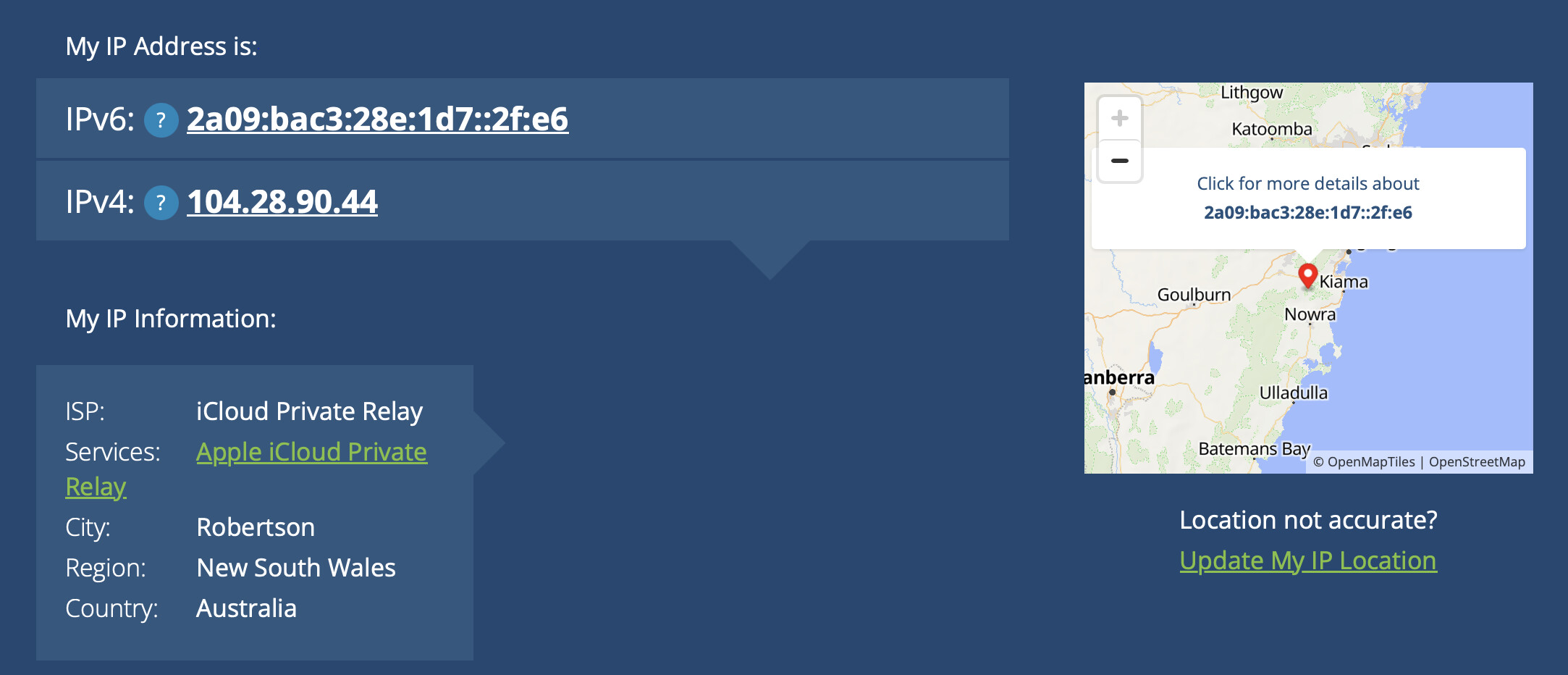
Then the lightbulb came on—there is one scenario where networking in Safari is completely different from all other browsers: iCloud Private Relay, which I’ve tangled with before (see “Solving Connectivity Problems Caused by Interlocking Apple Privacy Settings,” 20 June 2022). Once I turned iCloud Private Relay off on my iPhone (Settings > Your Name > iCloud > Private Relay), MYIP.MS properly reported an IPv4 address and hostname.
(Checking a few other IP lookup sites suggests that Ann’s issue may have been related mostly to the hostname; some sites detected a proper IPv4 address when iCloud Private Relay was in use, but fell back to either the IPv4 or IPv6 address instead of the hostname. Beware that these sites have a lot of ads!)
I suggested to Ann that iCloud Private Relay might be the culprit, and she quickly wrote back to confirm that I was correct. Immediate problem solved, and happily, it wasn’t an obscure bug in iOS or Safari.
But here’s the thing—Ann never enabled iCloud Private Relay, which was why she didn’t think of it as a possibility. During the iOS 26.4.1 update, some gremlin must have toggled iCloud Private Relay on. (It was so tempting to write “goblin” there—see “ChatGPT’s Goblin Obsession Evades OpenAI’s Fixes,” 5 May 2026.)
Unfortunately, such reports are all too common. Although it’s easy (and tempting) to be angry at Apple for randomly changing settings, the reality is undoubtedly less simple (and less satisfying). With more significant upgrades, it’s more likely that Apple updates are changing the underlying foundation: old preferences may be converted to new formats without a one-to-one mapping, unchanged defaults may be replaced with new values, and security rules may be tightened.
Even small updates can restart services, repair damaged state, reapply synced settings, or change the timing of background processes. So a setting may appear to change because the update caused some system service to reassert a value that had previously been stale, stuck, or inconsistent.
I’ve been experimenting with getting Claude to write a script that records the before and after states of any accessible macOS settings, compares the two files, and reports on what changed. Early testing looks promising, so I’ll keep working on it to see if it’s the sort of thing that can be packaged up in a useful way. Unfortunately, iOS sandboxing and security precautions would seem to preclude anything similar on the iPhone and iPad unless, as one commenter suggested, an iMazing backup to the Mac would allow a script to read all the necessary plist files.